RingQ 9.2.0.76: encrypted call recordings, voice prompts in your language and AI call insights
RingQ 9.2.0.76 adds bank-grade encrypted call recordings, voice prompts in 21 languages, AI call insights, Hebrew, simpler office hours and a hotel lobby TV.

What's new in the RingQ web app 9.2.0.76.
Version: Web 9.2.0.76, live 13 November 2026
Your call recordings now stay locked, callers hear RingQ in their own language, and every call can come with an AI summary. This RingQ update adds encrypted call recordings for compliance, voice prompts in 21 languages, a new AI call insights report, Hebrew across RingQ, simpler office hours and a lobby TV display for hotels. Your server picks it up with the usual Update button.
At a glance
Encrypted call recordings: recordings, transcripts and AI summaries stored encrypted, with an optional company-only key.
Voice prompts in your language: download a prompt pack and every IVR, queue and voicemail follows it.
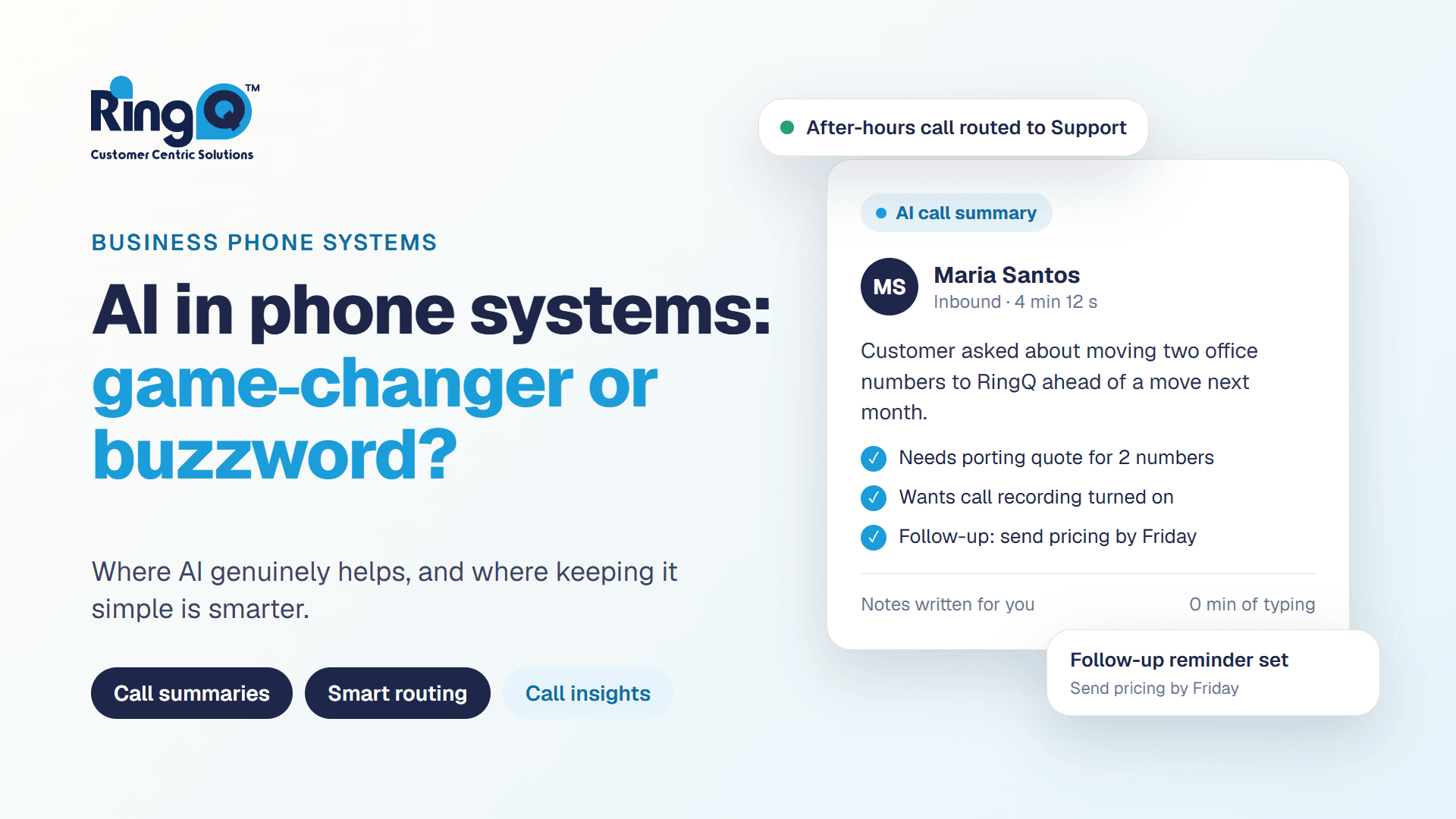
AI call insights: a summary, score, topics and mood for each call, next to a timed transcript.
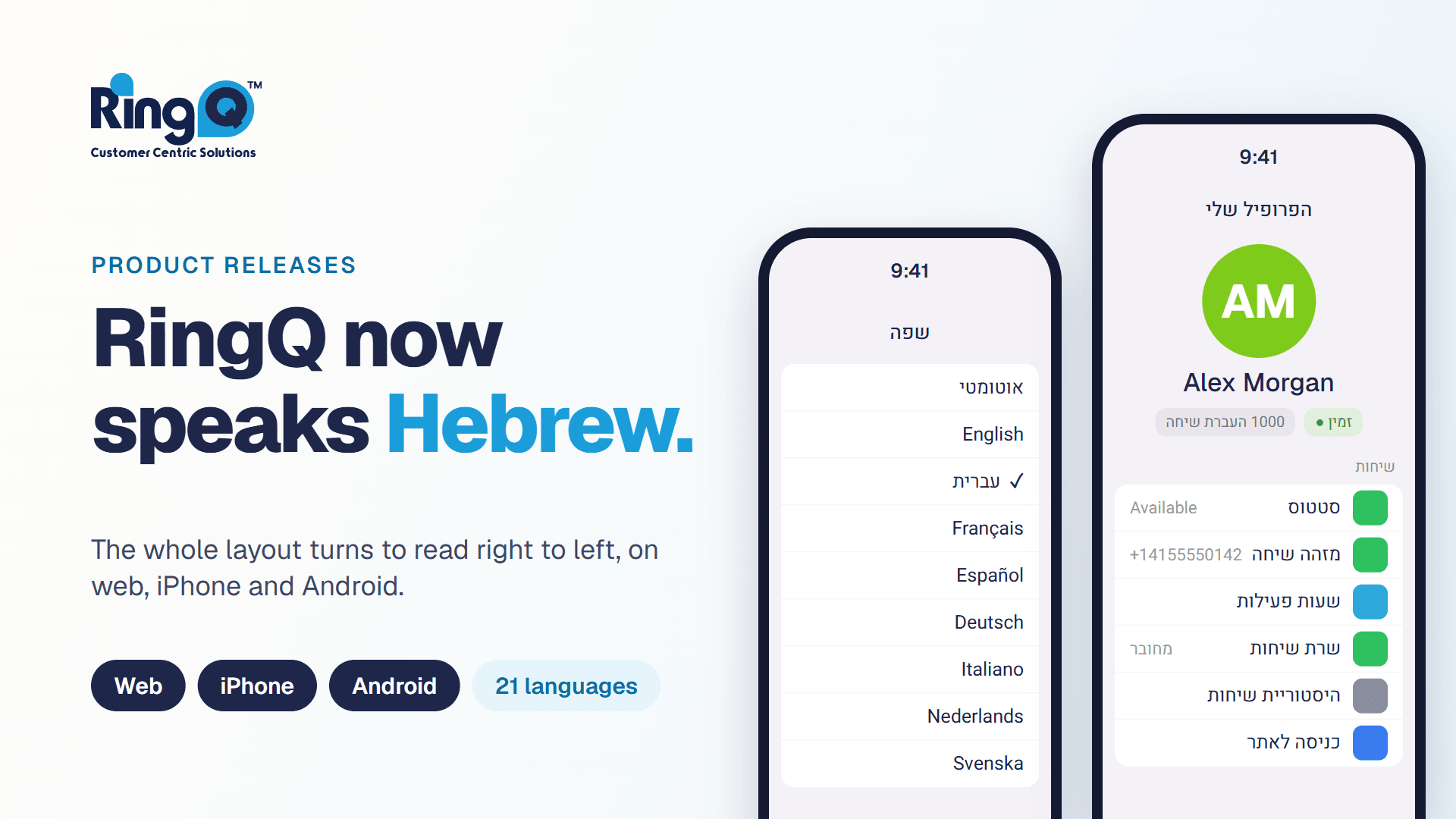
Hebrew: the web app and emails in Hebrew, right to left, and every screen translated.
Simpler office hours: use global hours, your own hours, or open 24/7 in one choice.
Boutique Hotel: show the guest QR code on a lobby TV, with a read-only API.
Encrypted call recordings for banks, finance and regulated businesses
Banks, lenders, insurers, wealth managers and payment companies must record their calls, and they must keep those recordings safe. Auditors and regulators increasingly ask a simple question: if someone copies the recording files, can they listen to them? With RingQ the answer is now no.
Every new call recording, transcript and AI summary is now stored encrypted on single-tenant RingQ servers, using AES-256-GCM, the industry-standard encryption trusted by banks and governments. Each recording gets its own key. The account owner picks one of three levels in Global Settings > Security > Recording encryption.
- Standard (on by default). Recordings are encrypted with a key held by your RingQ server. Your team plays them as usual, with nothing to unlock.
- Strict (optional). Recordings are locked with your company's own key file. Only people who hold the key can listen, not even RingQ. Strict recordings unlock in Call Logs and Reports with the key.
- Off. For companies that already encrypt storage another way.
Built for compliance teams
Industry-standard AES-256-GCM encryption for every recording, transcript and AI summary.
Strict mode: your company alone holds the key, with a recovery key for safekeeping.
An Access log of who unlocked and listened to each recording.
Agents can pause recording while a caller reads out card details, and each queue can be set to Always record.
Encrypted on the server, in your S3, FTP or SFTP archive, and in every backup.
Signed recording links for your CRM that expire after 7 days.
Whether you answer to a banking regulator, card-payment rules or data-protection law, encrypted recordings help you show that customer calls are protected. To see recording encryption on your own server, open Need support? in RingQ or contact your RingQ partner for a demo.
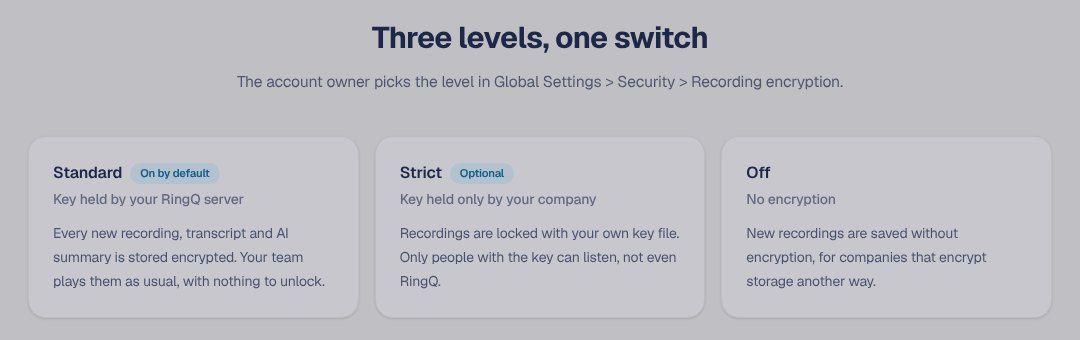
Three levels, one switch.
The rest of your call data is protected too. Every Time Machine backup is locked with a strong per-server password, a restore only replaces what the backup contains, recording links sent to your CRM, Zoho or Help Desk are signed and expire after 7 days, and an Access log shows who listened to each recording.
Queue recording: opt in or opt out. Each queue can now be set to Always record, or Record, agents can pause, so agents can pause the recording while a caller reads out card details.
Learn more
Read the Recording encryption guide at https://www.ringq.com/guides/security-guide/recording-encryption and our compliance page at https://www.ringq.com/compliance/recording-encryption.
Voice prompts in 21 languages
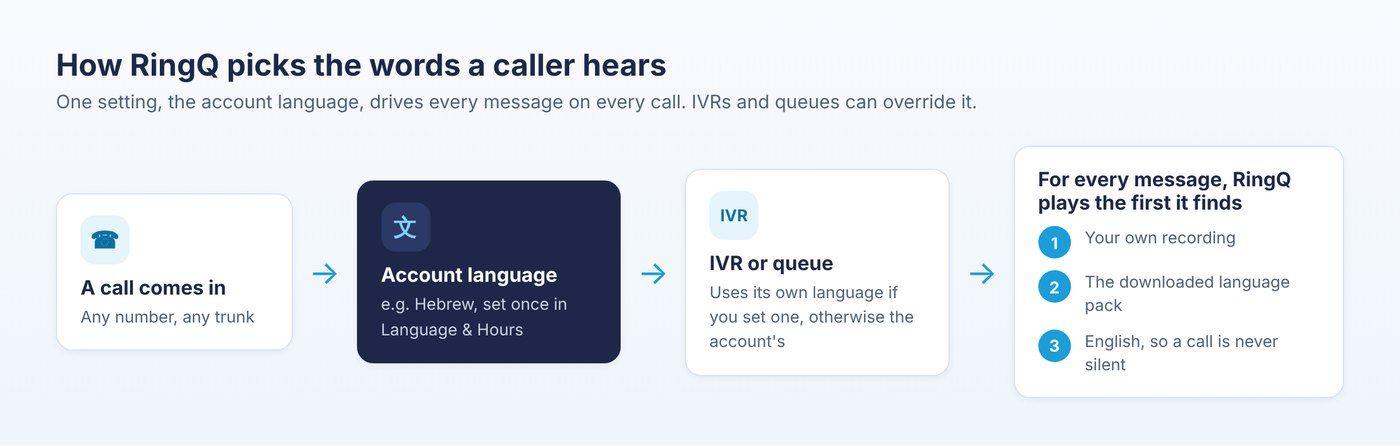
One setting, the account language, drives every message on every call.
Callers now hear RingQ in your language. English is built in, and you can download a voice prompt pack for any of 20 more languages, 21 in all, from Arabic and Chinese to Hebrew, Japanese and Spanish. Set the account language once, and every IVR, queue, voicemail and spoken number follows it.
- Download a language. Go to Global Settings > Language & Hours > Voice prompts and click Download. It installs in the background.
- + Add language. Play a second language after the first, for example Hebrew then English.
- Each IVR its own language. Give an IVR or queue its own language, so one server can greet callers in several languages.
- Your own prompts win. Recordings you upload always play first.
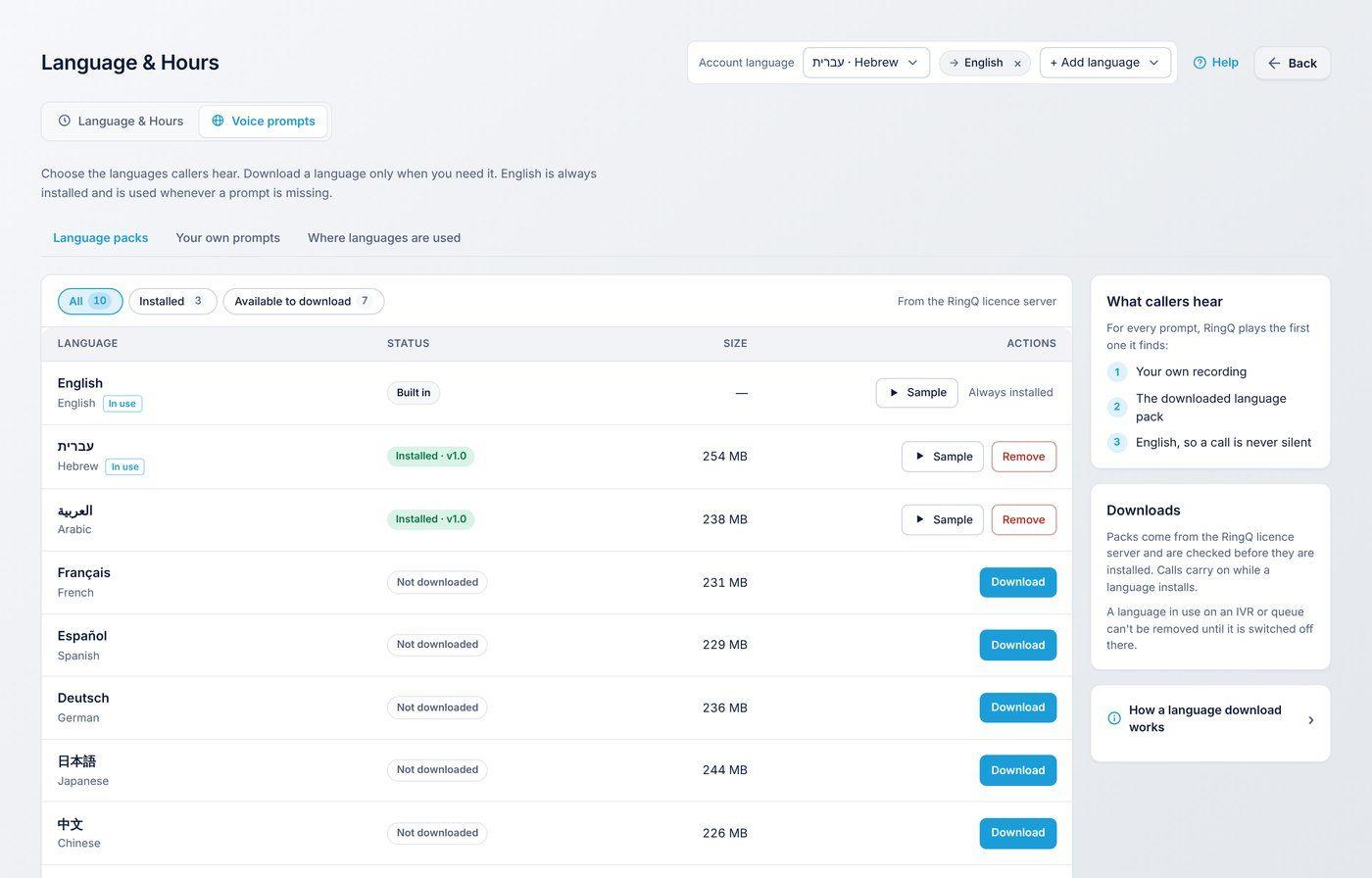
Language packs: download, sample and remove.
Learn more
Start with How languages work in RingQ: https://www.ringq.com/guides/languages/how-languages-work
AI call insights
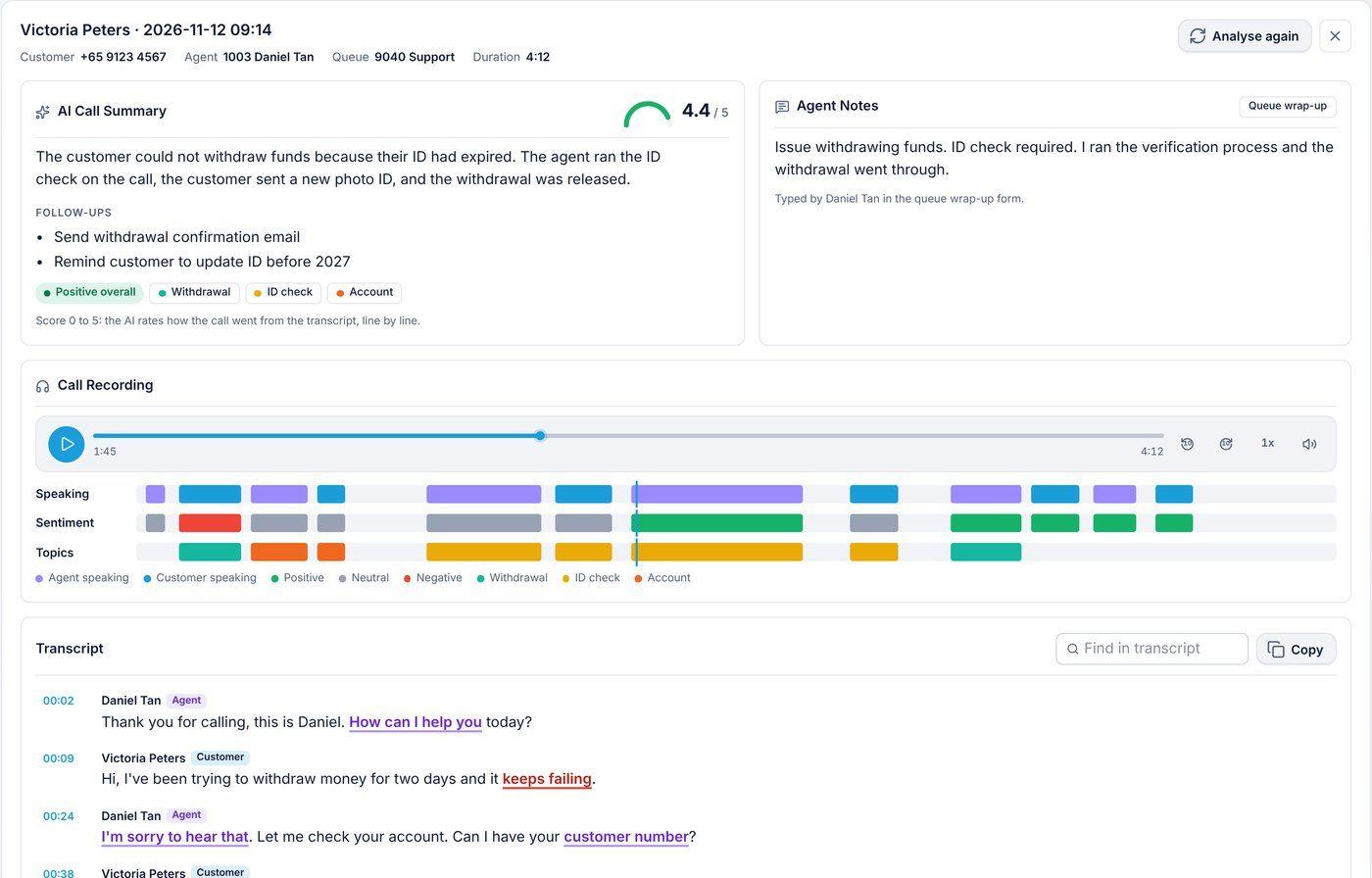
A summary, score, topics and the mood of every line, next to the recording.
See what happened on every call without listening to it. The new AI call insights report under Reports gives each call an AI summary with follow-ups, a score out of 5, the topics discussed and the mood of every line, next to a timed transcript with each side labelled.
- Summaries in the call's language. A call in Spanish gets a Spanish summary, and an English call an English one.
- Live transcript kept. The words Agent Coach shows during a call are saved on the call record, so nothing is transcribed twice.
- Your AI, your choice. Use RingQ AI at no cost for Meet summaries, or your own OpenAI key.
Learn more
Read the AI call insights guide at https://www.ringq.com/guides/reports/ai-call-insights or see https://www.ringq.com/call-center-management/ai-call-insights
RingQ speaks Hebrew
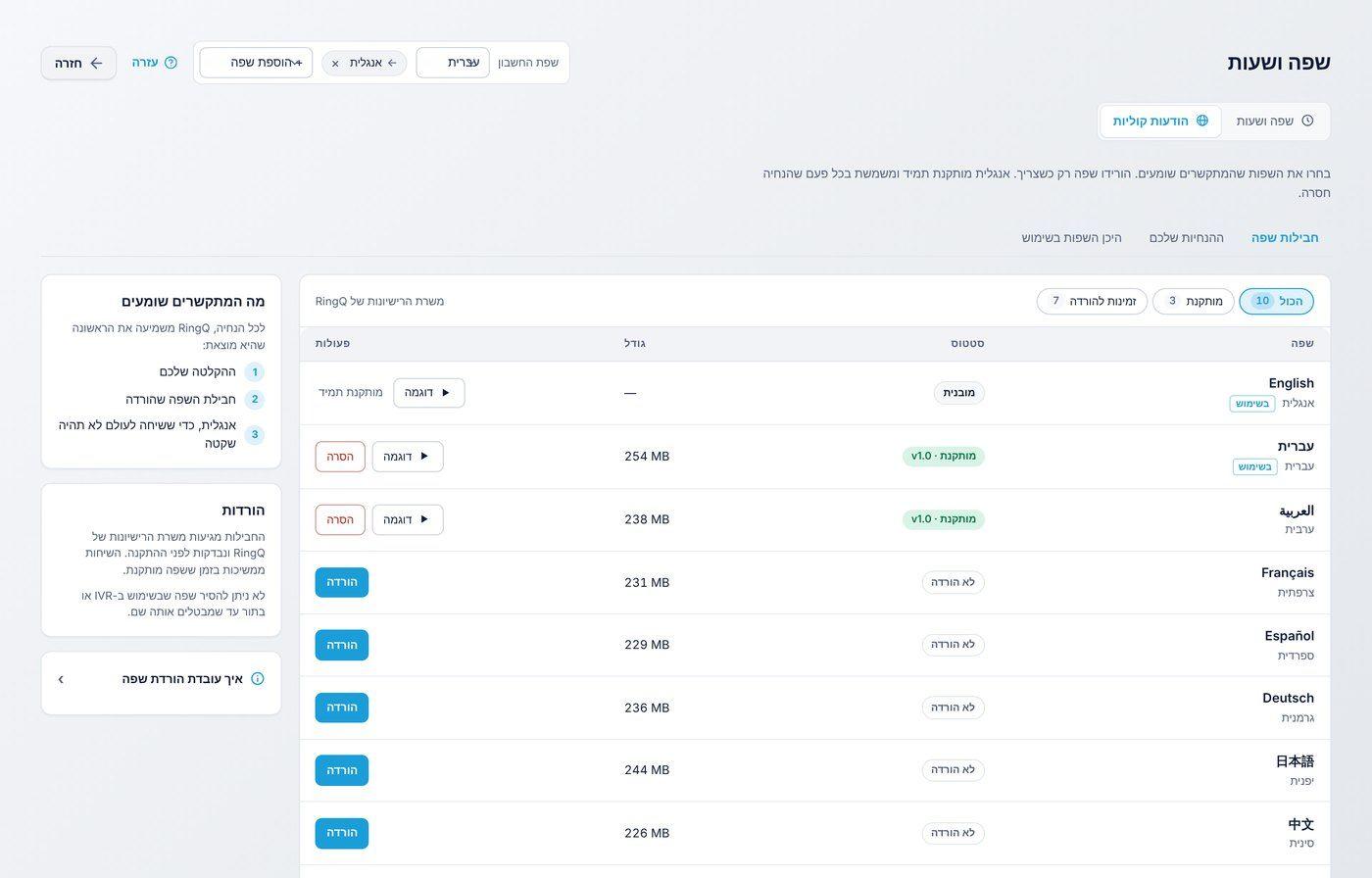
The whole layout mirrors to read right to left.
RingQ now works fully in Hebrew on the web app and in every email, laid out right to left. We also translated the last English texts, so call statuses, dates, times, emails and reports follow each user's own language, and ringq.com guides open in the visitor's language.
Simpler office hours
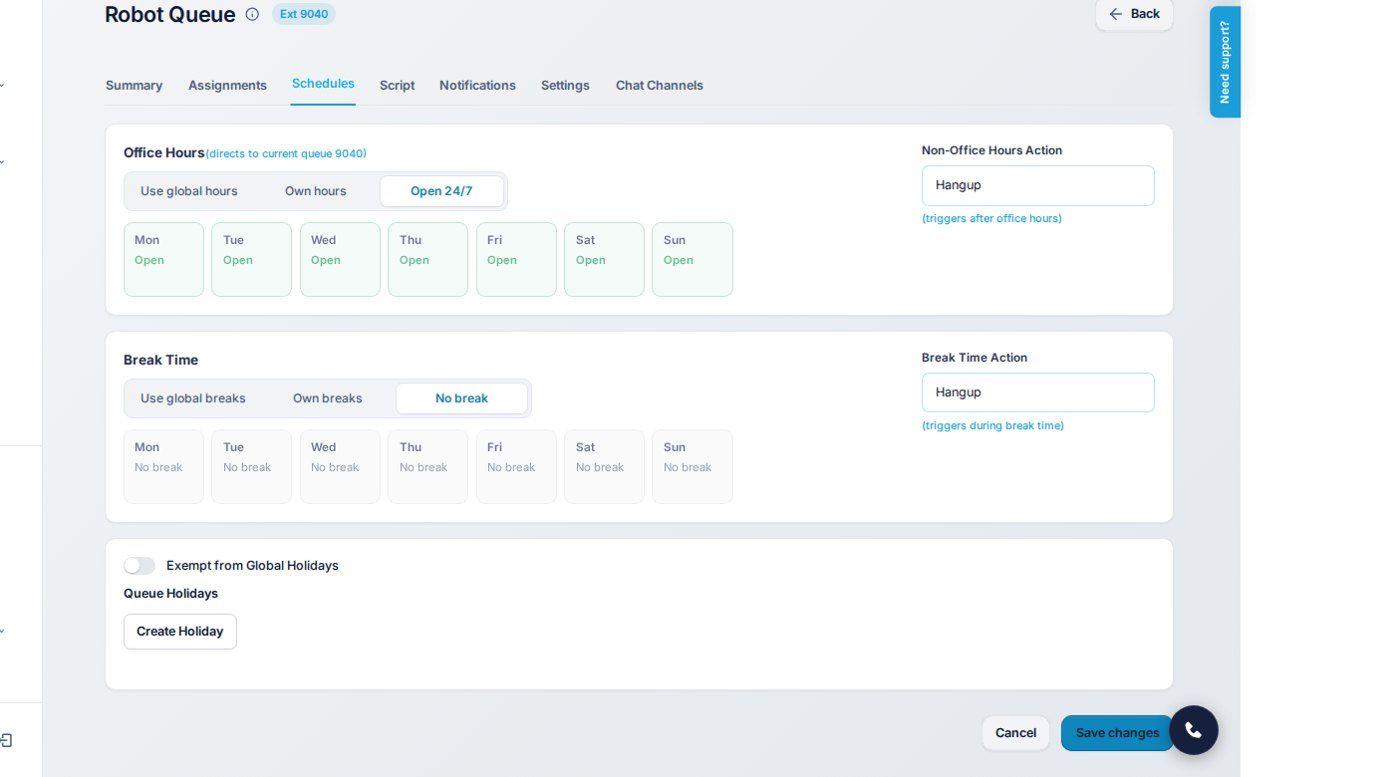
One simple choice for hours and breaks.
Office hours and breaks are now one simple choice for every extension, queue and rule: Use global hours, Own hours, or Open 24/7, and the same for breaks. You always see the real global week, so you know exactly what you are following, and global breaks can be switched off for single days.
Boutique Hotel: lobby TV display and API
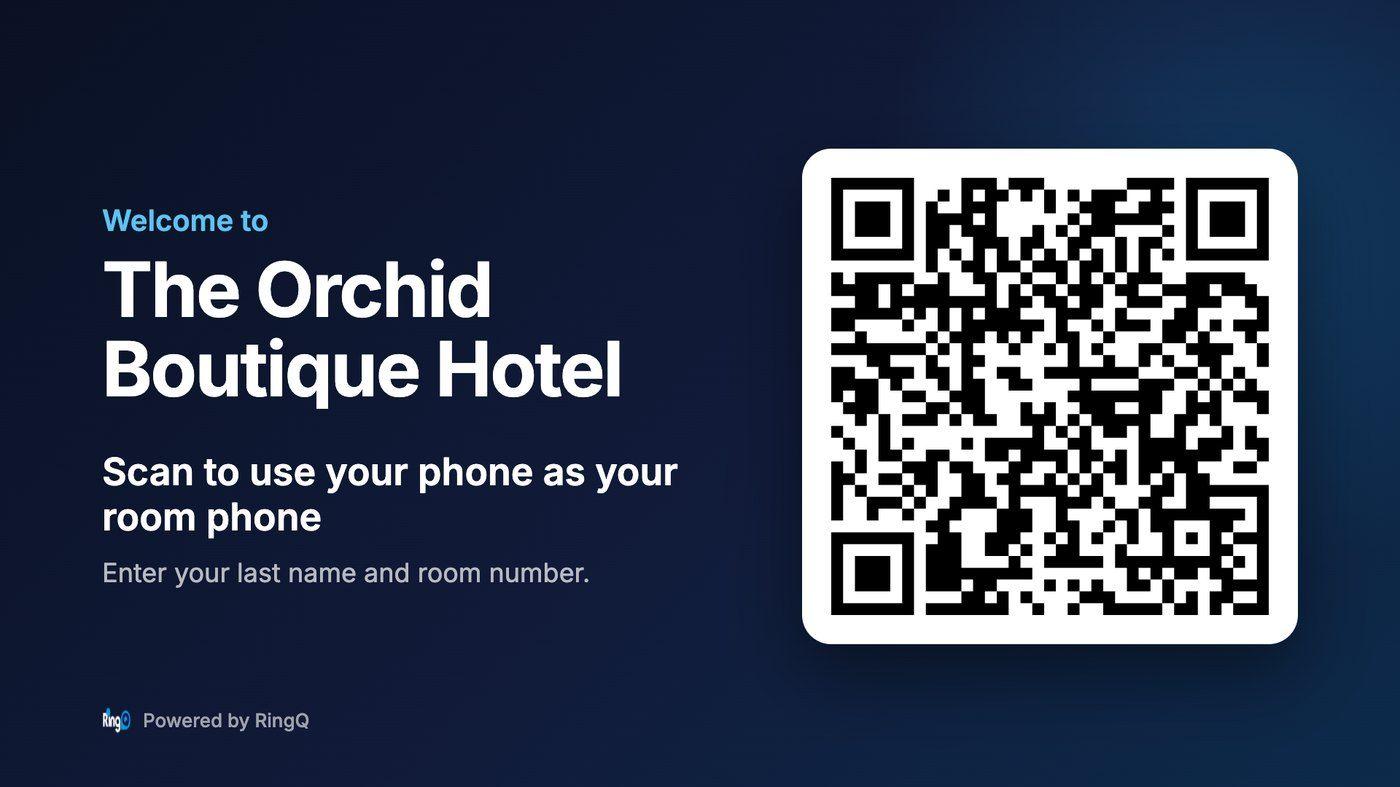
Guests scan the lobby TV to use their own phone as the room phone.
Show your guest QR code on a lobby TV or signage screen. Open Chameleon > Hotel PBX Setting > TV Display, choose the TV language and open the link on the screen. The TV refreshes by itself whenever the QR code changes. Developers can read the same information with a read-only API key.
Learn more
Read the Boutique Hotel PBX guide at https://www.ringq.com/guides/hotel-front-desk/boutique-hotel
More in this release
- Text customers first. Agents can start an SMS conversation with the New SMS button in Chat.
- Browser notifications. Chats, chat transfers and queue calls notify agents even when RingQ is not the tab in front.
- Voicemail at a glance. A count of new voicemails on the dialer and sidebar, and new or played marks in the list.
- Who answered. When a queue sends a call onwards, Call Logs show who answered it, including an outside number.
- RingQ Meet. Share recordings by link, see how each person joined, and get an email when a recording is ready.
- Custom CRM webhook. AI summary and sentiment in the call's language, automatic retries for 24 hours and a Resend button.
- Export extensions. Download your extensions as a CSV in the import format, recorded in Audit Logs.
- Click to Call. The RingQ Click2Call browser extension fills the dial pad in the web app.
- Faster dashboard. A much lighter refresh, so pages feel quicker.
How to get it
Press Update on your RingQ server to move to 9.2.0.76.
Every change is listed in the full release notes at ringq.com/changelogs. Questions? Open Need support? in RingQ or visit helpdesk.guru.
- Recording encryption guide
- How languages work
- AI call insights guide
- Boutique Hotel PBX guide
- All release notes
See RingQ in action
Talk to our team and find the right cloud PBX and contact center setup for your business.
Book a demo