
AI Call Insights in RingQ: Call Summary, Score, Sentiment and Transcript
AI Call Insights is a RingQ report that shows how every recorded call went, without listening to it. For each call you get an AI summary, a call score from 0 to 5, the follow-ups the agent promised, sentiment and topics on the recording timeline, and a transcript that shows who said what. The agent's own notes sit next to the AI summary.
Want the product tour first? See the AI Call Insights feature page.
What you need
- Call recording turned on for the queues, ring groups or extensions you want insights for. Only recorded calls can be analysed.
- The ChatGPT AI engine with your own OpenAI token. AI Call Insights works only with ChatGPT AI. The RingQ AI engine gives the transcript text only, without the summary, score, sentiment and topics.
- A role that allows Reports, so you can open the report.
Turn it on
- Sign in to the RingQ web app as an admin.
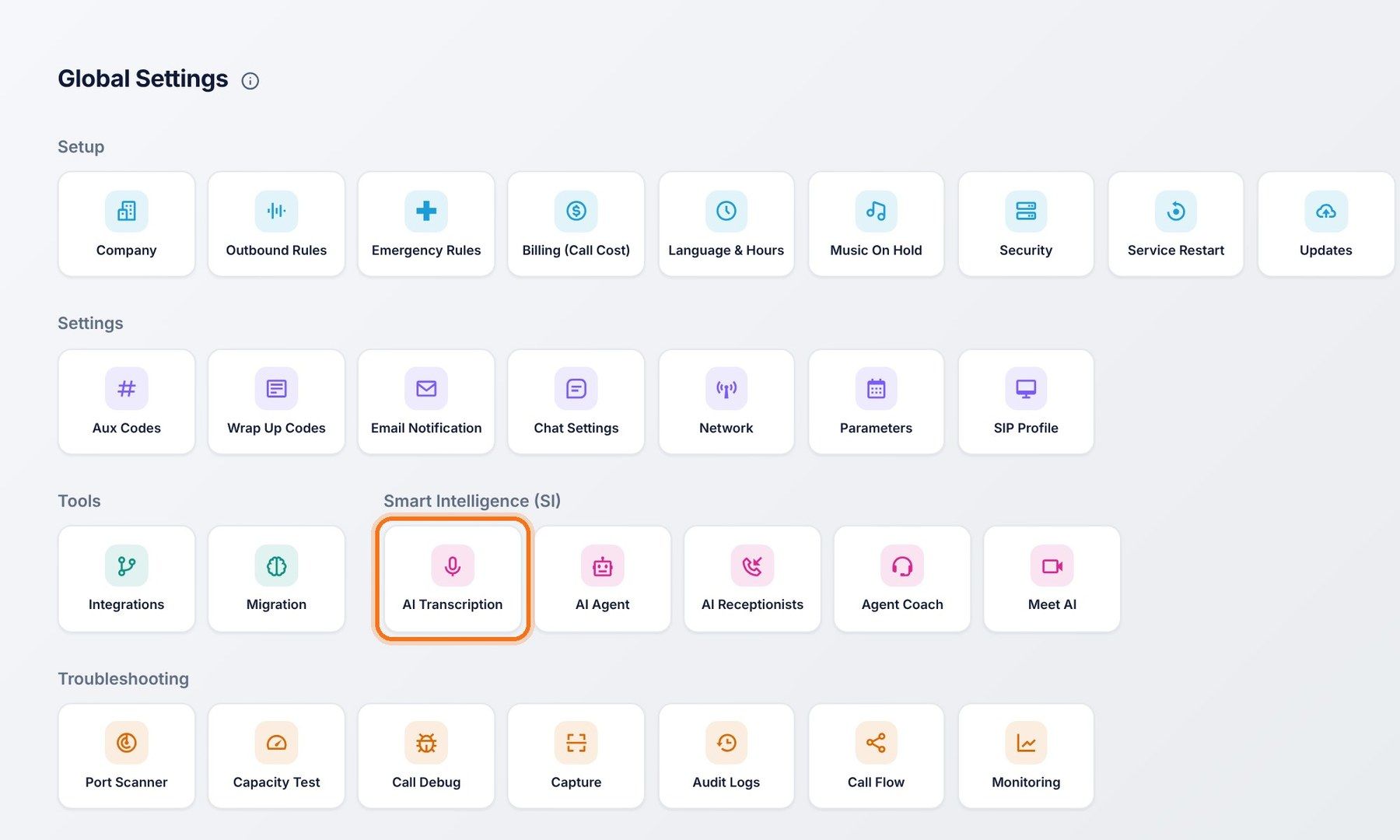
- Go to Global Settings, then AI Transcription.
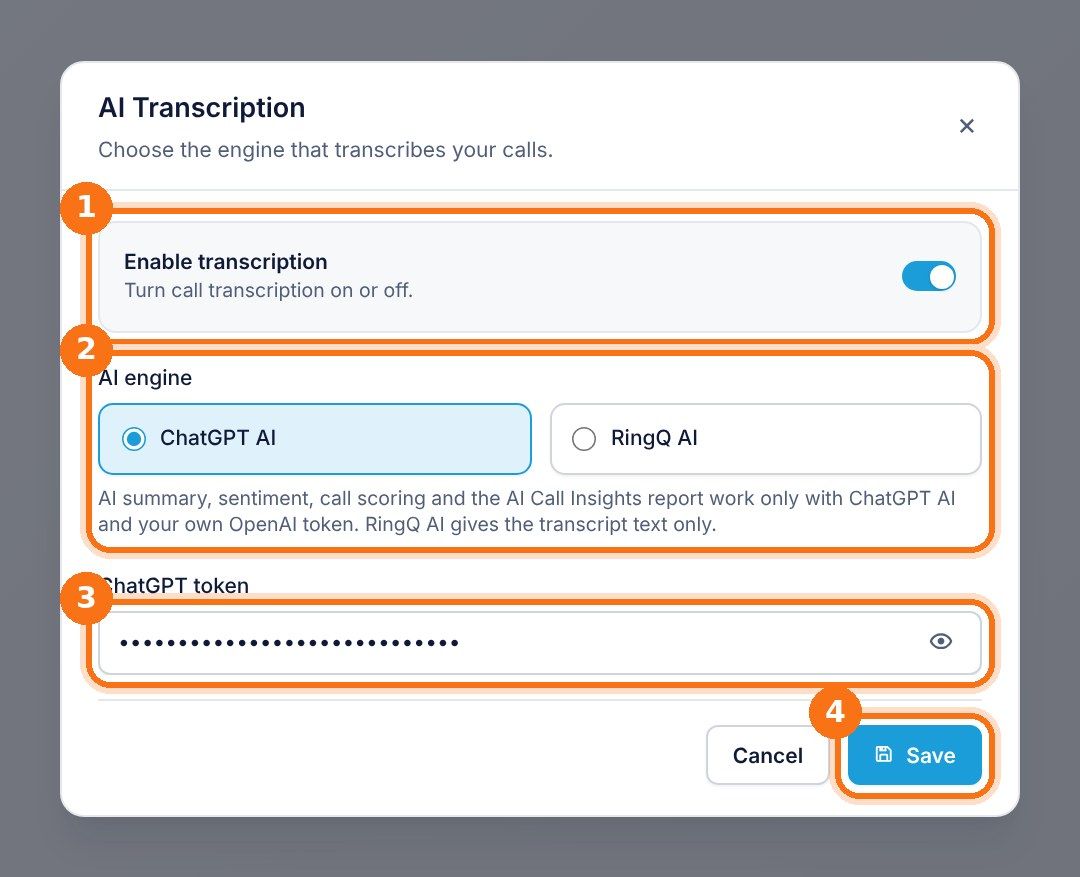
- Turn on Enable transcription.
- Under AI engine, pick ChatGPT AI and paste your company's OpenAI token into ChatGPT token.
- Click Save. From now on, each new recorded call gets its summary, score and transcript automatically, a short time after the call ends.
The AI runs on your own OpenAI account, so you see the usage and the cost in your OpenAI dashboard, and you keep control of the data.
Open the report
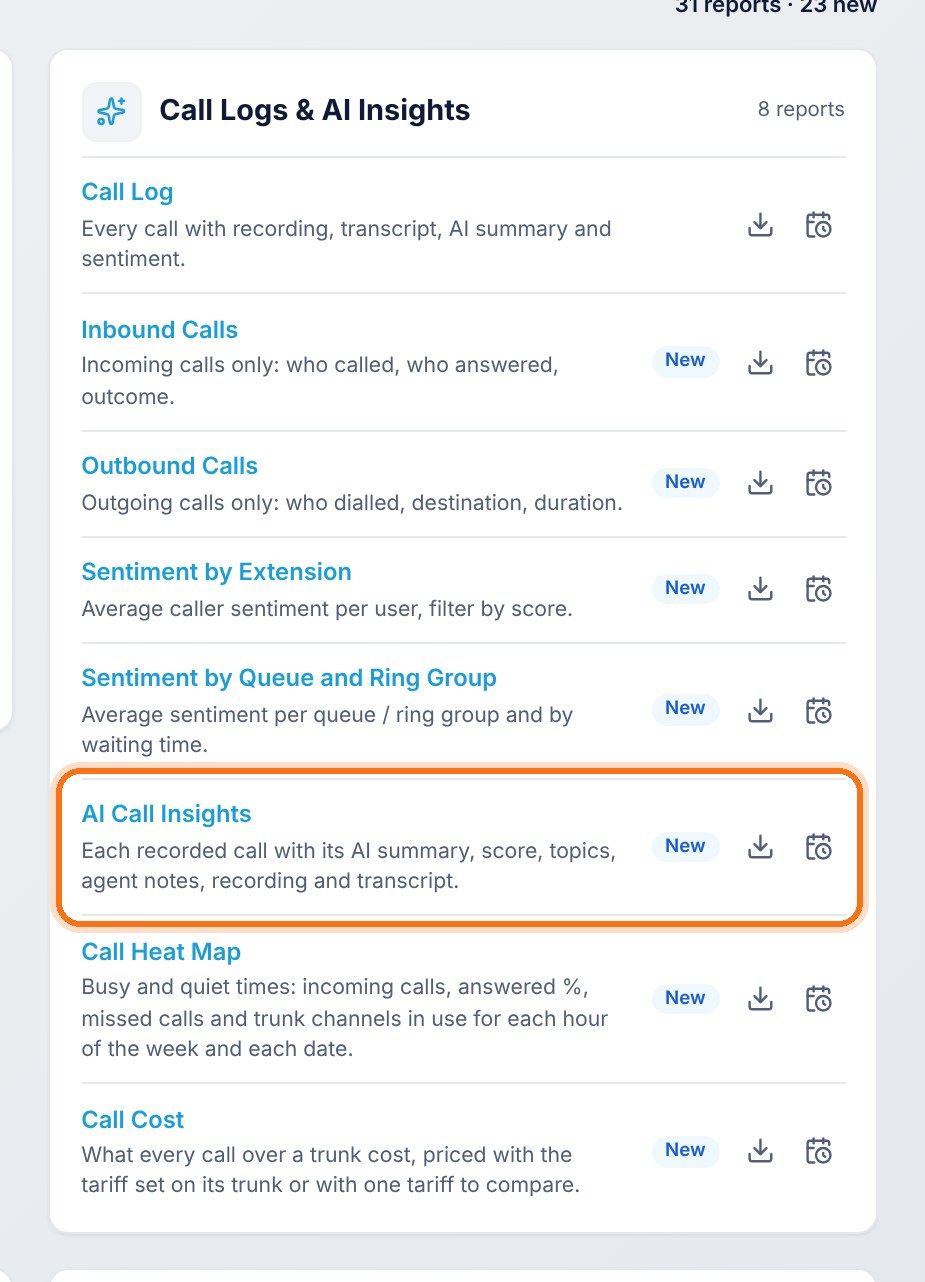
In the RingQ web app, click Reports, then Call Logs & AI Insights, then AI Call Insights. Pick a date range and filters, and the report shows straight away.
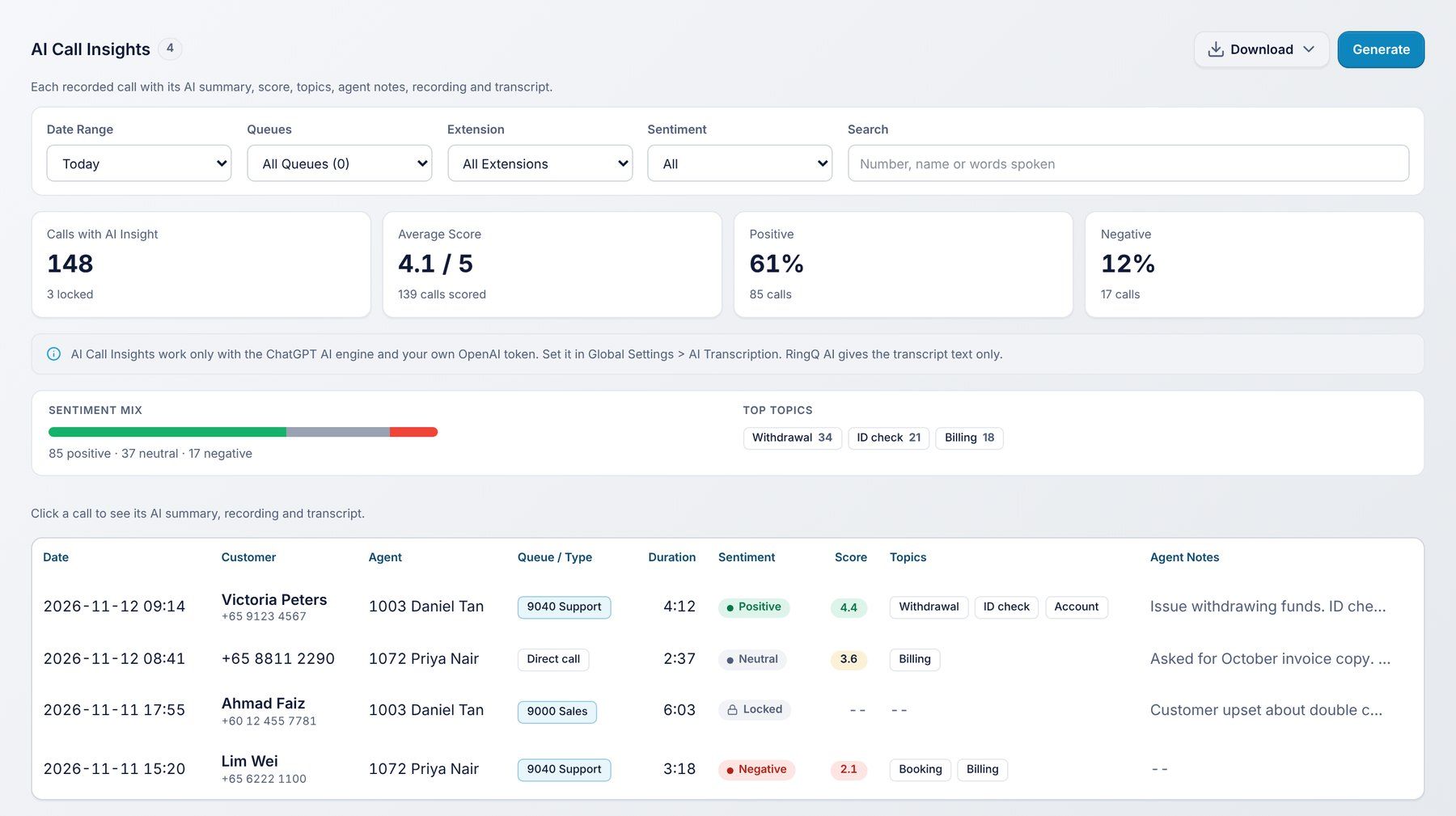
| Part of the report | What it shows |
|---|---|
| Calls with AI insight | How many recorded calls in the date range have an AI insight, and how many are locked (encrypted recordings). |
| Average score | The average call score out of 5, and how many calls were scored. |
| Positive and Negative | The share of calls where the customer's overall mood was positive or negative. |
| Sentiment mix | Positive, neutral and negative calls as one bar. |
| Top topics | The topics customers call about most, such as billing, refunds or bookings, with a count. |
| Call list | Date, customer, agent, queue or call type, duration, sentiment, score, topics and agent notes for each call. |
Filters: Date range, Queue, Extension, Sentiment, and Search. Search finds a number, a customer name, or words spoken on the call.
Open a call
Click any call in the list. The call opens with the AI summary, the agent notes, the recording and the transcript.
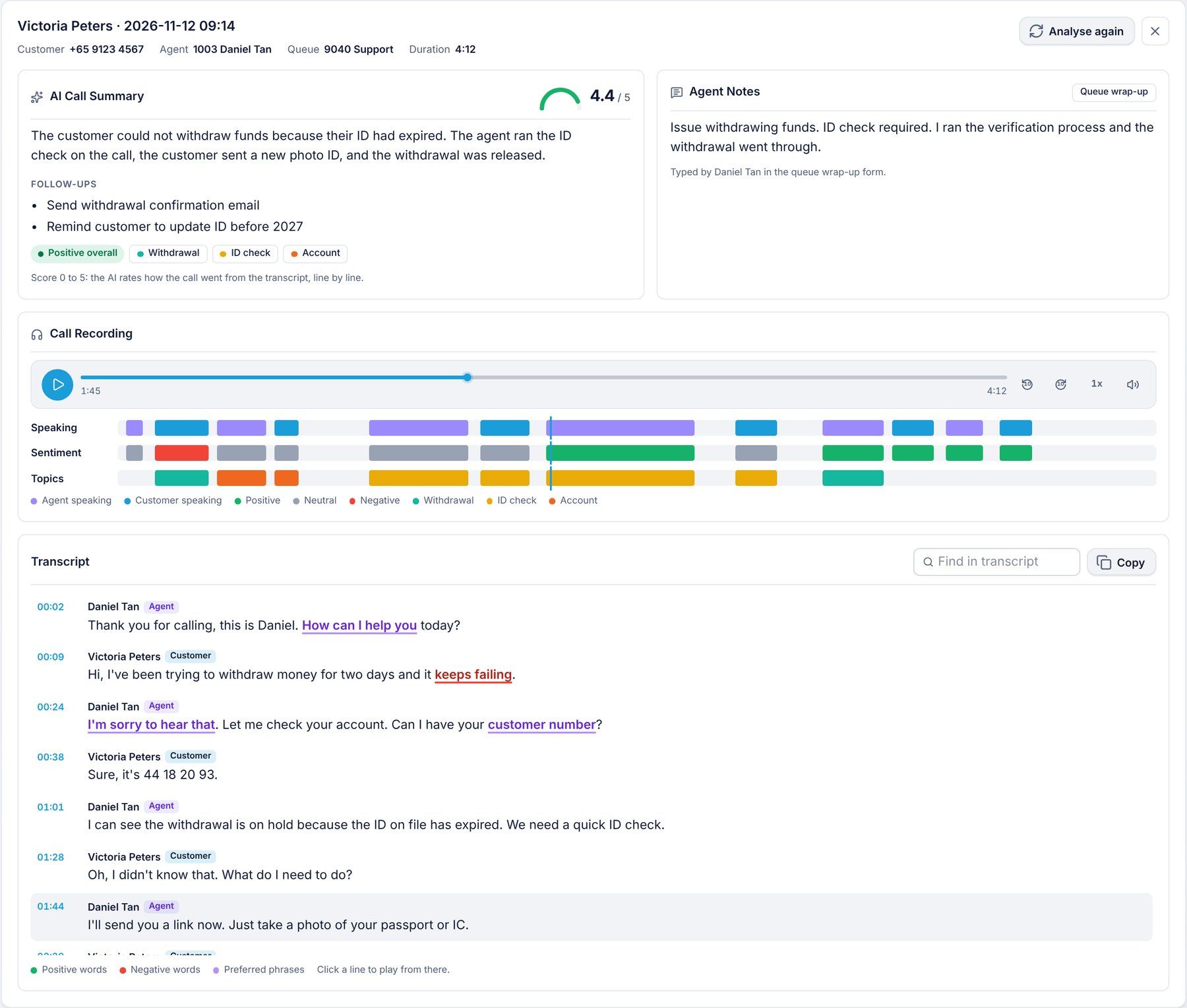
AI summary and score
A short, plain summary of the call, a score from 0 to 5, the follow-ups the agent promised, the overall sentiment and the call's topics. The AI reads the transcript line by line and scores the call on whether the customer's issue was solved, the customer's mood through the call, and how the agent handled it.

Agent notes
For queue calls, RingQ shows the agent's wrap-up notes. For other calls, it shows the notes typed in the call pop-up. Compare them with the AI summary to spot calls where the notes and the conversation don't match.
Recording timeline
Under the player, three lanes show the whole call at a glance:
- Speaking: who is talking, agent or customer.
- Sentiment: the mood of each line, green for positive, grey for neutral, red for negative.
- Topics: which topic is being discussed.
Click anywhere on a lane to play the call from that moment.

Transcript
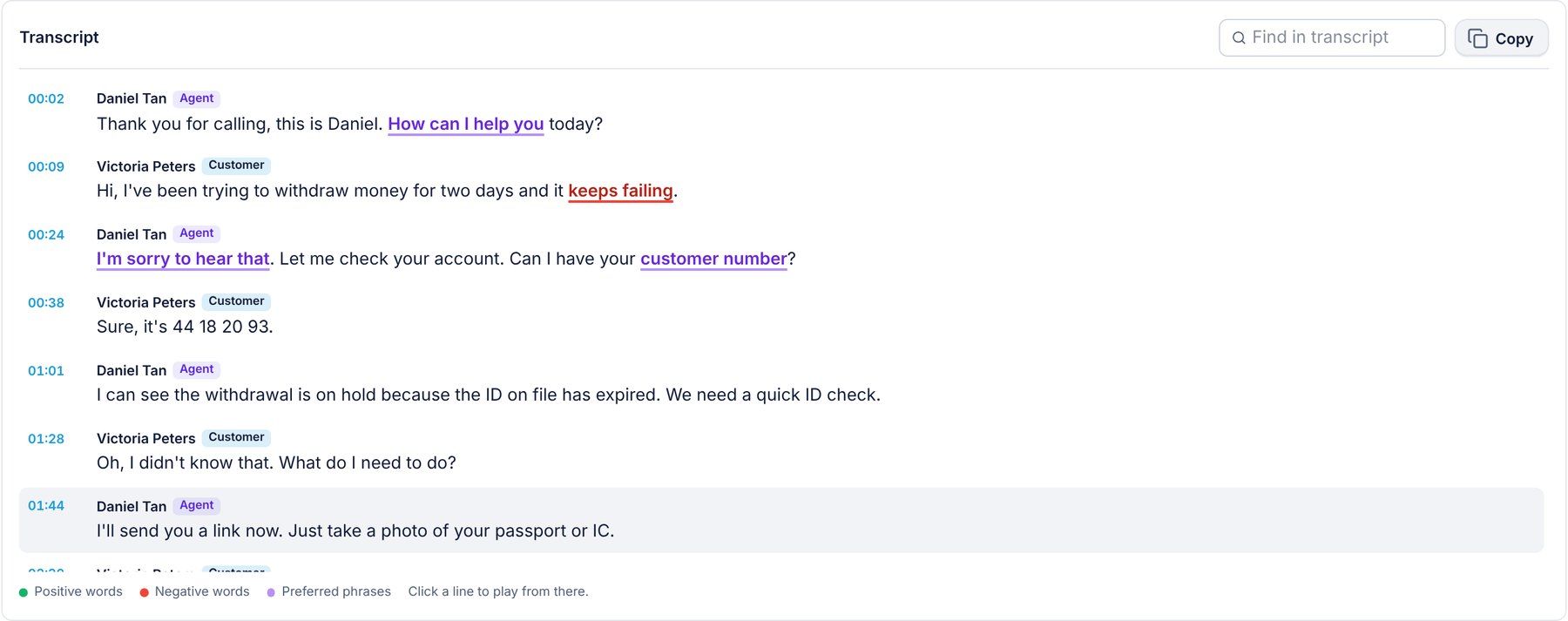
Each line shows its time and whether the Agent or the Customer said it. Positive words are marked green, negative words red, and your preferred phrases purple, so you can see whether agents used the greeting and the empathy lines you train them on. Use Find in transcript to search, Copy to copy the whole transcript, or click a line to play the call from there.
Analyse again
Calls recorded before you turned on ChatGPT AI have no insight yet. Open the call and click Analyse again to analyse it now. You can also use it to refresh a call after you change the AI settings.
Download, generate and schedule
Like every RingQ report, AI Call Insights has the same buttons:
- Download: save the report as CSV, Excel or PDF.
- Generate: for a large date range, RingQ builds the report in the background and emails it to you.
- Schedule: email the report every day, week or month, filtered by sentiment, agent or queue.
Frequently asked questions
Can I use the RingQ AI engine instead of ChatGPT AI?
No. The RingQ AI engine gives the transcript text only. The summary, score, sentiment and topics need the ChatGPT AI engine with your own OpenAI token.
Does it work for calls that are not in a queue?
Yes. Any recorded call can have insights: queue calls, ring group calls and direct calls to an extension.
Which languages are supported?
ChatGPT transcribes and summarises calls in many languages.
Why does a call show Locked?
Your company uses Strict recording encryption. Click Unlock and enter the recording key to see the AI summary, transcript and recording. Nothing is saved after you leave the page.
Who can see the report?
Users whose role allows Reports.