Security update: RingQ is patched against the critical PHP vulnerabilities. Update your servers today.
Read nowRingQ agent statistics reports show what each agent did: the queue calls they answered, when they signed in and out, time spent in each pause reason, their wrap-ups and the ratings callers gave them.
In the RingQ web app, click Reports, then Agent Statistics, then the report you want. Pick a date range and filters, and the report shows straight away.
| Report | What it shows | Filters |
|---|---|---|
| Agent in Queue Statistics | Each agent per queue: calls answered, share of the queue's calls, talk time and waiting time. | Date range, Queue, Agent |
| Agent Login History | When each agent signed in and out. | Date range, Agent |
| Aux Codes | Time agents spent in each pause (aux) reason, such as Lunch or Meeting. | Date range, Agent, Queue, Aux code |
| Wrap Up | The wrap-up code, notes and time after each call. | Date range, Agent, Wrap-up code |
| Call Ratings | Caller satisfaction scores per agent and per queue. | Date range, Agent, Queue, Rating |
Each agent per queue: calls answered, share of the queue's calls, talk time and waiting time.
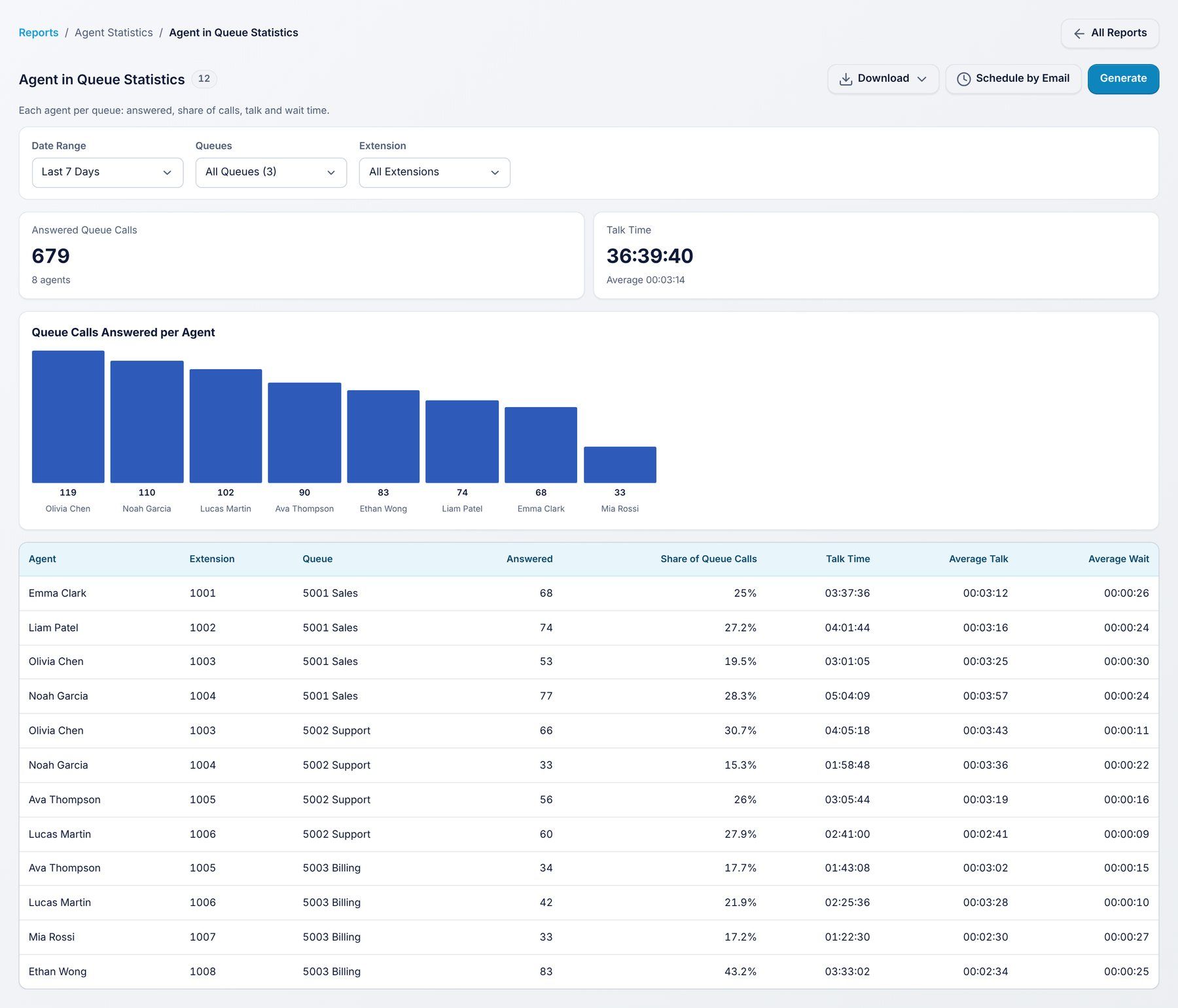
Use it to: compare agents who work on the same queue.
Filters: Date range, Queue, Agent.
When each agent signed in and out.
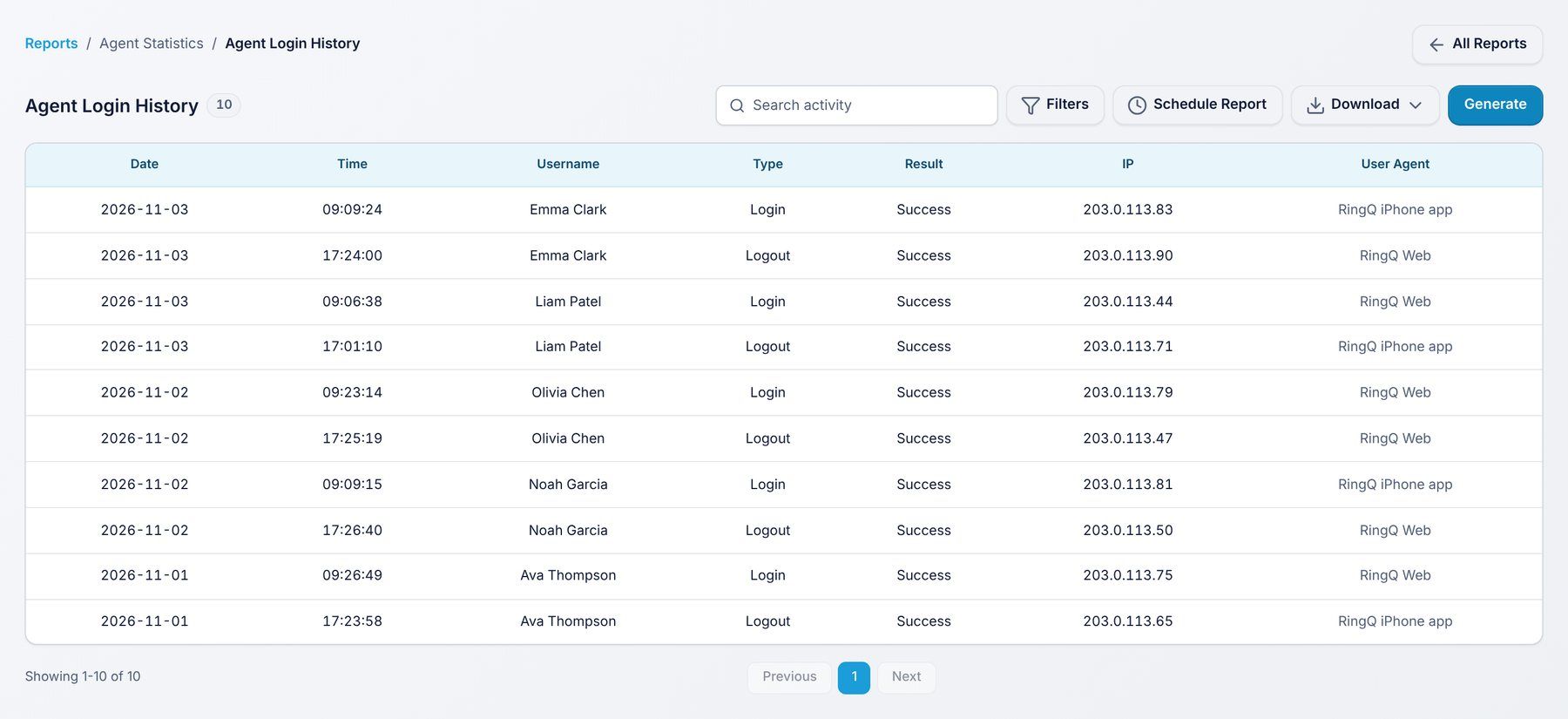
Use it to: check attendance and shift times.
Filters: Date range, Agent.
Time agents spent in each pause (aux) reason, such as Lunch or Meeting.
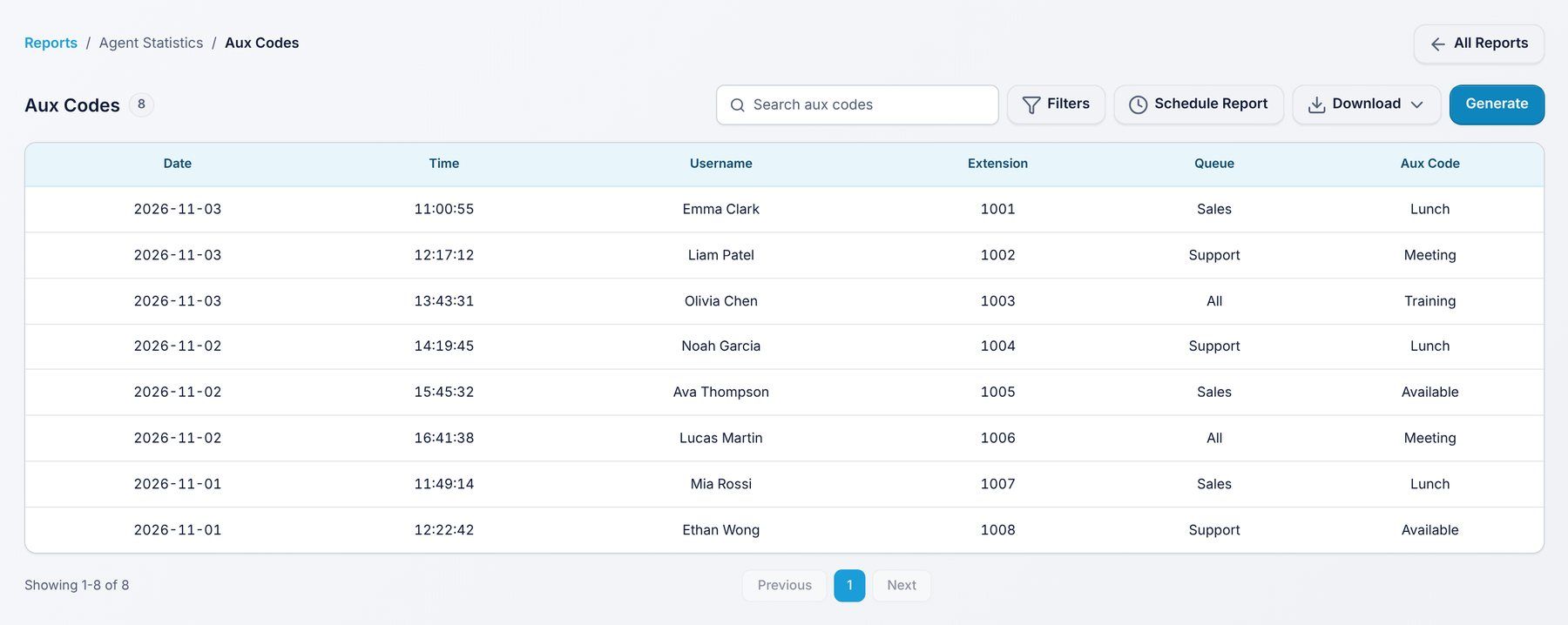
Use it to: see where time away from calls goes.
Filters: Date range, Agent, Queue, Aux code.
The wrap-up code, notes and time after each call.
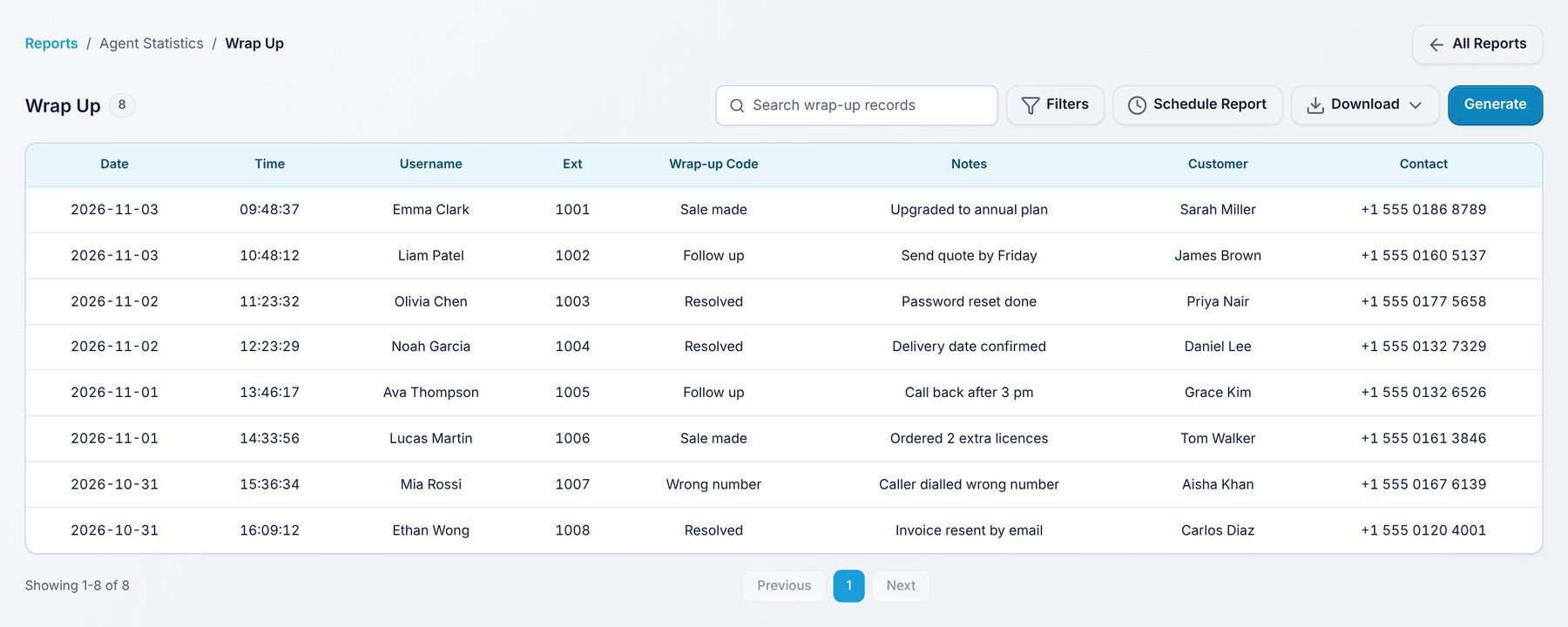
Use it to: review call outcomes and after-call work.
Filters: Date range, Agent, Wrap-up code.
Caller satisfaction scores per agent and per queue.
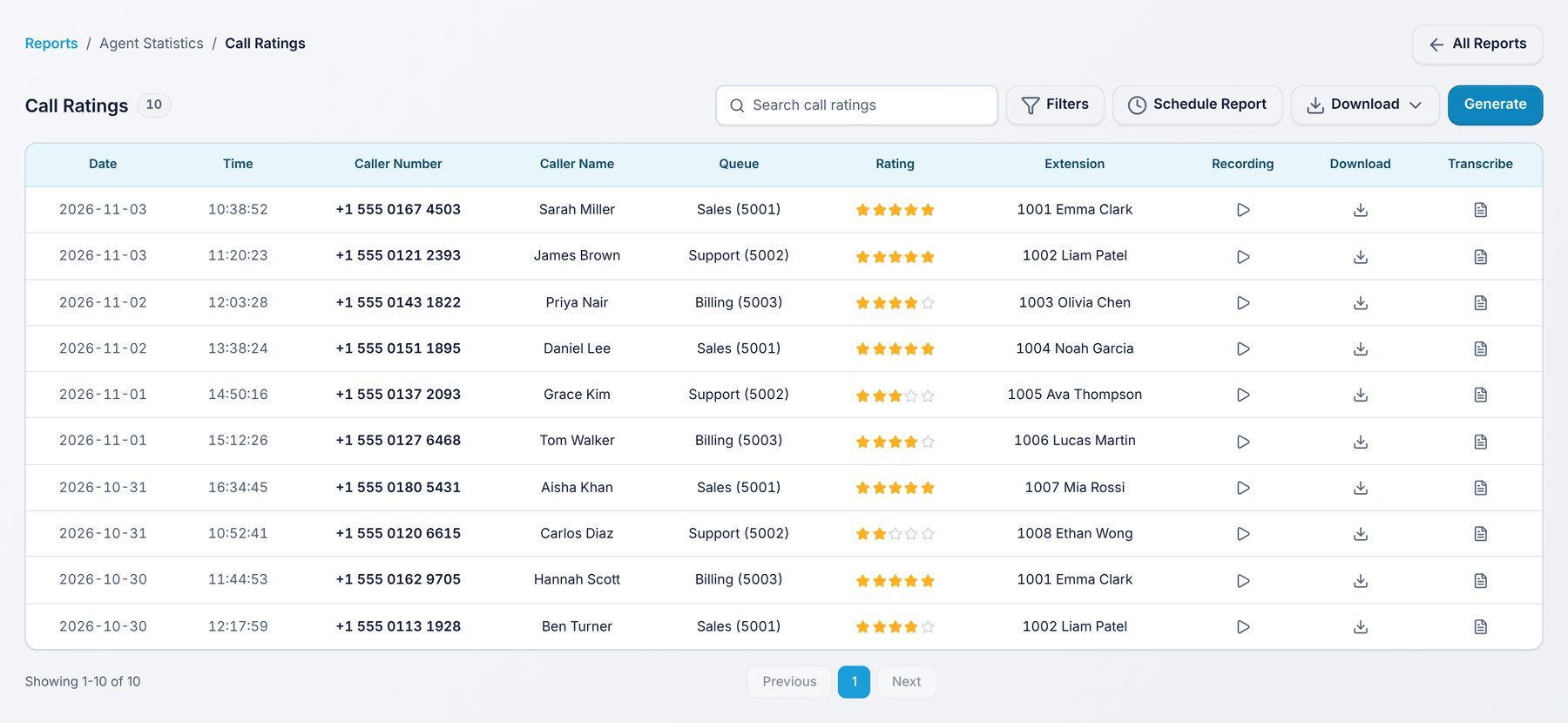
Use it to: follow customer satisfaction over time.
Filters: Date range, Agent, Queue, Rating.
Every report has the same buttons:
