Security update: RingQ is patched against the critical PHP vulnerabilities. Update your servers today.
Read nowRingQ extension statistics reports show the calls each user made and received, and how calls spread across hours, days and weeks.
In the RingQ web app, click Reports, then Extension Statistics, then the report you want. Pick a date range and filters, and the report shows straight away.
| Report | What it shows | Filters |
|---|---|---|
| Extension Statistics | For each user: total calls, answered, missed and talk time. | Date range, Extension |
| User Activity | Answered and unanswered calls for each user, by hour, day or week. | Date range, Group by, Extension |
| Call Distribution | Incoming, outgoing and internal calls by hour, day or week. | Date range, Group by |
For each user: total calls, answered, missed and talk time.
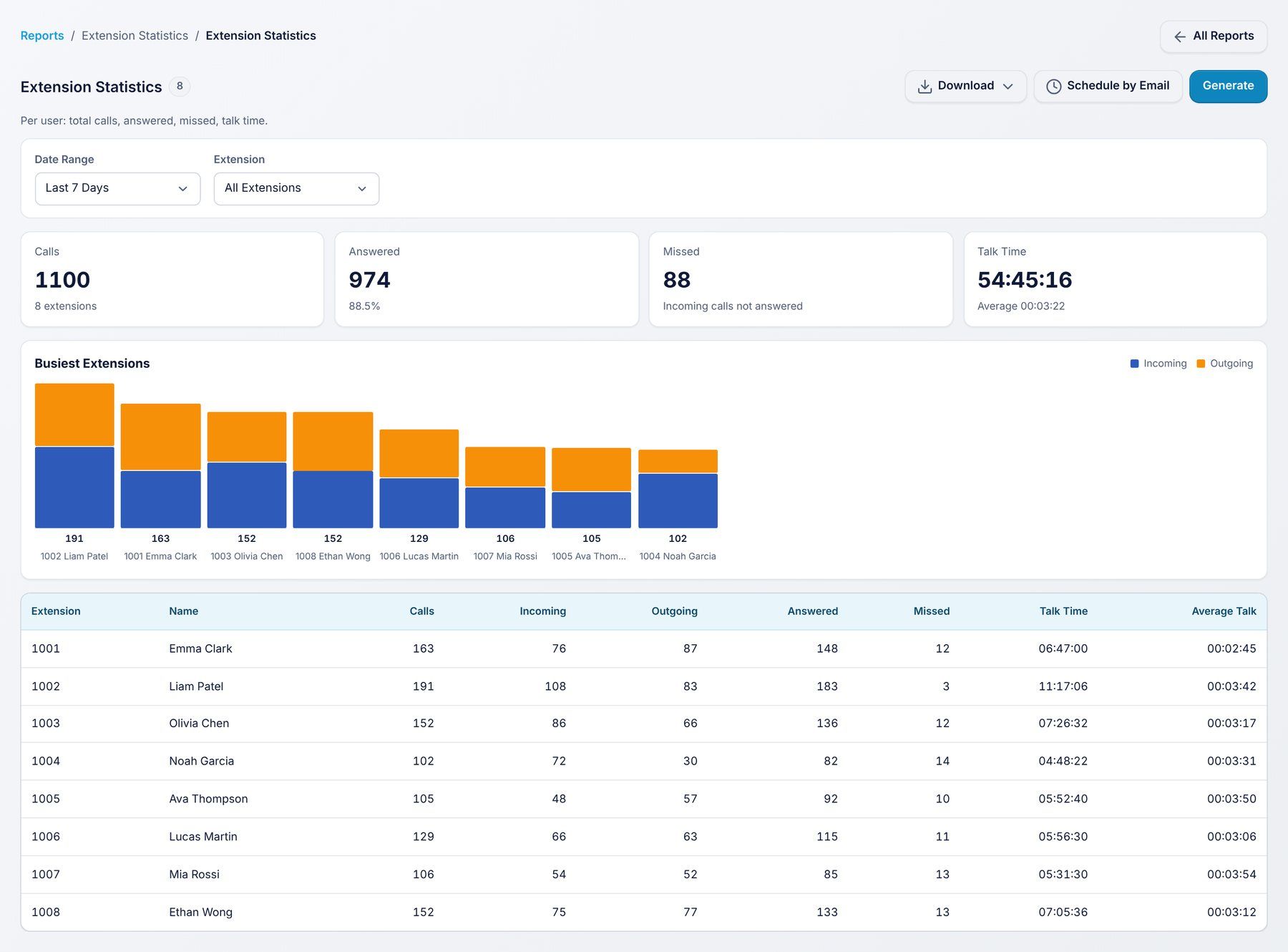
Use it to: see who handles the most calls.
Filters: Date range, Extension.
Answered and unanswered calls for each user, by hour, day or week.
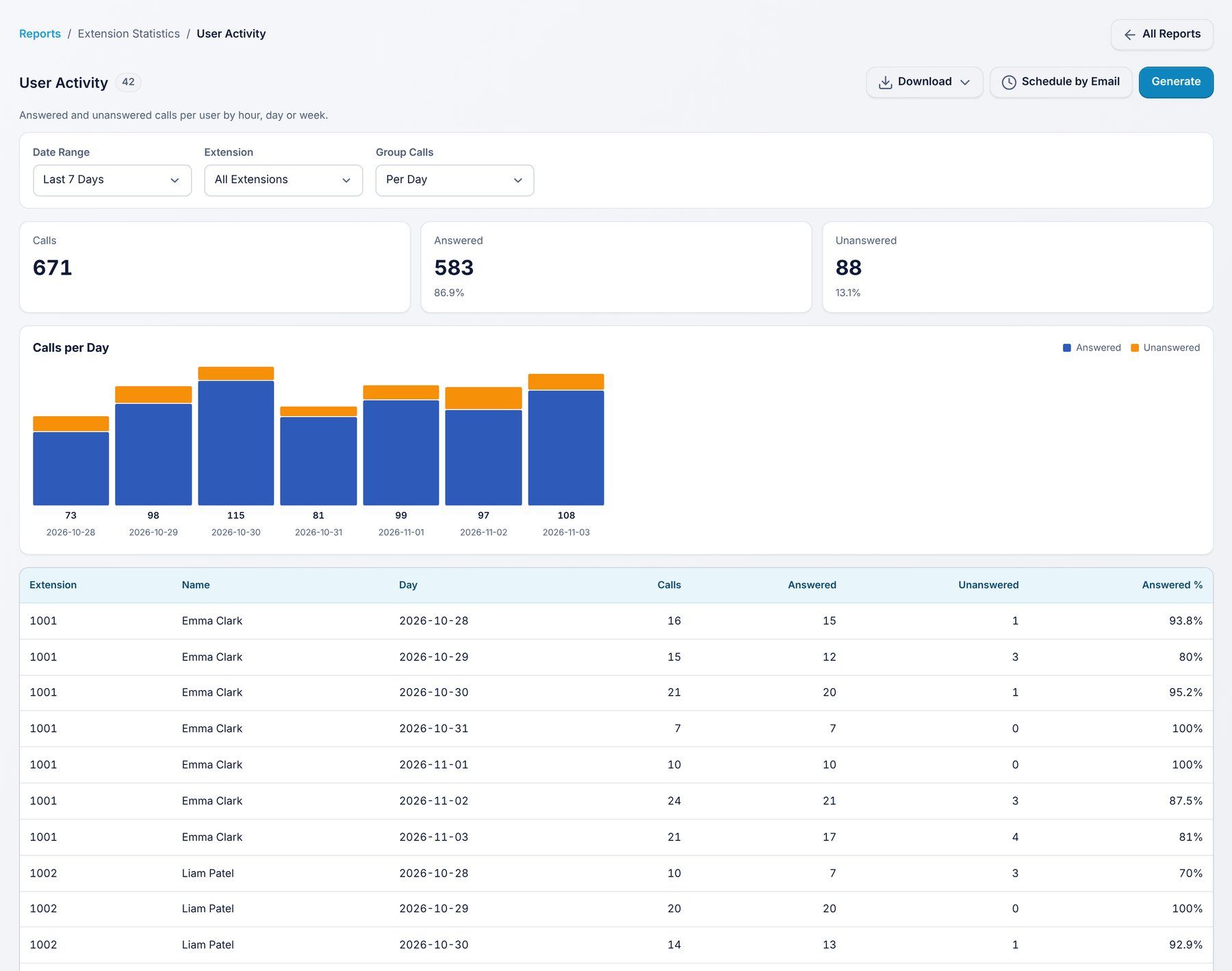
Use it to: see when each user is busiest.
Filters: Date range, Group by, Extension.
Incoming, outgoing and internal calls by hour, day or week.
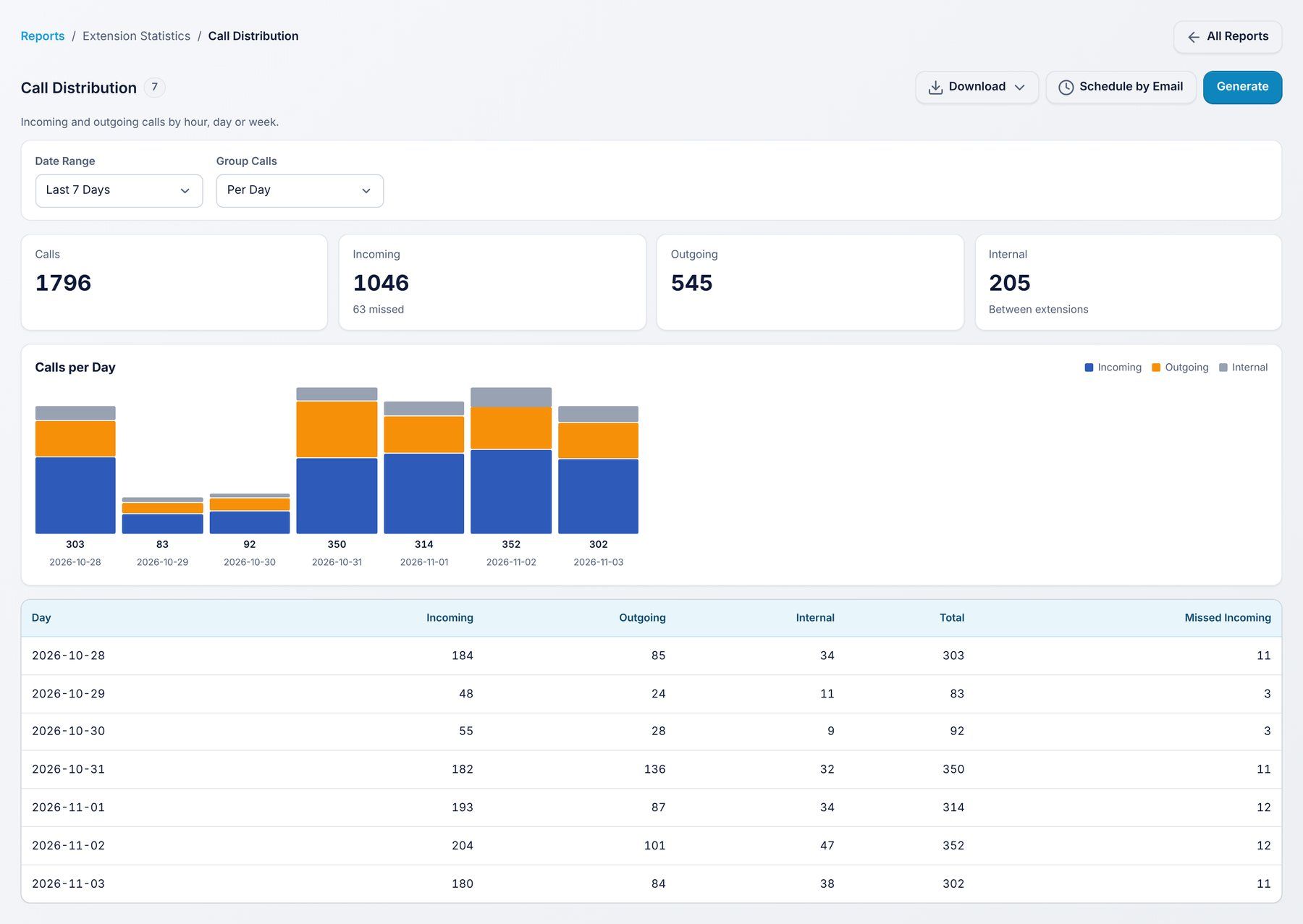
Use it to: see the overall call pattern of your company.
Filters: Date range, Group by.
Every report has the same buttons:
