Security update: RingQ is patched against the critical PHP vulnerabilities. Update your servers today.
Read nowEvery RingQ call is in the call log with its recording, transcript and AI summary. The sentiment reports show how callers felt, and the Call Heat Map shows your busiest and quietest hours so you can plan staff and phone lines.
In the RingQ web app, click Reports, then Call Logs & AI Insights, then the report you want. Pick a date range and filters, and the report shows straight away.
| Report | What it shows | Filters |
|---|---|---|
| Call Log | Every call with its recording, transcript, AI summary and sentiment. | Date range, Agent, Call status, Direction |
| Inbound Calls | Incoming calls only: who called, who answered and the outcome. | Date range, Agent, Call status |
| Outbound Calls | Outgoing calls only: who dialled, the number called and the duration. | Date range, Agent, Call status |
| Sentiment by Extension | The average caller sentiment for each user, with the share of positive, neutral and negative calls. | Date range, Sentiment, Extension |
| Sentiment by Queue and Ring Group | The average sentiment for each queue and ring group, and how sentiment changes with waiting time. | Date range, Sentiment |
| Call Heat Map | Incoming calls, answered %, missed calls and phone line (trunk) channels in use, for each hour of each weekday and for each date. | Date range, Queue, Trunk |
Every call with its recording, transcript, AI summary and sentiment.
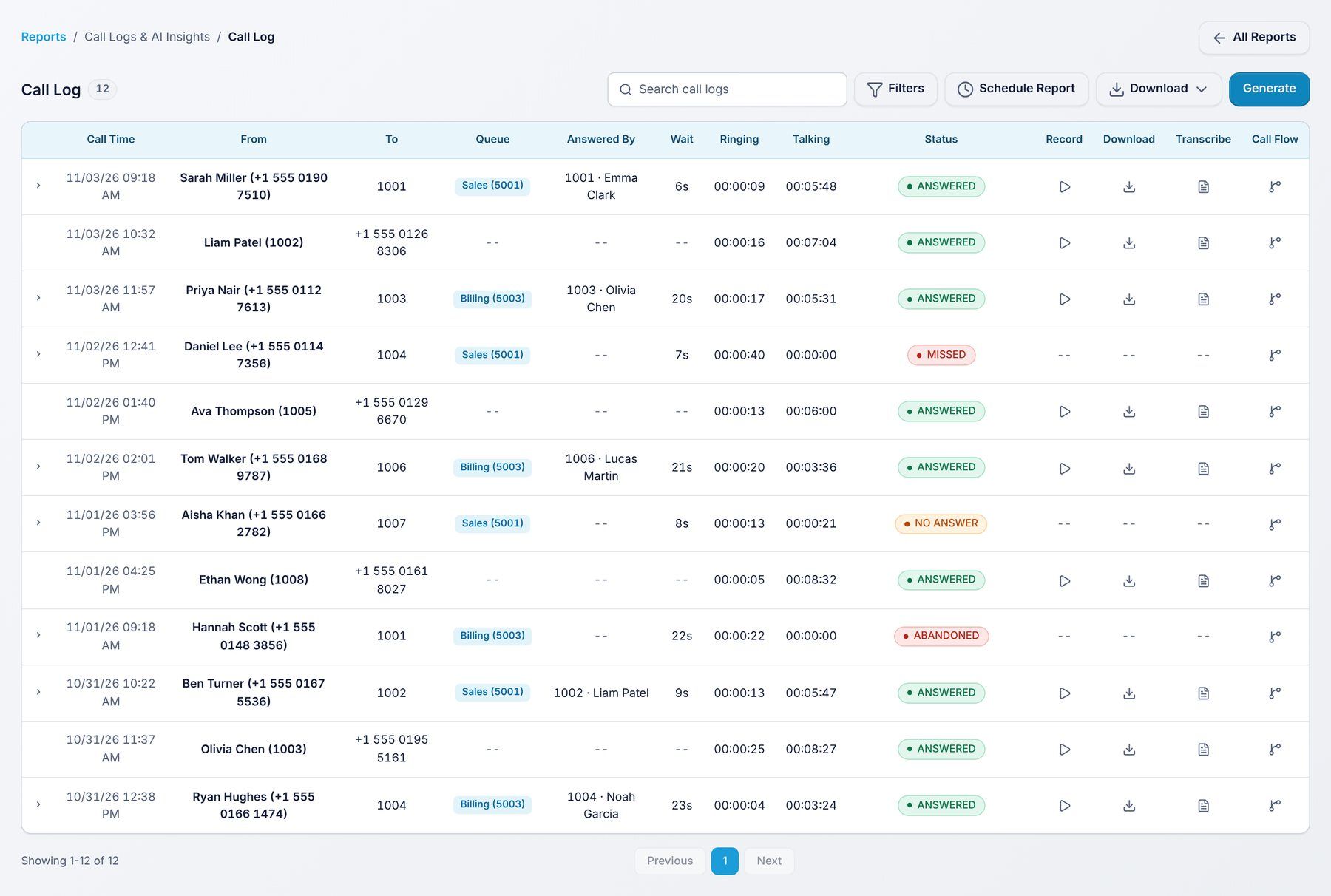
Use it to: find any call, listen to it and read what was said.
Filters: Date range, Agent, Call status, Direction.
Incoming calls only: who called, who answered and the outcome.
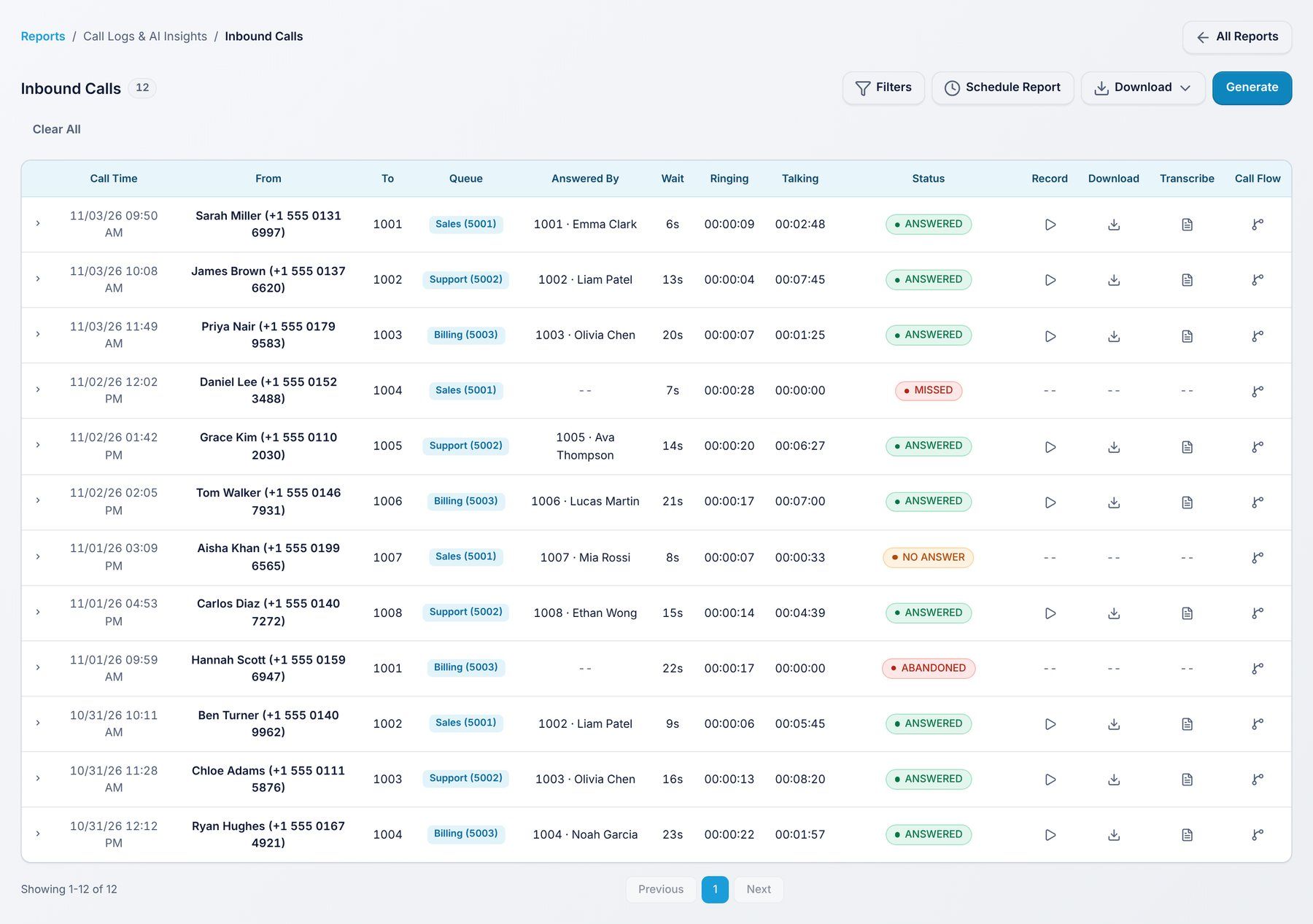
Use it to: review incoming calls on their own.
Filters: Date range, Agent, Call status.
Outgoing calls only: who dialled, the number called and the duration.
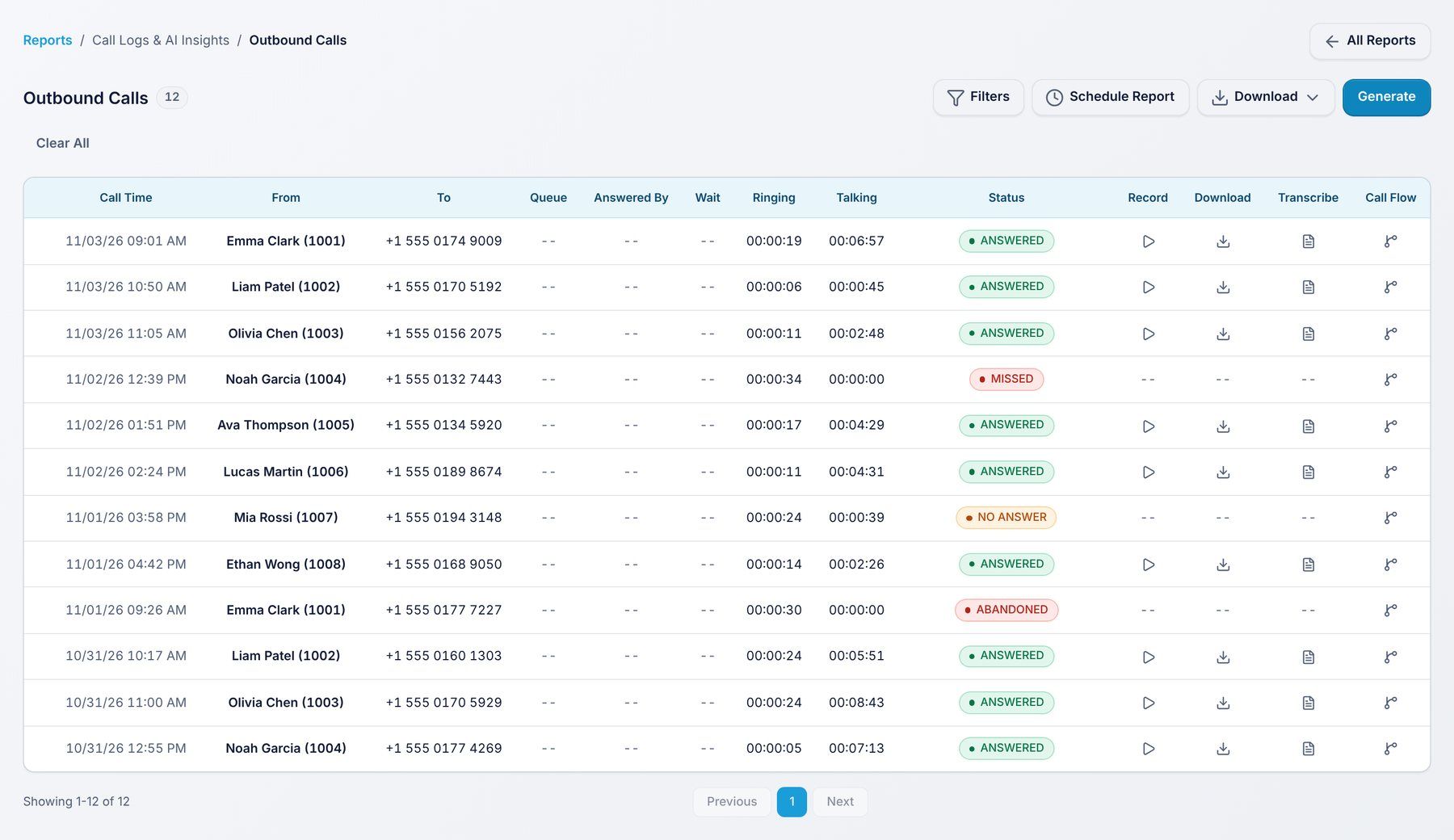
Use it to: review outgoing calls on their own.
Filters: Date range, Agent, Call status.
The average caller sentiment for each user, with the share of positive, neutral and negative calls. Filter by sentiment score.
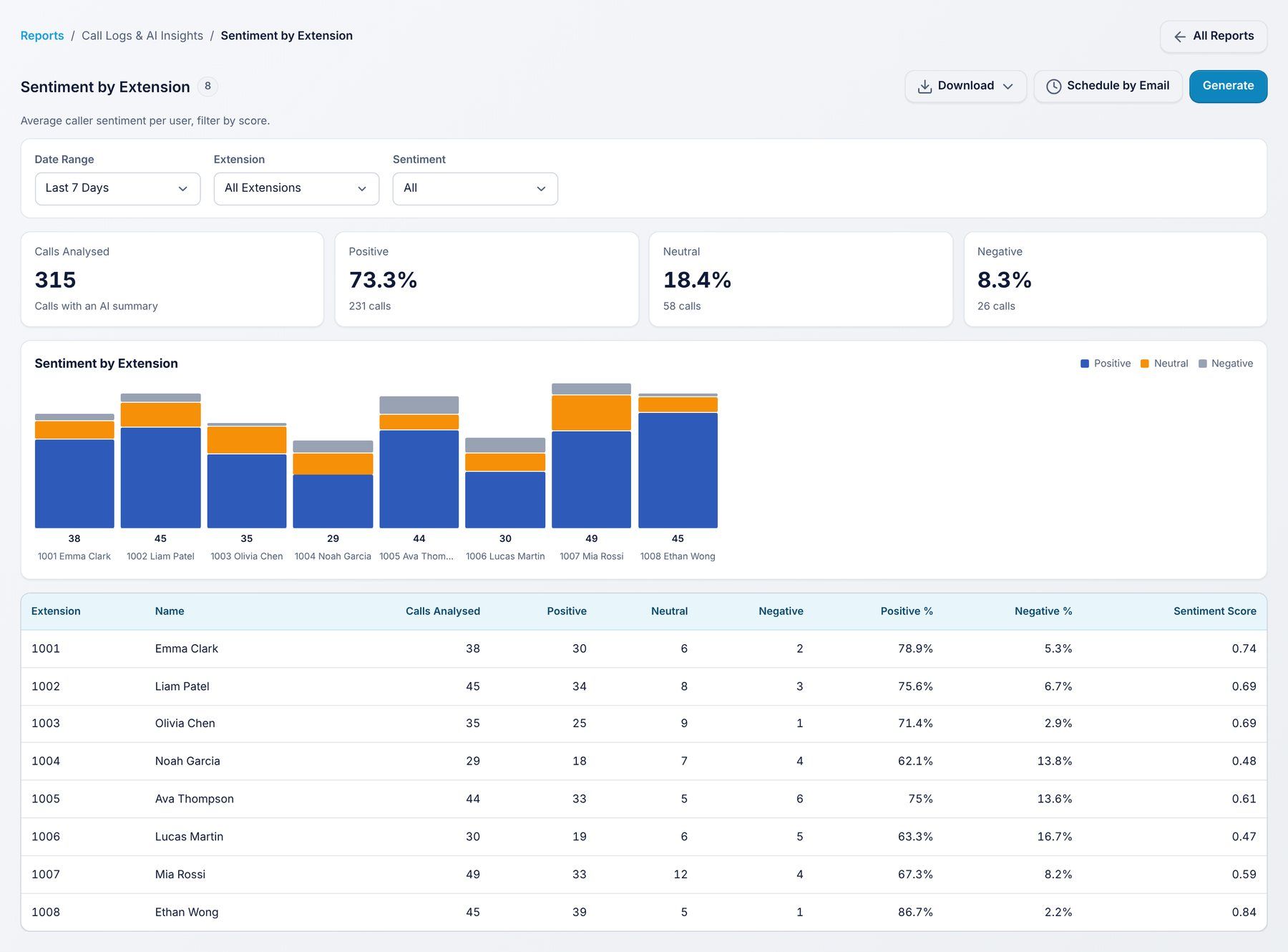
Use it to: spot users whose callers are often unhappy.
Filters: Date range, Sentiment, Extension.
The average sentiment for each queue and ring group, and how sentiment changes with waiting time.
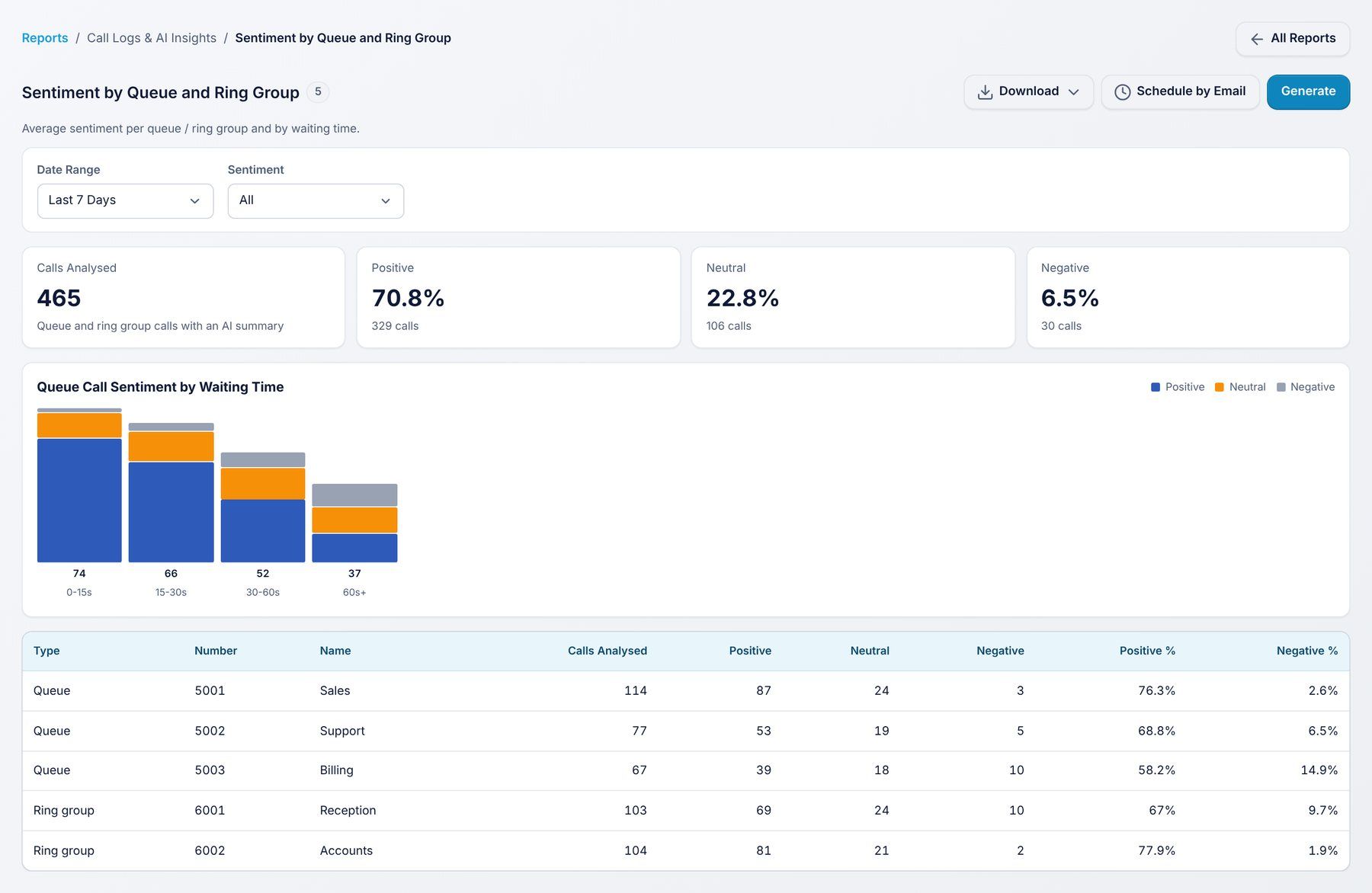
Use it to: see how waiting time affects how callers feel.
Filters: Date range, Sentiment.
Incoming calls, answered %, missed calls and phone line (trunk) channels in use, for each hour of each weekday and for each date. It shows your busiest hour, your busiest day and the peak number of channels in use compared to your channel limit. It opens on the last 30 days.
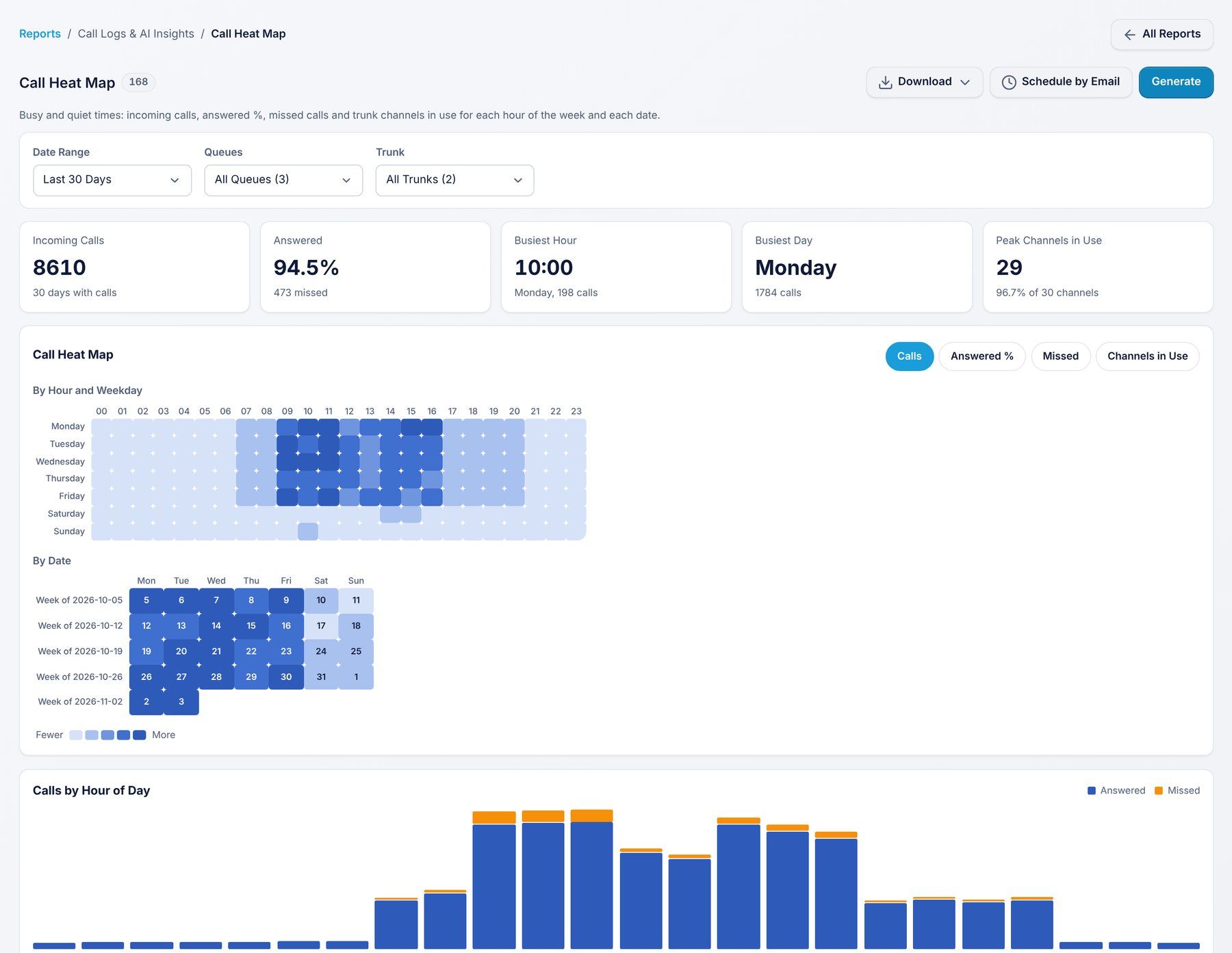
Use it to: plan staffing for your busiest hours, and check you have enough trunk channels before callers get a busy line.
Filters: Date range, Queue, Trunk.
Every report has the same buttons:
