How Languages Work in RingQ
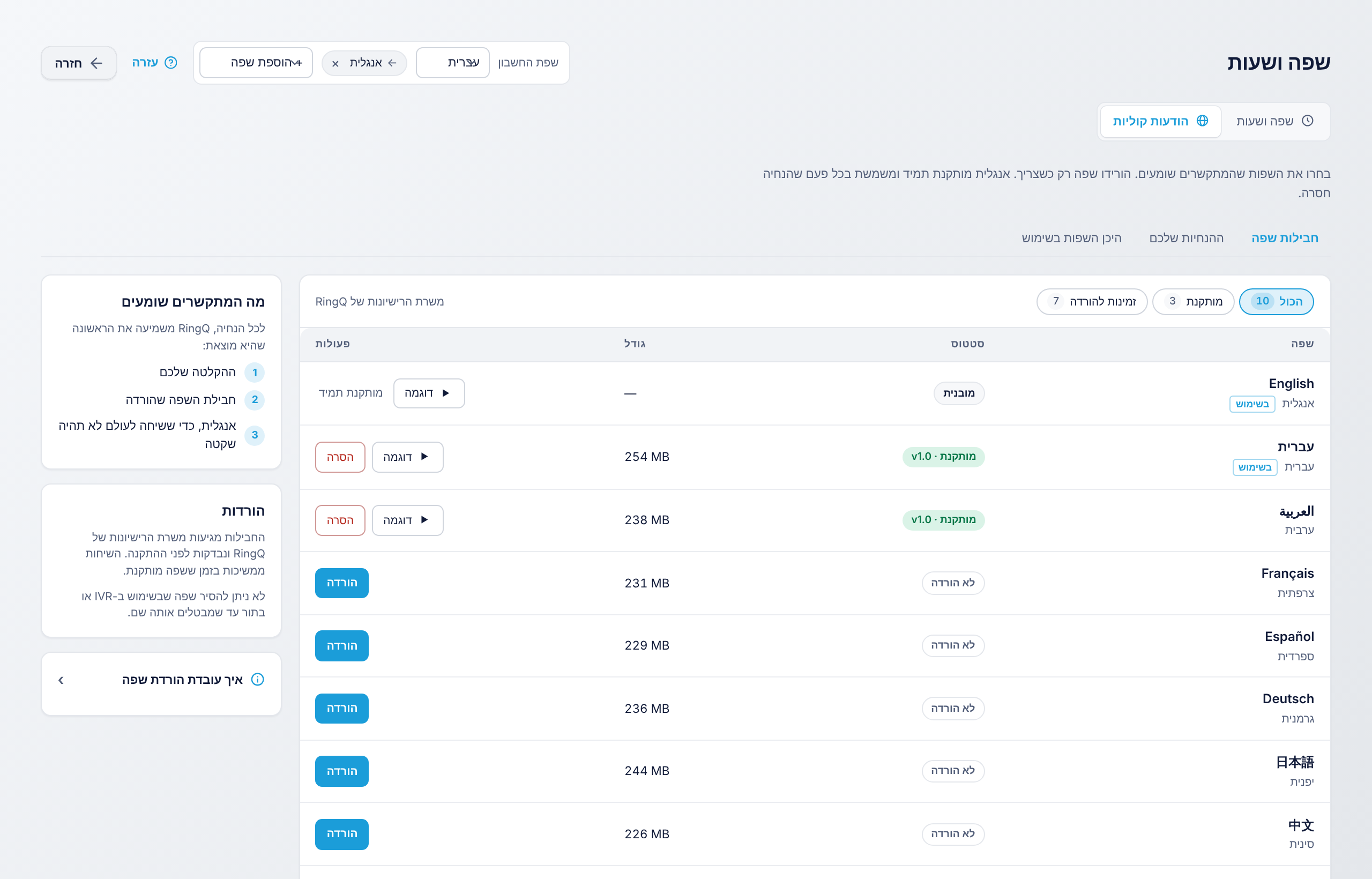
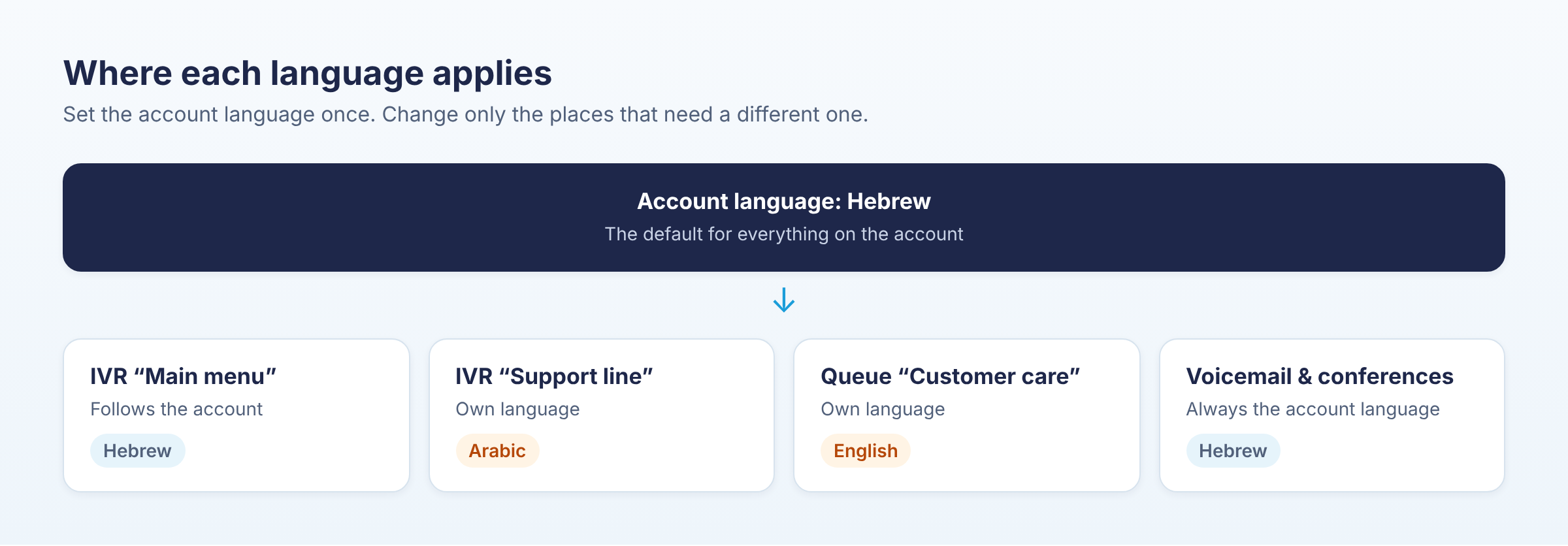
RingQ speaks to your callers in your language. Every greeting, menu, queue message, voicemail prompt and conference message can play in any of 20 languages, Hebrew and Arabic included. You choose the language once for the whole account, and you can give any IVR or queue a different one.
The four parts of language support
| Part | What it does | Where to find it |
|---|---|---|
| Account language | The language every call uses by default | Global Settings > Language & Hours > Voice prompts, top of the page |
| + Add language | Plays every message again in a second (or third) language | Next to the account language |
| Language packs | Downloads the recorded prompts for a language | Voice prompts > Language packs |
| IVR and queue languages | Gives one IVR or queue its own language | Voice prompts > Where languages are used |
What callers hear, step by step
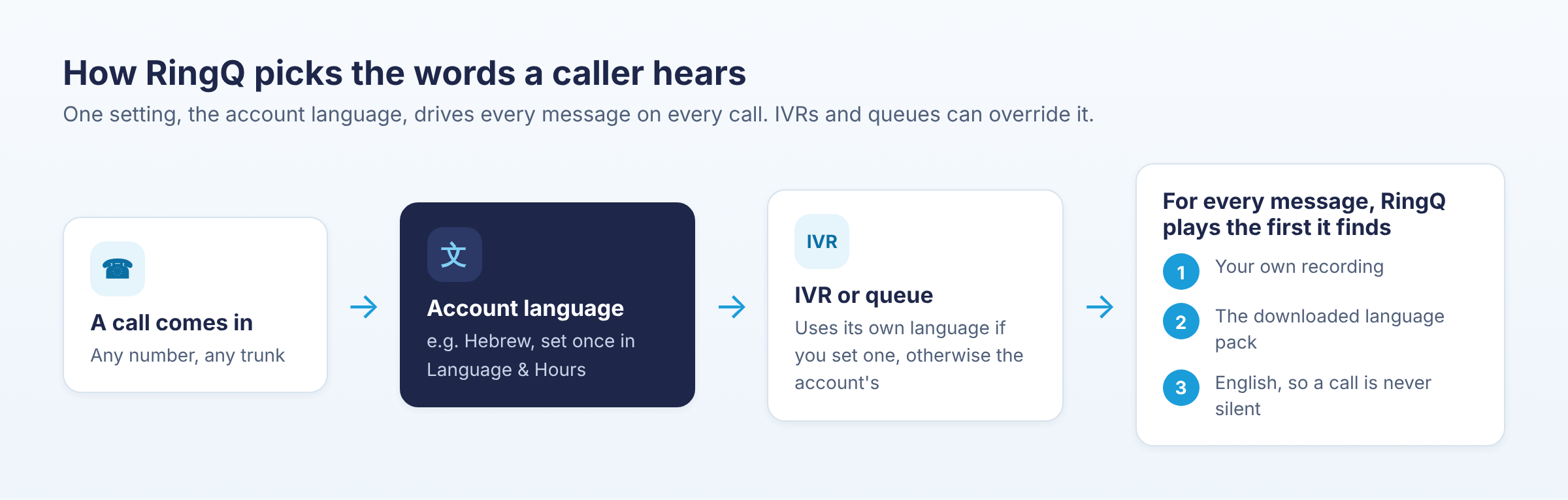
- A call reaches your account. RingQ takes the account language, for example Hebrew.
- If the call goes to an IVR or queue that has its own language, that language is used instead.
- For each message, RingQ plays the first one it finds: your own recording, then the downloaded language pack, then English. A call is never silent.
- If you added a second language, callers hear the same message again in that language after a short pause.
Screens in your own language
The RingQ web app and the RingQ app for iPhone and Android also follow each user's own language. Hebrew and Arabic screens turn right to left. That is a separate, per-user setting: see Change Your Language in RingQ.