
Record or Upload Your Own Prompts in RingQ
Any standard prompt can be replaced with your own voice, in each language. Your recording always plays first, and a language pack update never replaces it.
Find a prompt
- Go to Global Settings > Language & Hours > Voice prompts.
- Open the Your own prompts tab.
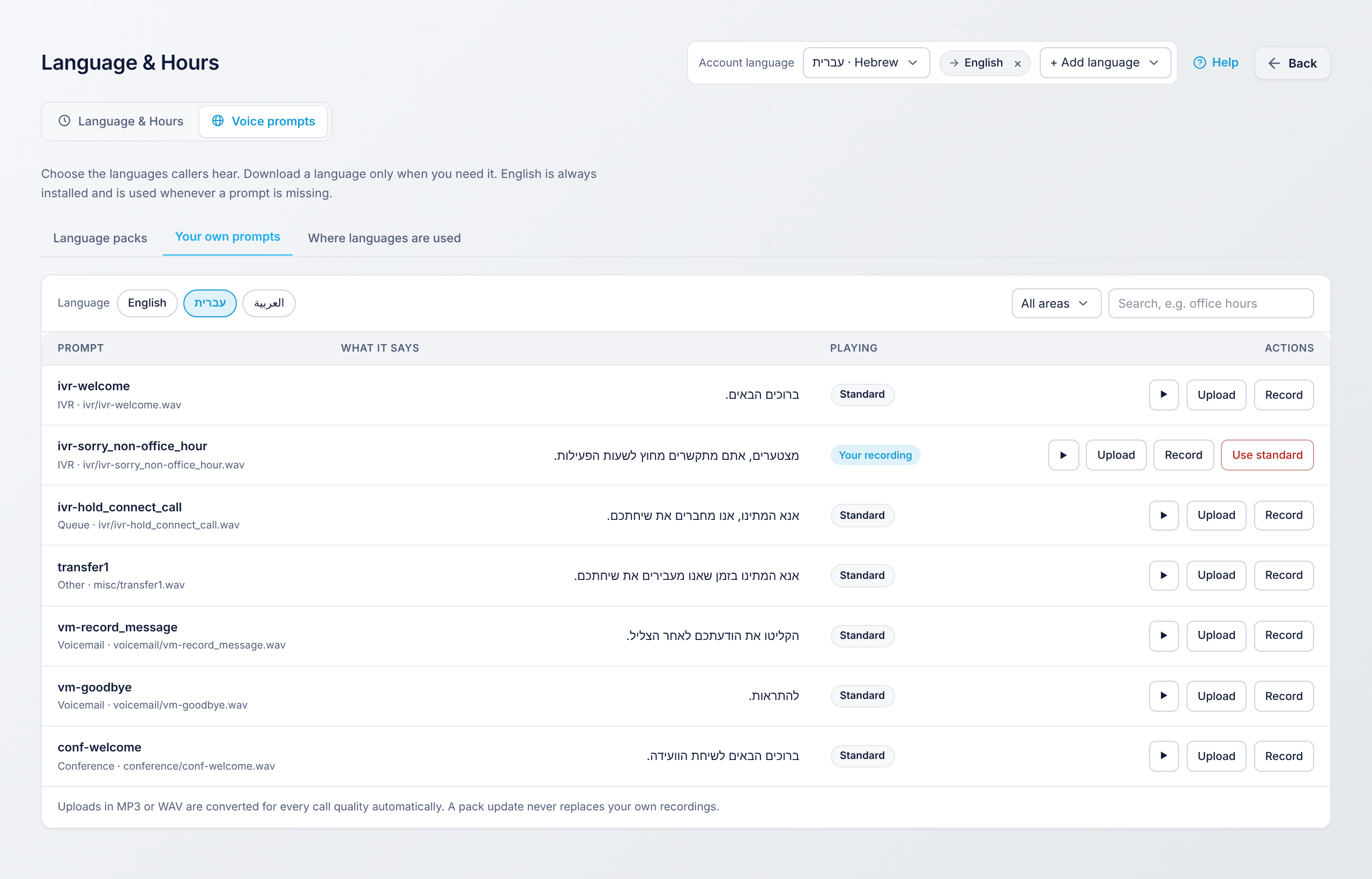
- Pick the language at the top, then filter by area (IVR, queue, voicemail, conference) or search for words such as office hours.
Replace a prompt
- Play: hear the prompt as callers hear it now.
- Upload: choose an MP3 or WAV file. RingQ converts it for every call quality automatically.
- Record: record straight from your browser's microphone.
- Use standard: delete your recording and go back to the language pack's prompt.
The Playing column shows Your recording or Standard, so you always know which one callers hear.