
Download Voice Prompt Languages in RingQ
A language pack holds every recorded prompt in one language: IVR greetings, queue messages, voicemail, conferences, numbers and dates. English is built in. Download other languages only when you need them, so your server keeps its space for recordings.
Open the language packs
- Go to Global Settings and open Language & Hours.
- Click the Voice prompts tab at the top.
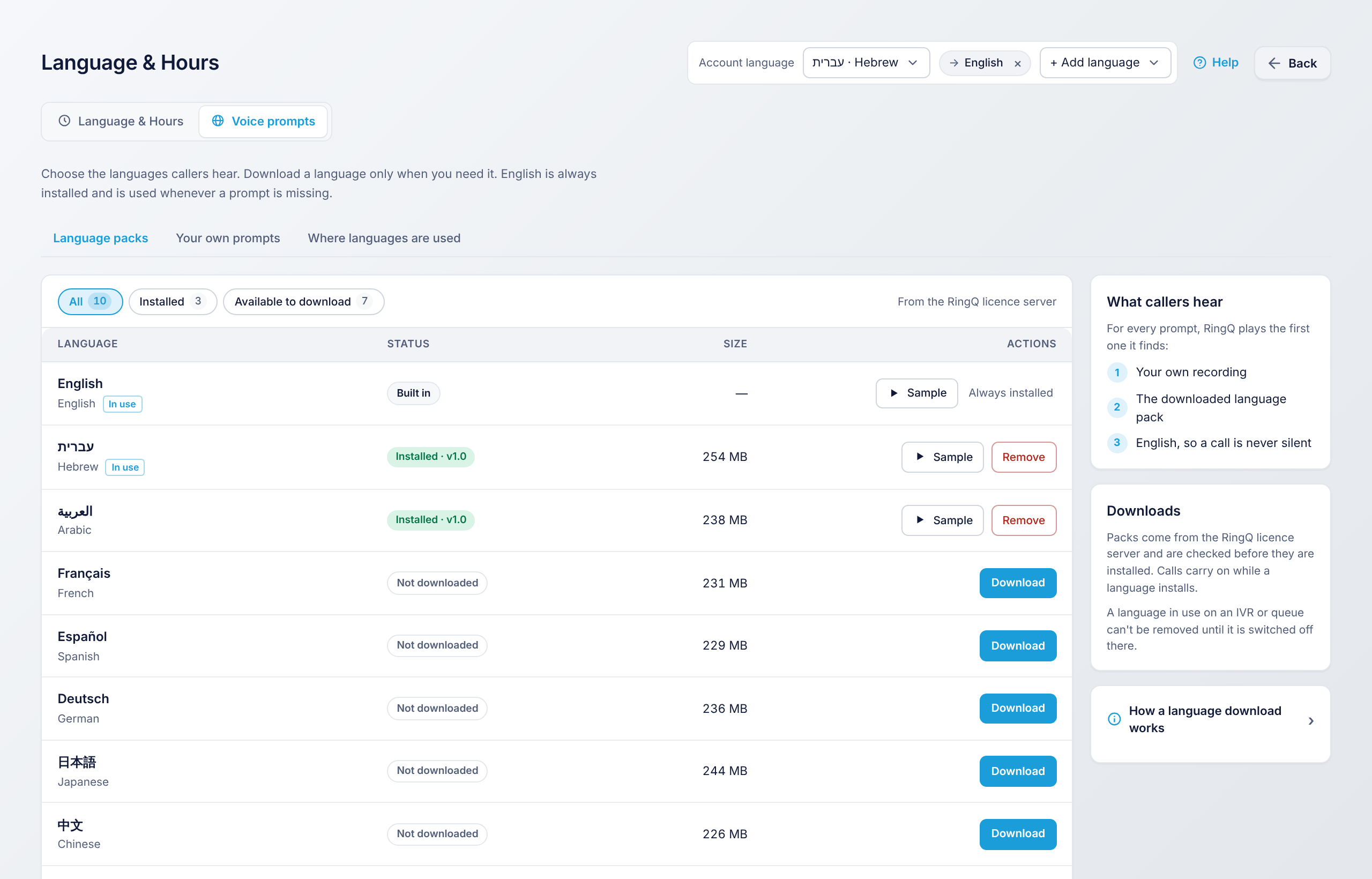
- The Language packs tab lists every language with its status and size.
Download a language
- Use the Available to download filter to see the languages you don't have yet.
- Click Download next to the language. The status shows the progress.
- When it says Installed, the language can be picked anywhere in RingQ.
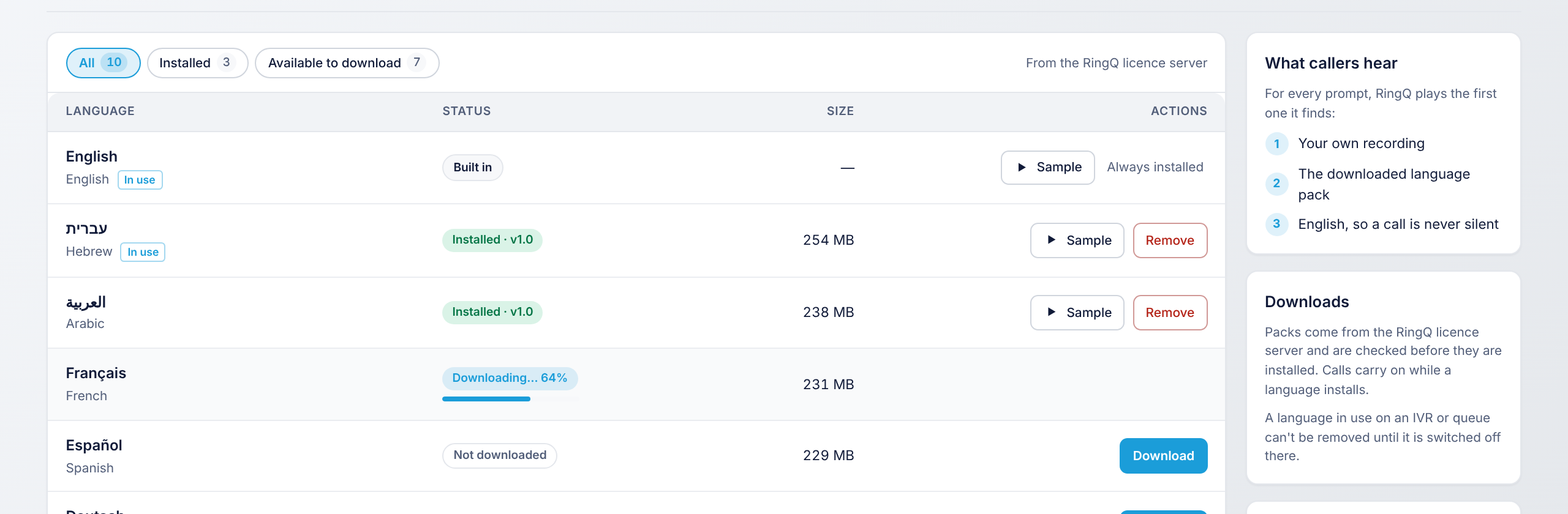
Packs come from the RingQ licence server and are checked before they are installed.
Play a sample or remove a language
- Sample plays a short prompt so you can hear the voice before you use it.
- Remove deletes the pack. A language in use on an IVR, a queue or the account can't be removed until you switch it off there. The In use tag shows which ones.
Next step
Choose which language callers hear: Set the Account Language and Add a Second Language.