
Give an IVR or Queue Its Own Language
Every IVR and queue follows the account language unless you give it its own. Use this for a separate support line, a queue for overseas customers, or a menu in a second language.
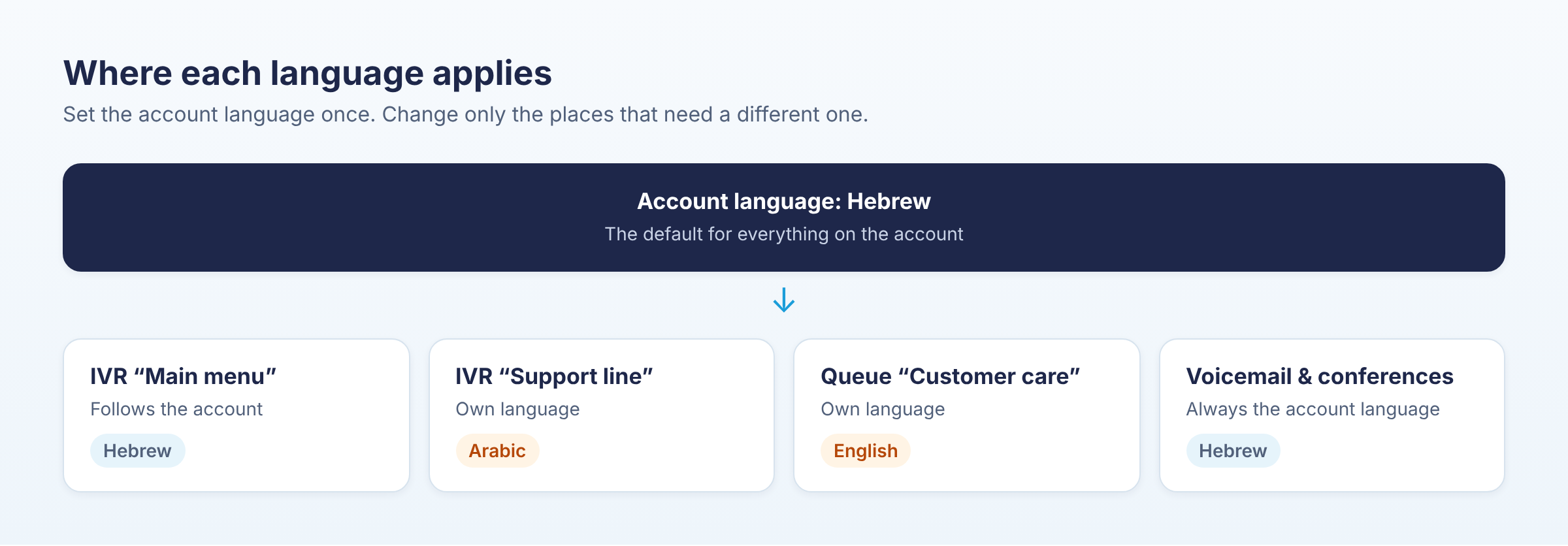
Change the language of an IVR or queue
- Go to Global Settings > Language & Hours > Voice prompts.
- Open the Where languages are used tab. It lists the account and every IVR and queue, with the language each one speaks.
- In the Prompt language column, pick the language for that IVR or queue. It is saved straight away.
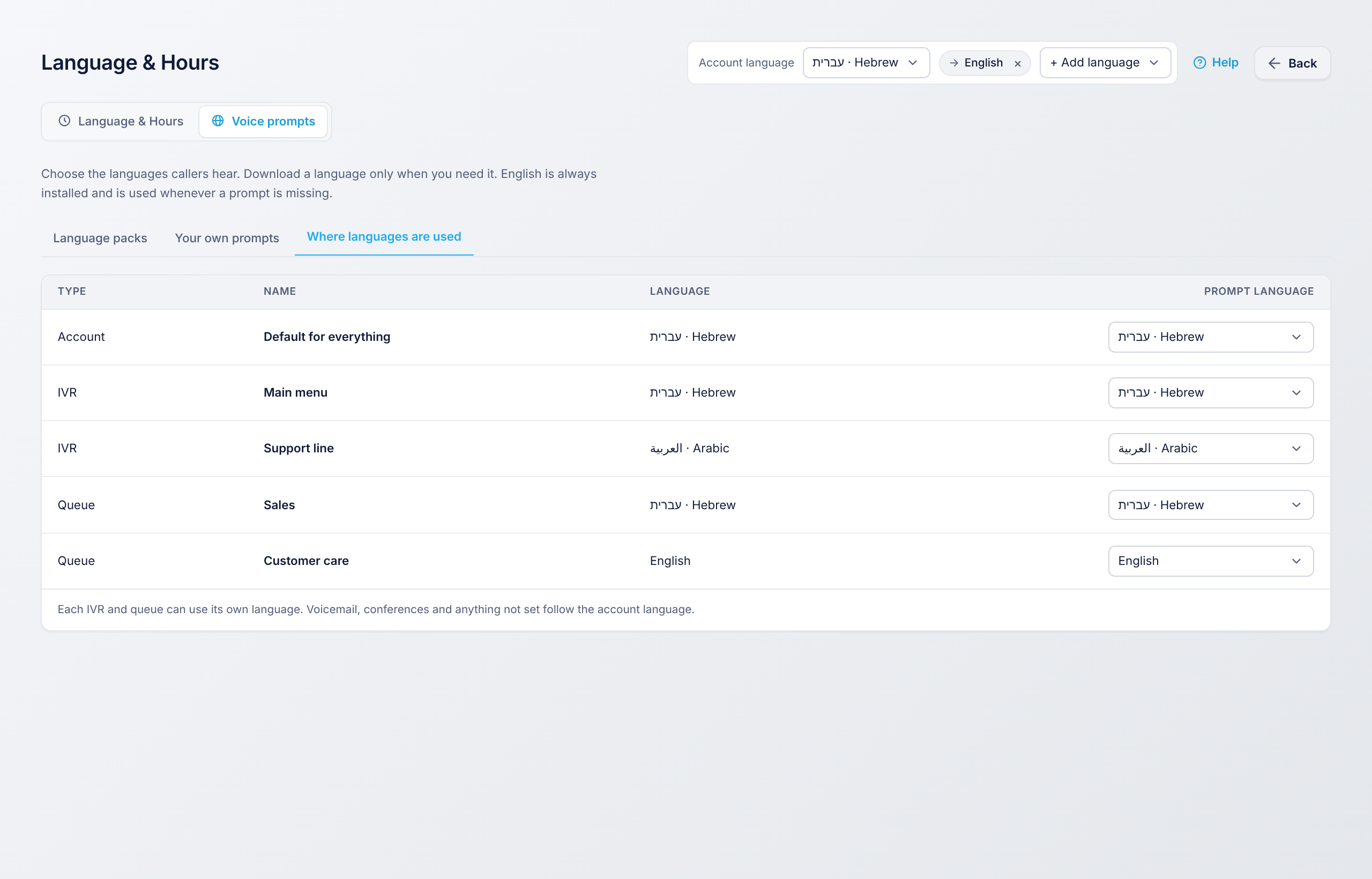
What follows which language
| Item | Language it uses |
|---|---|
| IVR greetings, menu and invalid-choice messages | The IVR's own language |
| Queue hold and position messages | The queue's own language |
| Voicemail | The account language |
| Conferences | The account language |
| Anything without its own setting | The account language |
An IVR greeting you recorded yourself always plays as recorded. The IVR's language applies to the standard prompts around it.