The RingQ Chameleon Feature
One size doesn’t fit all—and that’s where RingQ’s Chameleon feature stands out. Designed for maximum flexibility, Chameleon allows users to dynamically adjust the appearance, functions, and features of the RingQ dialer based on their assigned User Group. Chameleon empowers you to tailor the dialer interface and capabilities to match your team’s unique workflow and operational needs. This guide will walk you through how to configure and apply Chameleon profiles, ensuring each user sees the right tools, the right way, at the right time. Note: The default setup for newly created extensions is configured for Cloud PBX.
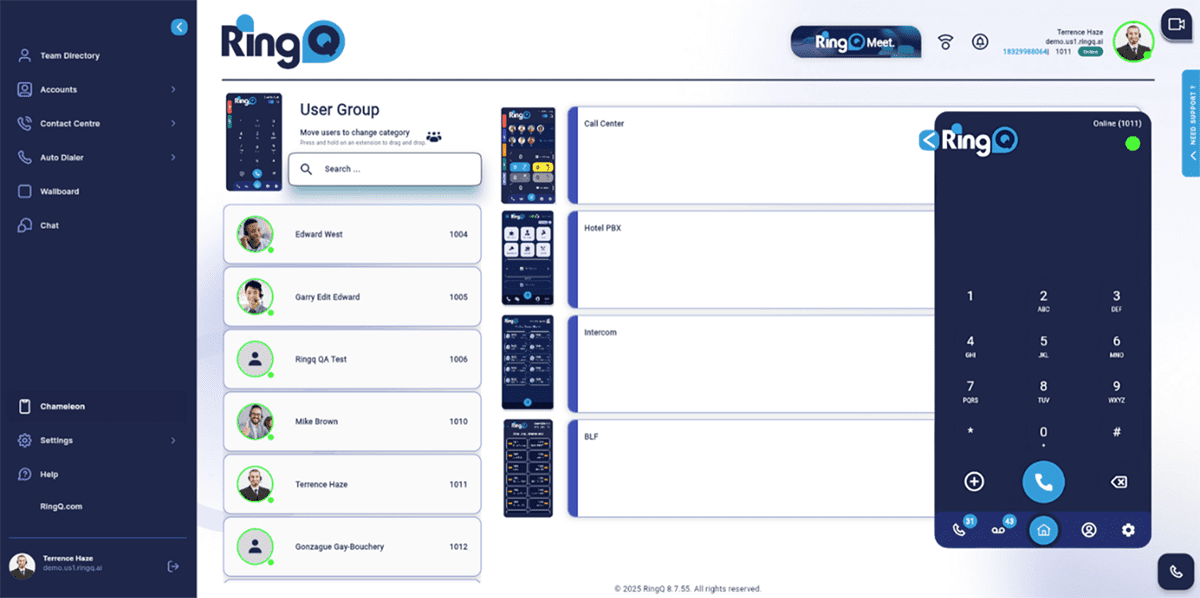
To customize settings for different User Groups:
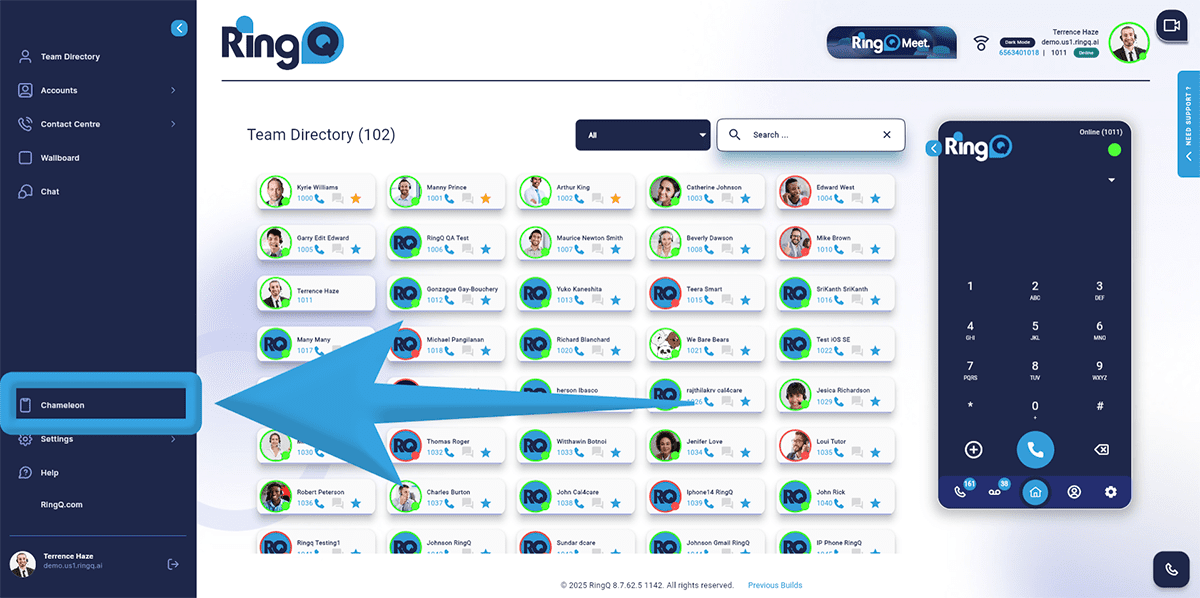
Go to the side menu of the web app and click Chameleon.
Select the extension(s) to be assigned.
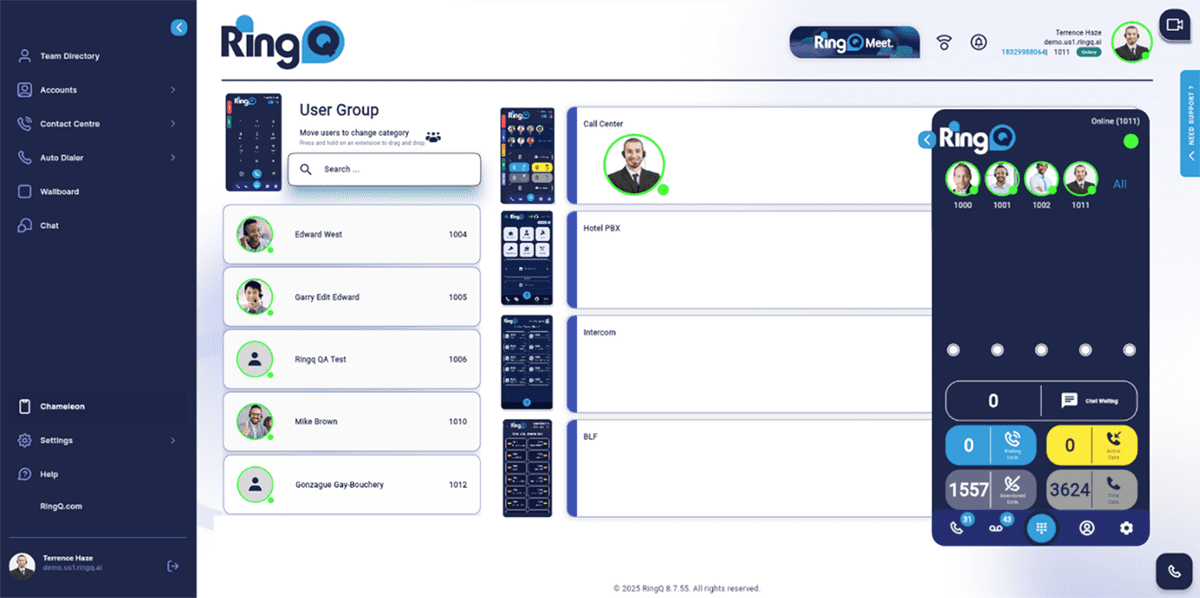
Drag and drop the extension into the Call Center, Hotel PBX, Intercom, or BLF container accordingly.
