Softphone Versus Deskphone: Which Fits Your Business?
Compare softphone versus deskphone systems for call quality, security, mobility, costs, and contact center performance across your business operations.
A receptionist handling high-value inbound calls has different endpoint requirements than a sales rep working between client sites. That is why the softphone versus deskphone decision should not begin with device preference. It should begin with call workflows, network conditions, security policies, and the customer experience each employee must deliver.
For many organizations, the best answer is not a company-wide choice between two endpoints. It is a controlled mix of softphones, IP deskphones, headsets, and shared-area devices managed through one business communications platform. The goal is consistent calling performance without forcing every role into the same operating model.
Softphone versus deskphone: the core difference
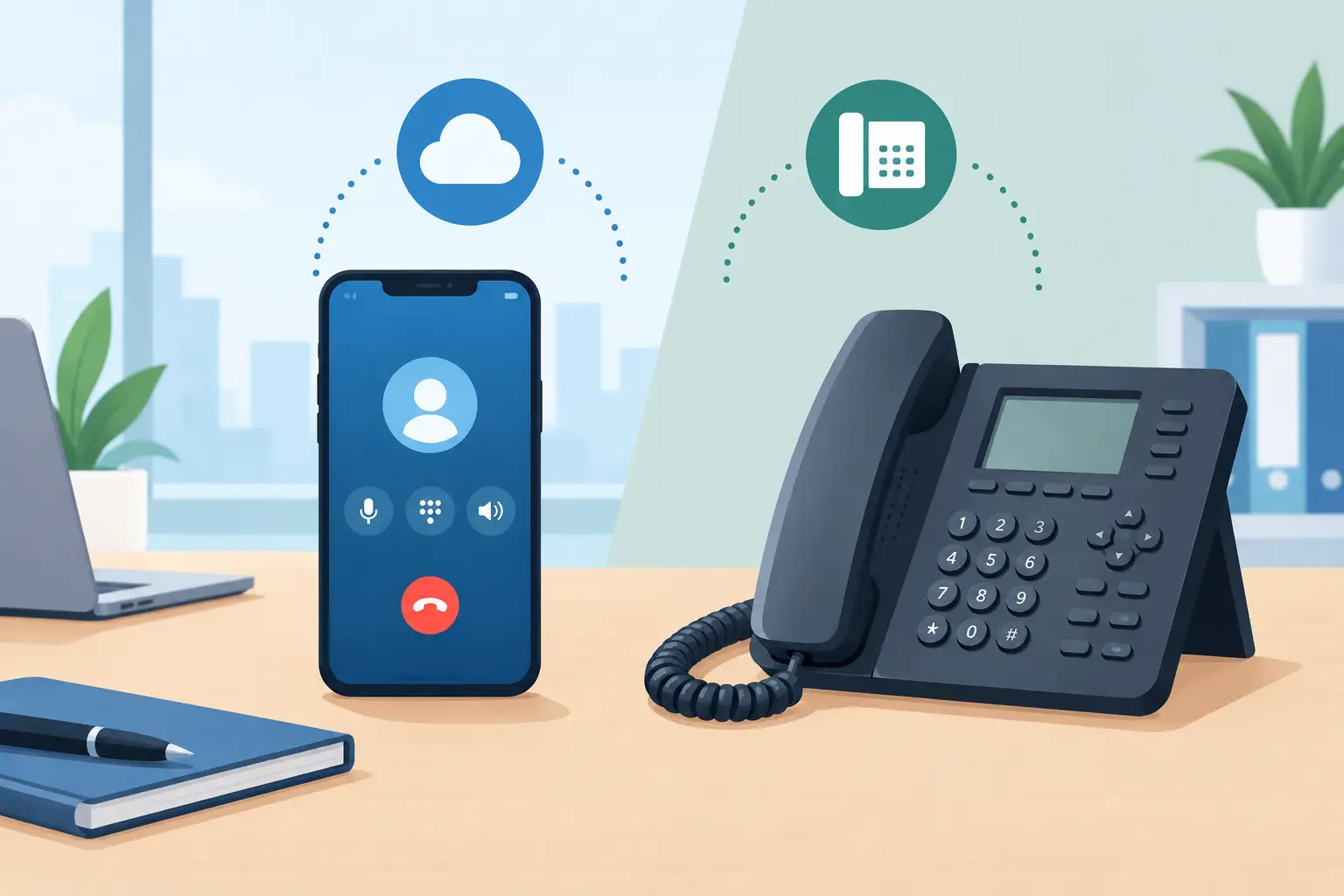
A softphone is an application that lets users place and receive business calls through a computer, mobile device, or browser. It connects to the organization’s PBX or cloud calling environment using an internet connection, typically with a USB or Bluetooth headset for audio.
A deskphone is a dedicated physical telephone, usually an IP phone, connected through Ethernet or Wi-Fi to the business voice network. It provides dedicated buttons, a handset, a speakerphone, and a predictable station-based experience.
Both endpoints can support core enterprise calling functions such as extension dialing, transfer, hold, voicemail, conferencing, presence, and call recording. When connected to the same Cloud PBX, they can also share the same business number, dial plan, call routing policies, and reporting structure. The endpoint changes the user experience and operational trade-offs, not necessarily the communications capabilities available to the user.
Where softphones deliver the strongest value
Softphones are designed for mobility, flexibility, and efficient scaling. A user can sign in from a managed laptop, a mobile app, or a browser without waiting for a phone shipment, desk installation, or cabling change. For distributed teams, this shortens onboarding and reduces the friction of office moves, remote work, and temporary staffing.
They are especially effective for knowledge workers who already spend most of the day in CRM, help desk, collaboration, and productivity applications. Click-to-call, screen pop, contact lookup, presence visibility, and integrated call notes can keep work inside the tools employees use to manage customer relationships.
For contact centers, a softphone can support a more complete agent desktop. Voice can sit alongside chat, email, social messaging, customer history, disposition codes, quality management, and AI-powered guidance. This matters when the customer journey crosses channels and agents need context before answering the next interaction.
Softphones also reduce hardware capital expense. An organization may still invest in quality headsets, device management, and network capacity, but it does not need to procure a deskphone for every occasional or mobile user. License assignment can be more dynamic as seasonal staff, contractors, or new locations are added.
That flexibility comes with dependencies. Call quality relies on the device, headset, local network, VPN configuration, and available bandwidth. Consumer-grade Wi-Fi, overloaded home networks, and unmanaged personal devices can create inconsistent audio. A softphone strategy requires endpoint standards, QoS policies, monitoring, and clear support ownership.
When a deskphone remains the better endpoint
Deskphones continue to serve high-volume and fixed-location roles extremely well. A physical handset is immediately familiar, requires little training, and gives users a dedicated device for calling. Receptionists, executive assistants, dispatch teams, hospitality staff, healthcare administrators, warehouse supervisors, and front-desk personnel often benefit from that focus.
For reception and attendant workflows, programmable line keys and busy-lamp fields can make a meaningful difference. Staff can see extension status, park calls, transfer quickly, and manage multiple active conversations without switching between application windows. In a busy lobby or operations center, those seconds affect both service levels and staff workload.
Dedicated phones can also provide more predictable performance in controlled office environments. With Power over Ethernet, a deskphone can receive power and network connectivity through one managed cable. It avoids competing with browser tabs, background applications, or a laptop battery. During a high-stakes call, that simplicity has value.
Deskphones are not automatically more secure, however. They still need secure provisioning, current firmware, segmented voice networks where appropriate, strong administrator access controls, and lifecycle management. A physical endpoint reduces some user-device variables, but security depends on the full architecture.
Compare the operating trade-offs
| Decision factor | Softphone | Deskphone | |---|---|---| | Best fit | Remote, hybrid, mobile, and application-driven teams | Fixed-location, shared, reception, and high-call-volume roles | | Deployment speed | Fast, often activated through user credentials | Requires procurement, provisioning, and physical installation | | Mobility | High across approved computers and mobile devices | Limited to the installed location, unless paired with extension mobility | | Call controls | Application-based, often integrated with CRM and CX tools | Physical keys, handset controls, and visible line status | | Cost structure | Lower hardware spend, higher dependence on managed endpoints and headsets | Higher upfront device cost, predictable endpoint lifecycle | | Quality dependencies | Device performance and local internet conditions | LAN design, PoE, firmware, and office network health |
The comparison is not simply mobility versus reliability. A well-managed softphone deployment can deliver excellent enterprise call quality, while a poorly configured deskphone environment can still experience jitter, packet loss, and failed registrations. Network engineering, SIP configuration, security controls, and active monitoring determine outcomes more than the endpoint category alone.
Security and compliance require endpoint policy
Security teams should assess softphones and deskphones through the same framework: identity, device trust, encryption, access control, logging, and retention. Voice traffic should be encrypted in transit, administrative access should use role-based permissions and multi-factor authentication, and call recording policies should align with regulatory and consent requirements.
Softphones require additional attention to device posture. If users access voice services from laptops or mobile devices, IT needs policies for operating system updates, endpoint protection, screen lock, application access, and remote removal of corporate data. Bring-your-own-device programs may be suitable for some teams, but regulated workflows may require managed devices only.
Deskphones need disciplined provisioning. Default credentials, exposed management interfaces, outdated firmware, and unsegmented networks can create avoidable risk. Enterprises with strict control requirements may prefer hosted, single-tenant, self-hosted, or on-premises deployment models that align voice infrastructure with existing governance standards.
Build around user roles, not office locations
The most effective communications design starts by grouping users according to what they need to accomplish. A finance employee making occasional outbound calls has different needs than a customer support agent, even if both work from the same office. Likewise, a remote executive may benefit from a softphone and premium headset, while an on-site dispatcher needs a deskphone with expansion keys.
A practical endpoint policy may assign softphones to sales, remote staff, consultants, and contact center agents. It may assign deskphones to reception, shared workstations, executive support staff, and operational teams. Hybrid workers can use both: a deskphone at a primary office desk and a softphone when traveling or working from home, all under the same extension identity.
This approach also helps control total cost of ownership. Instead of standardizing on expensive hardware for every user, organizations invest in physical devices where they improve speed, reliability, or service quality. At the same time, they avoid treating softphones as a no-cost option when headset quality, network upgrades, IT support, and security management are required.
What to validate before making a decision
Before standardizing endpoints, test them against actual workflows. Run a pilot with users from customer service, operations, sales, IT, and reception. Measure call quality, transfer time, adoption, headset comfort, CRM workflow efficiency, support tickets, and recovery behavior during network disruptions.
Validate these four areas before broad deployment:
- Network readiness, including Wi-Fi coverage, bandwidth, QoS, SIP handling, and monitoring.
- Endpoint management, including device provisioning, software updates, authentication, and remote support.
- Workflow fit, including call queues, receptionist functions, CRM integrations, recording, and omnichannel routing.
- Continuity planning, including failover routing, emergency calling, alternate endpoints, and business continuity procedures.
The platform behind the endpoint matters as much as the endpoint itself. A unified environment such as RingQ can give organizations the flexibility to support physical phones and softphone clients alongside PBX, contact center, CRM, and AI-driven IVR capabilities. That allows IT teams to change endpoint strategy without fragmenting routing rules, customer data, administration, or reporting.
Choose the endpoint that gives each role the fastest path to a clear, secure, well-managed customer conversation. The right mix will usually look less like a hardware mandate and more like an intentional communications architecture built for how your people actually work.
See RingQ in action
Talk to our team and find the right cloud PBX and contact center setup for your business.
Book a demo