Manage Calls & Contacts with the Salesforce CTI Dialer
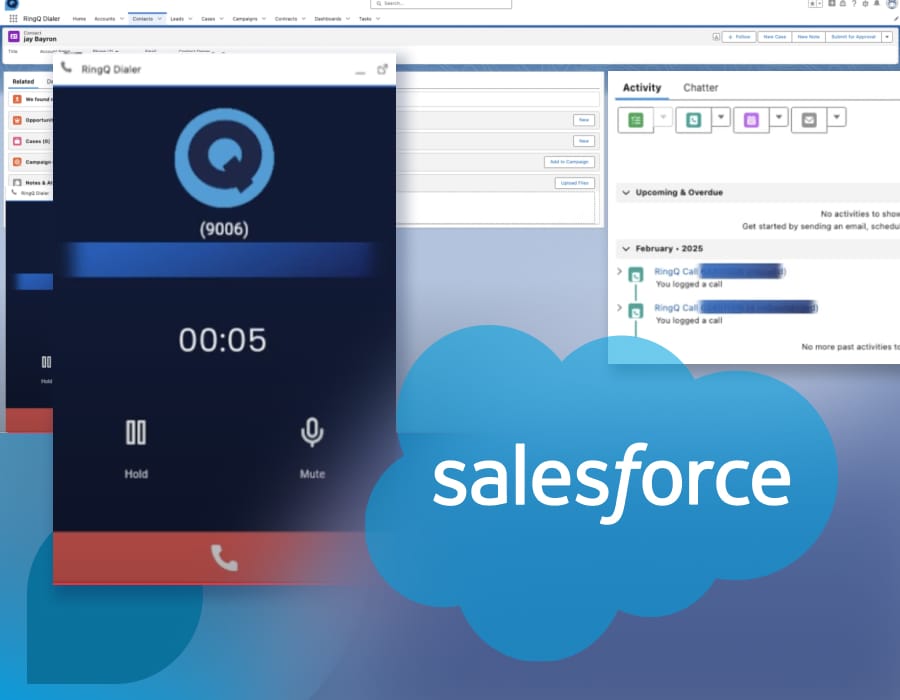
Save time, boost productivity, and enhance customer service with the new Salesforce CTI Dialer for RingQ.

Save time, boost productivity, and enhance customer service with the new Salesforce CTI Dialer for RingQ.
Setting up and configuring the integration is effortless—it only takes a few simple steps.
Once everything is in place, your team will enjoy a seamless connection between RingQ and Salesforce. With automatic number-to-contact matching, agents instantly recognize incoming callers through the call pop-up within the Salesforce dashboard. If the number isn’t recognized, they can easily add it as a new contact, lead, or account with just a click.
But that’s not all! The dialer automatically logs and journals calls, ensuring that every interaction is recorded for future reference. Agents can also add tasks directly within Salesforce, keeping workflows organized and follow-ups on track.
See it in action in our latest video:
Recommended for you
See RingQ in action
Talk to our team and find the right cloud PBX and contact center setup for your business.
Book a demo