
New Chat Channels, Enhanced Backup, Smart Queue Controls & More with the latest RingQ release
Version 8.7.62 (Build 65040126) is a landmark release for RingQ — delivering new messaging channels, smart queue controls, PBX migration tooling, desktop app connectors, enhanced backup management, and deep integrations with Microsoft Teams and Zoho Desk. This document covers all new features and en

Version 8.7.62 (Build 65040126) is a landmark release for RingQ — delivering new messaging channels, smart queue controls, PBX migration tooling, desktop app connectors, enhanced backup management, and deep integrations with Microsoft Teams and Zoho Desk. This document covers all new features and enhancements intended for public release.
💬 Chat Channels & Interface
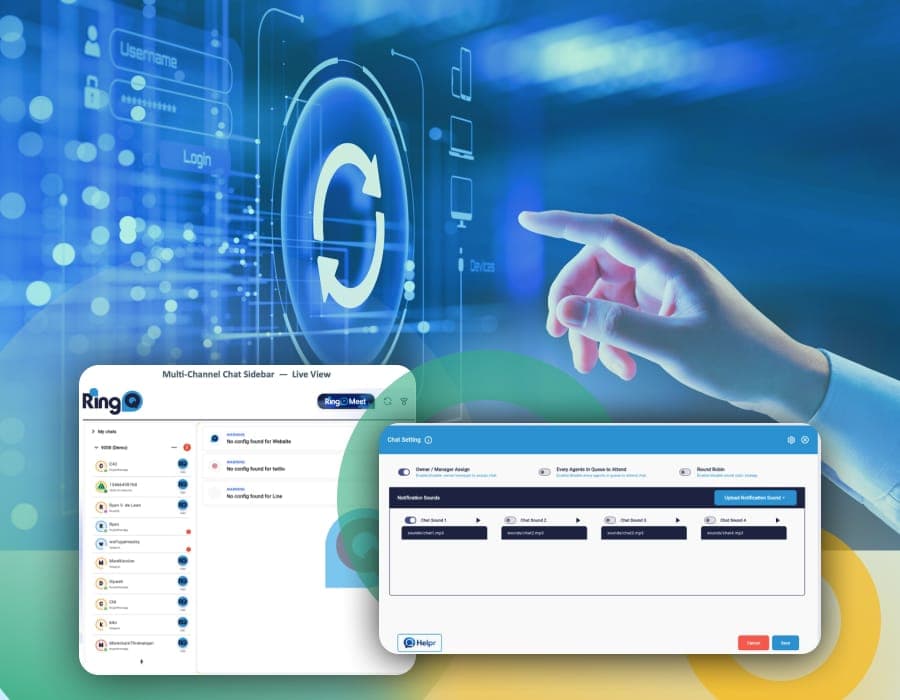
RingQ now supports a broader range of messaging channels – accessible directly from the chat sidebar. Your agents can manage conversations across WhatsApp, Facebook, Telegram, LINE, Website Chat and SMS — all from one unified view.
⚙️ Chat Settings
A new Chat Settings panel gives administrators granular control over how chats are distributed, attended, and alerted — all in one place.
🔄 PBX Migration Tool
Switching to RingQ from another PBX system is seamless. The new Migration tool lets you import your existing configuration — including extensions, queues, users, and settings — directly from your previous system.
Supported Migration Sources
3CX · Yeastar (P-Series / S-Series) · MyTel · CSV (Universal Format). Additional PBX sources are under active development. Contact your RingQ account manager if your system is not listed.
🖥️ Desktop App Connectors — Early Access
Early Access Programme
The RingQ Windows and macOS desktop apps are in the final stages of preparation and will be released separately to this update. Customers can register for Early Access to receive the apps ahead of the general availability launch.
Both desktop apps will be released as separate installers and are not bundled with this platform update. Early Access sign-up is available through your account portal.
☁️ Hosted Backup & Data Management
RingQ provides a fully managed backup infrastructure as part of its hosted platform. All customer data — including call recordings, chat logs, configuration, and reports — is automatically backed up by RingQ with no setup required.
How Backup Works
RingQ Hosted Backup is active by default for all hosted accounts. If you add your own backup service, it operates independently and does not disable the RingQ-managed backup unless explicitly configured to do so. Both backups can run in parallel for maximum redundancy.
🔗 Platform Integrations
👤 User & Notification Management
📡 Telephony & System
📧 Email & SMTP
Update to RingQ v8.7.62
Updating Single-Tenant (ST) Products:
Updating Multi-Tenant (MT) Products:
For multi-tenant setups, the update process is managed entirely by the partners. End-users do not see the update prompts directly, as the partner handles all instance maintenance.
If you don’t already have a RingQ instance you can start with our free trial today!
How-to Guides
View the complete change log.