Keeping extension settings up to date is key to ensuring smooth communication across your organization. In this guide, we’ll show you how to edit and manage user extensions in RingQ—including updating personal information, configuring email notifications, adjusting voicemail settings, and more.
Accessing Extensions
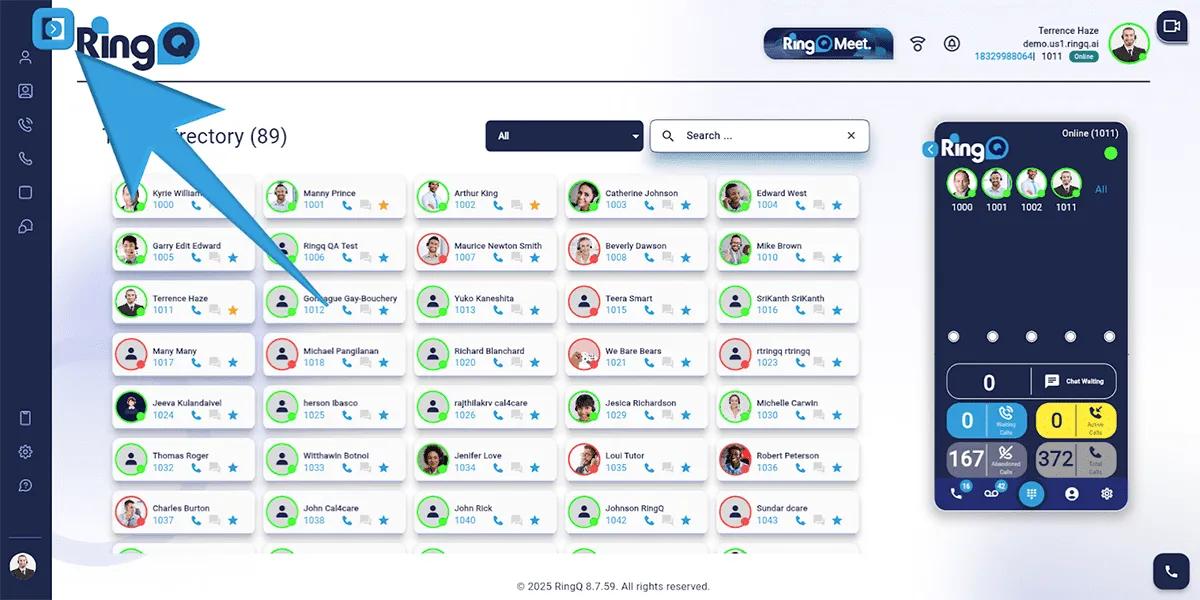
1. Click the Show Side Menu button to reveal the side menu bar.
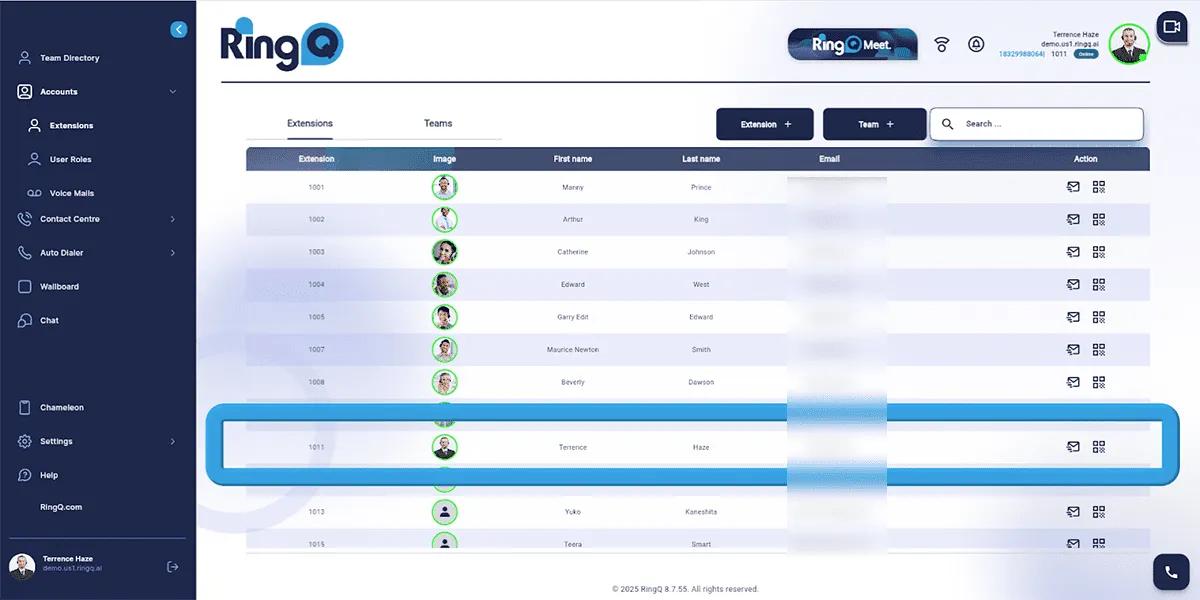
2. Navigate to the Accounts menu and click the Dropdown option. Select “Extensions”.
Editing an Extension
1. Click on an extension to open its details.
Overview Tab
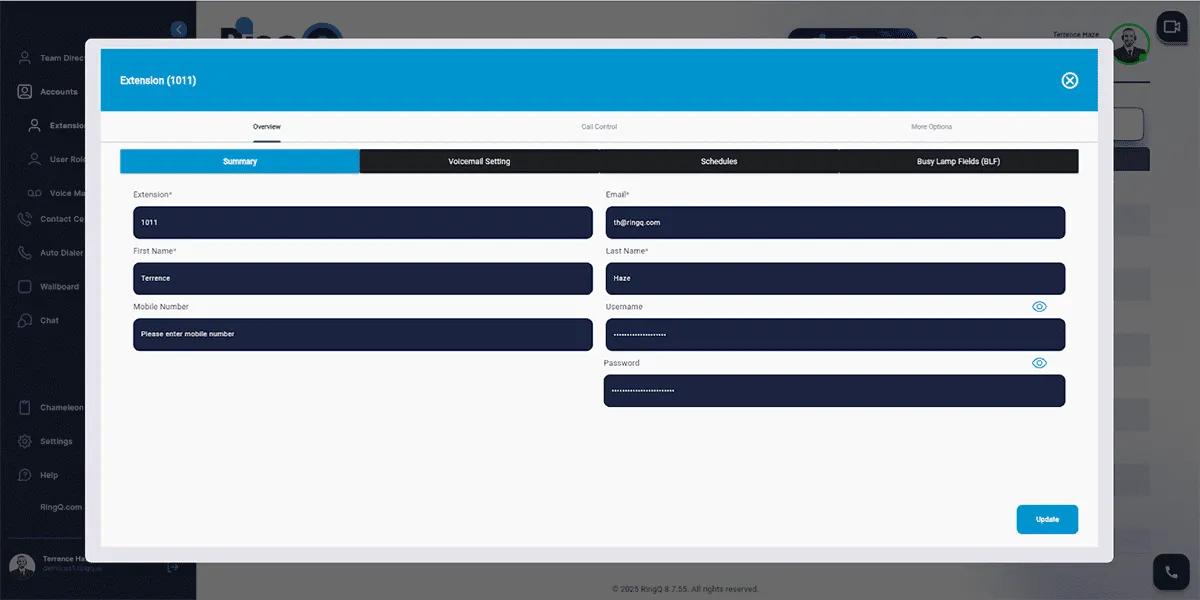
1. Go to the “Overview” tab and select “Summary”. You will find the below info:
Extension – Displays the extension number assigned by the system.
Business email –the user’s email address.
Users are not permitted to edit the email registered to an extension.
First Name
Last Name
Mobile number
Username: system generated and non-editable
Password: system generated and non-editable
Voicemail Settings
1. Go to the “Voicemail Setting” option
PIN Number: enter the PIN required for voicemail access.
Email options: select the email voicemail notifications – No email notification – Email notification only – Email voicemail with audio
Recording Instructions: enable or disable playing instructions before recording.
Schedules
1. Go to Schedules in system settings.
Modify Office Hours, Break Hours, or Holidays as needed.
Update Non-Office Hours Action and Break Time Action.
Holidays
1. Exempt from Global Holidays: Enable/Disable
2. Extension Holidays: None (Custom holidays can be added).
Call Controls
Call Profiles
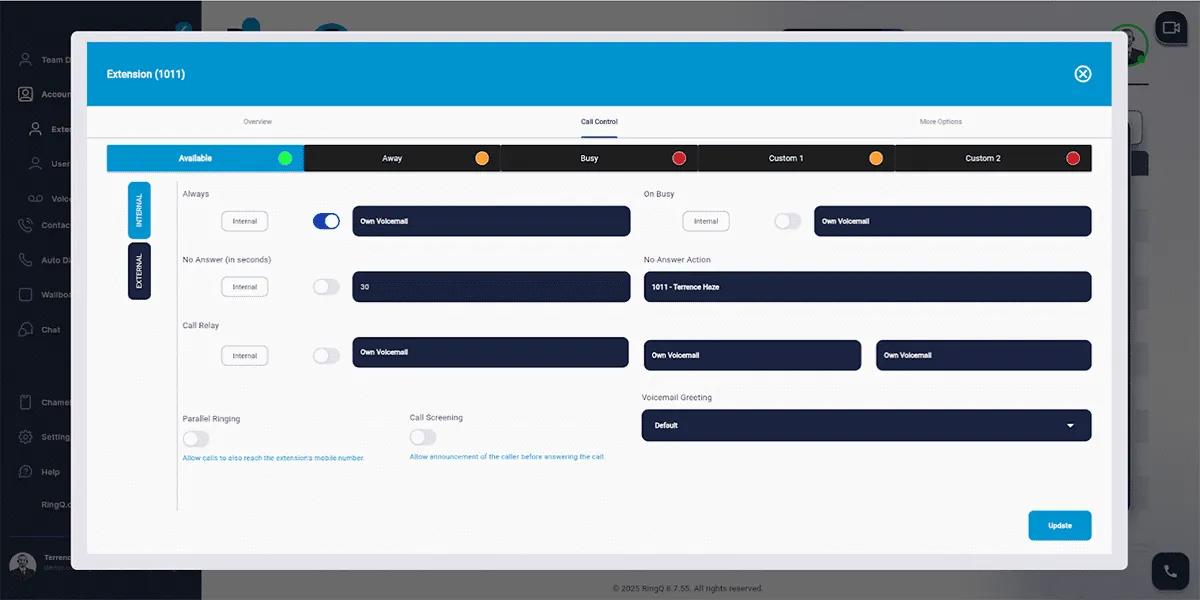
Internal and External Settings: Configure call handling for both internal and external calls.
Profiles: Available: Accept all calls. Busy: Manage incoming calls when unavailable. Away: Redirect calls based on settings. Customs: Define personalized call handling rules.
Call Handling Options
Always: Calls are always allowed.
On Busy: Define actions when the line is occupied.
No Answer: Set response time for unanswered calls.
No Answer Action: Forward calls or send to voicemail.
Call Relay: Forward calls to another extension.
Parallel Ringing: Ring multiple devices simultaneously.
Call Screening: Announce caller before answering.
Voicemail Greeting: Set default or custom voicemail message.