Configuring a Draytek Firewall with RingQ
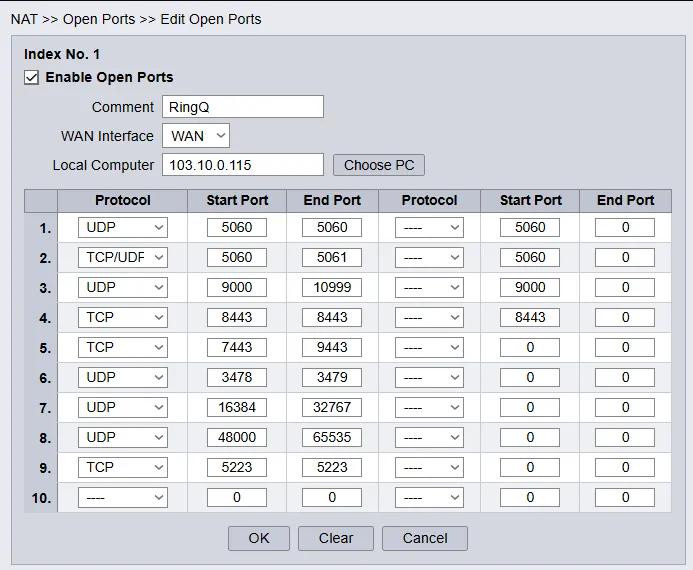
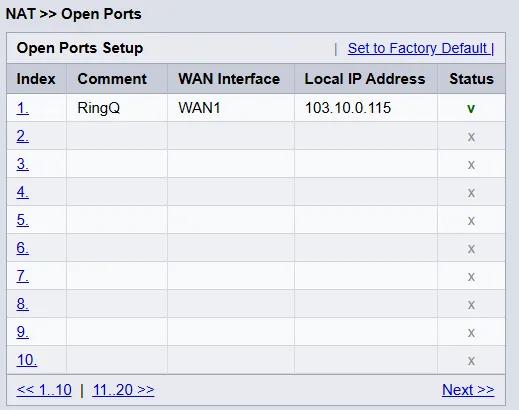
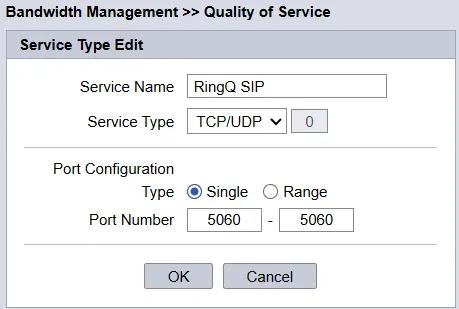
This document outlines the configuration of a DrayTek for use with RingQ. It covers the NAT settings required for RingQ as well as the QoS configuration to prioritize SIP and RTP traffic. The router’s Web Interface default IP address is 192.168.1.1. You may also check the updated port list here.
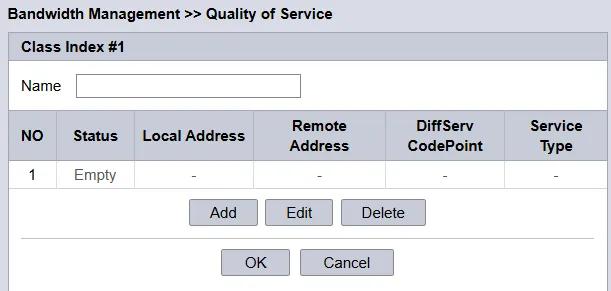
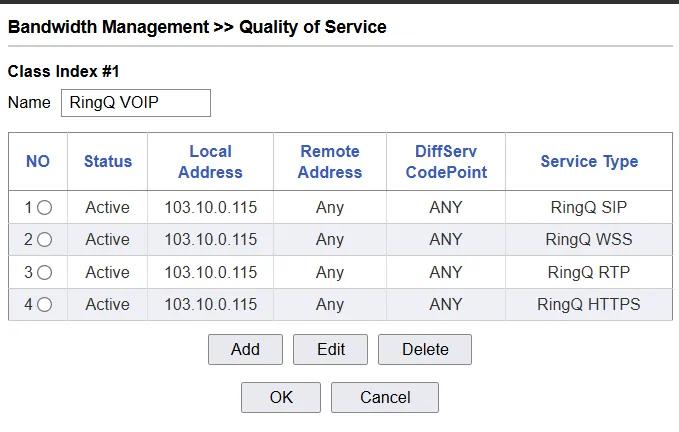
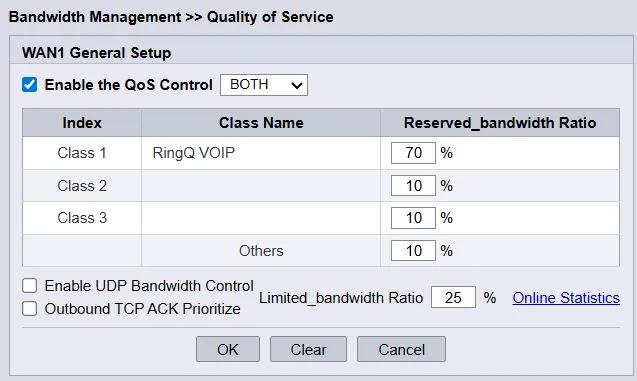
Now we need to instruct the router to assign a priority level to traffic of class “RingQ VOIP”.
If you have a Draytek VoIP model you also need to perform the following steps in addition to the steps described above to enable it to work with RingQ Phone System:
Note: All SIP account ports should be changed.
When you finish modifying all your accounts, restart your Draytek Router.
