RingQ Customer Centric Communications

Managing Meeting Participants


Introduction

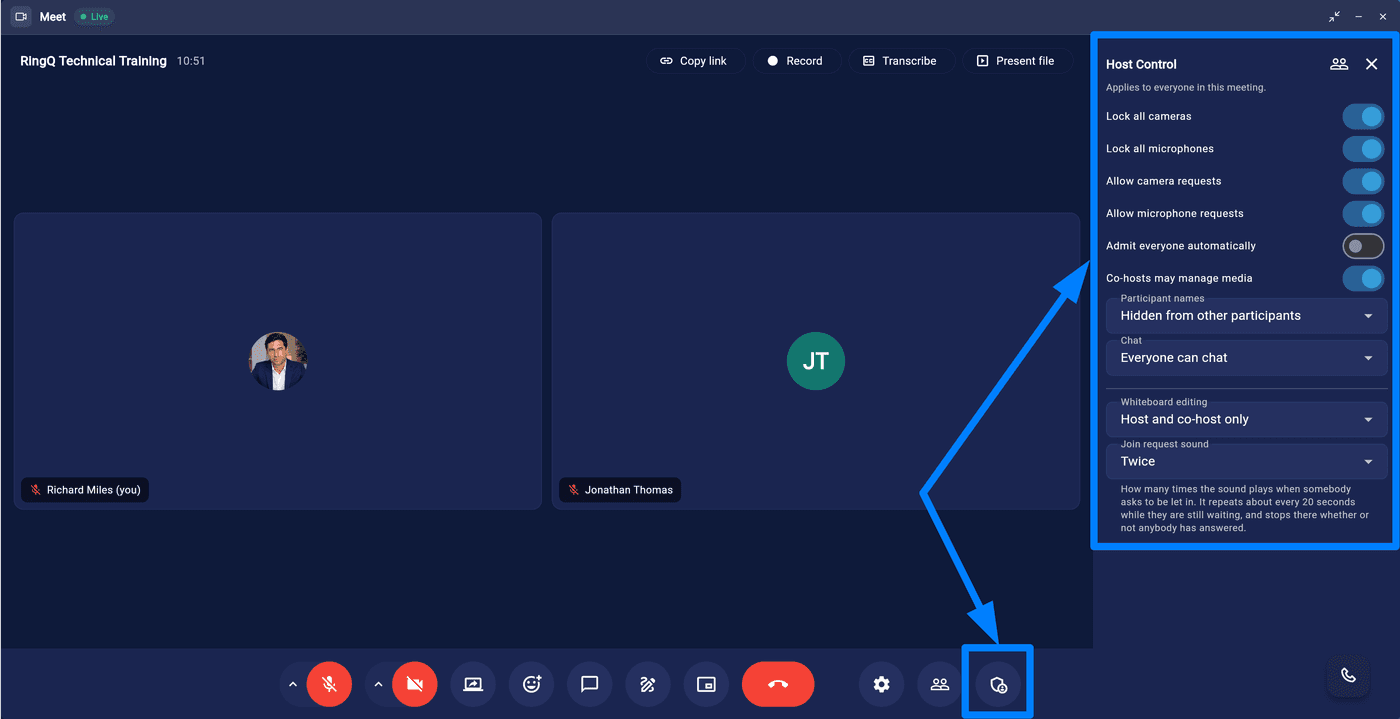
This guide explains how to manage participants during a RingQ Meet meeting. Participant management features allow hosts to mute or remove attendees, assign roles, and control screen sharing during a meeting.

Managing Participants Options

The room owner or host of the meeting can perform the following actions to manage participants effectively:
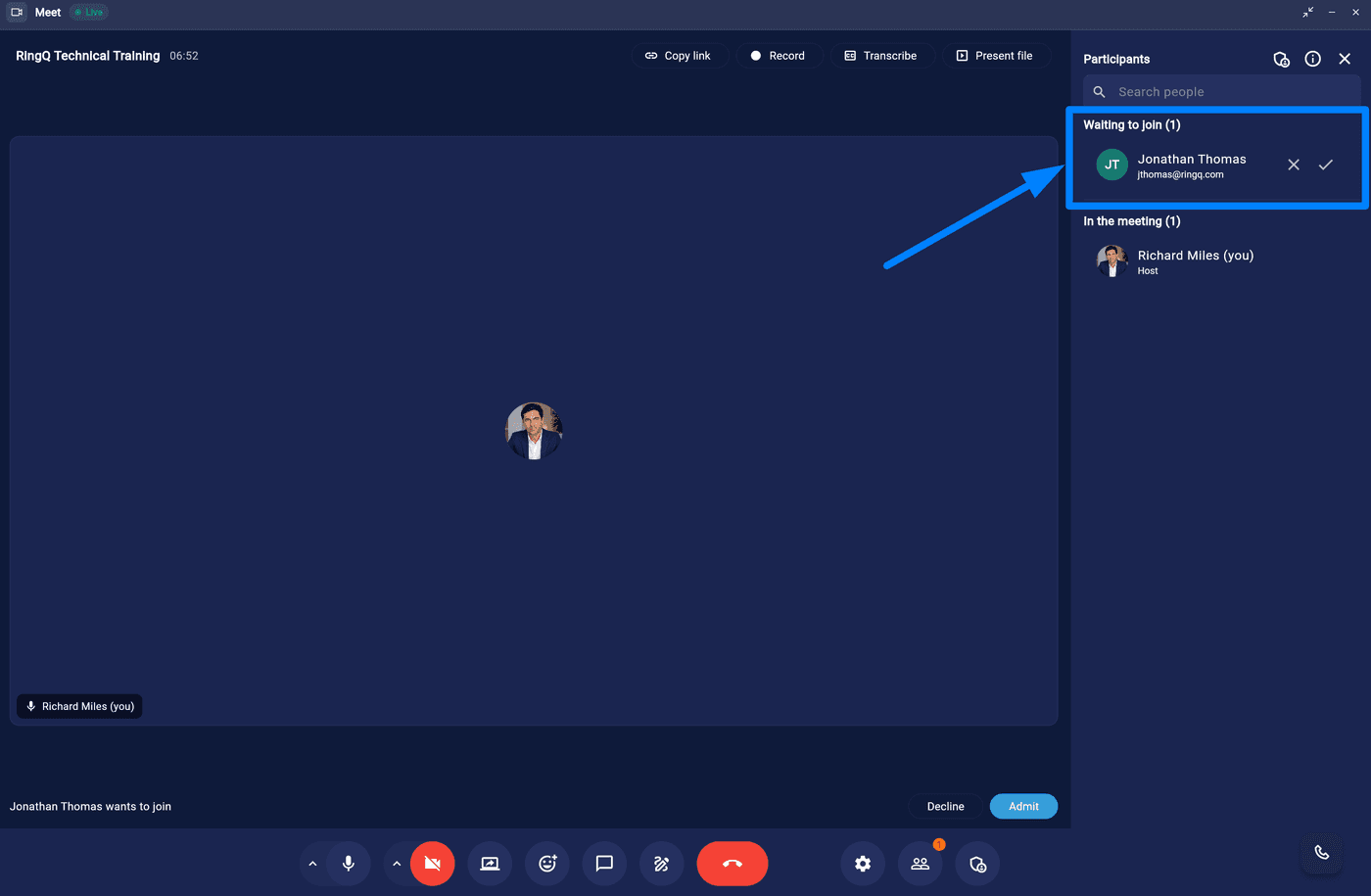
Allow participants to join the meeting.
  • Accepting and Denying Participants: You can approve or deny requests from participants who wish to join the meeting. You can do this either via a Notification or via the participants section.
Mute meeting participants in RingQ Meet
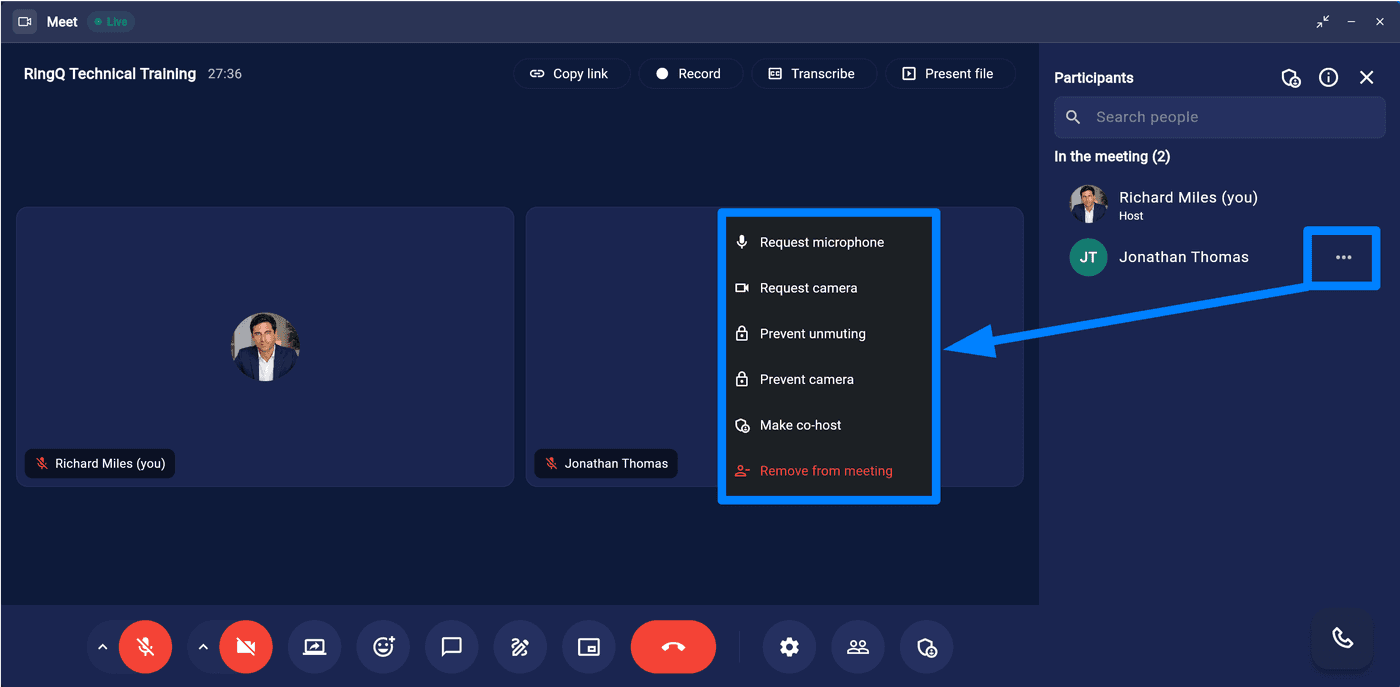
  • Muting Participants: Mute one or multiple participants. You can do this via the participant’s window or the participant’s page.
  • Assigning a Co-Host: Co-hosts have additional privileges, such as managing other participants and starting certain meeting functions.
  • Removing Participants (Kicking): Remove or “kick out” participants from the meeting.
  • Leaving and Rejoining Meetings: You have the flexibility to leave the meeting and rejoin at any time.
  • Ending the Meeting: End the meeting for all participants.
  • Creating a meeting via Meet Now
  • Accessing In-Call Messages