This guide explains how to schedule a one-on-one meeting using RingQ Booking. Booking allows meeting owners to set their availability, meeting duration, and participant limits in advance, then share a booking link with clients. Clients can view real-time availability and book a meeting within the defined schedule, with meetings automatically confirmed.
1. Login to the RingQ web app.
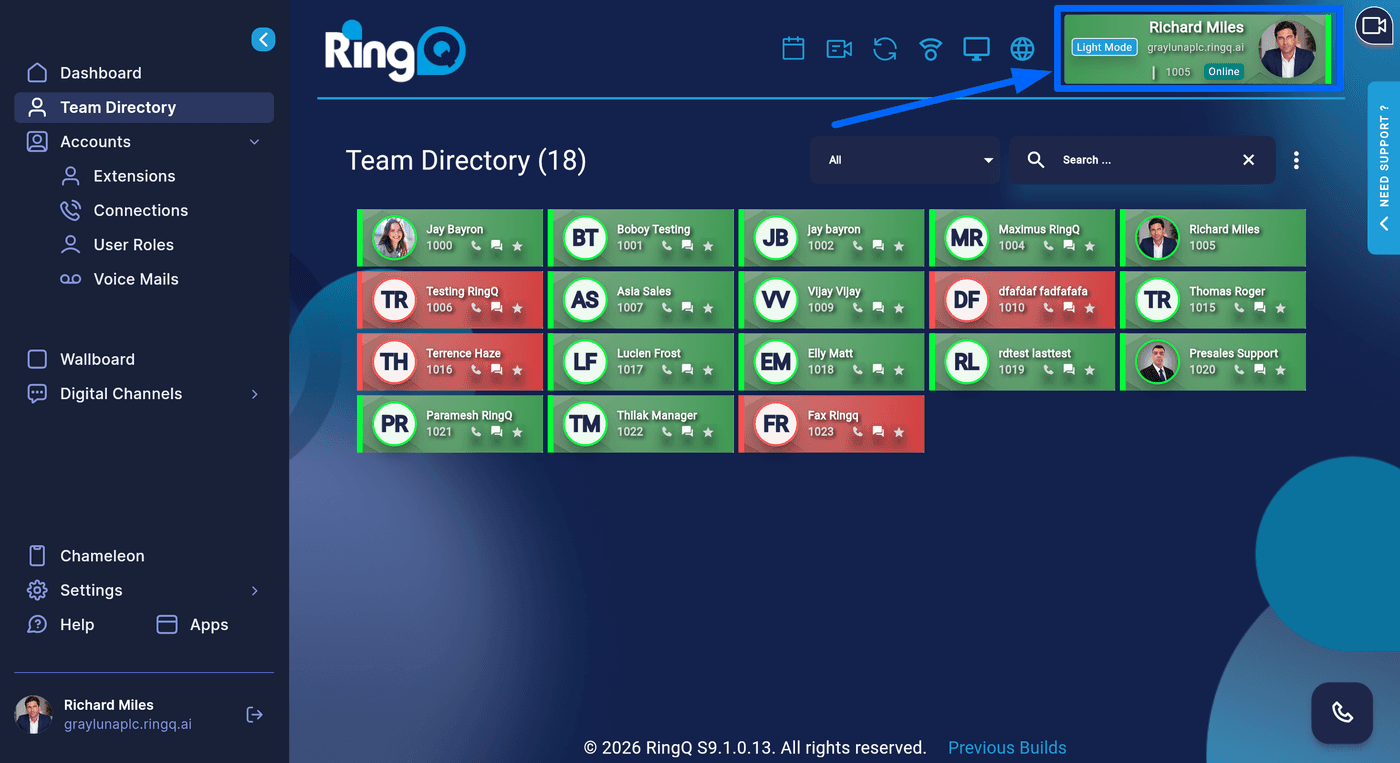
2. On the upper right corner, click on the Extension Profile’s avatar.
3. You will be redirected to the Extension Profile page.
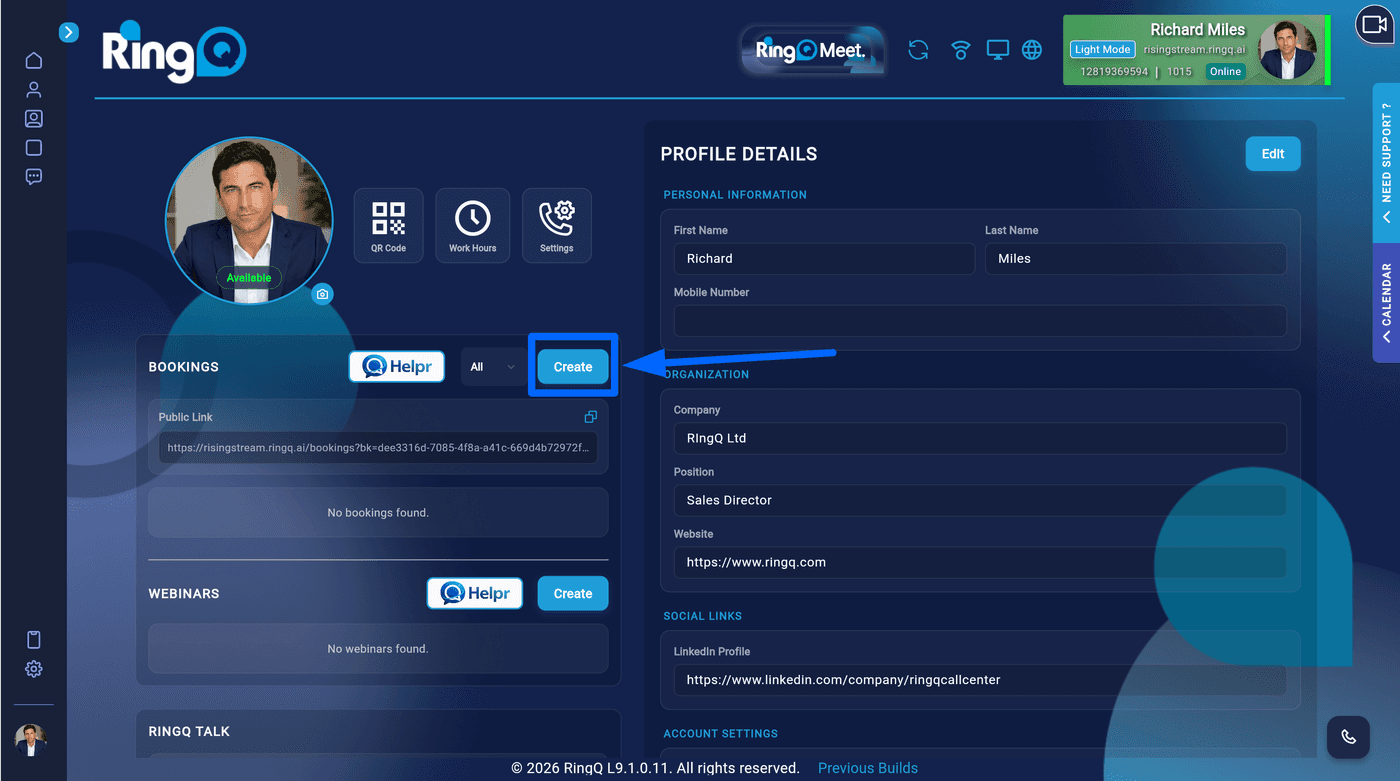
Click Create
1. In the Bookings section, click Create to start creating a new booking.
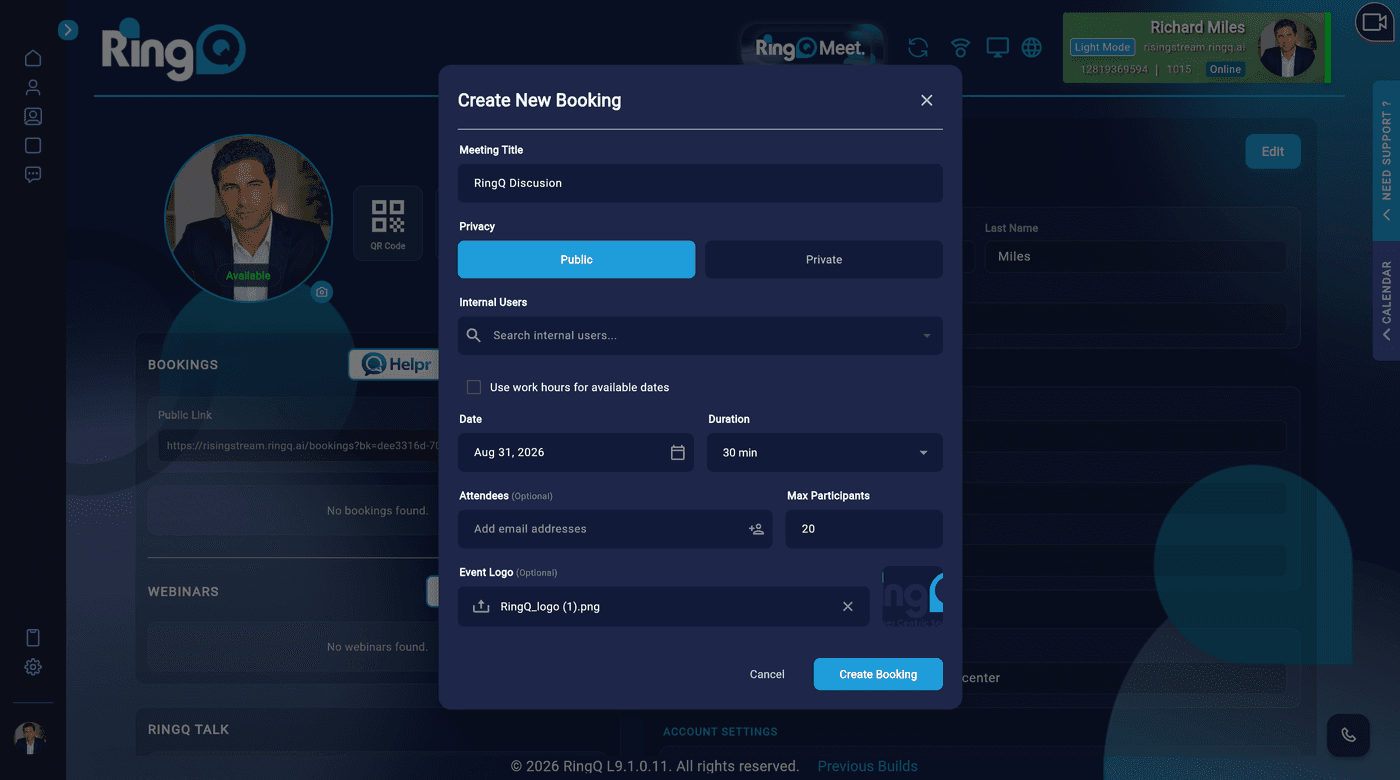
Complete the fields to create a RingQ Booking.
2. Complete the required fields in the Booking form:
3. Click Create Booking in the lower-right corner of the window to save and create the booking.
