This guide explains how to start an instant meeting using the “Meet Now” feature in RingQ Meet. Meet Now allows you to create and join a meeting immediately, without scheduling or sending calendar invitations.
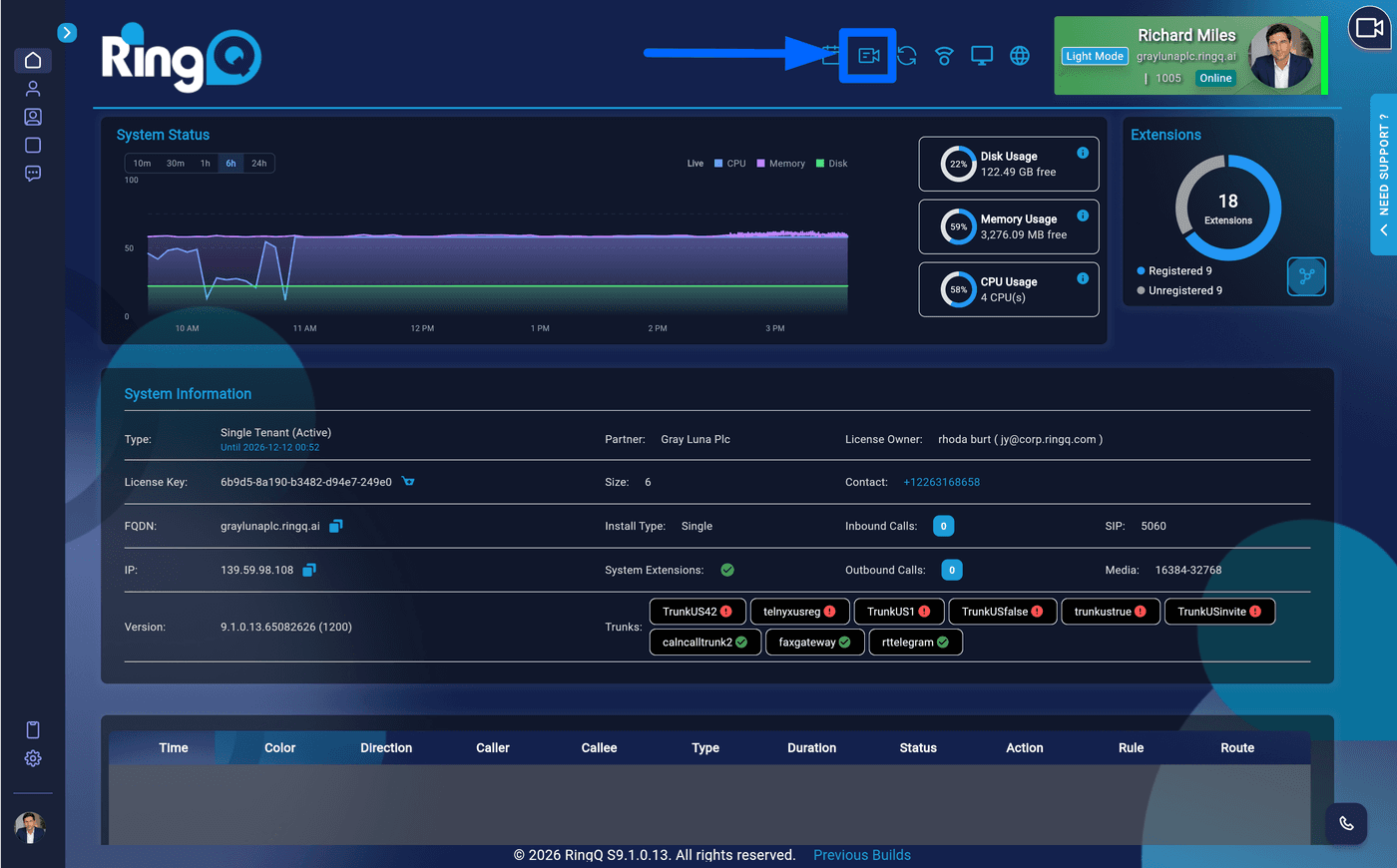
1. Login to your RingQ web app and locate RingQ Meet Icon on the top of the screen and click on it.
Create a meeting in RingQ Meet
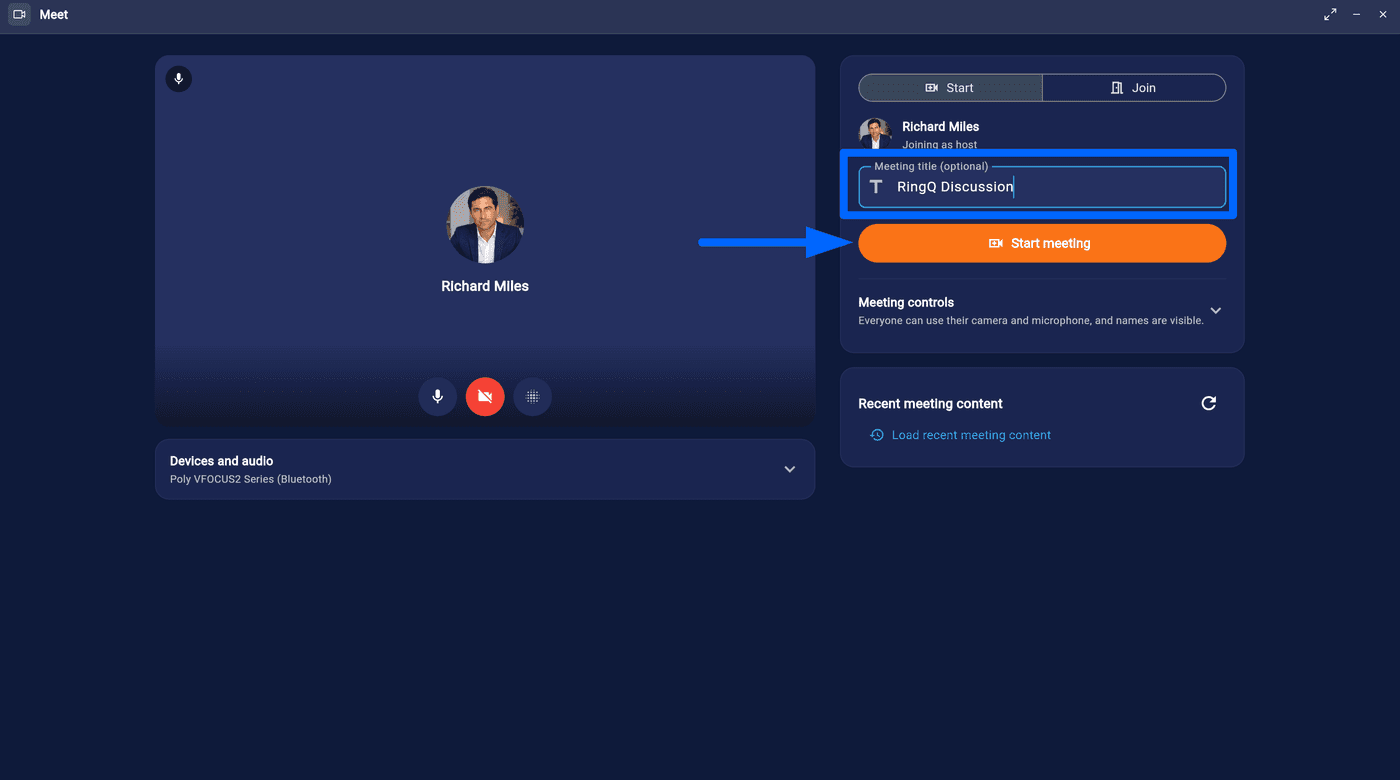
2. Enter a Meeting Title (optional) and the click “Start Meeting” button to start the session.
Click Start Meeting
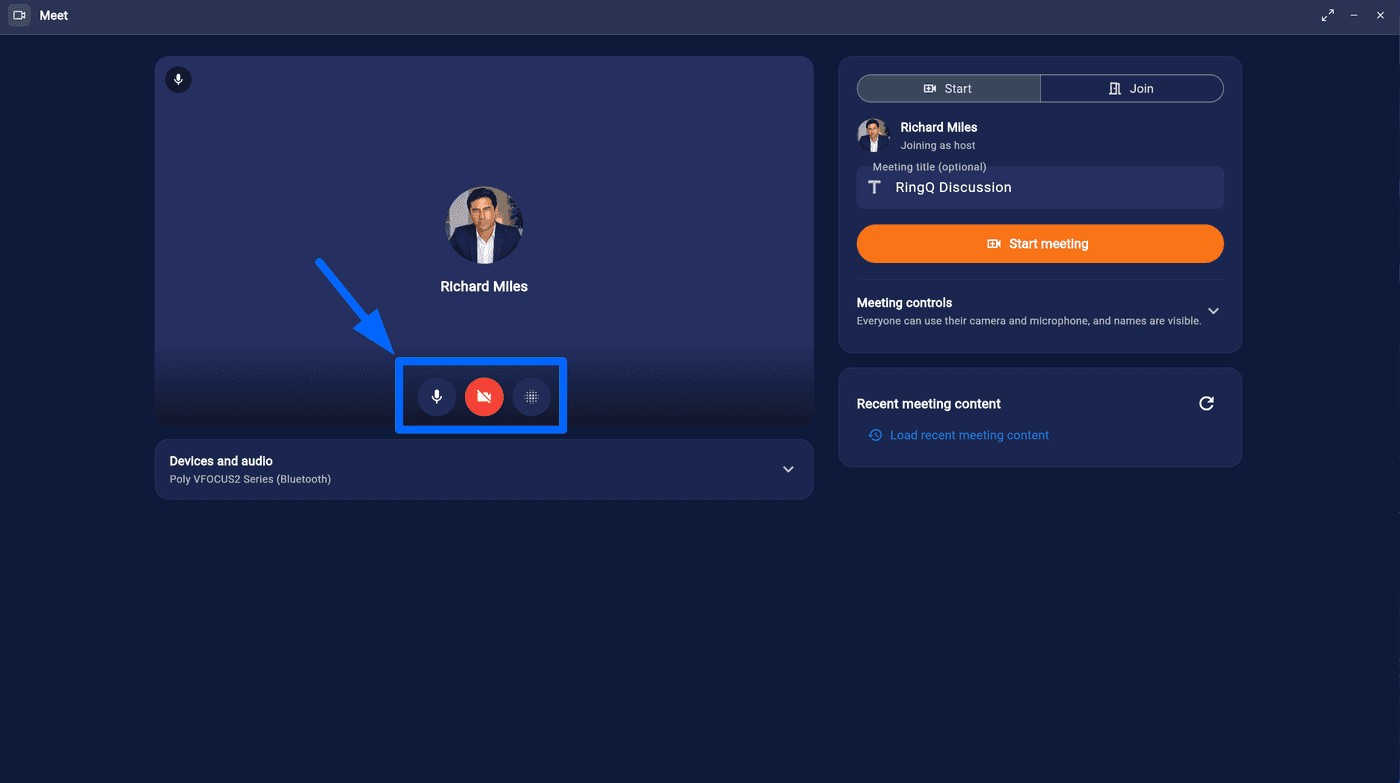
3. You can enable/disable your microphone and/or camera prior to joining. You can also modify your background settings
Enable/Disable Microphone & Camera
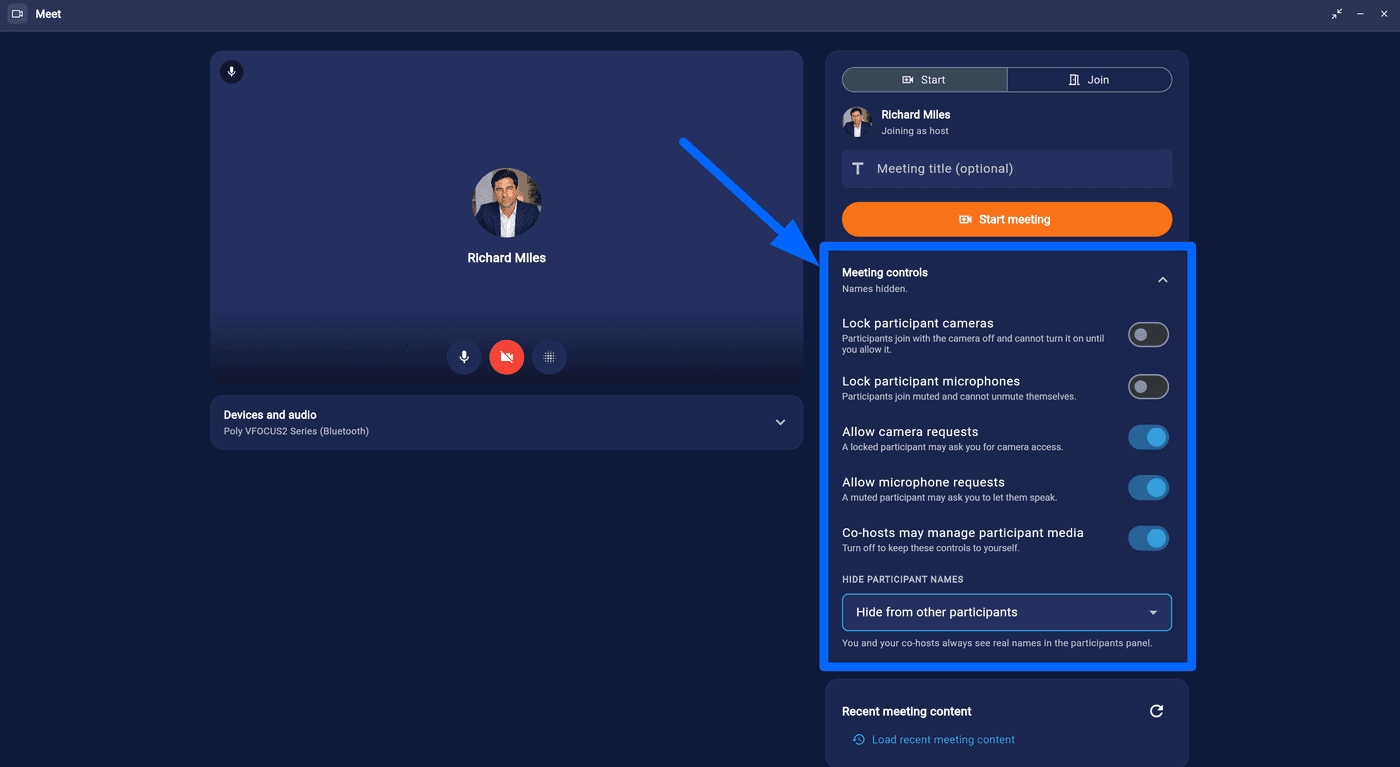
4. The meeting host has access to Meeting Controls and can choose to lock cameras and/or microphones for all participants and also choose to hide participant names from everyone if necessary.
Host can modify Meeting controls
Invite participants to your RingQ Meet online meeting.
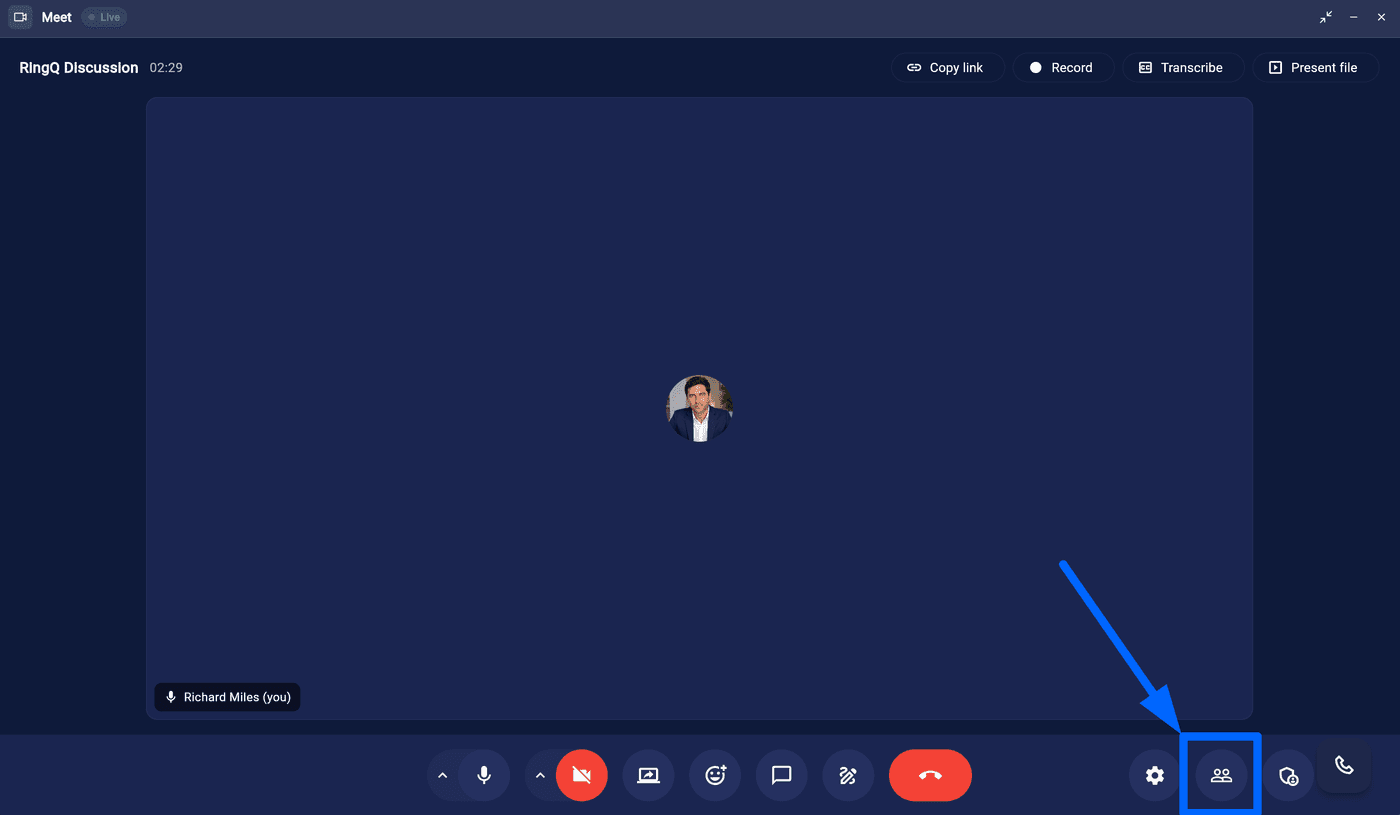
2. You can join via the QR code from your Smartphone, Share invitation via Email or Copy the meeting link and send to anyone you would like to join.
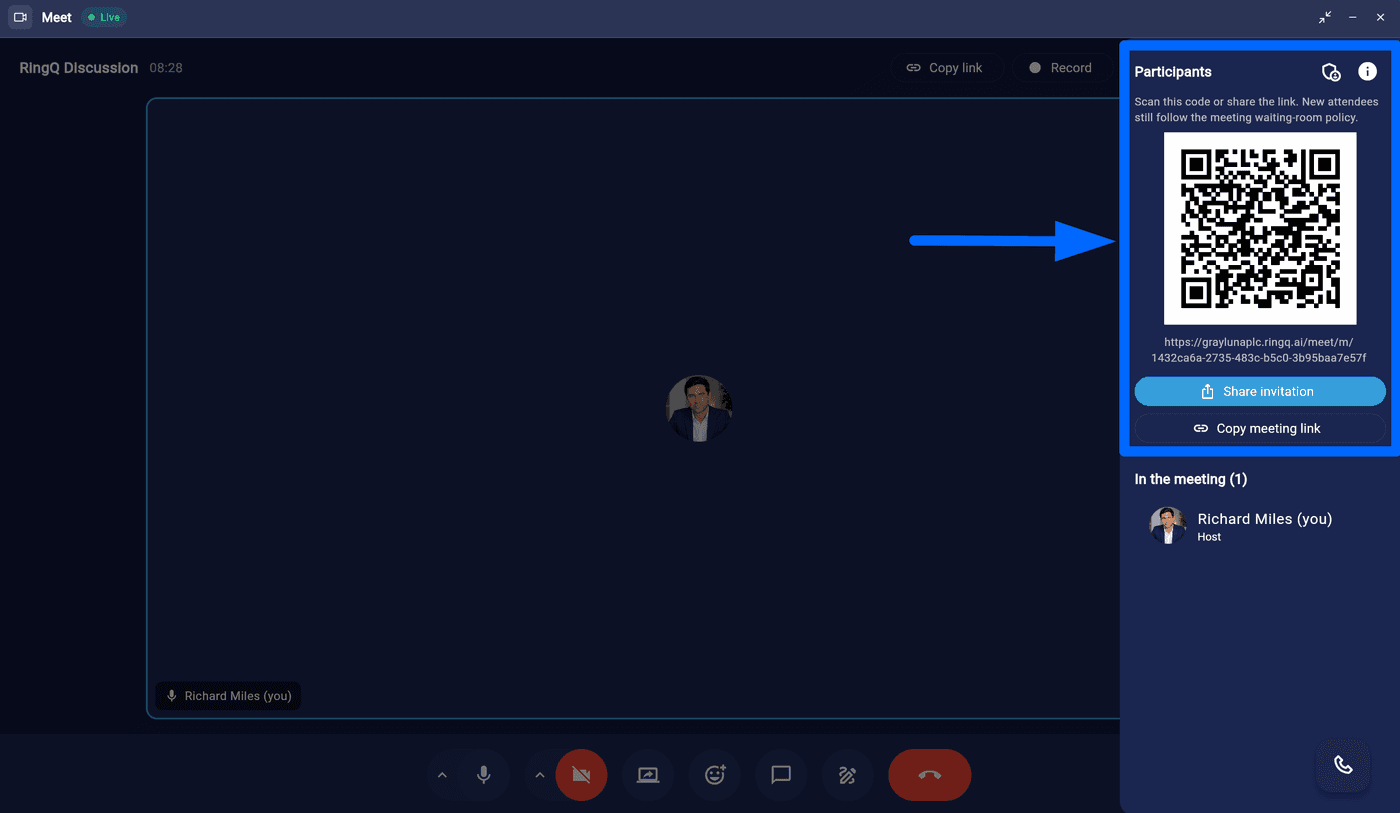
2. Click “Copy Joining Info”. This will copy the meeting link and relevant details to your clipboard.
3. Paste the copied meeting link into your preferred communication tool, i.e. email, WhatsApp, Teams, or messenger apps and send it to other participants.
