Queue Scripts
Call queues are often the first interaction customers have with your business — and the experience they get can make a lasting impression. With RingQ call queue scripts, you can guide callers smoothly to the right team, reduce wait times, and deliver consistent, professional communication at every step. This guide walks you through how call queue scripts work in RingQ, when to use them, and how to design scripts that inform callers, manage expectations, and improve overall support efficiency.
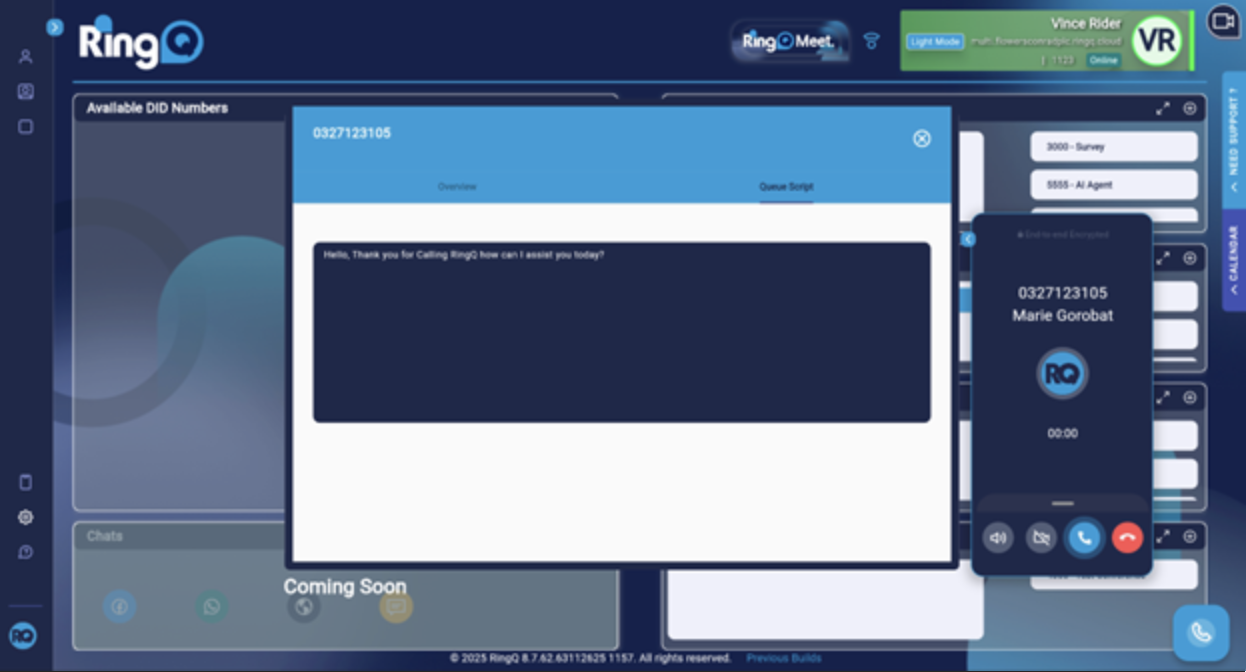
The queue script serves as an automatically generated call guide. When a call is routed to a specific queue, the system immediately displays the corresponding script for the agent. This ensures consistency, supports agent confidence, and provides clear guidance for handling customer interactions.
Log in to your RingQ Admin Dashboard → Settings → Call Flow.
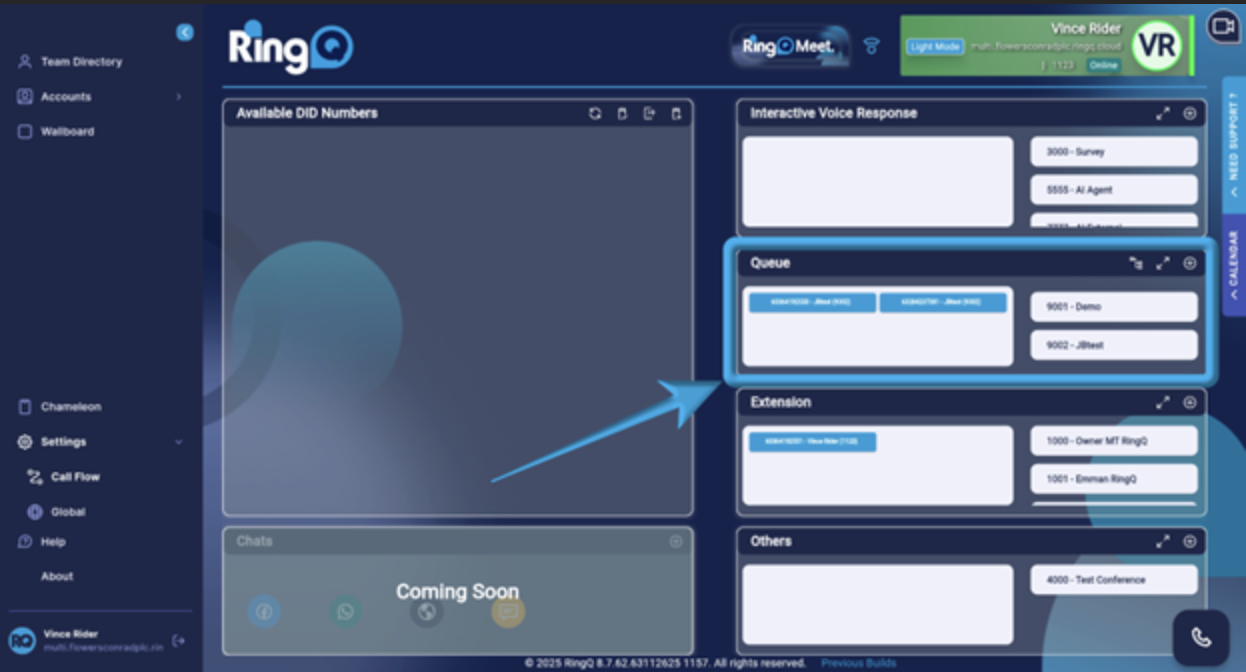
In the Queue section, select the queue you want to configure and add a script to.
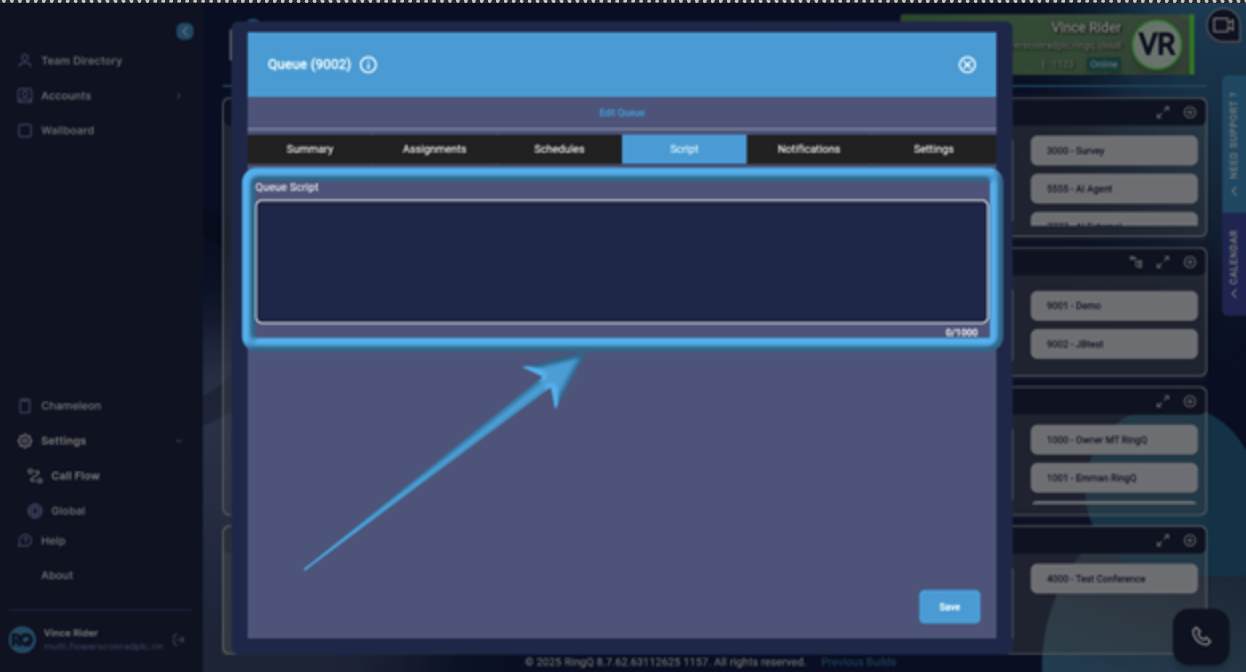
From the tabs, click Script. Add your script in the Queue Script box.
Click Save.
To ensure the script opens during an agent's call, go back to the selected queue and from the tabs select Settings.
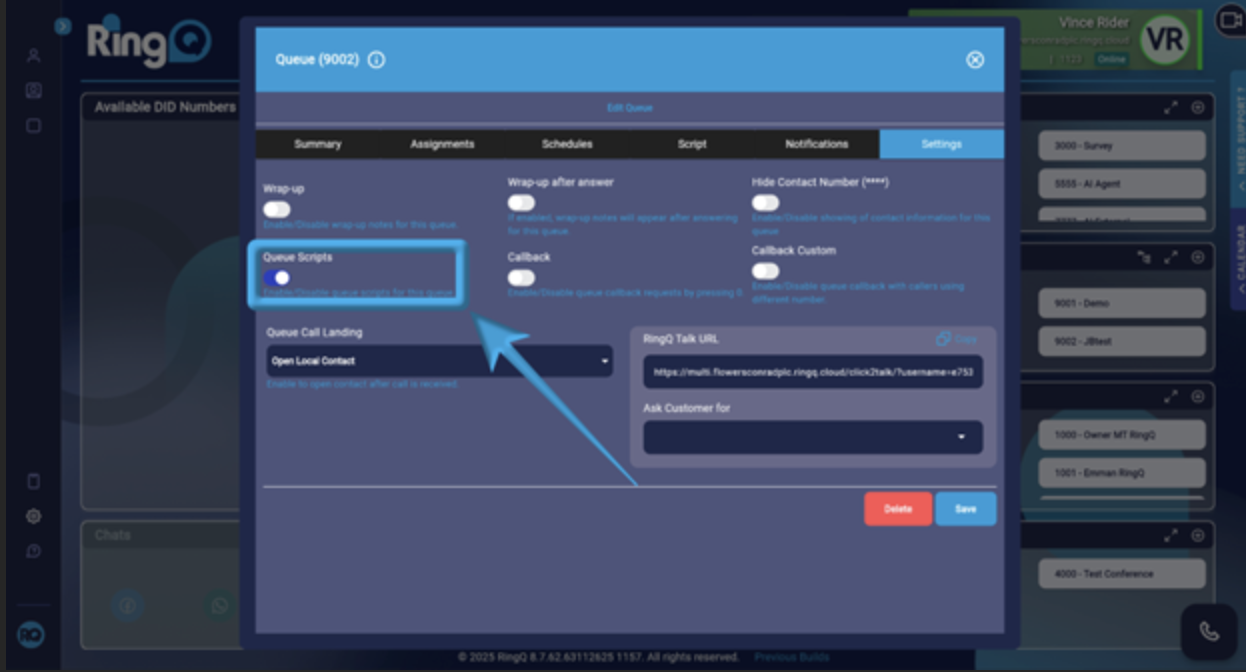
Look for the Queue Script toggle and ensure it is enabled, then click Save.
