Hosting seamless, high-quality conference calls is essential for effective team collaboration and communication. With RingQ, setting up a conference is simple, fast, and flexible—whether you're connecting colleagues, clients, or partners. This guide walks you through the steps to create a conference using RingQ, so you can bring everyone together—anytime, anywhere.
Log in to your RingQ web app. From the left-hand menu go to Settings > Call Flow.
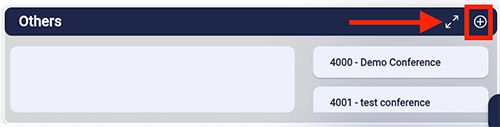
Click the + button to create a new conference.
Fill in the required information in the form. Make sure to enter the Moderator and Participant PIN to share.
Click Create.
Click on the selected conference extension.
The Conference Extension Number is automatically assigned from the 4000 series, with each new conference increasing by one.
From here you can edit the conference name, moderator's PIN, and participant's PIN.
