
The new RingQ: smoother, steadier and built for the way you work
A fresh interface, rock-solid reliability, secure one-click updates and a clearer view of every call. All live for RingQ customers today.

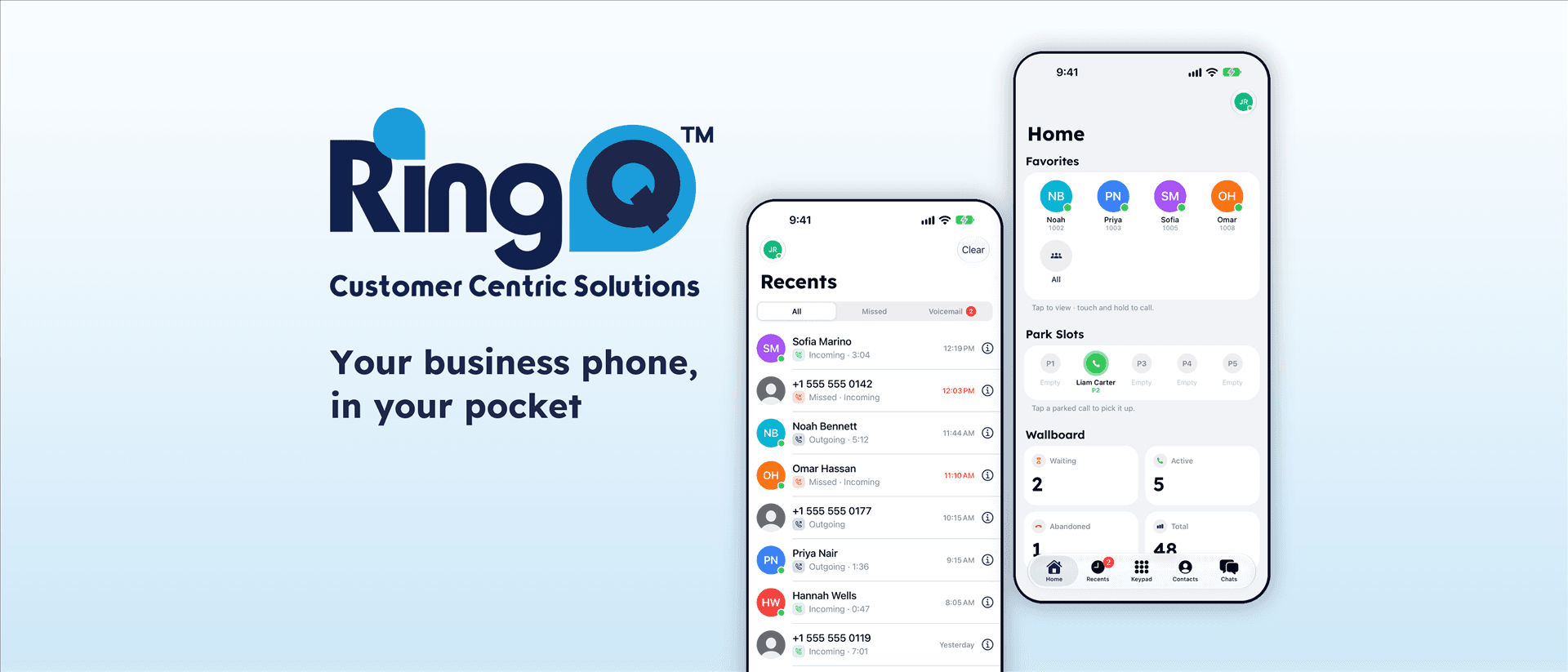
The best phone system is the one you never have to think about. That is the idea behind this release, our biggest step forward yet. RingQ now looks better, feels faster and runs on a foundation built to the standards of critical business infrastructure, so your team can focus on conversations instead of tools.
Here is everything that is new.
A fresh new look, built for speed
RingQ has a brand-new interface from top to bottom. Pages load faster, screens respond instantly and everyday tasks take fewer clicks. Settings are grouped the way you naturally think about them, with clear labels and handy info buttons that explain each option before you change it. Finding what you need, and getting it done, has never been easier.
Rock-solid reliability and security
We rebuilt the core of RingQ Call Services to the standard of critical business infrastructure. Every part of the platform is monitored, so you can see at a glance that everything is healthy. Each service can be restarted on its own without touching the rest, and every admin action is recorded in an audit log for complete peace of mind. Your data and your calls travel over secure, encrypted connections from end to end.
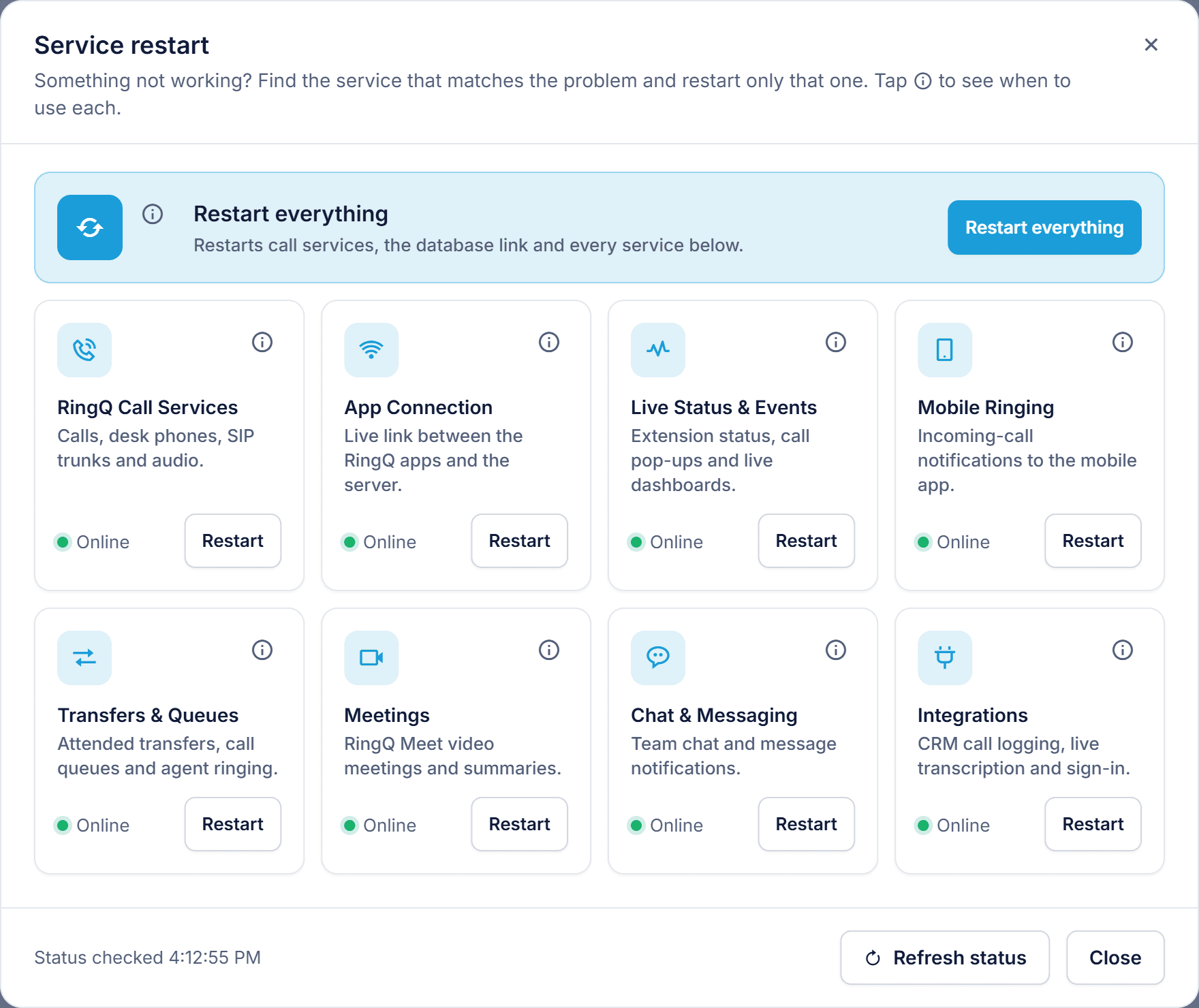
The Service restart screen: every RingQ service at a glance, each with its own status and Restart button
Updates you can trust
Staying current is now simple and safe. Updates are secure, verified and smooth, and each one is confirmed with a quick code sent to your email, so only the right people can install them. When an update runs, administrators follow a live “Getting ready for calls” checklist that ticks off each part of the system as it comes back. When every item turns green, you know your team is ready to take calls.
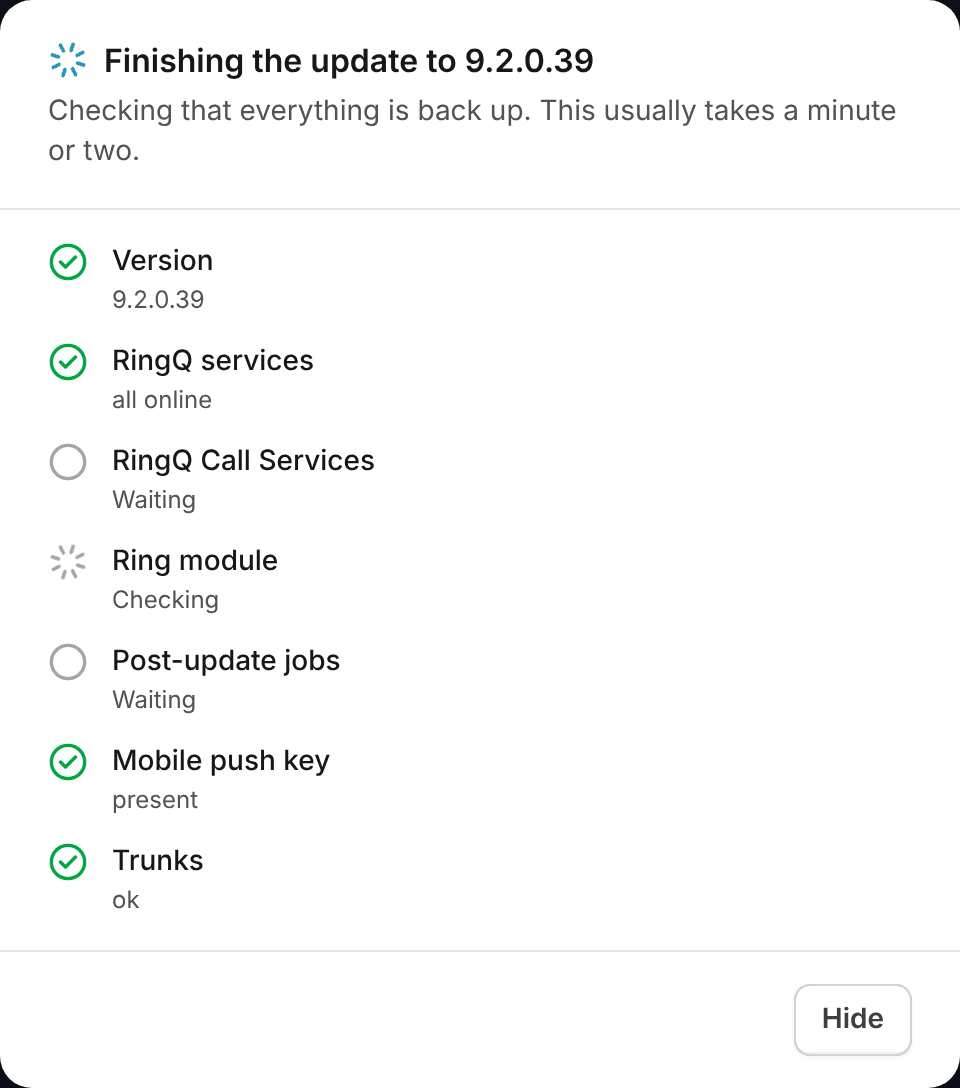
The update checklist, ticking off each part of the system as it comes back online
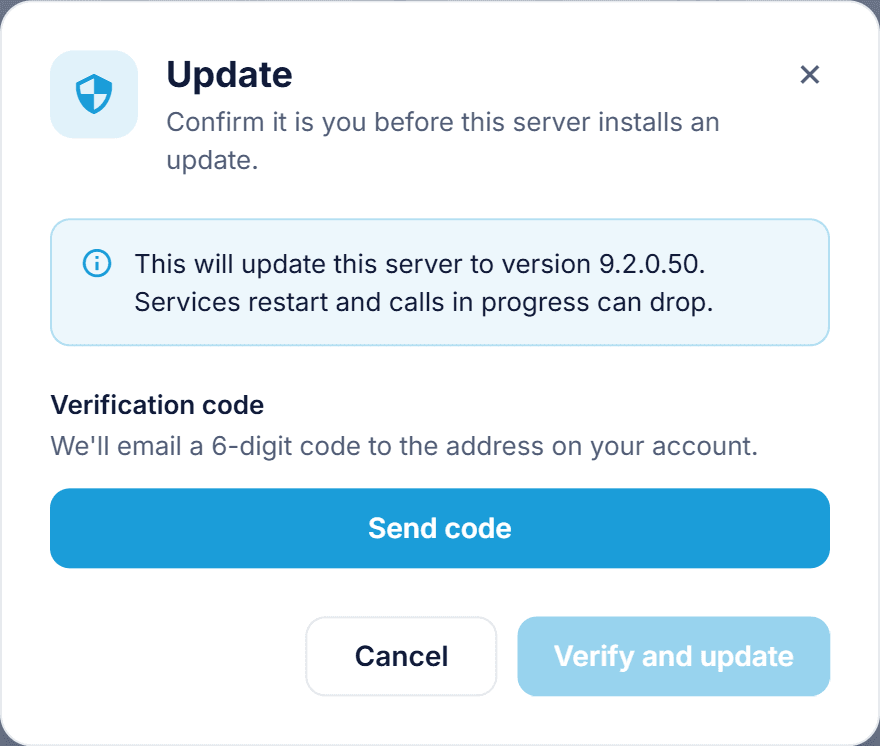
Confirming an update takes one click, and a verification code is sent only when you ask for it
See every call from first ring to resolution
Follow each call from start to finish: from the inbound number, through your IVR menus and call queues, to the extension that answered. When a caller presses a key, RingQ acknowledges it and records it, so you can review DTMF history and discover how customers move through your menus. Call history now shows the routing rule each call followed and exactly who answered, including team members on the mobile app.
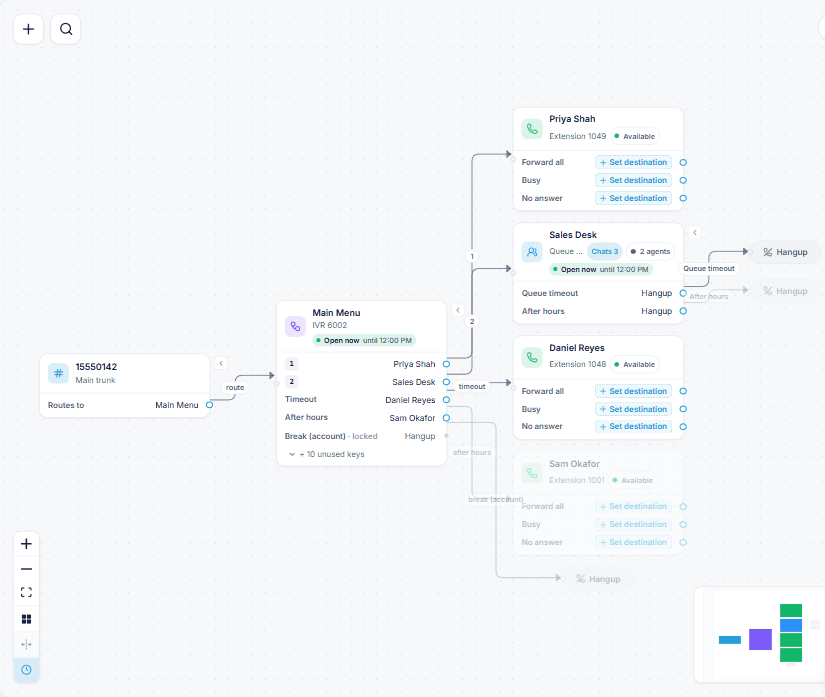
Call Flow shows every path a call can take, from the inbound number through the IVR to queues and extensions
Office hours that match your real day
Your business does not run on a single block of hours, and now your phone system does not have to either. Set several office windows and breaks per day, for the whole company, a single extension, an IVR or a call queue. A morning shift, a lunch break and an evening shift can each send calls exactly where you want them.
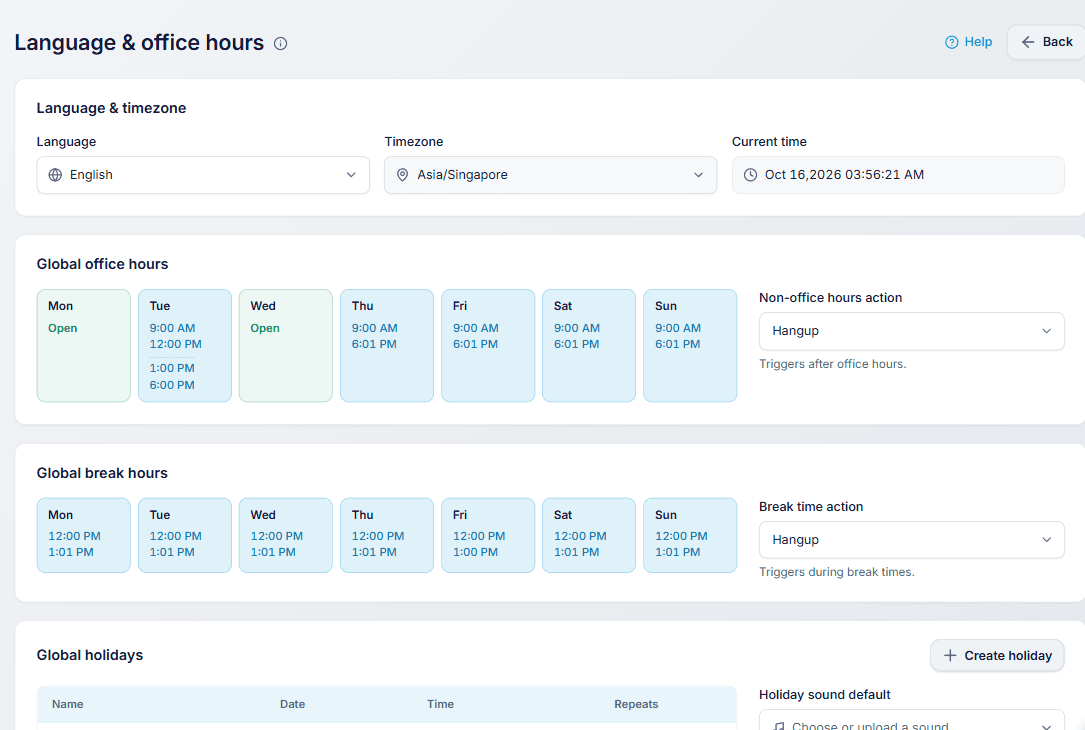
Global office hours with two windows in one day: a morning session and an afternoon session
The live wallboard now shows which queue each agent is serving, and a team member’s work hours follow their extension’s schedule automatically. One change, and everything stays in step.
Phones that ring right and stop right
Every phone now gets one clear signal to ring and one to stop. When a colleague answers or the caller hangs up, every other phone goes quiet straight away. In call queues, the moment one agent picks up, the rest of the team is free for the next caller. Fresh ringtones and ringback tones make every call sound cleaner, too.
With Parallel Ringing, your desk phone and your mobile ring at the same moment, so you can answer wherever you are instead of waiting for the desk phone to time out first. Ring-all groups get the same boost: every member’s phone rings together, and the first to answer takes the call.
A truly native mobile app for iPhone and Android
The RingQ mobile app is now fully native on both iPhone and Android. Incoming calls wake your phone and ring just like a regular phone call, even when the app is closed or the screen is locked. The app starts faster, is gentle on your battery and feels right at home on your device.
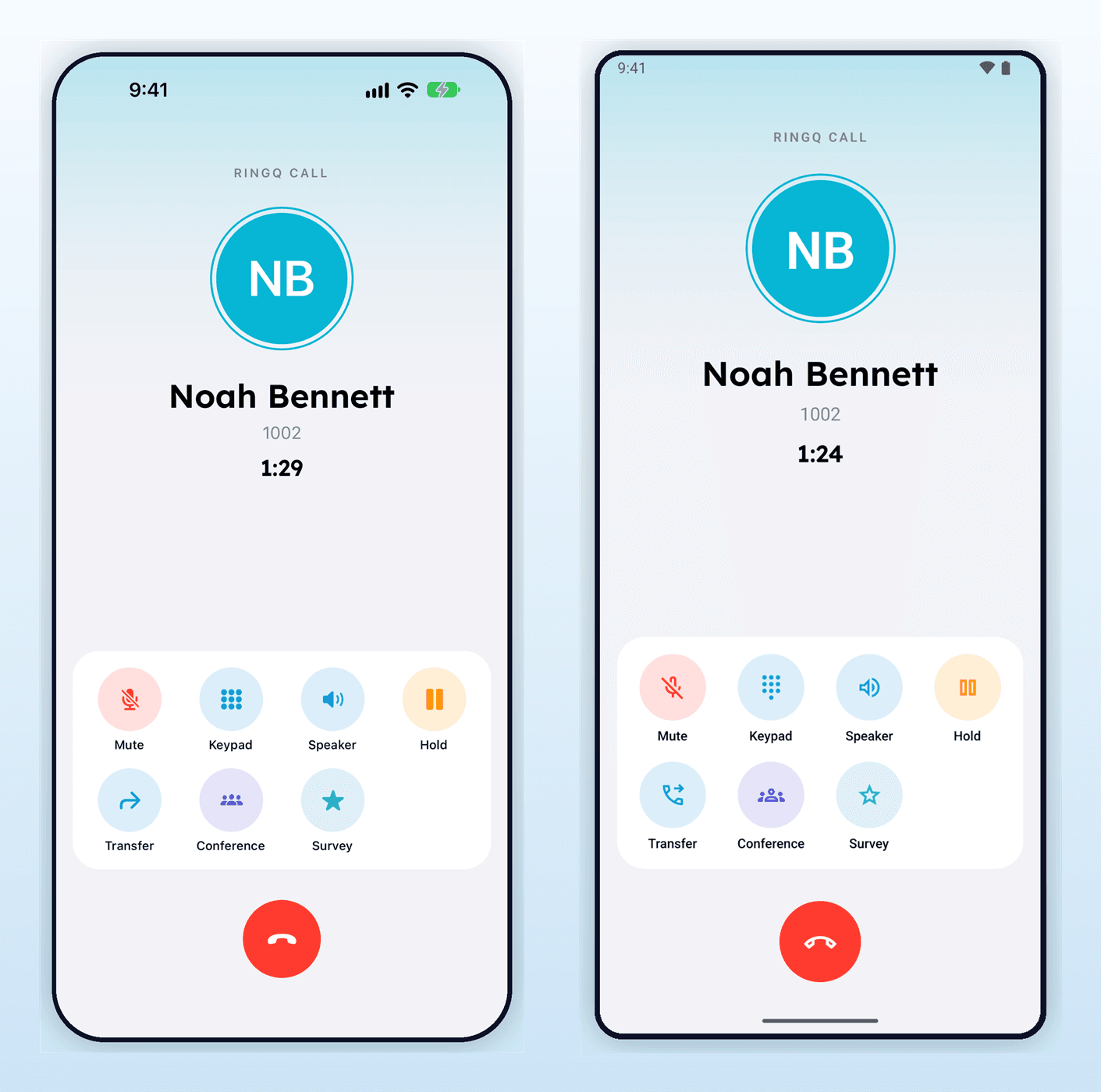
The RingQ app on iPhone (left) and Android (right): an active call with mute, keypad, speaker, hold, transfer, conference and survey
Calls are steadier, too. The app chooses the most reliable connection path before a call connects, so answered calls stay connected on modern IPv6 Wi-Fi and mobile networks. Android users can turn on Keep Calls Ringing, so an incoming call rings until you answer or decline it.
Call rating is built in, with nothing to set up. After a call, your team can rate its quality in a single tap, and every rating is saved with the call. Managers see at a glance which calls went well and know exactly where to look when one did not.
Desk phones, managed from anywhere
RingQ now looks after your desk phones as well as your apps. The Busy Lamp Field and speed dial keys you set on an extension go straight to the phone, so a glance shows who is on a call and one press picks up a ringing colleague. From the RingQ dashboard, admins can see whether each phone is online, reboot it, push its settings again and set a secure web password per phone. Yealink, Snom, Fanvil and Grandstream phones are all supported.
Snom phones are even easier. With RingQ Remote Provisioning, setup is zero-touch: plug the phone in anywhere and it finds your RingQ system securely on its own. Snom router phones can also connect over a secure RingQ tunnel, so a phone at a branch office or at home works just like one in the main office.
Bring the CRM you love
RingQ connects to the CRM you already use. Our custom CRM integration sends call details, caller information and call outcomes straight into your system, so your team sees the full customer story without switching screens. Whichever CRM you bring, RingQ is ready to work with it.
A richer call journal
Every call is now recorded in a richer call journal: who called, how the call was routed, who answered and what happened next. Searching and reviewing past calls is faster and clearer than ever.
Support that is AI-ready with MCP
RingQ now supports MCP (Model Context Protocol), so your AI assistants and support tools can securely look up call history, caller details and reports. Support teams get answers in seconds instead of digging through logs.
Reports you can rely on
We rebuilt call queue reporting from the ground up, and the numbers are clearer than ever. Every queue call is counted correctly as answered, abandoned, missed or transferred, with ring and talk times and the agent’s wrap-up notes right alongside. What you see on screen, what you download as CSV and what arrives by email all come from the same numbers, so everyone is working from one version of the truth.
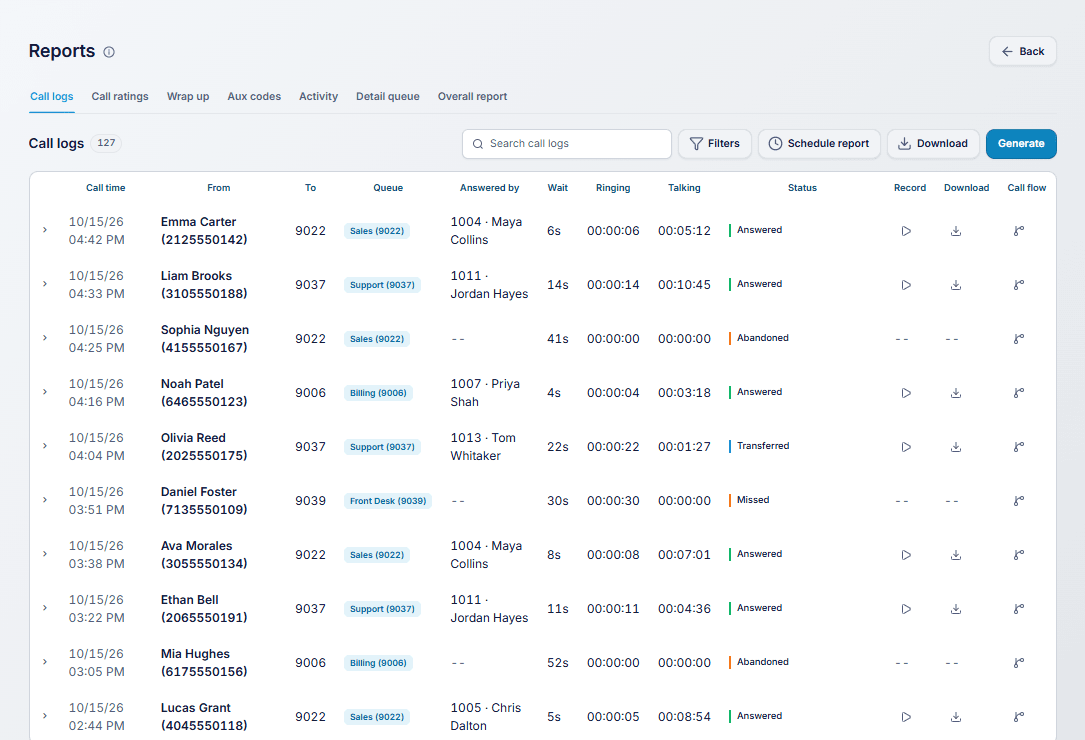
The call logs report: every call with who it came from, the queue, who answered, wait, ring and talk times, and the outcome
Scheduled reports arrive as one tidy email per person, with clearly named attachments and a subject line that tells you which report it is, how often it runs and which period it covers.
Fax to email, built in
Send and receive faxes without a fax machine. Set up fax numbers for web or email delivery right from the call flow, using a simple picker that shows your fax lines by type.
And there is more
- Call Landing lets you choose separate behaviour for inbound and outbound calls.
- Inbound calls are labelled correctly on the live call status.
- Previous calls are listed newest first, with duplicates folded together.
- Your company details live in one place, under Global Settings.
- Office hours, extension schedules and holidays save more reliably than ever.
Plus dozens of smaller refinements that make RingQ feel a little better every day.
Get the update today
These improvements are rolling out to all RingQ customers now. To enjoy the latest mobile features, update the RingQ app from the App Store or Google Play. Questions? Our support team is always happy to help.