
Keep Your Team Connectedfrom Any Computer
RingQ Desktop App for Mac and Windows gives your team a full phone system on their computer — calls, queues, presence, and wallboard access, all in one native app.

Everything Your Team Needs, on Any Computer
The RingQ Desktop App is a full-featured communications client for Mac and Windows. One download gives your team access to calls, queues, presence, and real-time dashboards — no browser required.
Mac & Windows Native
A single download for macOS and Windows — optimised for the operating system your team already uses.
Full Call Control
Make, receive, transfer, park, and record calls directly from the desktop app with a single click.
Queue Management
Log in and out of queues, monitor live queue depth, and manage agent availability — all from the desktop.
Wallboard Access
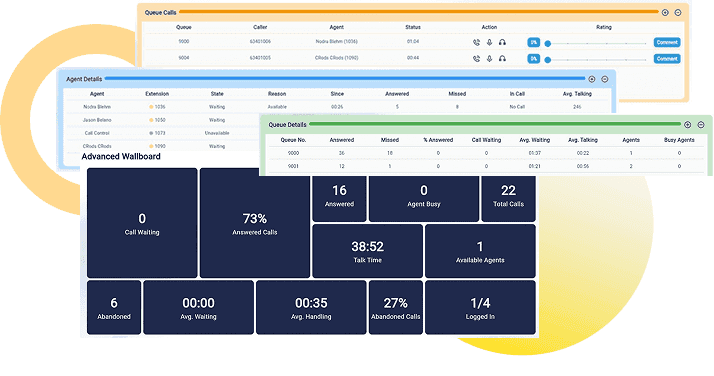
View real-time team KPIs and queue stats in the built-in wallboard — no separate screen or login needed.
BLF Presence
See your colleagues' live status — available, busy, on a call — and click to call or transfer in one action.
Secure by Default
Encrypted communications with the same enterprise security features as the RingQ web and mobile apps.
A Full Phone System on Your Computer
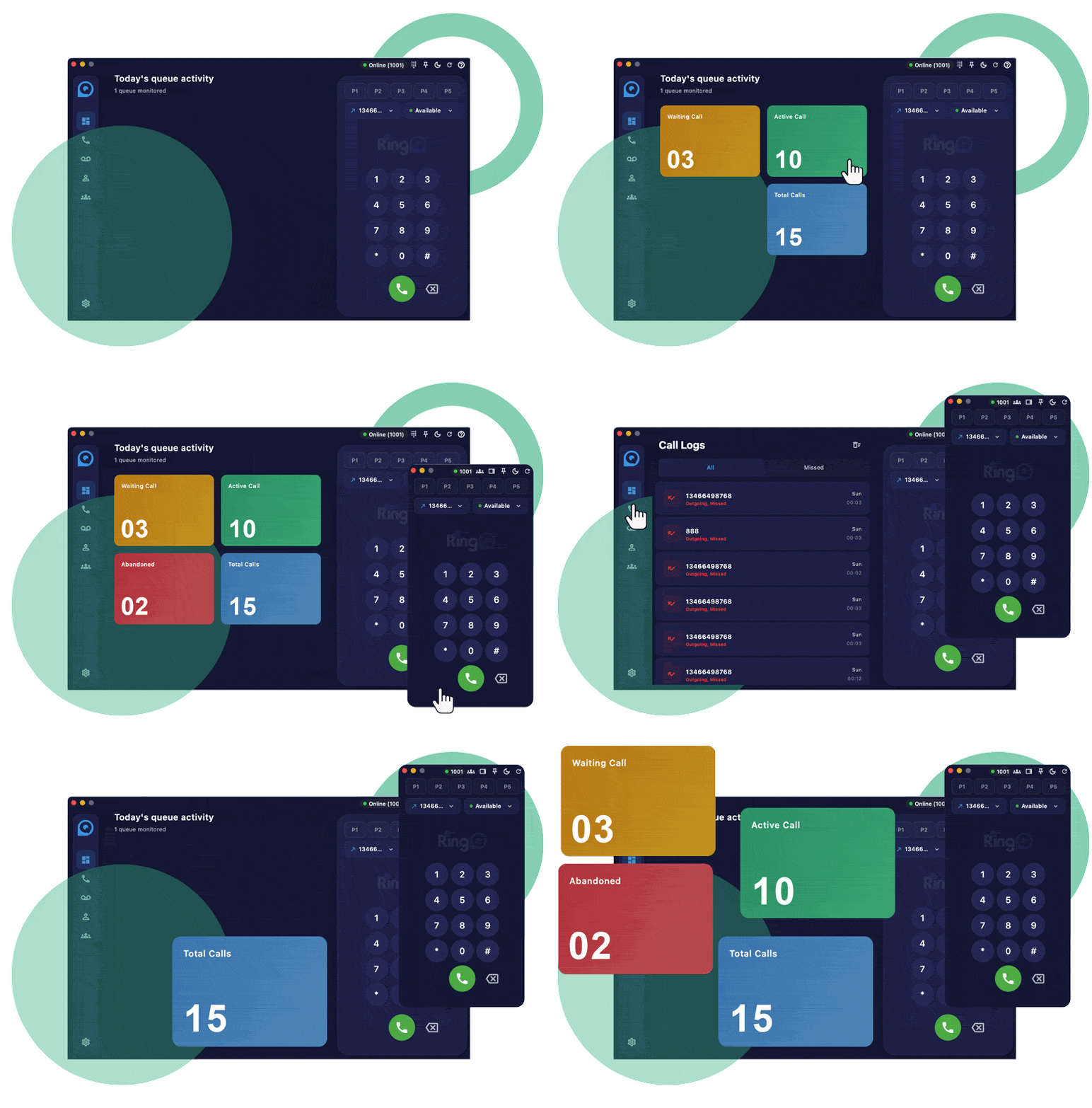
RingQ Desktop brings your entire phone system to your Mac or Windows PC. Make and receive calls, manage transfers, park calls, and access your full contact directory — all without opening a browser tab.
Queue Management and Wallboard in One Place
Supervisors get a live view of every queue and agent from the desktop app. Monitor wait times, log agents in and out of queues, and check BLF presence without switching between tools or windows.
Built for Office and Remote Teams
Whether your team is in the office or working remotely, the RingQ Desktop App keeps everyone connected on the same system. Log in on any Mac or Windows computer and your extensions, queues, and presence follow you.

Why Switch to a RingQ Cloud CX?
RingQ Cloud CX gives your team the tools to handle more calls, connect faster, and deliver better customer experiences — without wasting a second.