Security update: RingQ is patched against the critical PHP vulnerabilities. Update your servers today.

Read now
RingQ Customer Centric Communications

Scheduling a RingQ Meet Meeting from Your Phone


Meetings you schedule on your phone appear in the RingQ web Calendar too, and everyone invited gets the link by email.
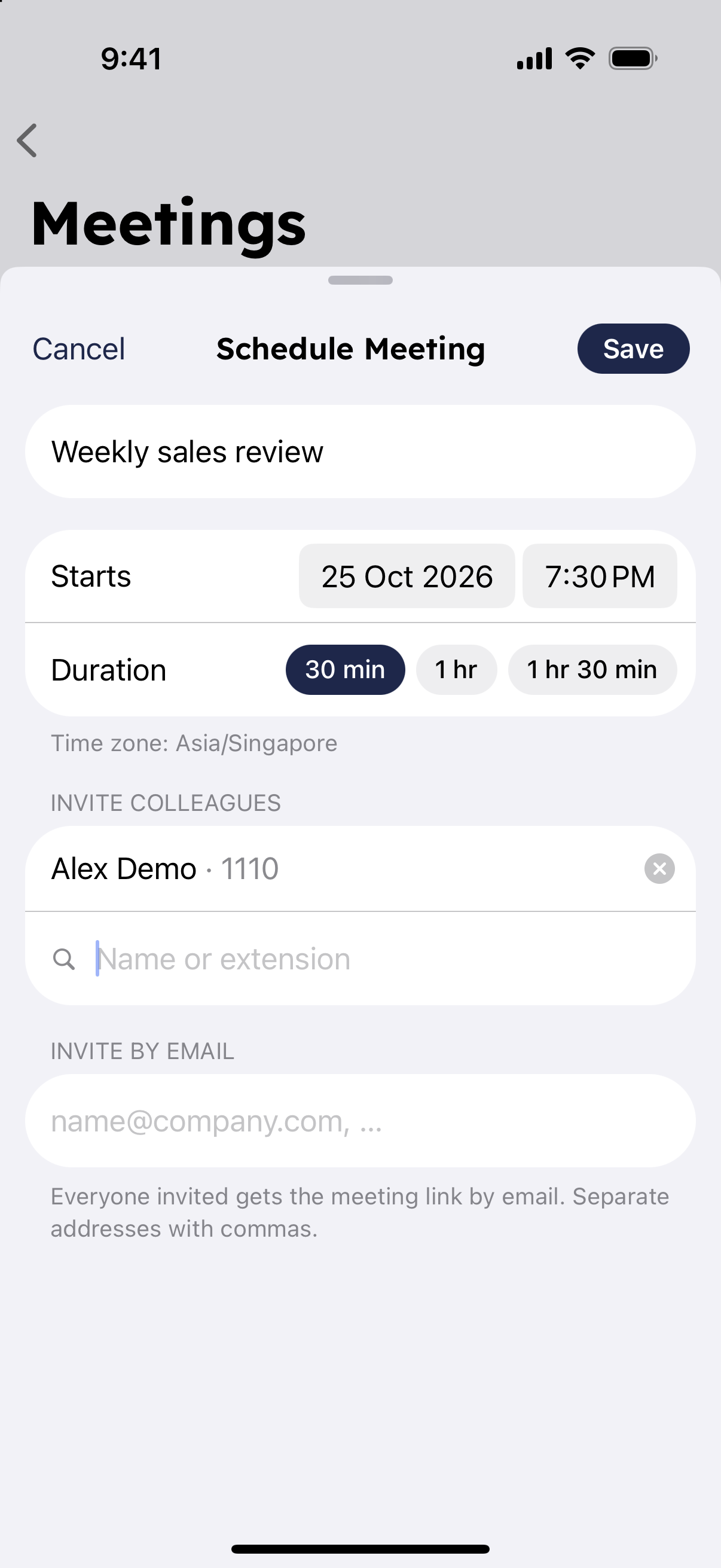
Schedule a meeting

  1. On the Home screen tap "Meetings", then "Schedule a meeting".
  2. Enter a title, when it starts and how long it lasts.
  3. Under "Invite colleagues", search by name or extension and add people.
  4. Under "Invite by email", add outside guests. Separate addresses with commas.
  5. Tap "Save".
Schedule a meeting form in the RingQ mobile app

Manage scheduled meetings

Your upcoming meetings are listed under "Scheduled" in Meetings. Tap one to:

  • "Start meeting" when it's time.
  • "Share invite" to send the link to more people.
  • "Delete meeting". It is removed from everyone's calendar.