Security update: RingQ is patched against the critical PHP vulnerabilities. Update your servers today.

Read now
RingQ Customer Centric Communications

Pick Up Here: Move a Call to Your Phone


Pick up here moves a call you are on from the RingQ web app, the desktop app or your desk phone to your mobile, without hanging up. The other person stays on the line.
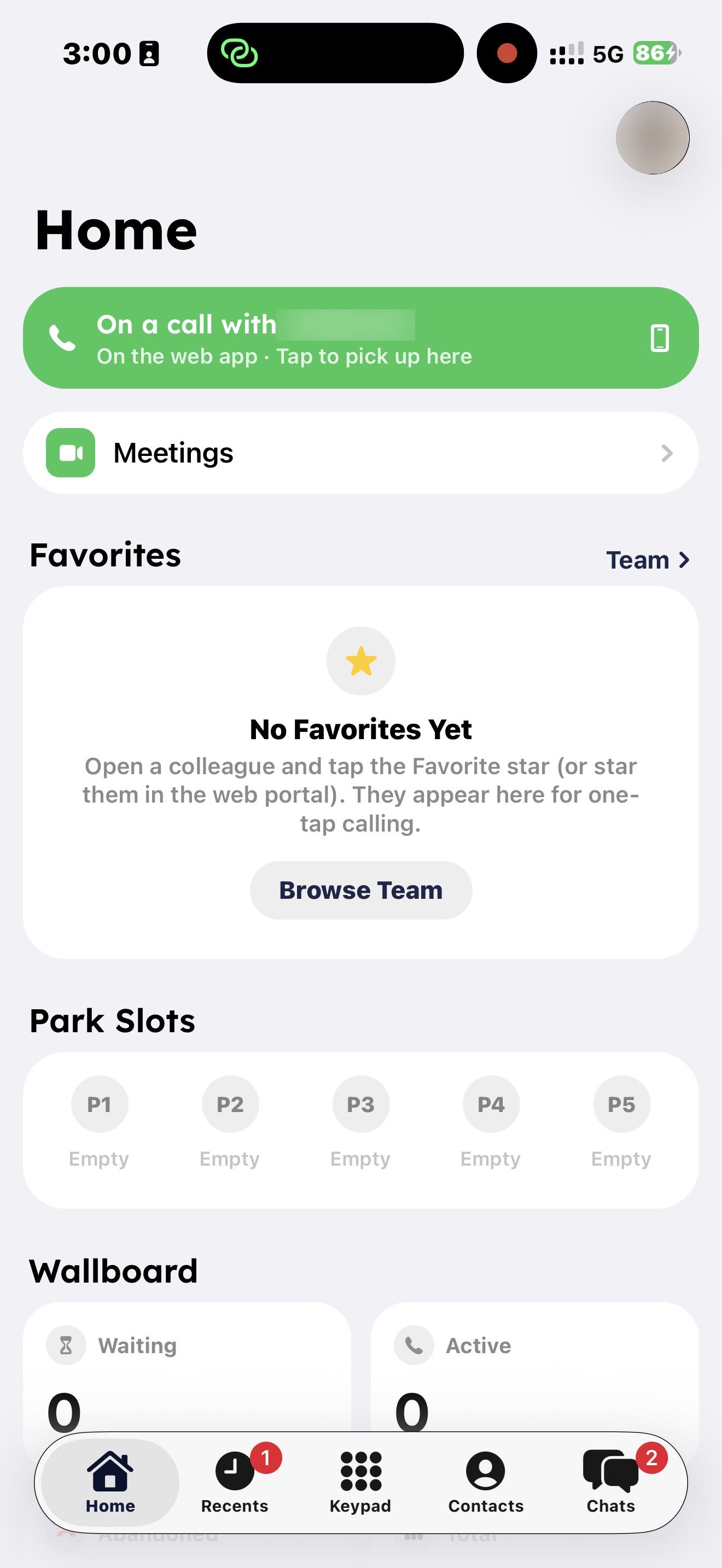
Move a call to your phone

  1. While you are on a call on your computer or desk phone, open the RingQ app on your phone.
  2. A green bar appears at the top of Home and Recents, for example "On a call with Acme" and "On the web app · Tap to pick up here".
Green Pick up here banner on the RingQ iPhone Home screen
  1. Tap the banner. The call continues on your phone, and the web app, desktop app or desk phone hangs up.

Good to know

  • You can only pick up calls on your own extension.
  • The banner says "On hold" when the call is on hold on the other device.
  • The banner disappears when the call ends on the other device.

In a RingQ Meet meeting rather than a call? See "Move a Meeting Between Your Computer and Phone".