Security update: RingQ is patched against the critical PHP vulnerabilities. Update your servers today.
Read nowSome Android phones stop apps in the background to save battery. That can stop RingQ calls from ringing when the app is closed. The RingQ app walks you through the settings that prevent this.
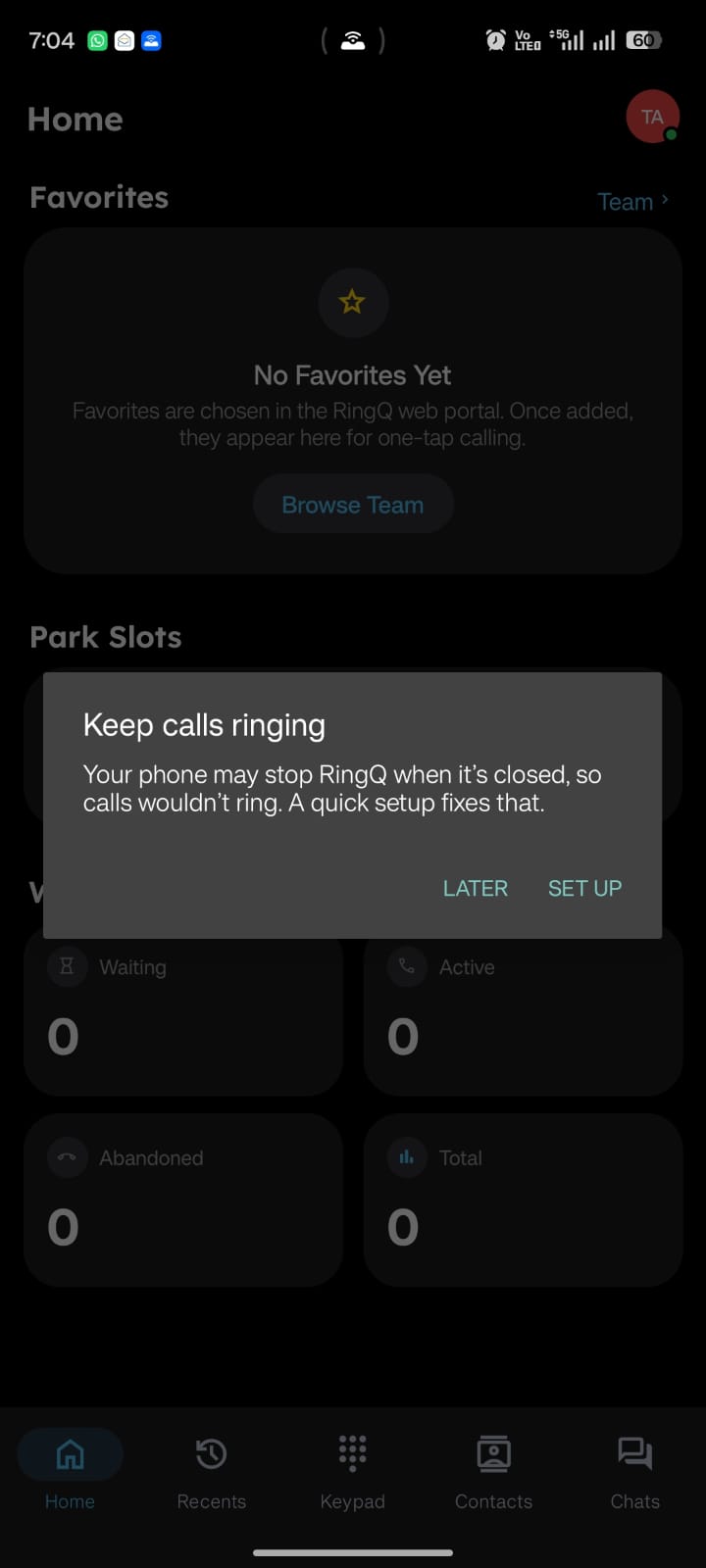
The first time you open RingQ on an Android phone, Home shows a Keep calls ringing prompt. Tap Set up to go straight to the settings. If you tapped Later, you can open them any time:
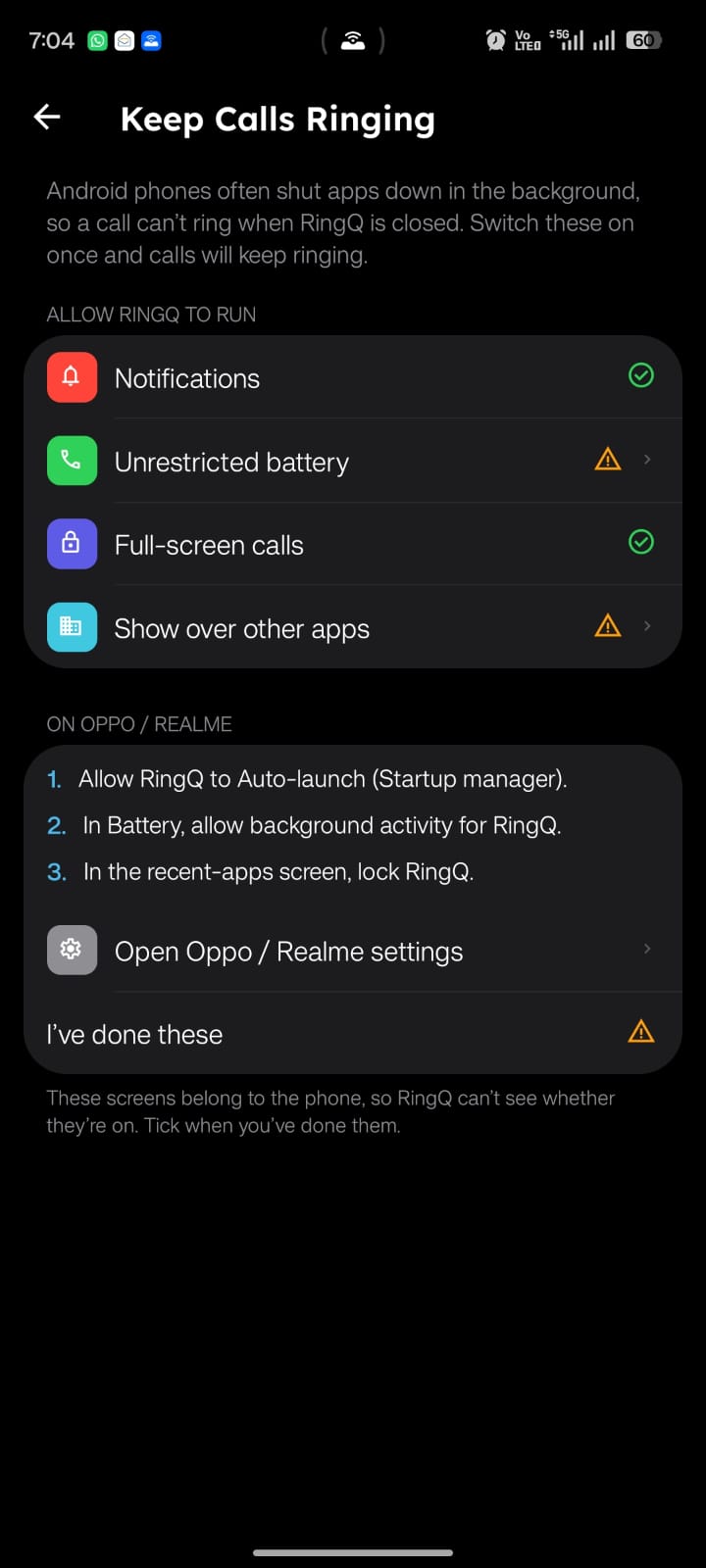
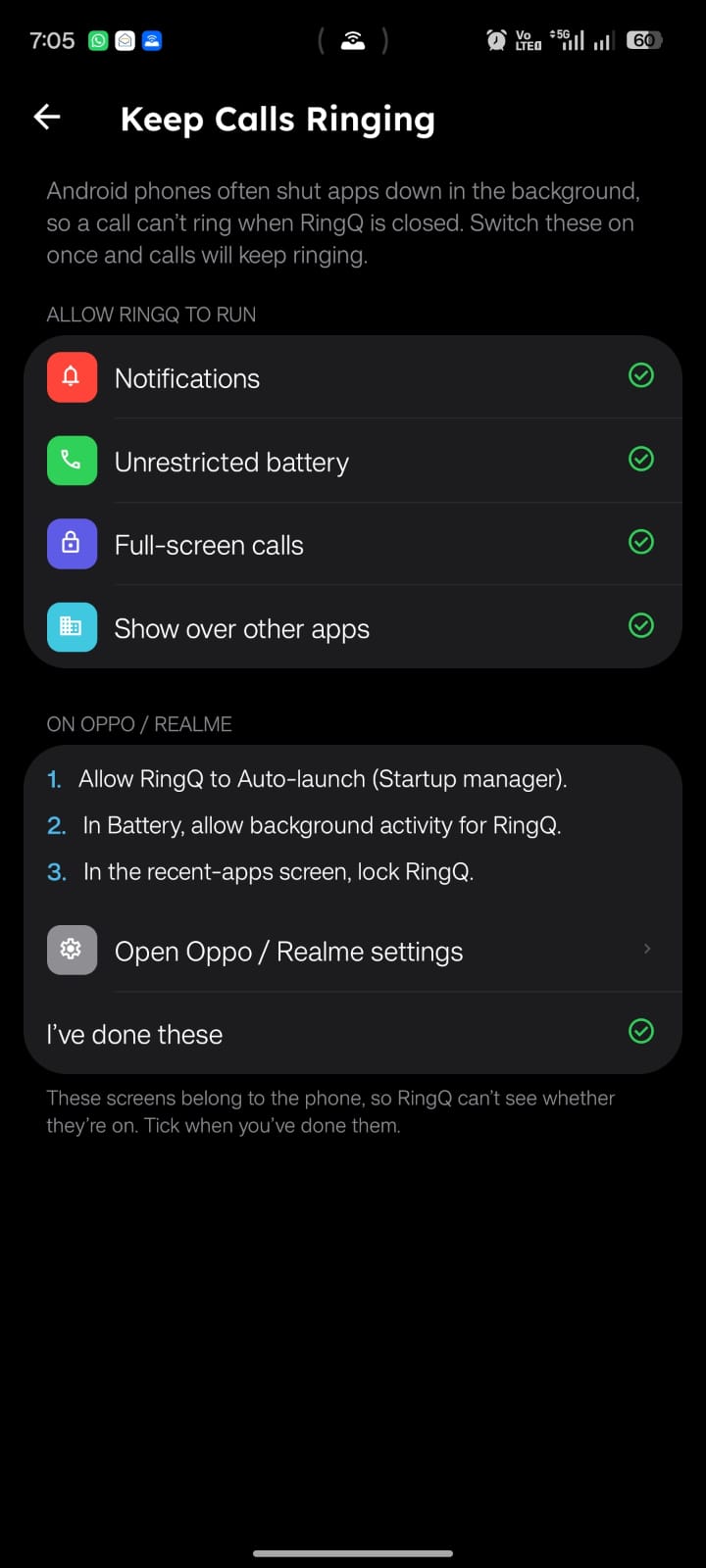
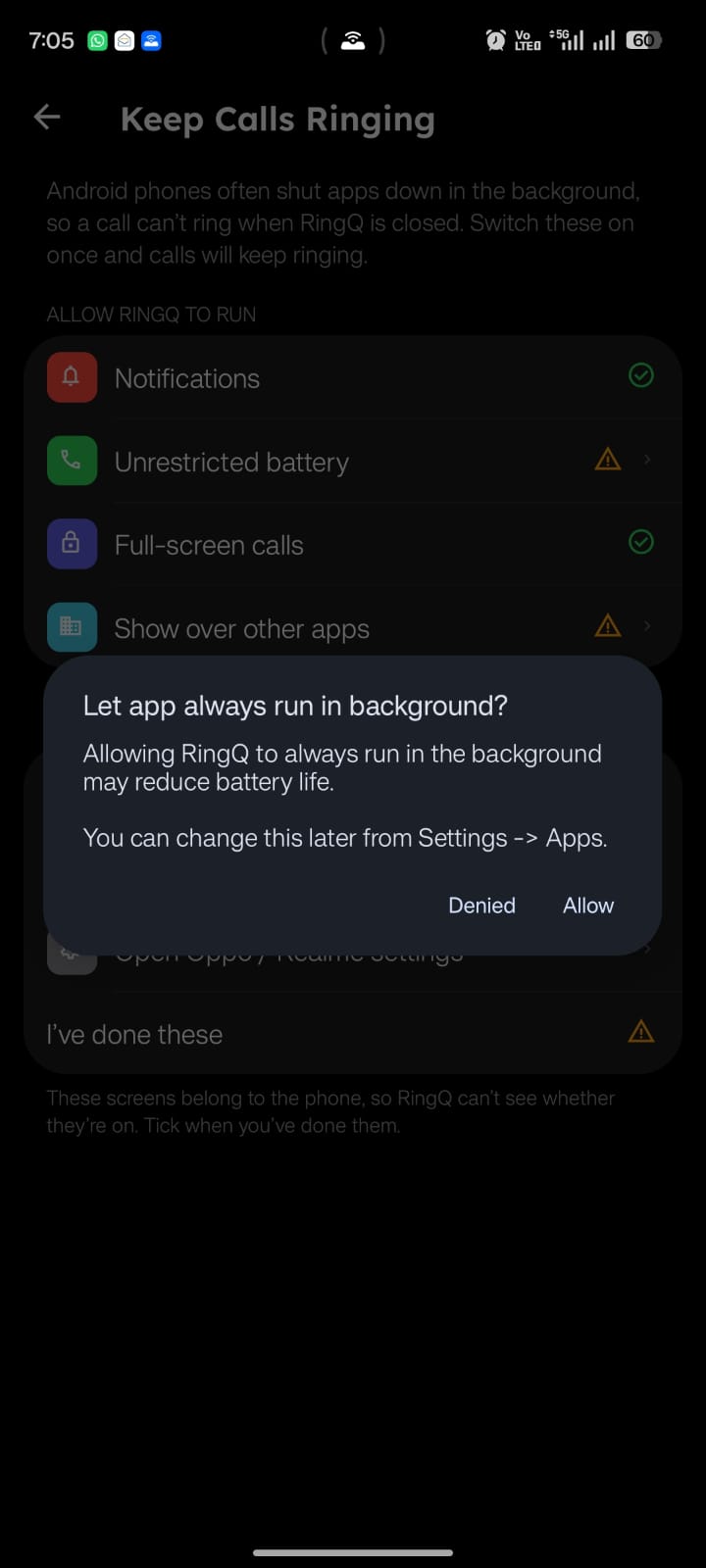
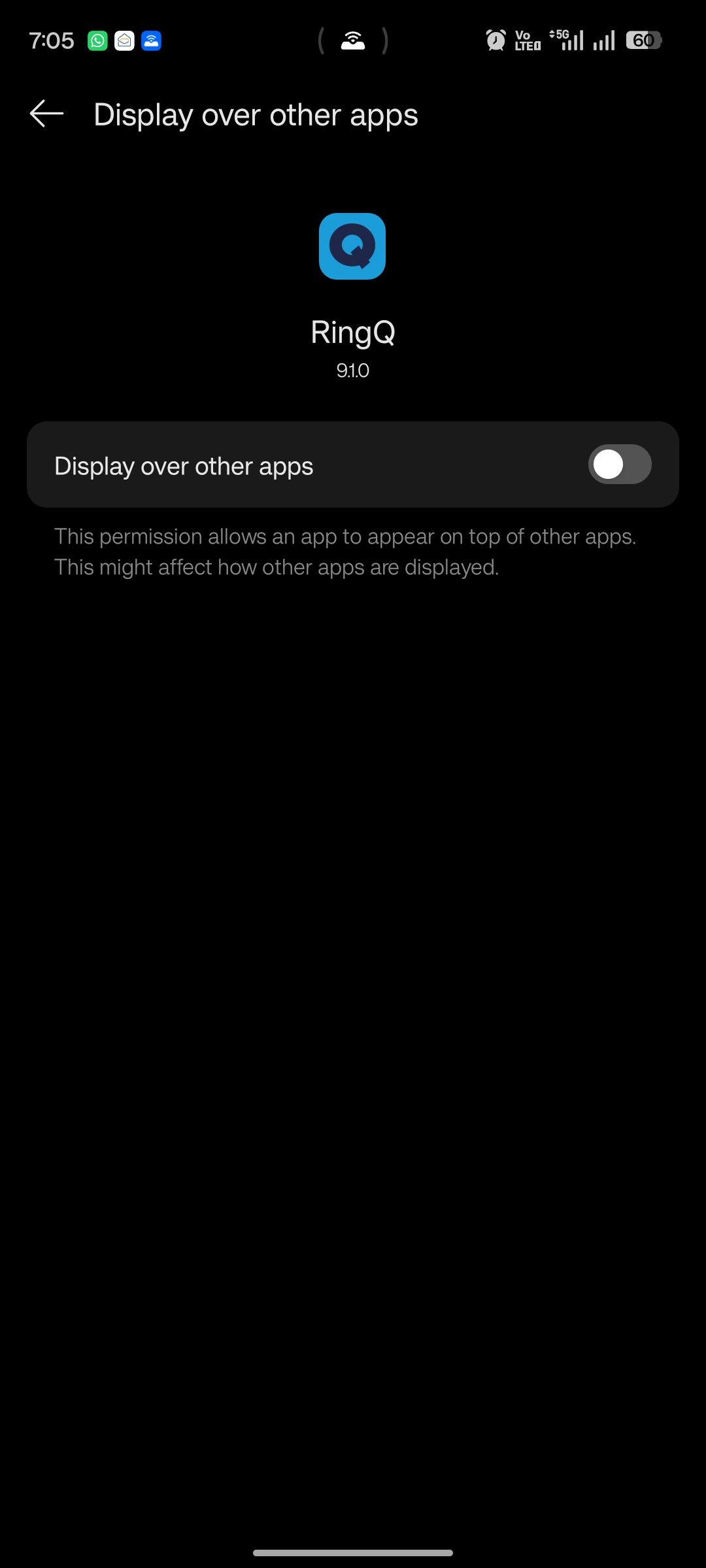
Items that still need attention show an orange warning; a green tick means that setting is on. For Unrestricted battery, choose Allow when the phone asks whether RingQ may always run in the background. For Show over other apps, turn on the Display over other apps switch.
On Oppo and Realme phones there are three extra steps listed on the screen (Auto-launch, background activity in Battery, and locking RingQ in the recent-apps screen). Tap Open Oppo / Realme settings to do them.