Security update: RingQ is patched against the critical PHP vulnerabilities. Update your servers today.

Read now
RingQ Customer Centric Communications

Join a Meeting Without a RingQ Account


You don't need a RingQ extension to join a meeting you were invited to. Install the free RingQ app from the App Store or Google Play and join as a guest.
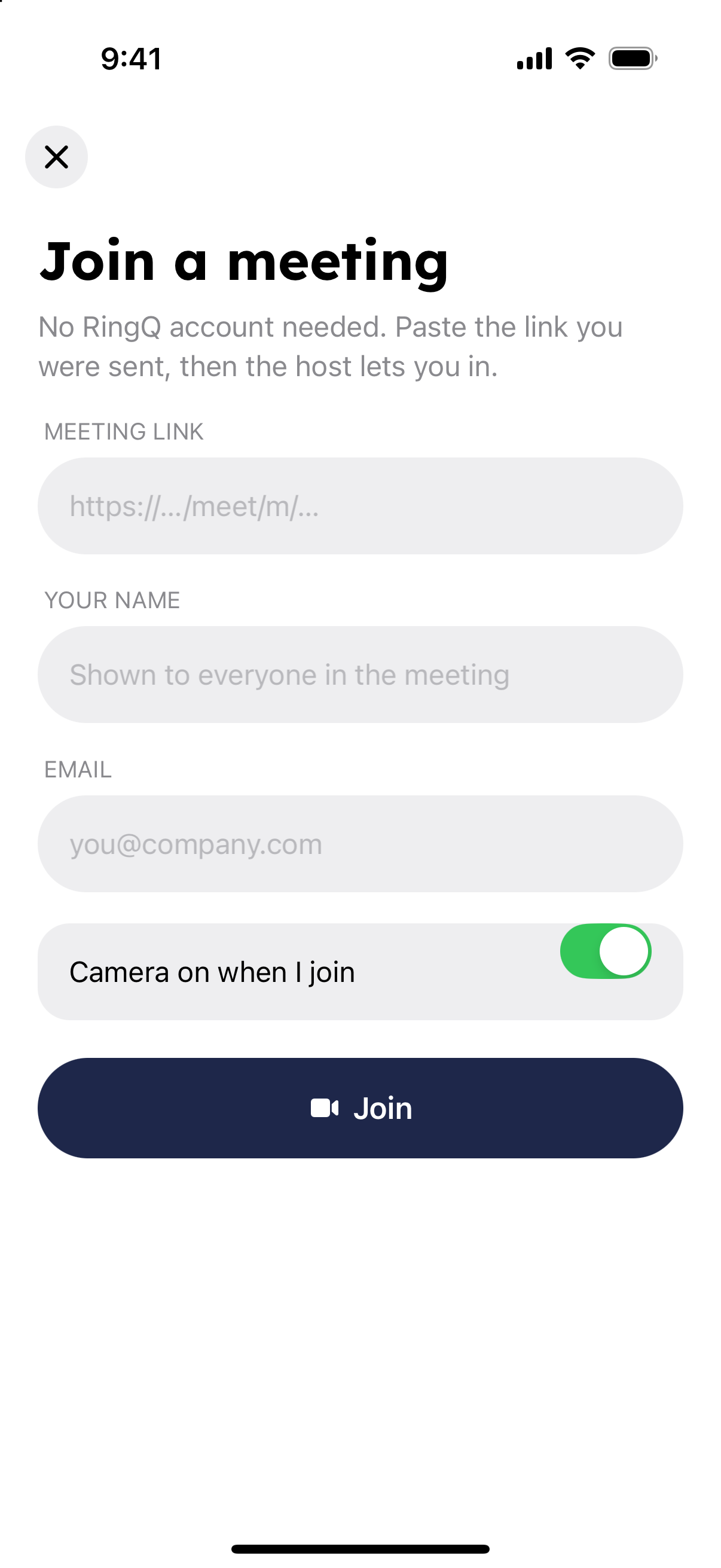
  1. Open the RingQ app and tap "Join a meeting" on the welcome screen.
  2. Paste the whole meeting link, starting with https://, or scan the meeting's QR code.
  3. Enter your name (shown to everyone in the meeting) and your email.
  4. Choose whether your camera is on when you join, then tap "Join".
Join a meeting as a guest form in the RingQ app
  1. Wait for the host to let you in.

If you can't join

  • "This meeting doesn't exist. Check the link." The link is incomplete or wrong. Copy it again from the invite.
  • "This meeting has ended." The host has closed the meeting.
  • "The host didn't let you in." Contact the person who invited you.