Assign a DID (Direct Inward Dial) number to a group with Group Pickup enabled, so calls to that number ring the group and any agent in it can answer with the Group Pickup code. You set this up in Settings > Call Flow.
Step 1. Go to Settings > Call Flow. Under Available DID Numbers, click and drag the DID number you want to assign, then drop it onto the Others panel on the right.
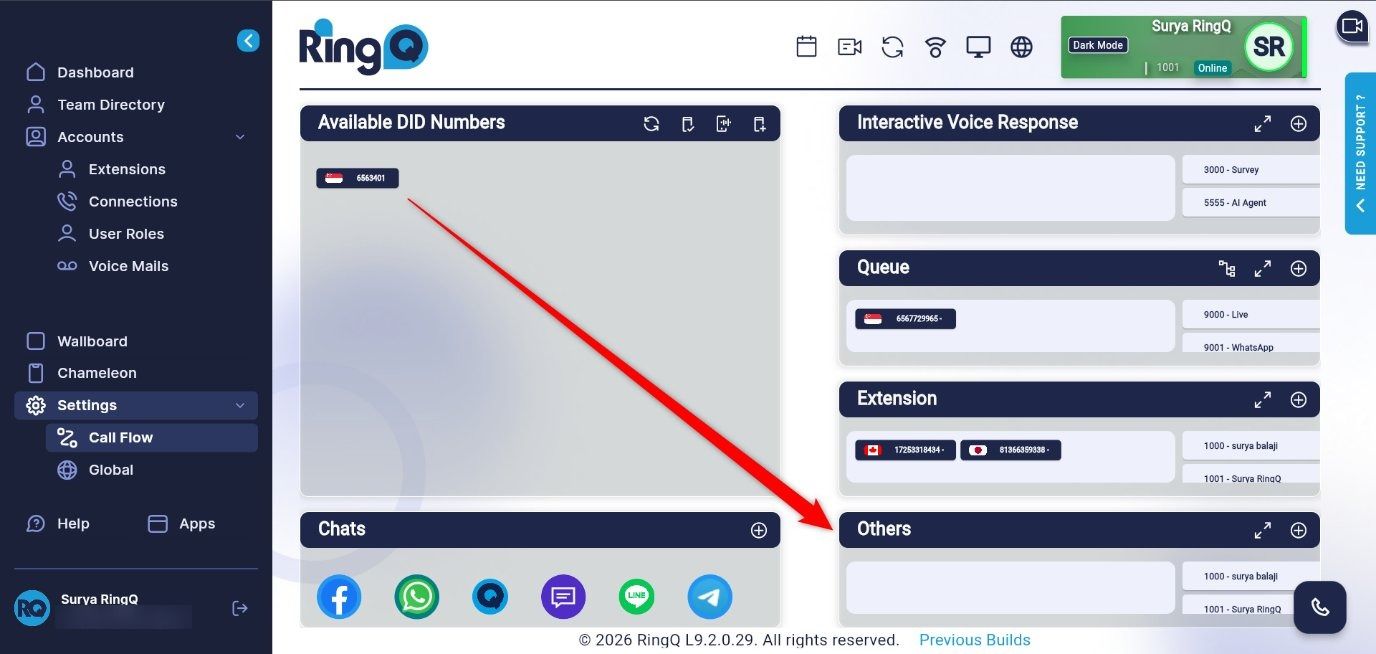
Figure 1: Drag the DID number onto the Others panel
Step 2. A pop-up window opens asking where calls to this DID should be routed. In the tab bar at the top of the window, select Group.
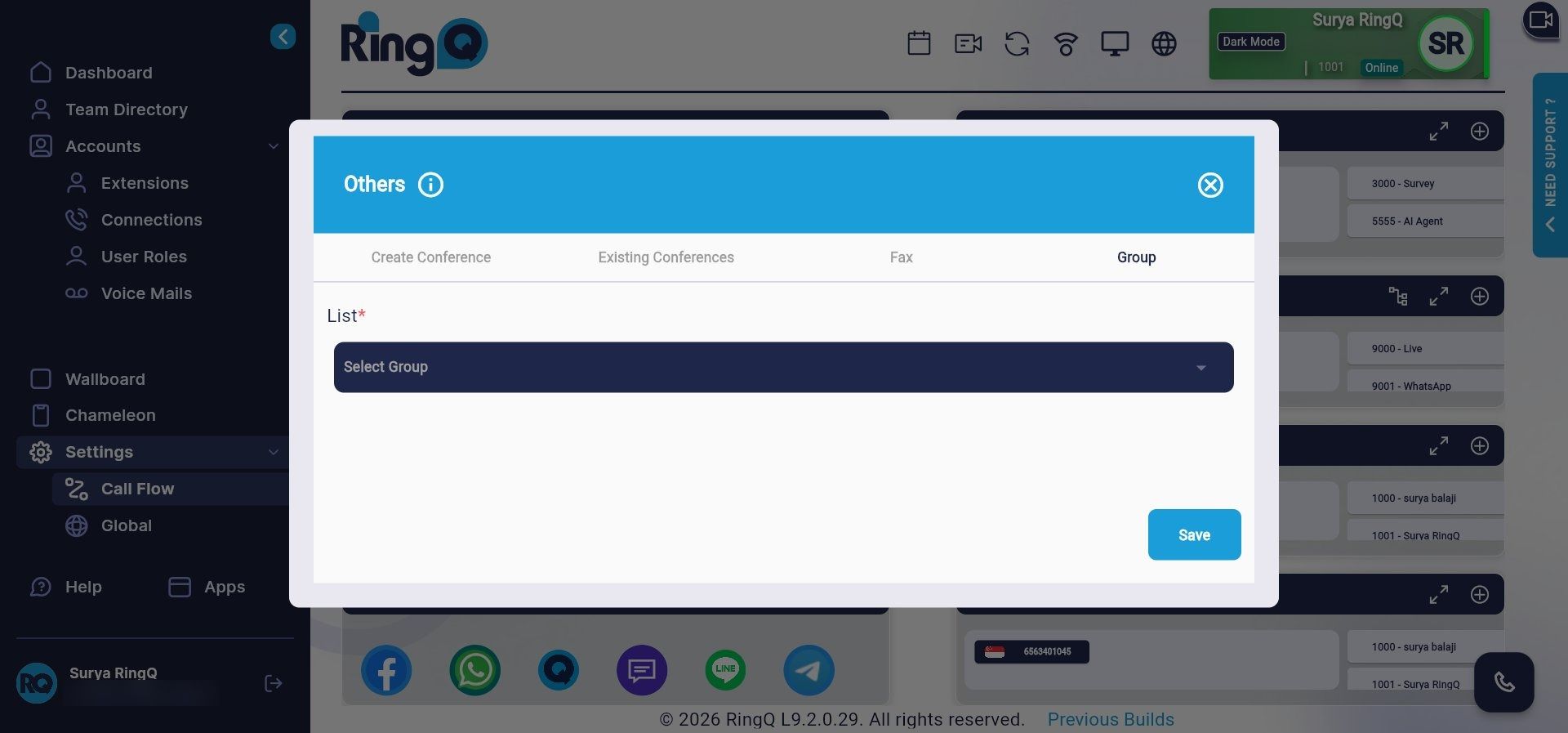
Figure 2: Select the Group tab
Step 3. Click the List drop-down and select the group that has Group Pickup enabled, then click Save.
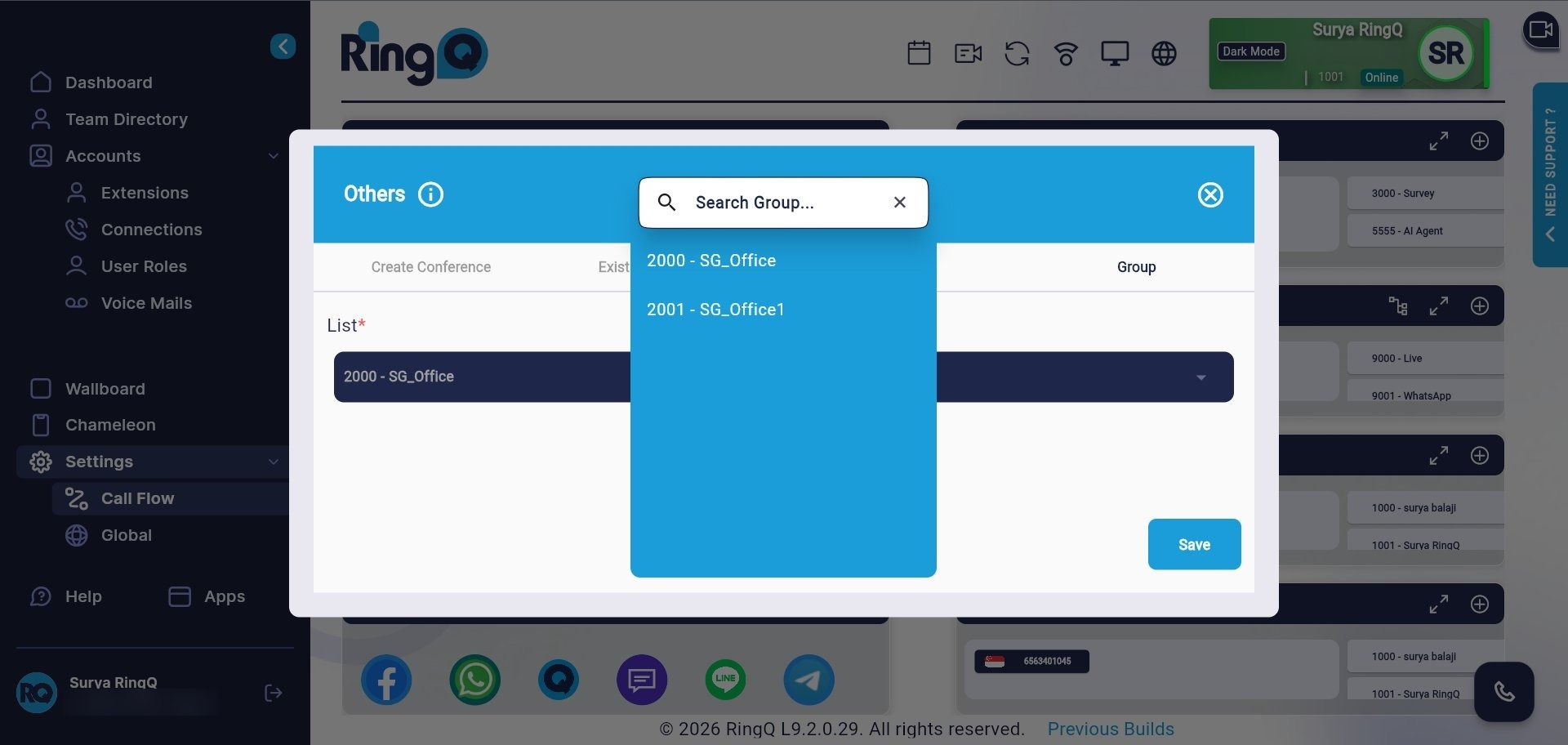
Figure 3: Choose the group that has Group Pickup enabled and save
Note: Once the DID is assigned, calls to that number ring the group. Any agent can answer by dialing
*8, or*8followed by an extension to pick up that agent’s call.Tip: Only groups that already exist appear in the List drop-down, so create the group and enable Group Pickup on it first.
