This guide explains how to join a RingQ Meet web meeting using a Meeting ID. If you have been provided with a Meeting ID, you can join the meeting directly without using an invitation link. Follow the steps in this guide to enter the Meeting ID and connect to the meeting quickly and securely.
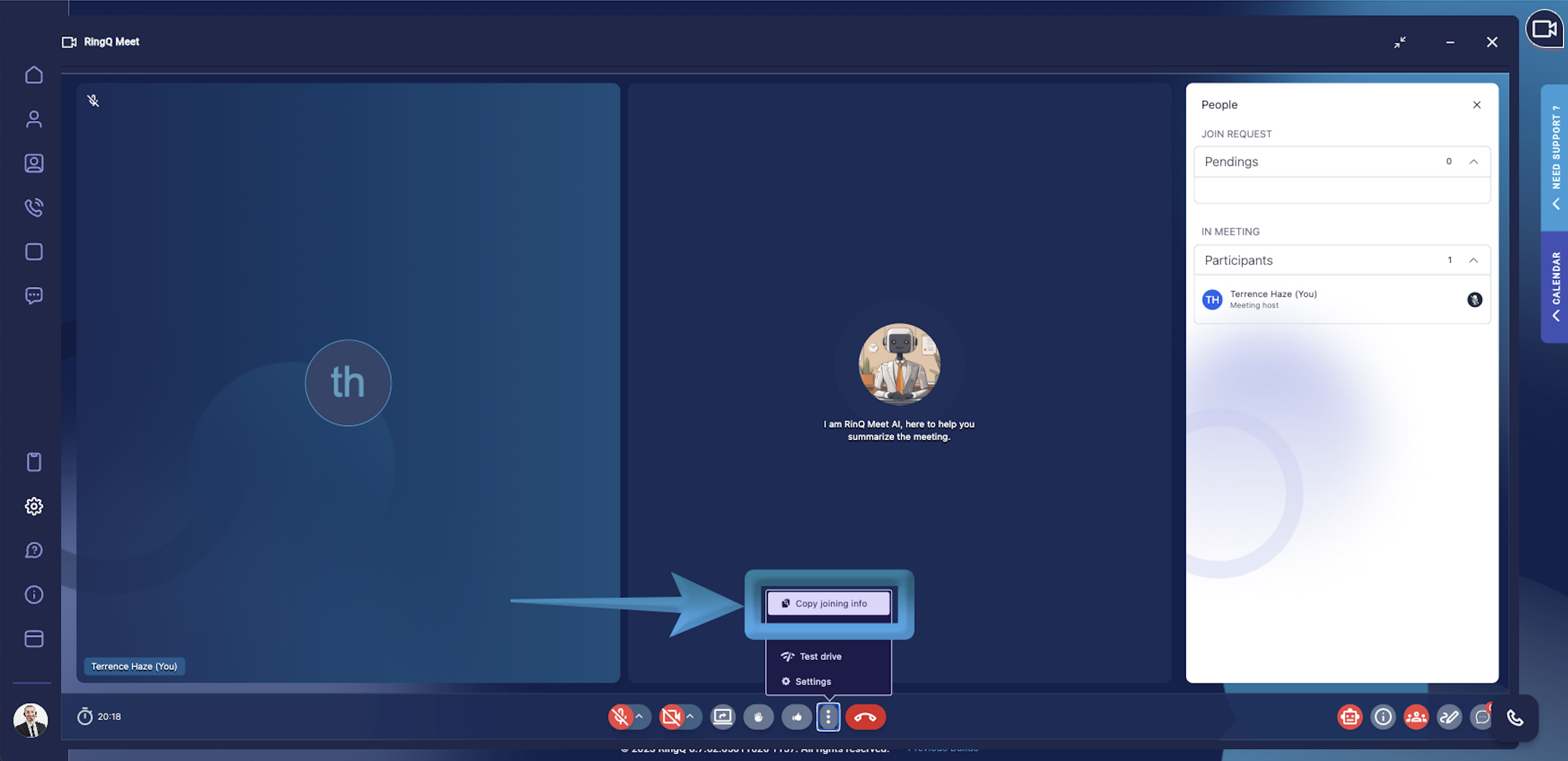
Locate the meeting ID sent to you by the meeting host or room owner. This ID is required to join the meeting. The host can find their meeting ID within the RingQ Meet interface, as shown above.
Copy the ID to your clipboard. Ensure you have the complete and accurate ID before proceeding.
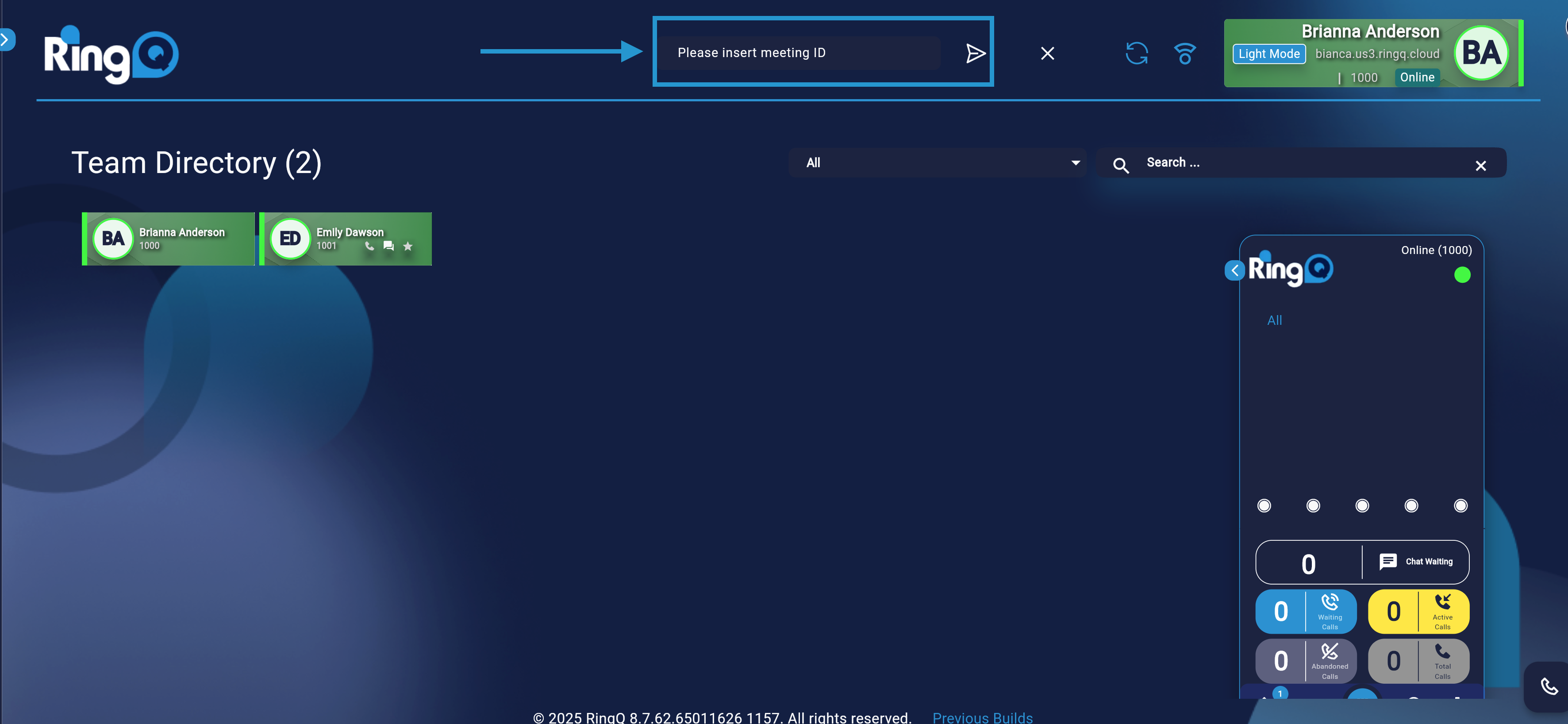
Paste the meeting ID into the Please insert meeting ID field and click Join, as shown above.
Wait for host approval. The meeting host will receive a notification that you are attempting to join. Once approved, you will be granted access to the meeting.
