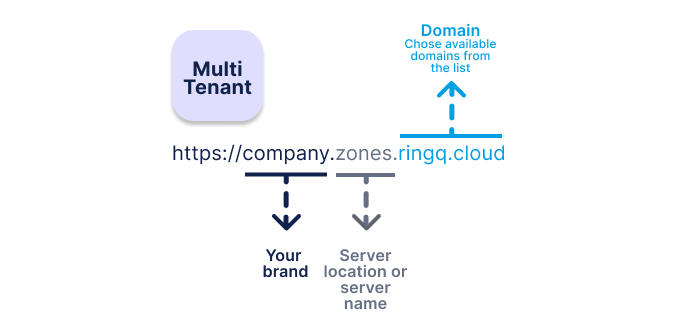
Note that the first tenant of a multi-tenant license is unusable for customers—use your own company name or another name related to your company for the FQDN. The first instance is mainly used for server management. From the second instance onward, you can add your own customers. Follow the FQDN and multi-tenancy procedure below. Also note that main settings such as buying extensions and canceling extensions are done in the CAP portal. Reboot, update, and service restart are available in the CAP portal and on the first instance.
Understand the first tenant — note that the first tenant is unusable for customers.
Use proper FQDN naming. Use your own company name or another name relevant to your company for the FQDN.
Use the first instance for management — the first instance is mainly used for server management.
Add customers from the second instance onward.
Follow the FQDN and multi-tenancy process.
Manage main settings from the Customer Access Portal. Main settings such as buying extensions and canceling extensions are done via the portal.
Reboot and maintenance controls — reboot, update, and service restart are accessible from the portal and the first instance.
| Component | Purpose |
|---|---|
| First Tenant / Instance 1 | Reserved for management (not usable) |
| Instance 2 onward | Customer tenants |
| FQDN | Use company or relevant customer name |
| CAP Portal | Buy / Cancel extensions |
| System Controls | Reboot / Update / Service restart (CAP portal & first instance) |
