Call Landing for Queues
Call Landing in RingQ enhances the way queue calls are handled by automatically displaying the right information the moment an agent receives a call. When a call is routed through a queue, Call Landing can trigger an external URL, open a connected CRM page, or launch a Local Contact record — all without the agent needing to search manually. This guide explains how Call Landing behaves specifically with queue calls, what options are available, and how administrators can configure it to match their workflows. By setting up Call Landing correctly, you ensure agents have instant context, faster response times, and a more seamless caller experience.
Log in to your RingQ Admin Dashboard → Settings → Call Flow.
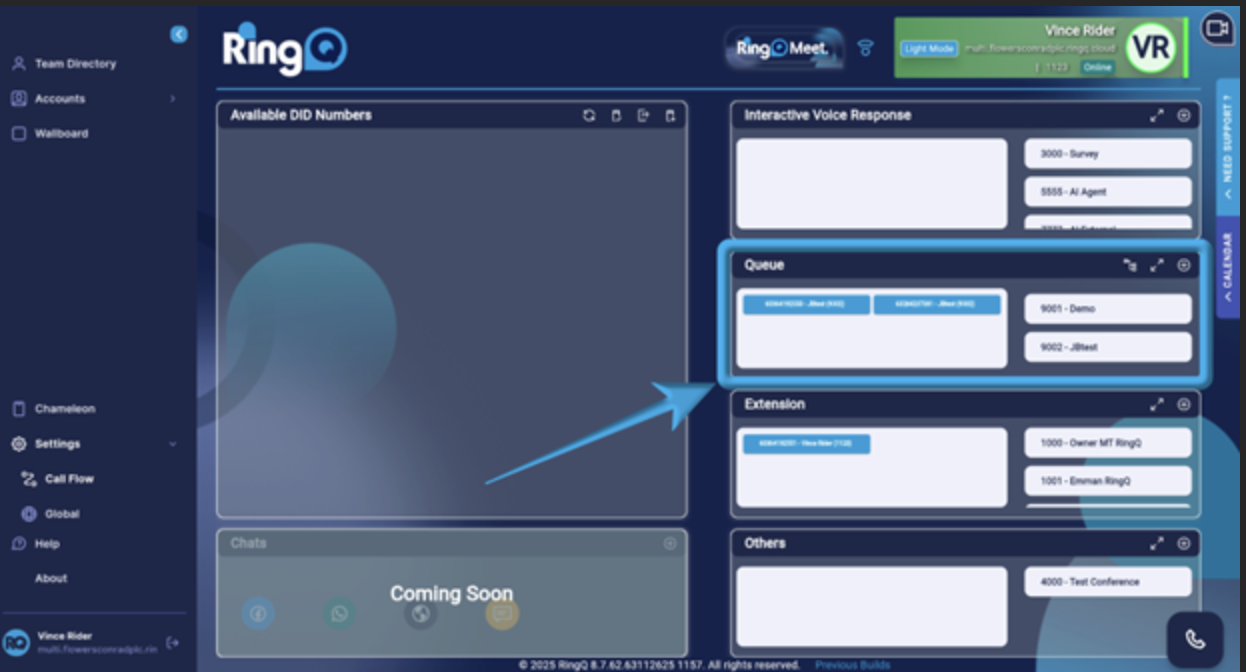
In the Queue section, select the queue you want to configure with the Call Landing (External URL or CRM) feature.
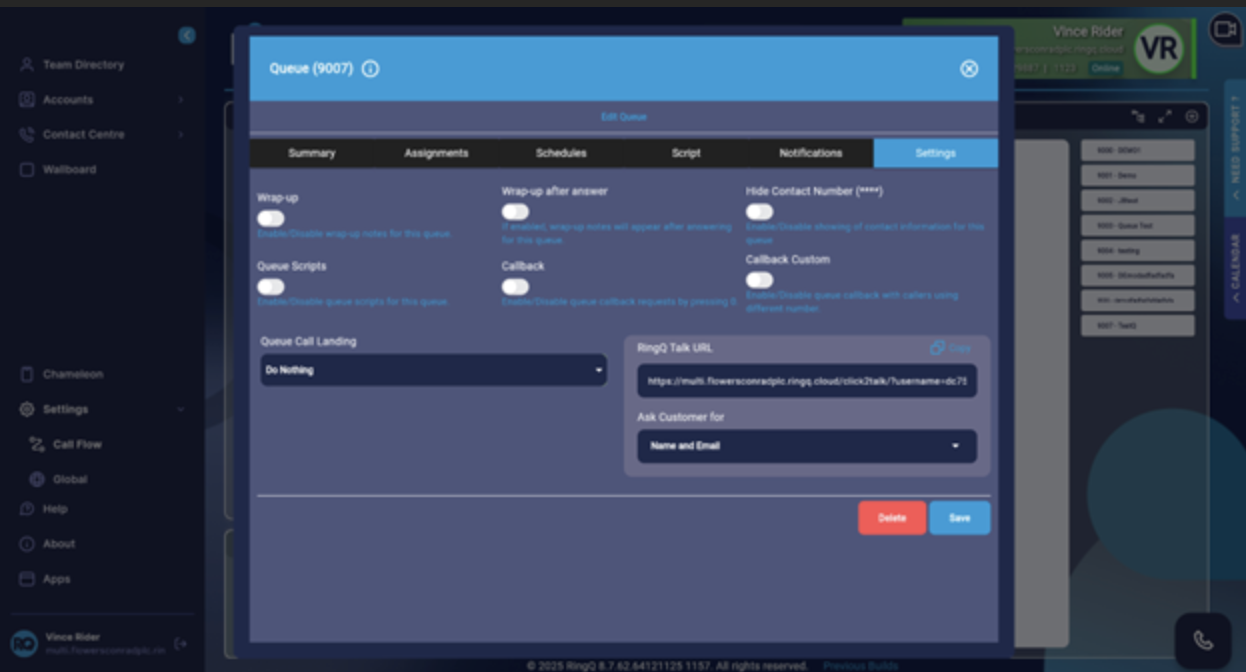
From the tabs, click Settings.
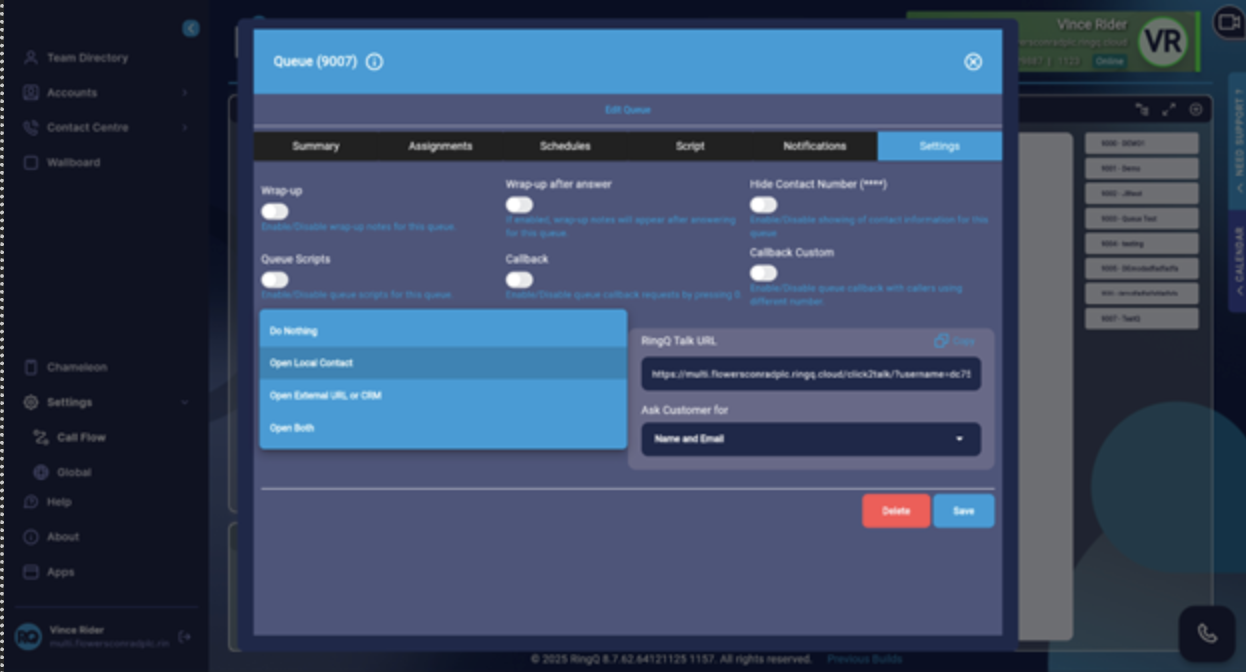
Locate the Queue Call Landing option.
