RingQ is a cloud-based communications platform that helps contact centers manage calls efficiently and track performance. Wrap-up codes in RingQ let agents quickly record the outcome of each call, making it easier to analyze trends and improve service. This guide explains how to use wrap-up codes effectively so your team can work smarter and provide a better customer experience.
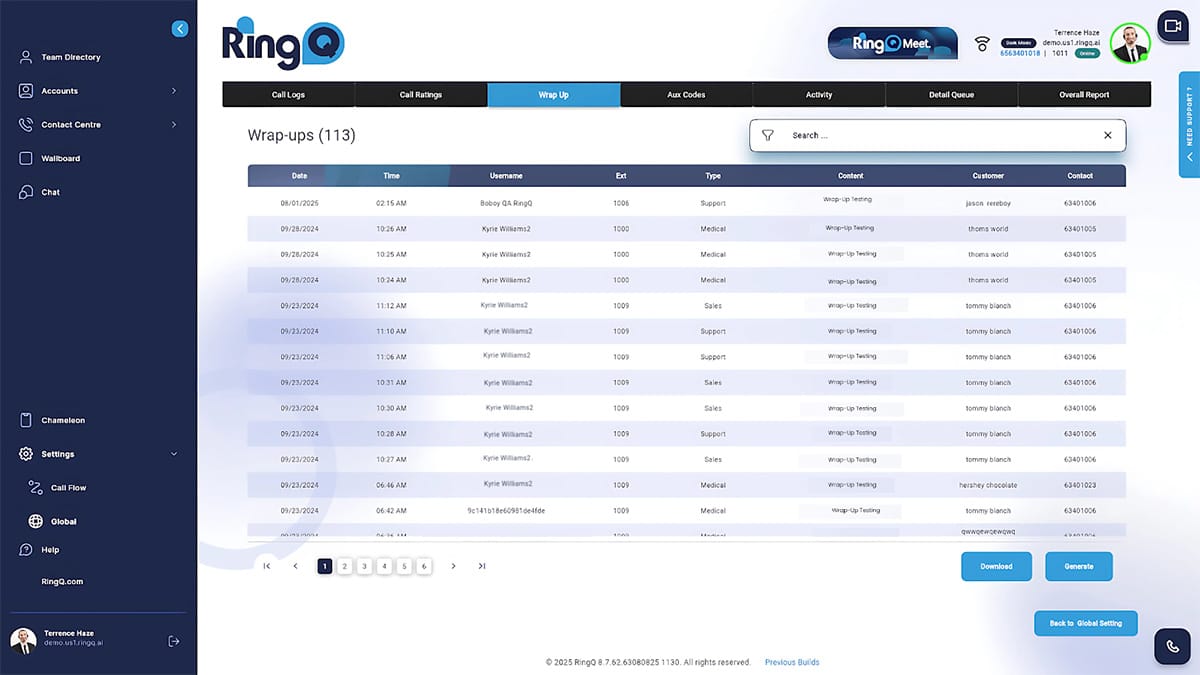
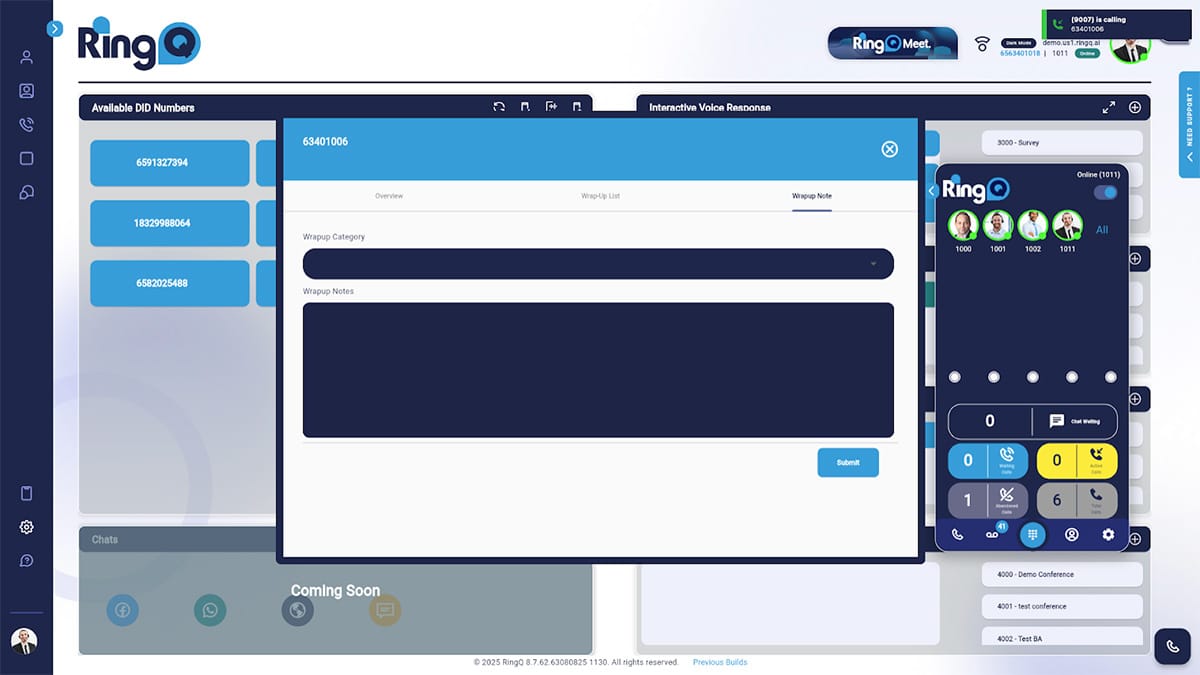
1. Call Ends → The system switches the agent into Wrap-Up Mode (a short timeframe before they become available for the next call).
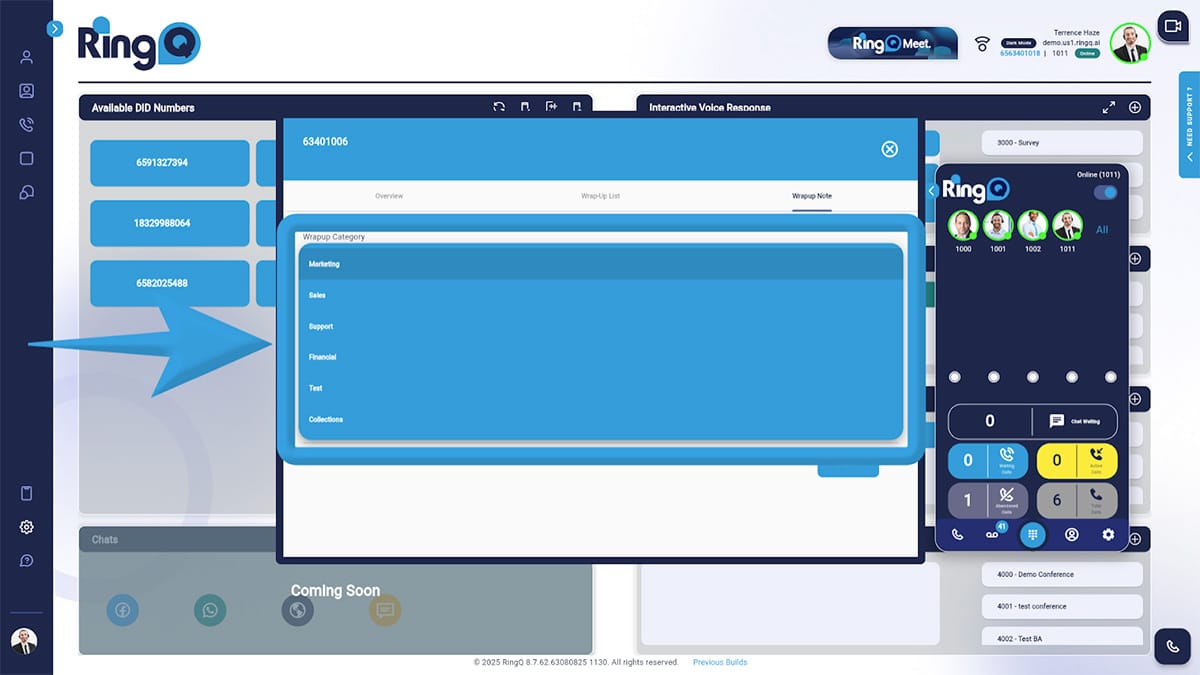
2. Agent Selects a Code → From a dropdown list in the RingQ Dialer or CRM screen.
3. Optional Notes → Agents can add details alongside the wrap-up code for clarity.
4. Data Saved to Reports → Both the code and notes are stored with the call record.
| Wrap-Up Code | Meaning |
|---|---|
| Sale Closed | Customer purchased |
| Callback Scheduled | Follow-up booked |
| Not Interested | Customer declined |
| No Answer | No one picked up |
| Wrong Number | Contact info incorrect |
| Support Resolved | Issue fixed during the call |
Log in to your RingQ Admin Dashboard → Call Center Settings → Wrap-Up Codes.
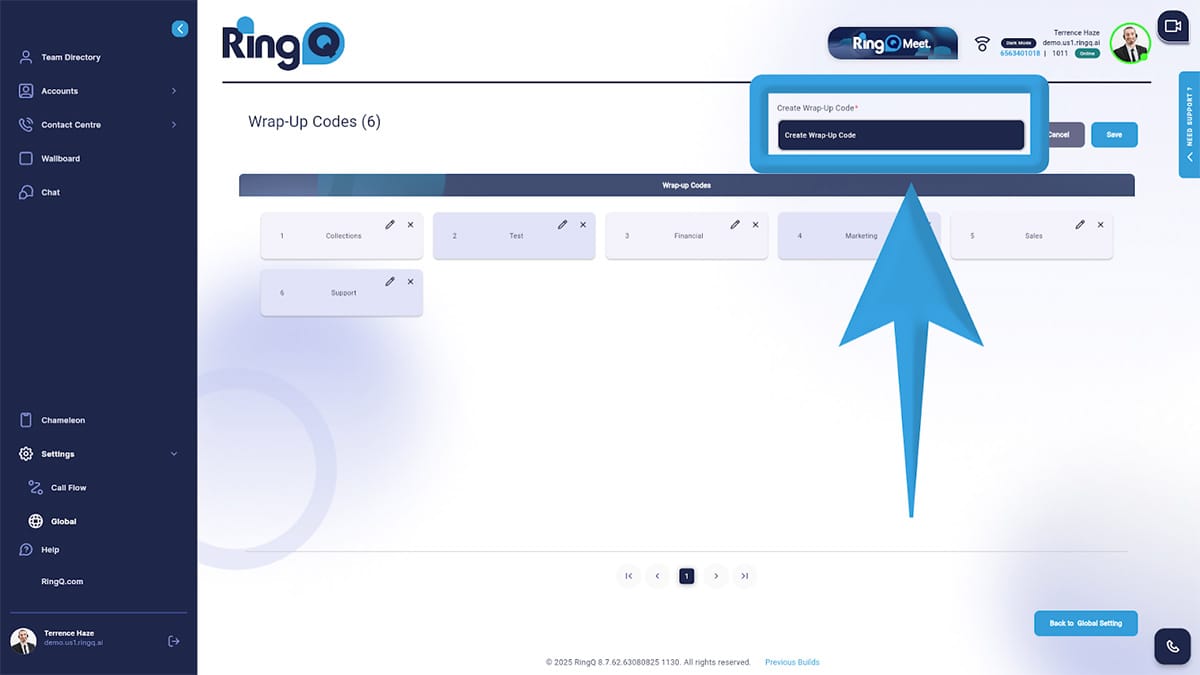
Click Add New Code.
Give it a clear name (short but descriptive).
Add an optional description for agents.
Save and assign to the relevant queues or campaigns.
