Chat & Call Via Telegram From RingQ

Chat and Call from Telegram with RingQ integration

Not every customer is on WhatsApp. In a lot of the markets we work with — Southeast Asia, the Middle East, parts of Eastern Europe — Telegram isn’t a backup app. It’s the main one. People use it for everything: chatting with friends, running business groups, making voice calls. It’s just how they communicate.

So it made sense to bring it into RingQ.

What’s New?

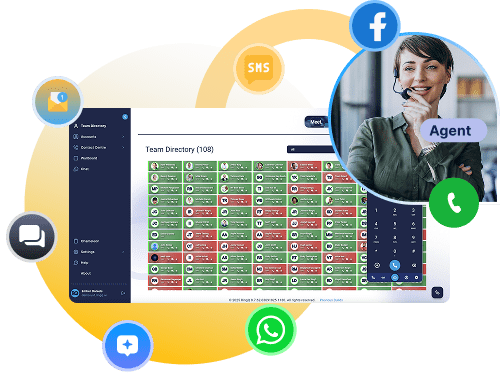
You can now send and receive Telegram messages and calls directly inside RingQ, alongside your existing WhatsApp and Facebook Messenger conversations. No tab-switching, no separate inbox — everything in one place.

Why we Built This

We kept hearing the same thing from customers in Malaysia, Indonesia, Cambodia, and other Telegram-heavy regions: they were managing customer conversations across multiple apps, and it was a mess.
The whole point of RingQ is that you shouldn’t have to do that. So when a channel matters to your customers, it should be in your dashboard.

What This Means for Your Team

Faster response times, less context-switching, and the ability to meet customers on the platform they actually prefer. If your audience is in a region where Telegram is dominant, this update is going to make a real difference to how you work day-to-day.

Telegram joins WhatsApp, Facebook Messenger, Website Live Chat, LINE and SMS as part of RingQ’s omnichannel setup. More channels are on the way as we continue to expand based on where our customers actually are.

How-to guides

Configuring Telegram Chat on the RingQ Web App

Introduction


This guide outlines a clear, step-by-step process for configuring Telegram Chat in the RingQ Web App. By following these instructions, you will integrate Telegram messaging with your RingQ platform, allowing it to reliably send and receive chat messages through Telegram.

Telegram Prerequisites


  • Administrator access to the RingQ Web App
  • Active Telegram account
  • Access to Telegram
  • You have created a Telegram Bot using BotFather Telegram bot
  • You have generated a Bot Token from BotFather
  • Your bot is active and properly set up
  • You can complete any required verification or security checks

Access Chat Channel Settings


1. Sign in to your RingQ Admin dashboard.

2. From the main menu, go to Settings

3. Select Global Settings
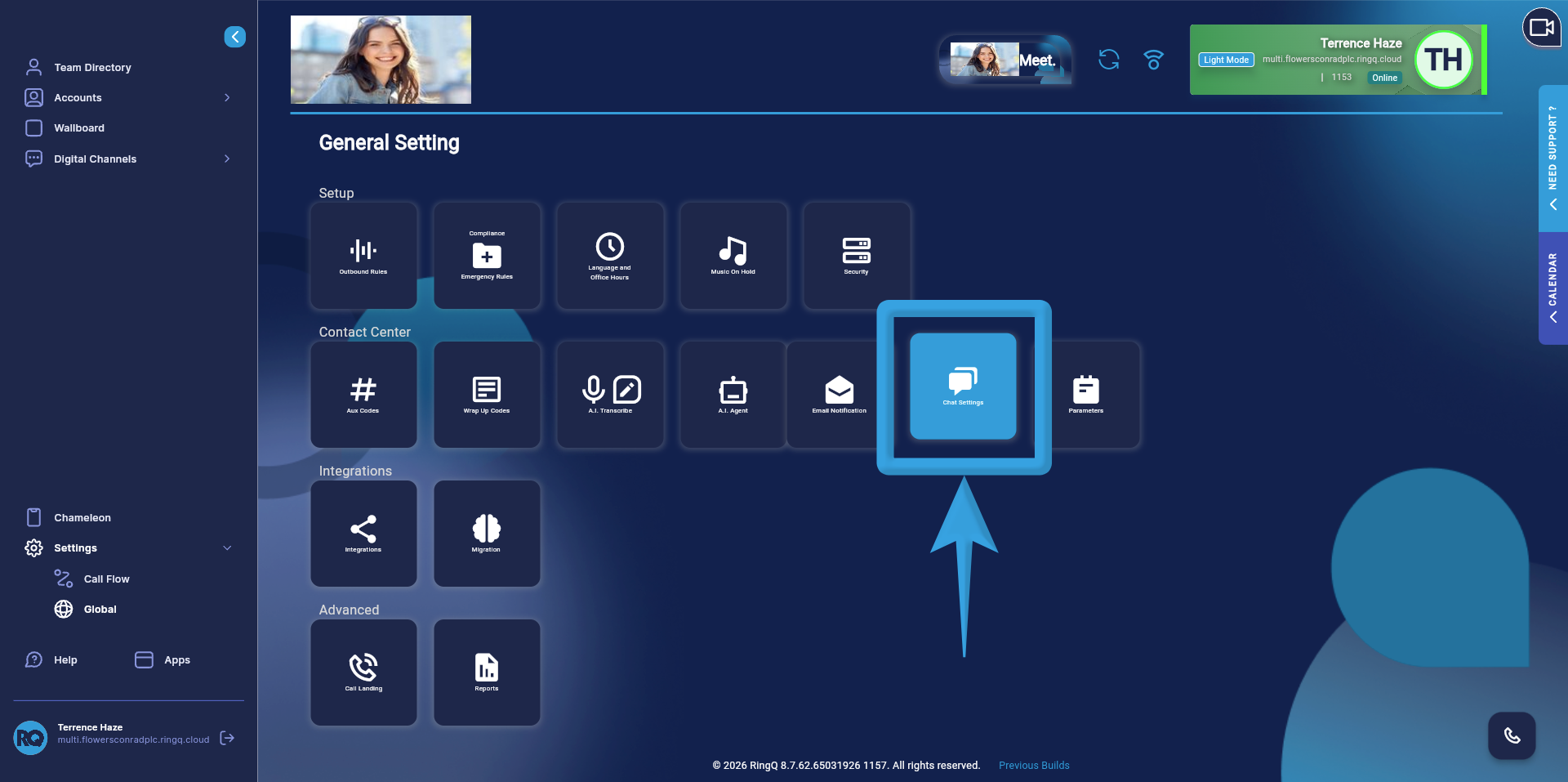
Chat Settings
4. Click Chat Settings
Select Telegram as your Chat Channel
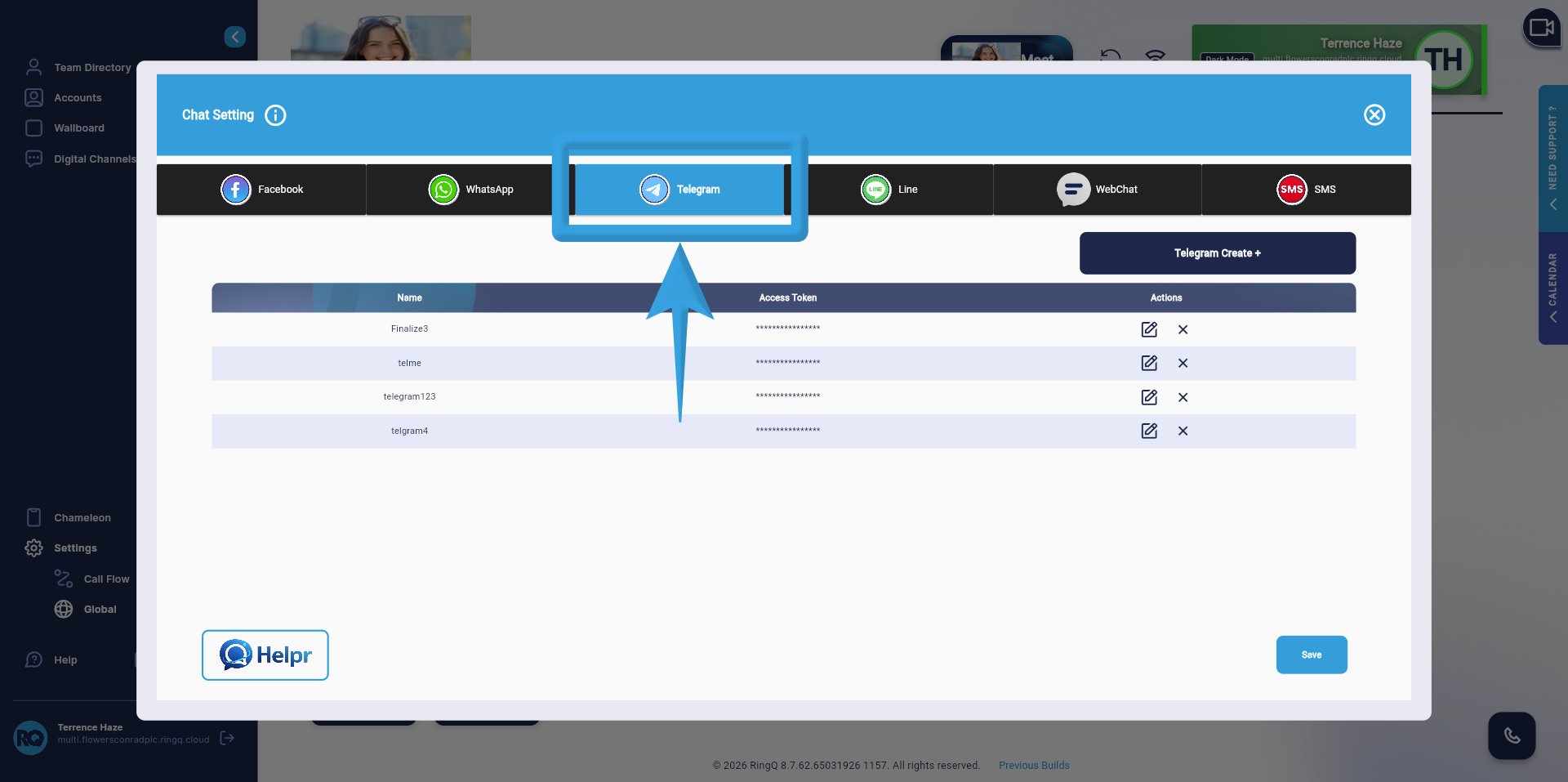
5. In the Chat Settings page, locate the list of available chat channels
Select Telegram to begin the configuration process.

At this point, RingQ is ready to accept Telegram-specific configuration details such as Bot Token and webhook settings.
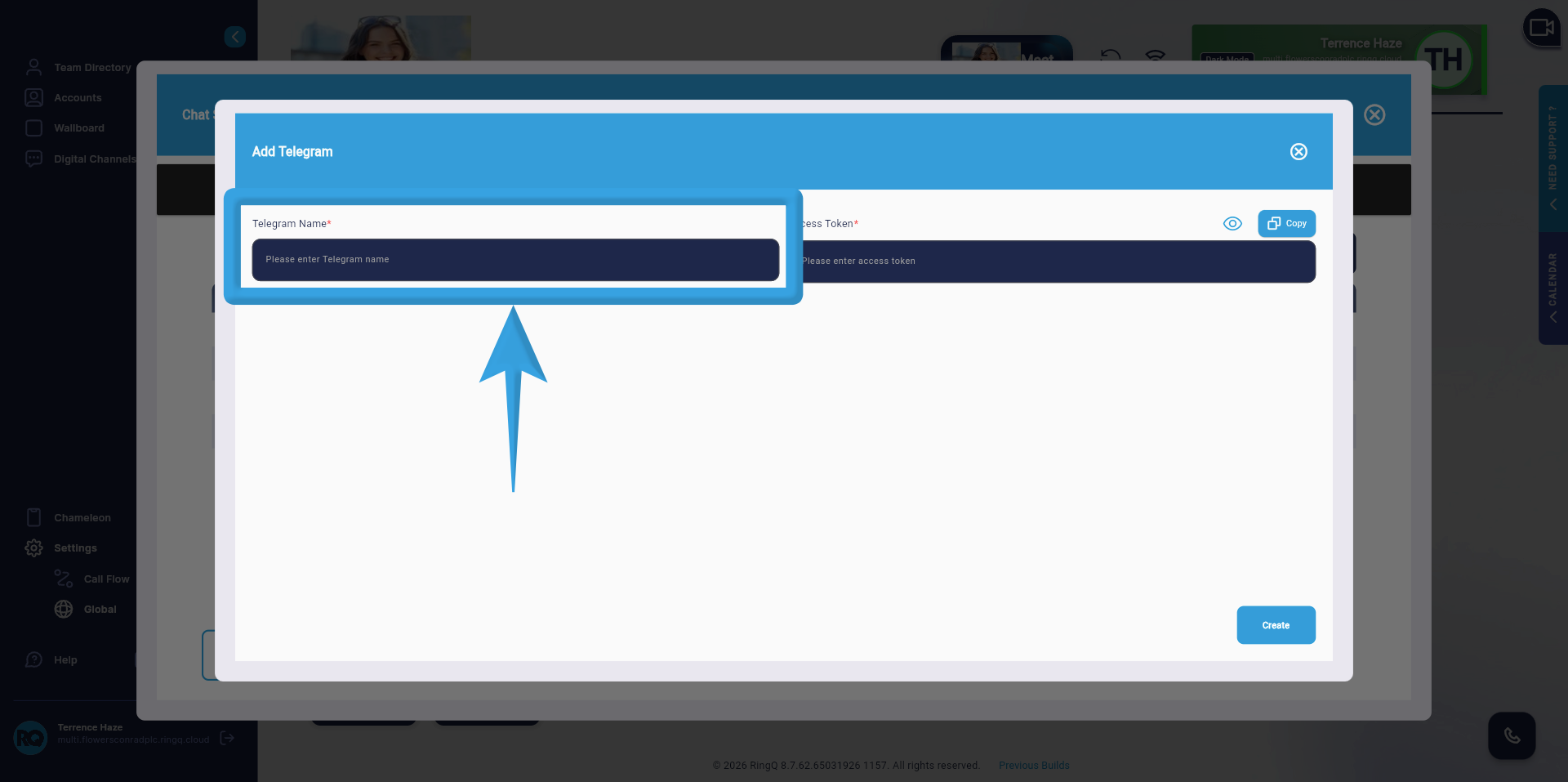
Configure Telegram


Telegram Name
1. Enter a descriptive name for the integration. This will serve as the display label in RingQ.
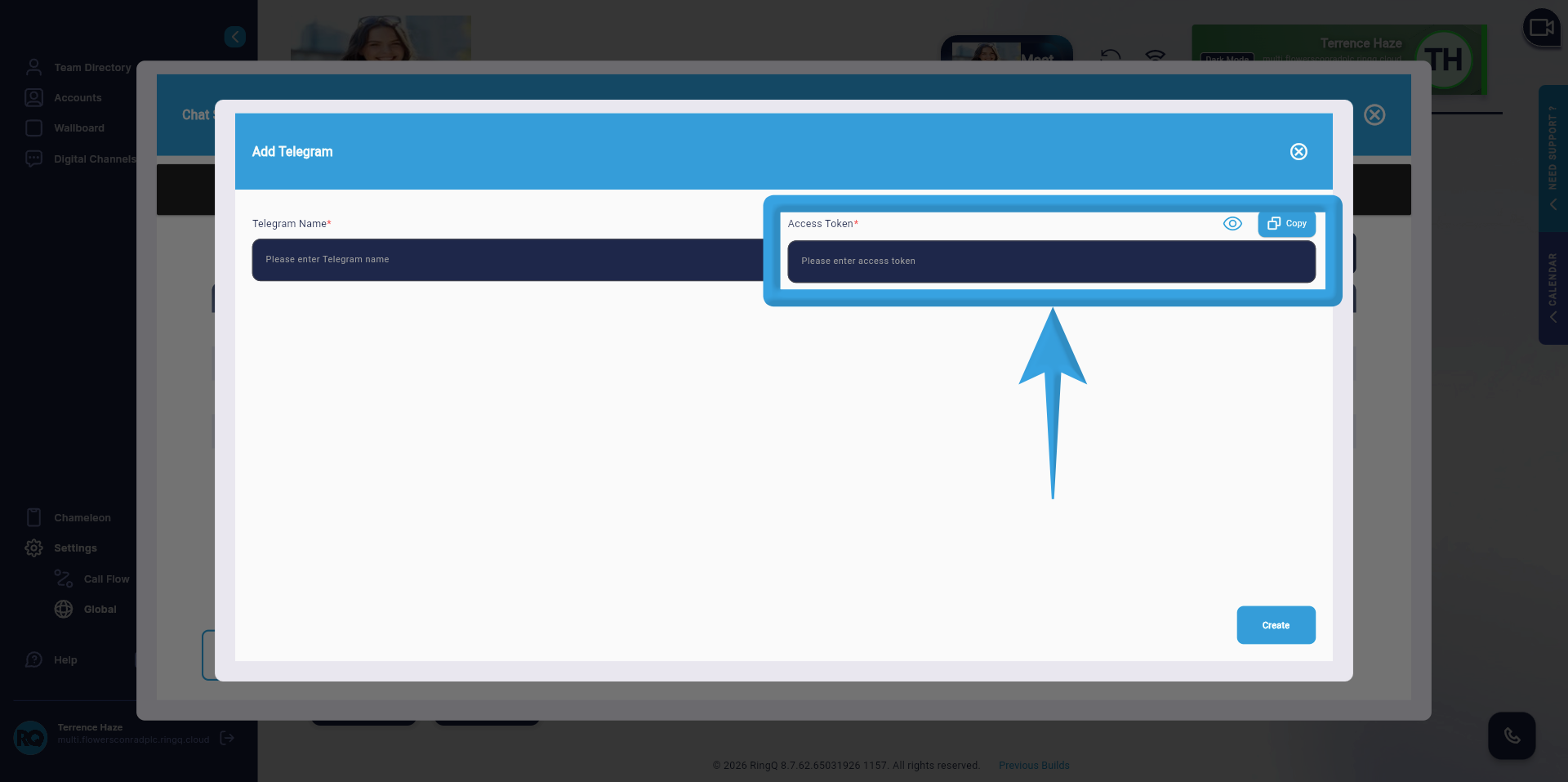
Telegram Access Token
2. Copy the Bot Token from BotFather and paste it into the Bot Token field in RingQ. The Bot Token is used to authenticate and securely connect RingQ to your Telegram bot, enabling message sending and receiving.
3. Click ‘Create’.

Important Notes

  • Ensure all values are copied correctly from Telegram.
  • Do not interchange fields (e.g., Bot Token should only be placed in the Bot Token field).
  • Make sure the Bot Token is valid and active.
  • Copy and paste each value into its corresponding field.
  • Ensure accuracy and correct field mapping.
  • Configure one field at a time to avoid errors.
  • Double-check all entries before saving.

See Also


Telegram Integration

Engage Customers Instantly

with Telegram Messaging

Telegram has become one of the most widely used messaging platforms worldwide. With RingQ, your team can manage Telegram conversations alongside calls, SMS, and live chat—ensuring every customer message is handled quickly and professionally.

By integrating Telegram directly into your contact center workflow, RingQ helps your agents respond faster, maintain organized conversations, and turn inbound messages into meaningful business interactions.

Manage Telegram Conversations from One Platform

RingQ brings Telegram messaging directly into the call center dashboard your agents already use. Teams can send, receive, and manage Telegram chats without switching tools or logging into separate applications.

One Workspace

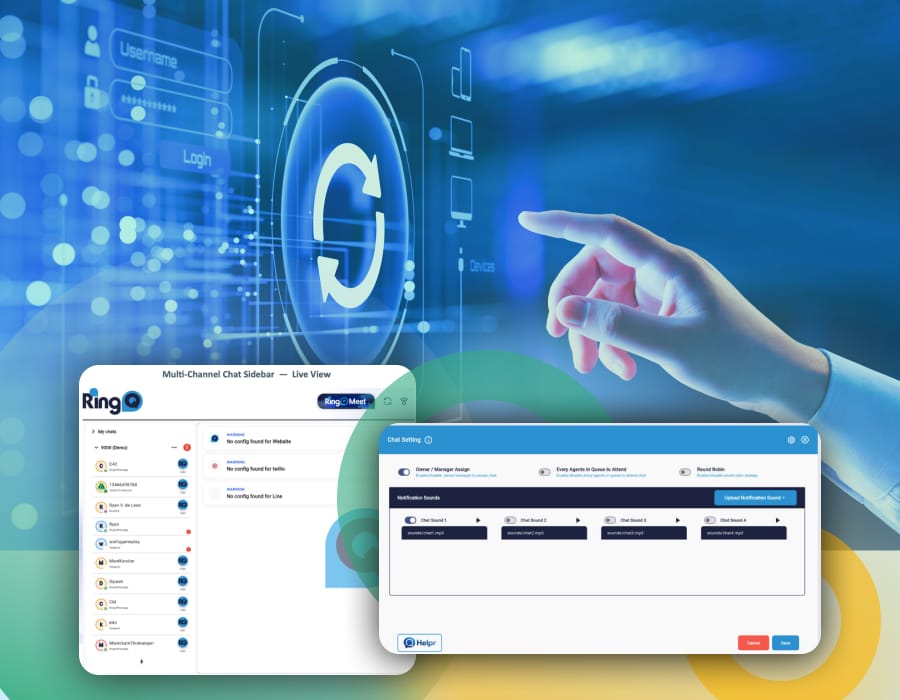
Handle Telegram, WhatsApp, LINE, Facebook, SMS, website chat from a single interface.

Customer Engagement

Reply to Telegram messages quickly and keep the conversations flowing.

Customer Relationships

Connect with customers on Telegram, one of their preferred messaging apps.

Smart Message Routing

Automatically direct Telegram conversations to the right team or available agent.

CRM Matching

Match Telegram users with CRM contacts to deliver personalized responses.

No Extra Integrations Needed

Telegram messaging is included—no additional modules or add-ons required.

Omnichannel

Omnichannel Communication
Made Simple

RingQ centralizes every digital conversation into one unified platform. Agents can seamlessly switch between Telegram chats, calls, SMS, and website messages—reducing complexity and improving productivity.

support & sales

Ideal for Customer Support and Sales

Telegram messages flow through the same queue and routing system as calls, ensuring every inquiry is tracked and assigned properly. This allows teams to handle support requests, product questions, and sales conversations with full visibility.

Pricing

Powerful Messaging at
Transparent Pricing

RingQ includes Telegram integration across all plans. Pricing is based only on the number of agents you need, allowing your team to access full omnichannel messaging capabilities without hidden costs or feature restrictions.

Why Switch to
a RingQ Cloud PBX?

RingQ Cloud CX gives your team the tools to handle more calls, connect faster, and deliver better customer experiences—without wasting a second.
RingQ isn’t just built for performance—it’s built for value. Businesses of all sizes save more over time with RingQ’s simple, transparent pricing model.
RingQ isn’t just another Cloud CX communications system—it’s a purpose-built platform designed to streamline your team’s workflow, reduce friction, and power seamless collaboration from anywhere.
From hotels to call centers to global offices, RingQ is built to keep you connected to your customers wherever they are, on the channel they prefer. RingQ ensures that no call, message, or moment is ever missed.
×
Chat Icon
Close

End Conversation?

Are you sure you want to end this conversation?
Powered by RingQ Typically replies in seconds
Step 1 of 2

How satisfied are you in overall experience at RingQ ?

Please wait while loading
An agent is typing