Version 8.7.62 (Build 65040126) is a landmark release for RingQ — delivering new messaging channels, smart queue controls, PBX migration tooling, desktop app connectors, enhanced backup management, and deep integrations with Microsoft Teams and Zoho Desk. This document covers all new features and enhancements intended for public release.

💬 Chat Channels & Interface
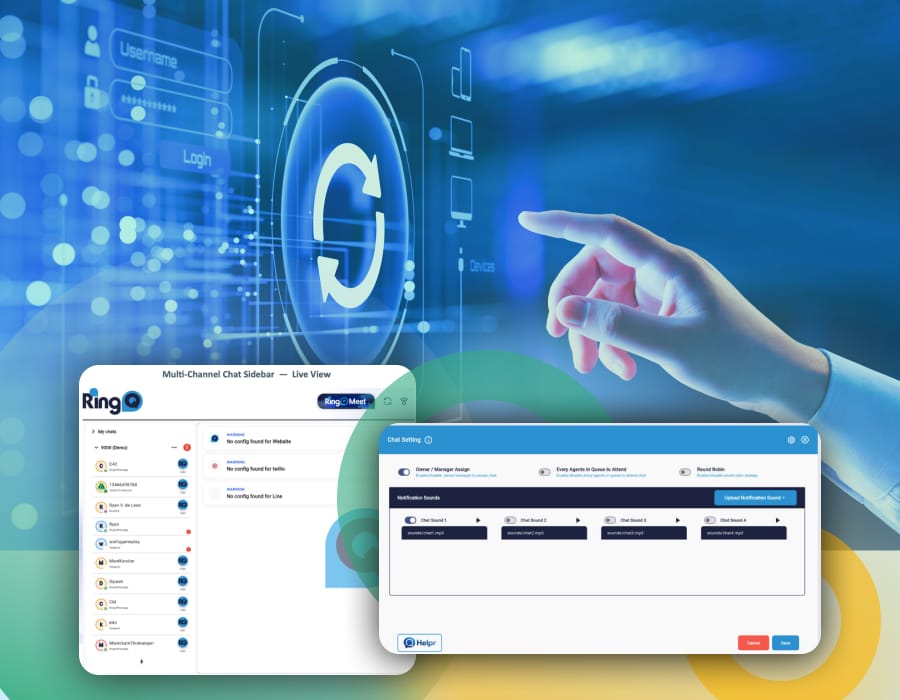
RingQ now supports a broader range of messaging channels – accessible directly from the chat sidebar. Your agents can manage conversations across WhatsApp, Facebook, Telegram, LINE, Website Chat and SMS — all from one unified view.
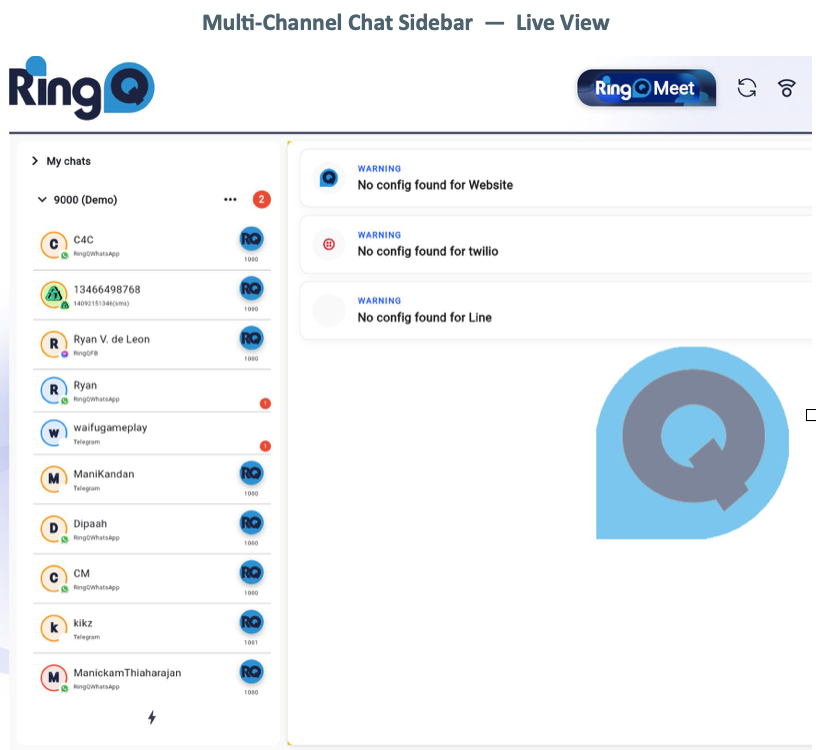
- LINE Channel Support [NEW CHANNEL]. Customers on LINE — Asia’s leading messaging platform — can now reach your agents directly through RingQ queues.
- Telegram Channel Support [NEW CHANNEL]. Telegram conversations are now fully routed through queues, assigned to agents, and tracked in call/chat logs.
- SMS via Twilio [NEW CHANNEL]. Send and receive SMS messages through your Twilio account with full queue routing and agent assignment support.
- SMS via Telnyx [NEW CHANNEL]. Telnyx SMS is now available as a carrier alternative — giving teams flexibility in SMS provider selection.
⚙️ Chat Settings
A new Chat Settings panel gives administrators granular control over how chats are distributed, attended, and alerted — all in one place.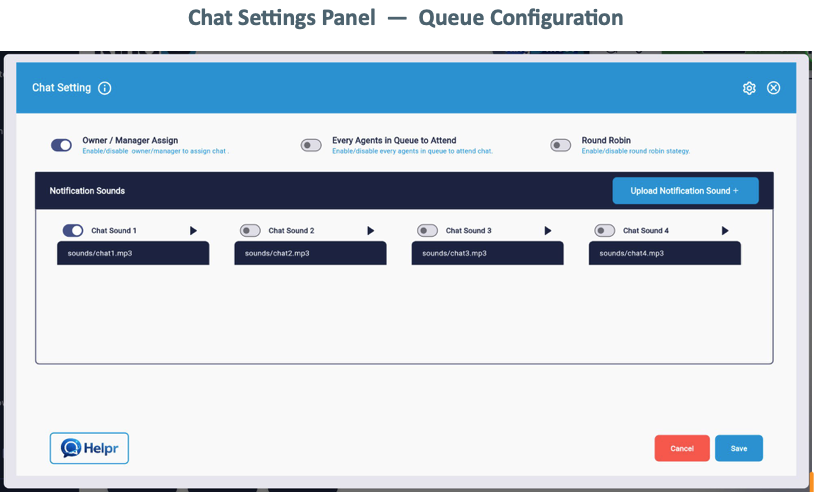
- Owner / Manager Assign Toggle [NEW FEATURE]. When enabled, managers and owners can directly assign incoming chats to agents or take them themselves — improving response time and escalation handling.
- Every Agent in Queue to Attend [NEW FEATURE]. A single toggle allows all agents in a queue to simultaneously attend chats, ideal for high-volume or overflow support scenarios.
- Round Robin Chat Distribution [NEW FEATURE]. Automatically distribute incoming chats evenly among available agents using Round Robin logic, ensuring fair and balanced workloads.
- Custom Notification Sounds [NEW FEATURE]. Upload your own MP3 notification sounds, select from multiple presets (Chat Sound 1 through 4), preview before activating, and delete unused files — full audio management for chat alerts.
🔄 PBX Migration Tool
Switching to RingQ from another PBX system is seamless. The new Migration tool lets you import your existing configuration — including extensions, queues, users, and settings — directly from your previous system.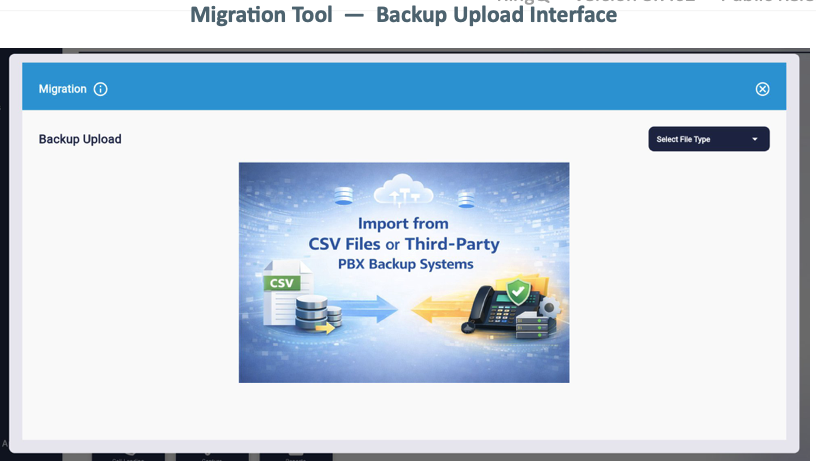
- Migrate from 3CX [NEW FEATURE]. Import your 3CX PBX backup directly into RingQ. Extensions, dial plans, and user data are mapped and provisioned automatically.
- Migrate from Yeastar [NEW FEATURE]. Yeastar (P-Series and S-Series) backup files are now supported for direct import — reducing migration time significantly.
- Migrate from Mitel [NEW FEATURE]. Mitel configurations can be imported via backup upload, enabling a smooth cutover without manual re-provisioning.
- CSV Import Tool [NEW FEATURE]. For any PBX not directly supported, a universal CSV import tool allows you to structure and upload extension lists, user data, and queue configurations in a standard spreadsheet format.
Supported Migration Sources
3CX · Yeastar (P-Series / S-Series) · MyTel · CSV (Universal Format). Additional PBX sources are under active development. Contact your RingQ account manager if your system is not listed.
🖥️ Desktop App Connectors — Early Access
Early Access Programme
The RingQ Windows and macOS desktop apps are in the final stages of preparation and will be released separately to this update. Customers can register for Early Access to receive the apps ahead of the general availability launch.
- RingQ for Windows [COMING SOON]. A native Windows desktop application that connects directly to your RingQ account — providing click-to-call, presence status, chat notifications, and call control without needing a browser. Designed for agent desktops in call centre and office environments.
- RingQ for macOS [COMING SOON]. A native macOS menu-bar application delivering the same full RingQ feature set — calls, chats, status, and queue visibility — optimized for Mac workflows and Apple Silicon performance.
Both desktop apps will be released as separate installers and are not bundled with this platform update. Early Access sign-up is available through your account portal.
☁️ Hosted Backup & Data Management
RingQ provides a fully managed backup infrastructure as part of its hosted platform. All customer data — including call recordings, chat logs, configuration, and reports — is automatically backed up by RingQ with no setup required.
- Managed Backup by RingQ [INCLUDED]. All hosted RingQ accounts benefit from automatic, scheduled backups maintained by the RingQ infrastructure team. Backup retention, redundancy, and restoration are fully managed — no configuration needed from the customer.
- Bring Your Own Backup Service [NEW FEATURE]. For organisations with compliance requirements or existing backup vendors, RingQ now supports connecting an independent backup service. Your own storage endpoint (e.g. S3-compatible, SFTP, Azure Blob) can be registered and used alongside or instead of the RingQ-managed backup.
- Backup Configuration UI [NEW FEATURE]. A new Backup Settings panel allows administrators to view backup schedules, check restore points, configure custom backup destinations, and manage retention policies — all from within the RingQ admin console.
How Backup Works
RingQ Hosted Backup is active by default for all hosted accounts. If you add your own backup service, it operates independently and does not disable the RingQ-managed backup unless explicitly configured to do so. Both backups can run in parallel for maximum redundancy.
🔗 Platform Integrations
- Microsoft Teams Integration [NEW INTEGRATION]. Connect your RingQ telephony platform with Microsoft Teams. Route inbound calls to Teams users, display presence status, and manage call transfers — bridging your phone system and collaboration platform.
- Zoho Desk Integration [NEW INTEGRATION]. Link RingQ queues with Zoho Desk for automatic ticket creation on inbound calls, screen-pop for known contacts, and post-call wrap-up notes synced to your Zoho helpdesk.
👤 User & Notification Management
- User Detail Quick View [NEW FEATURE]. Administrators and supervisors can now surface key user information — email, username, phone number, extension, and role — with a single button click, without needing to navigate to the user settings page.
- Notification Recipient Toggle [NEW FEATURE]. A new toggle lets administrators control whether queue notifications are sent to managers and owners only, or broadcast to all agents in the queue — reducing notification noise for large teams.
- Unrestricted Chat Participation [ENHANCEMENT]. The previous restriction requiring manager or owner status to join a chat has been removed. Any authorised agent can now participate in chats based on queue membership rules alone.
📡 Telephony & System
- Gateway in DID Trunk [NEW FEATURE]. Gateway support is now available within DID Trunk configuration, providing more routing flexibility for multi-site and carrier-diverse deployments.
- Direct Dialer SIP UID in IVR [NEW FEATURE]. IVR call flows now support Direct Dialer with SIP UID, expanding automated telephony configuration options for advanced deployments.
- Enhanced Call Status Display [ENHANCEMENT]. Call Status now shows both the active routing path and the specific rule applied to each call in real time — giving supervisors richer context for monitoring and troubleshooting.
- Call Status Action Button [NEW FEATURE]. A new Action Button on call status views enables agents and supervisors to take inline actions — transfer, park, end — without navigating away from the active call screen.
- Inbound Call Recordings in Reports [NEW FEATURE]. Inbound call recording entries now appear in the Call Logs Report, providing a complete audit trail of all recorded interactions for compliance and quality review.
📧 Email & SMTP
- Email Template Banner & Footer [NEW FEATURE]. Customize the header banner and footer of all outbound SMTP email templates — upload your logo, brand imagery, and footer text to ensure every system email reflects your identity.
- White-Label SMTP [NEW FEATURE]. Custom SMTP configurations now fully support white-labelling. All system-generated emails — notifications, OTPs, alerts — can be sent from your own domain and display your sender name.
- SMTP Configuration UI [NEW FEATURE]. A new dedicated SMTP settings interface inside Email Notifications replaces manual configuration, with guided fields for server address, port, authentication, and sender details.
Update to RingQ v8.7.62
Updating Single-Tenant (ST) Products:
- Login to your RingQ Customer AccessPortal. A notification will appear at the top of the instance interface.
- Simply press the “Update” button to complete the process.
Updating Multi-Tenant (MT) Products:
For multi-tenant setups, the update process is managed entirely by the partners. End-users do not see the update prompts directly, as the partner handles all instance maintenance.
If you don’t already have a RingQ instance you can start with our free trial today!
How-to Guides
- Getting Started with LINE messaging API
- Telegram Bot Setup
- Configuring Twilio SMS
- Configuring Telnyx SMS
- Migrating to RingQ from another PBX
View the complete change log.