
Introduction
This guide explains how to set up Telnyx as your SMS provider within the RingQ platform. This integration enables you to send and receive SMS messages directly from RingQ.
Configuring Telnyx (Generic API)
1. Log in to your RingQ Admin Dashboard.
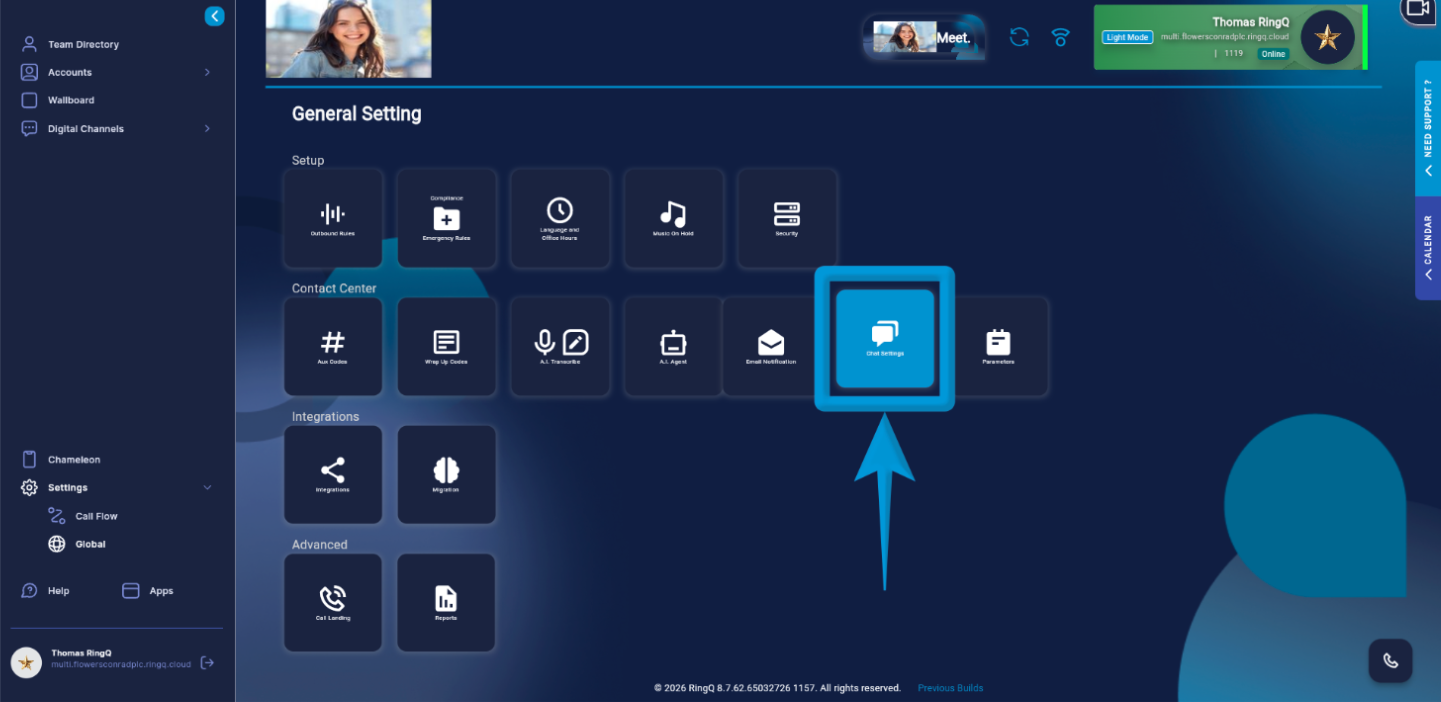 2. Go to “Settings”>”Global”>”Chat Settings”.
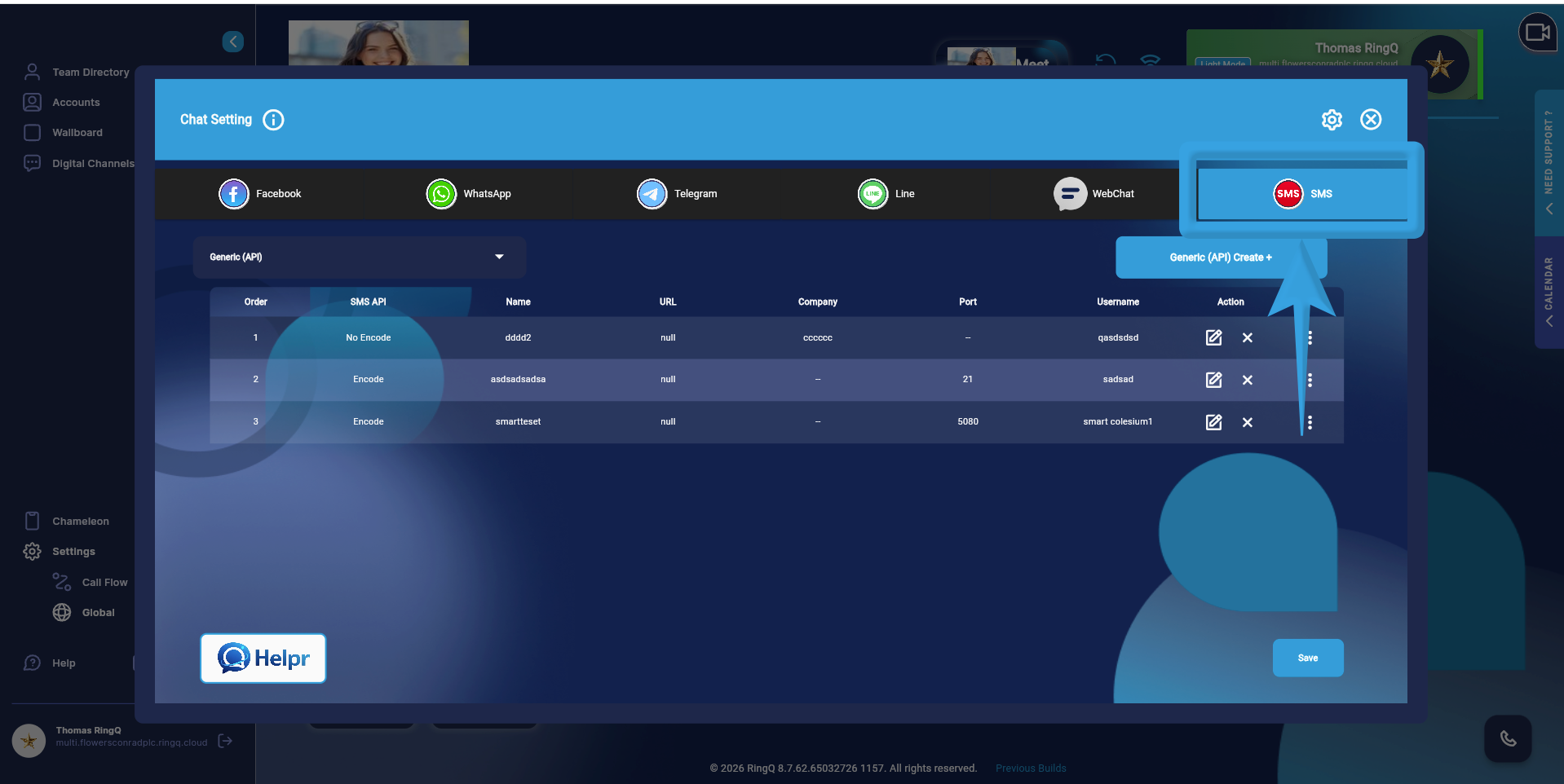 3. Click on the “SMS” tab.
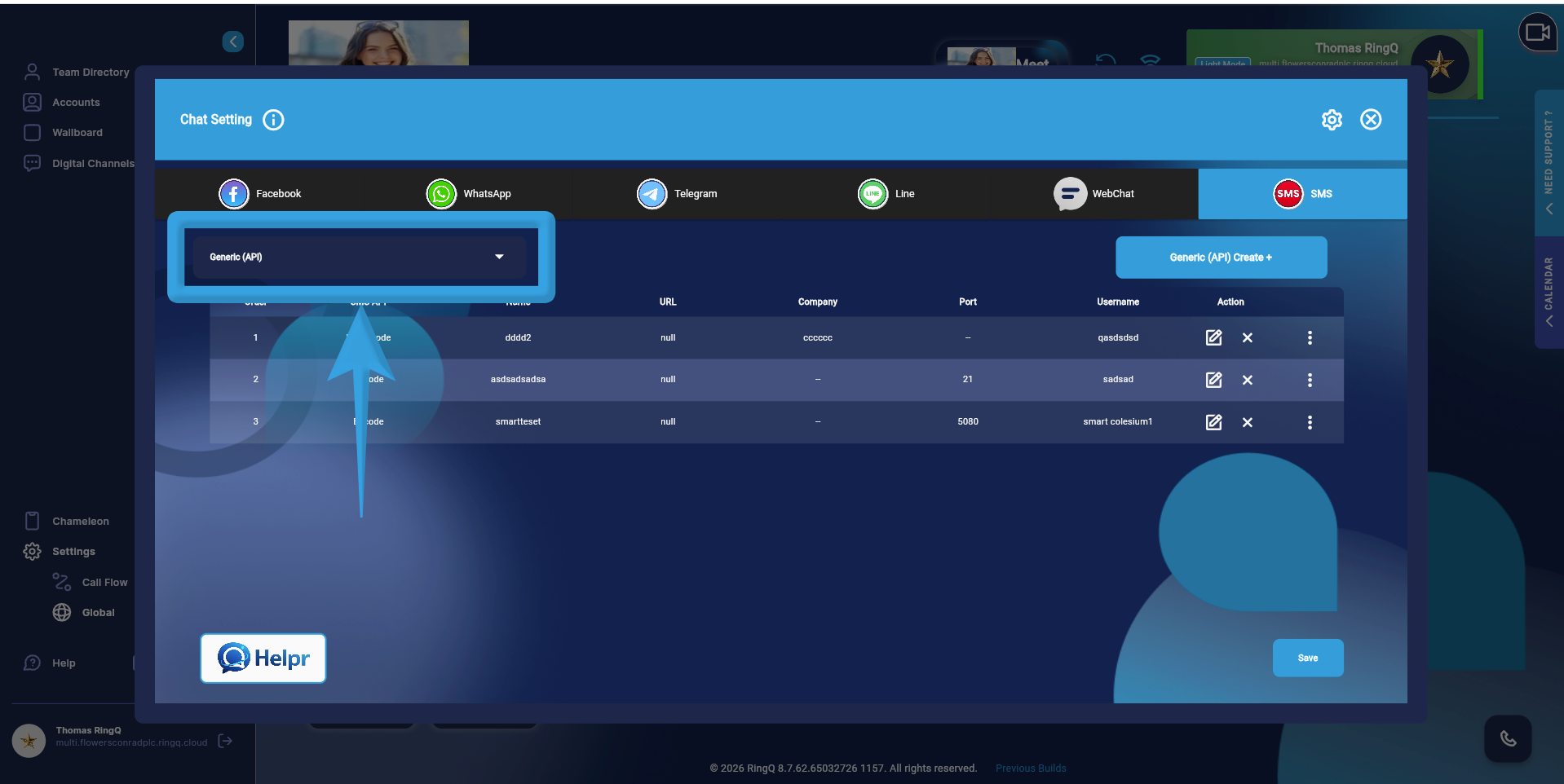 4. On the left panel, click on the “Generic API” dropdown.
5. Select “Telnyx”.
4. On the left panel, click on the “Generic API” dropdown.
5. Select “Telnyx”.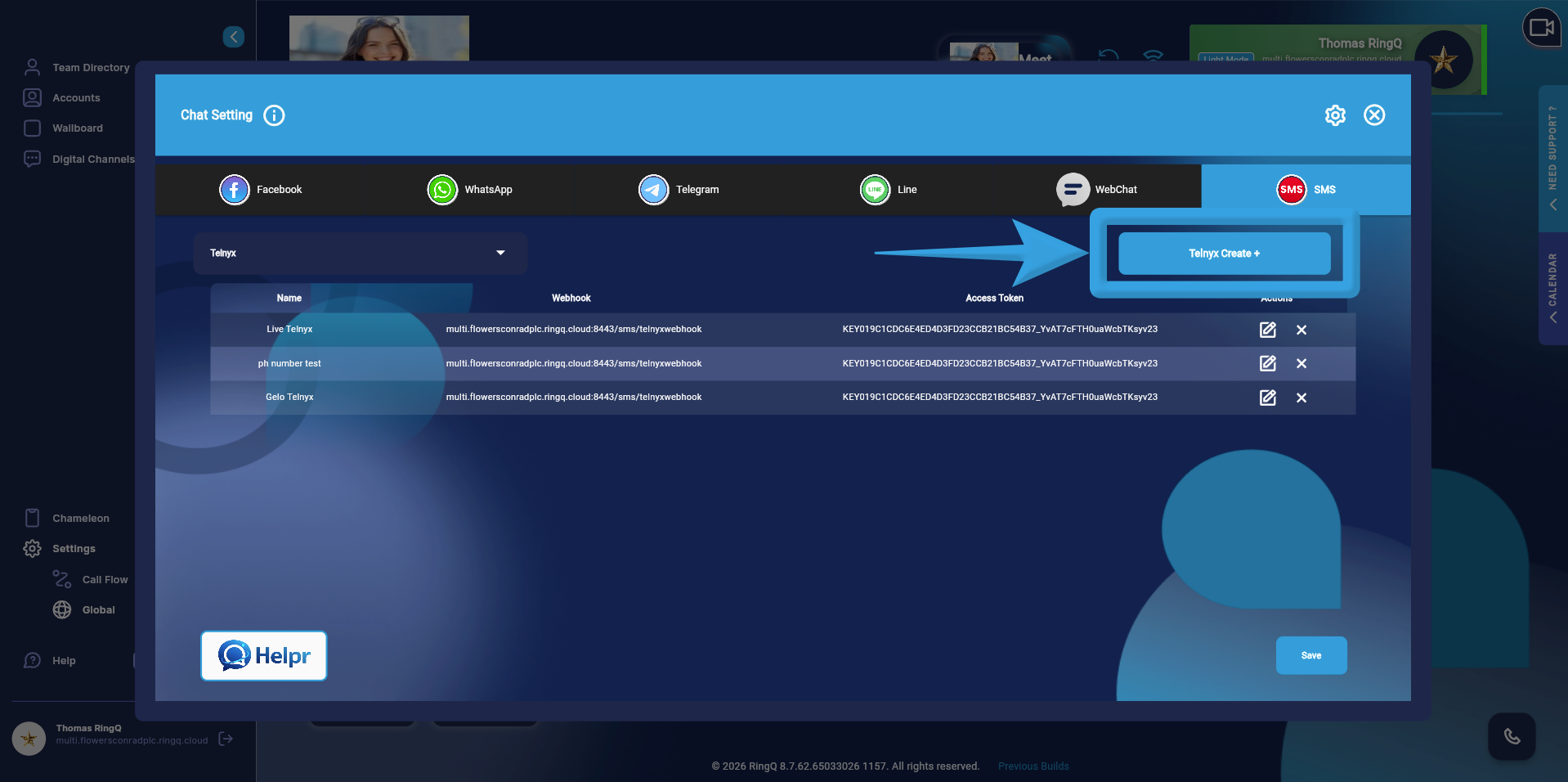 6. Click on the “Telnyx Create +” button.
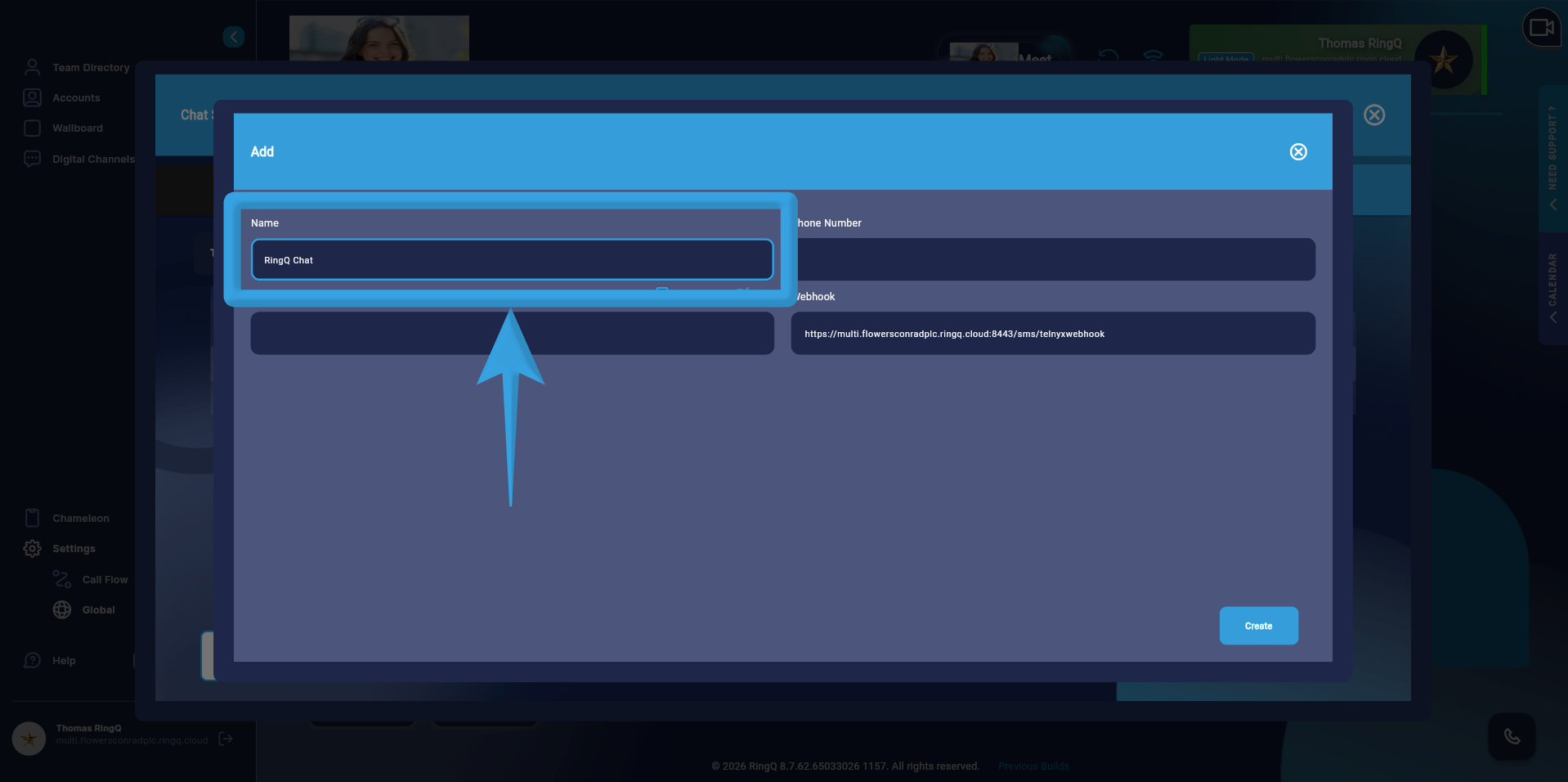 7. Enter a name for the configuration.
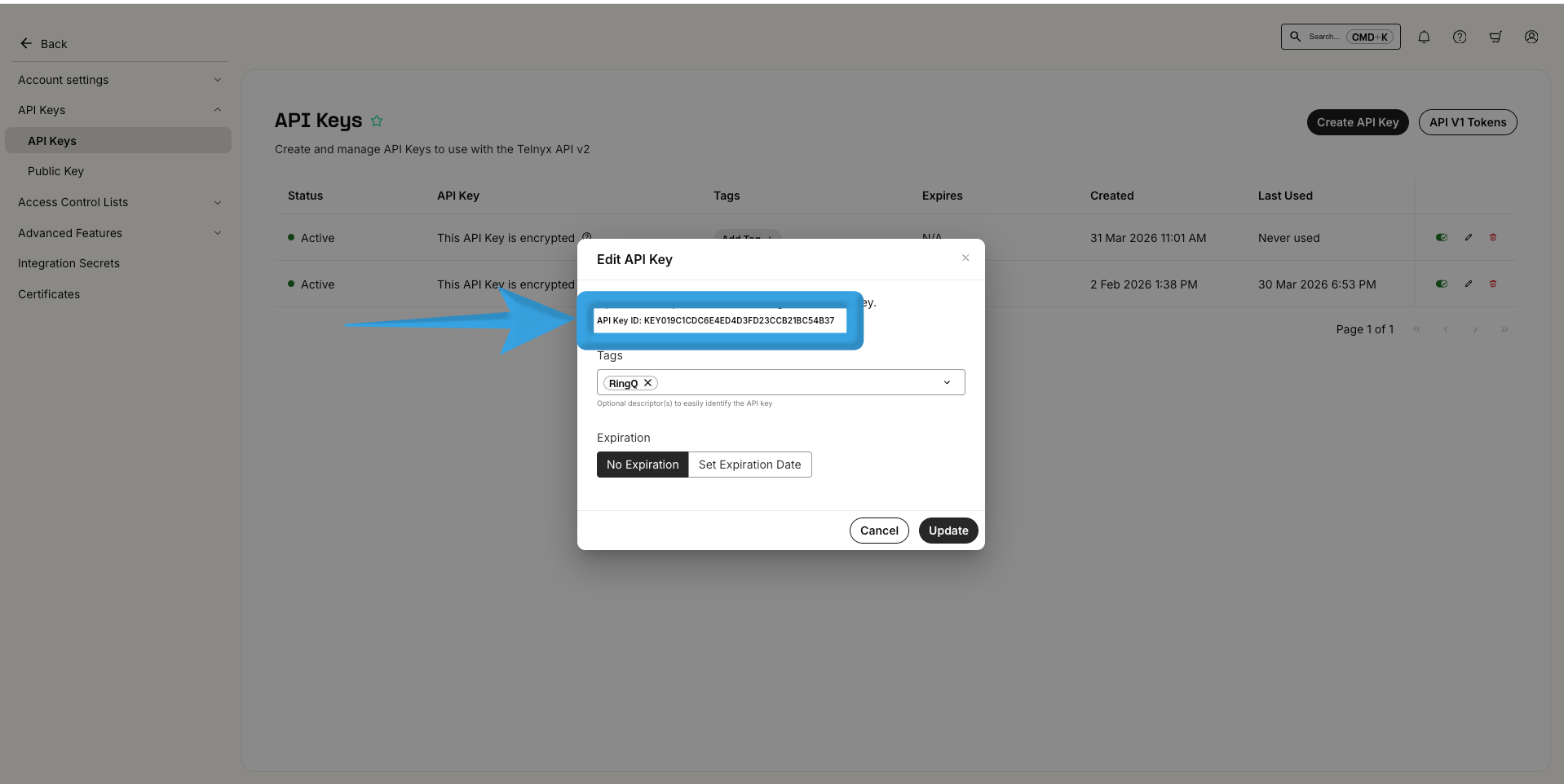 8. Copy the “API Key” from you Telnyx dashboard and paste into the “Access Token” field in RingQ.
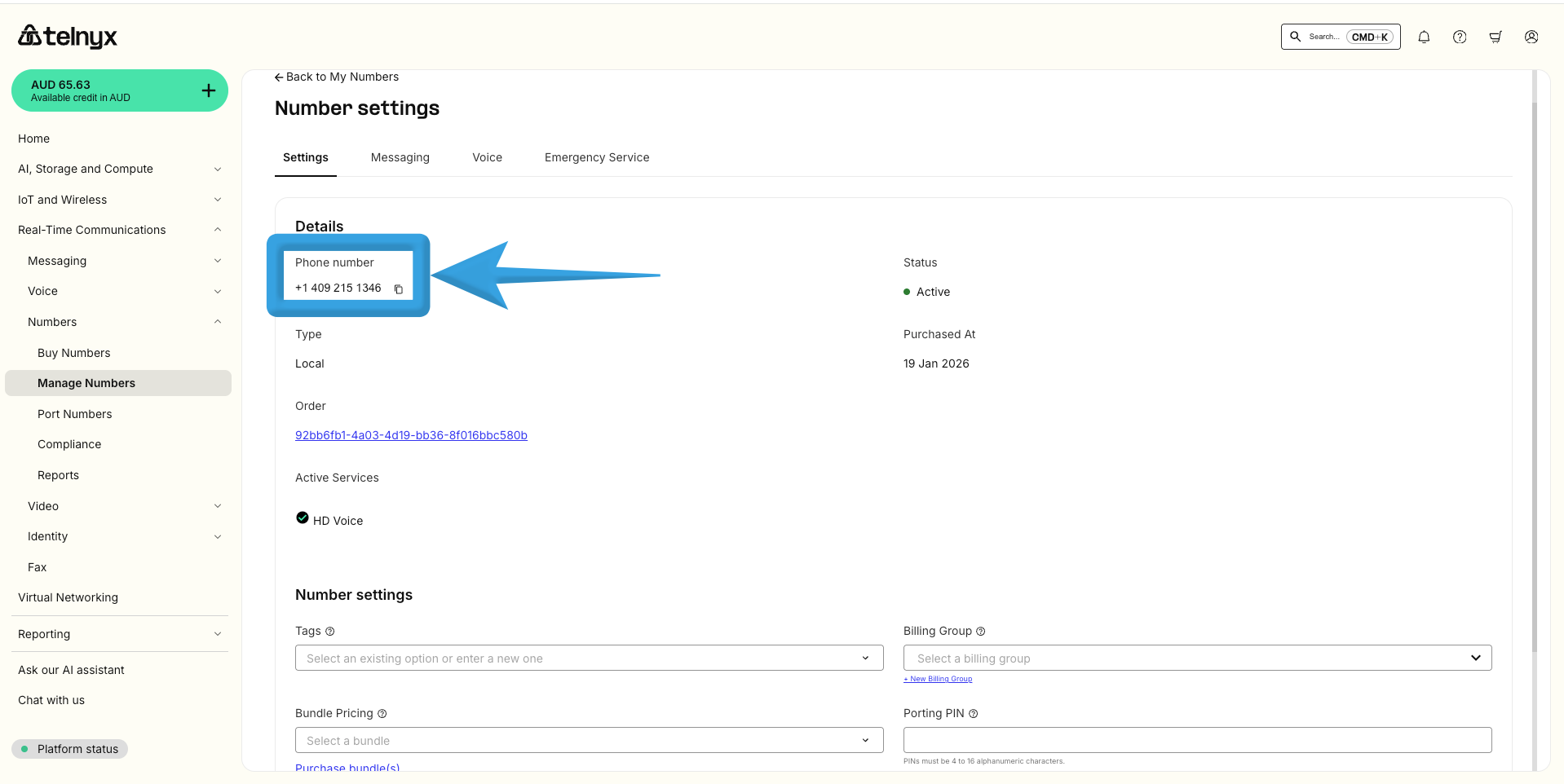 9. Copy the “Phone Number” from the Telnyx Number Settings and paste into the “Phone Number” field in RingQ.
10. The “Webhook” is automatically generated by the system.
11. Click “Create”.
Once you complete the configuration, your Telnyx SMS setup will appear in the SMS page list within RingQ.
9. Copy the “Phone Number” from the Telnyx Number Settings and paste into the “Phone Number” field in RingQ.
10. The “Webhook” is automatically generated by the system.
11. Click “Create”.
Once you complete the configuration, your Telnyx SMS setup will appear in the SMS page list within RingQ.