
Introduction
This guide walks you through creating your RingQ Customer Access Portal account and free trial. The portal allows you to manage your licenses, purchases, and service configurations for RingQ.
Signup for your Free Trial
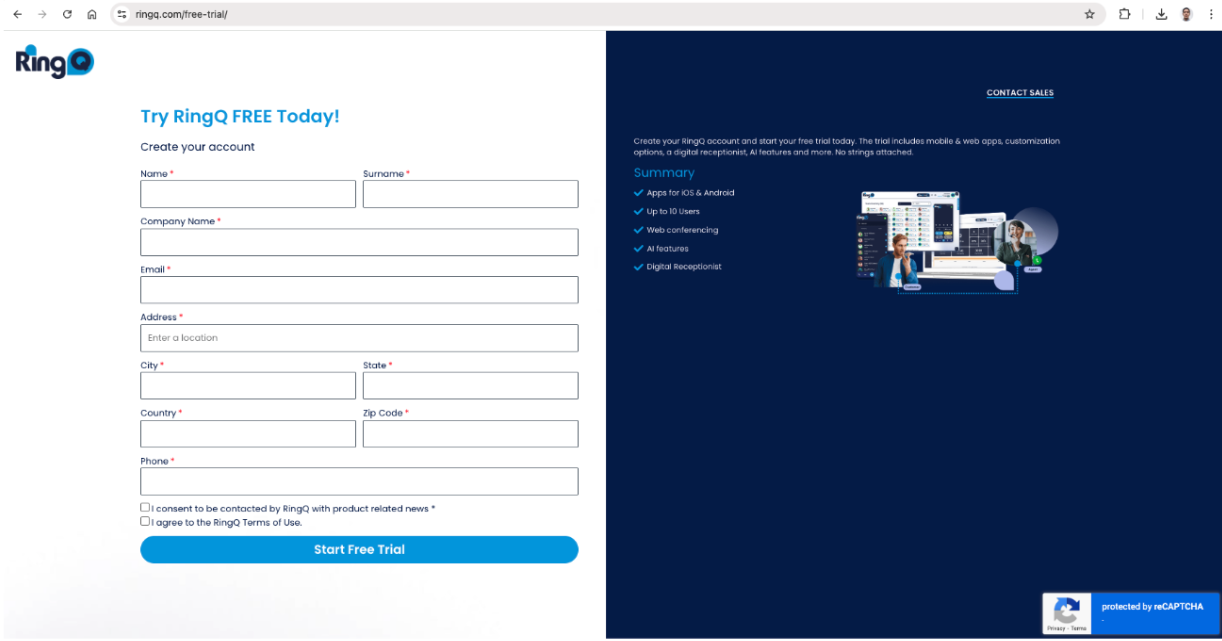
1. Go to https://ringq.com/free-trial/
2. Fill Out the Registration Form
3. Ensure you have checked the following boxes:
- I consent to be contacted by RingQ with product-related news.
- I agree with the RingQ Terms of Use.
4. Click the Start Free Trial button and complete the CAPTCHA.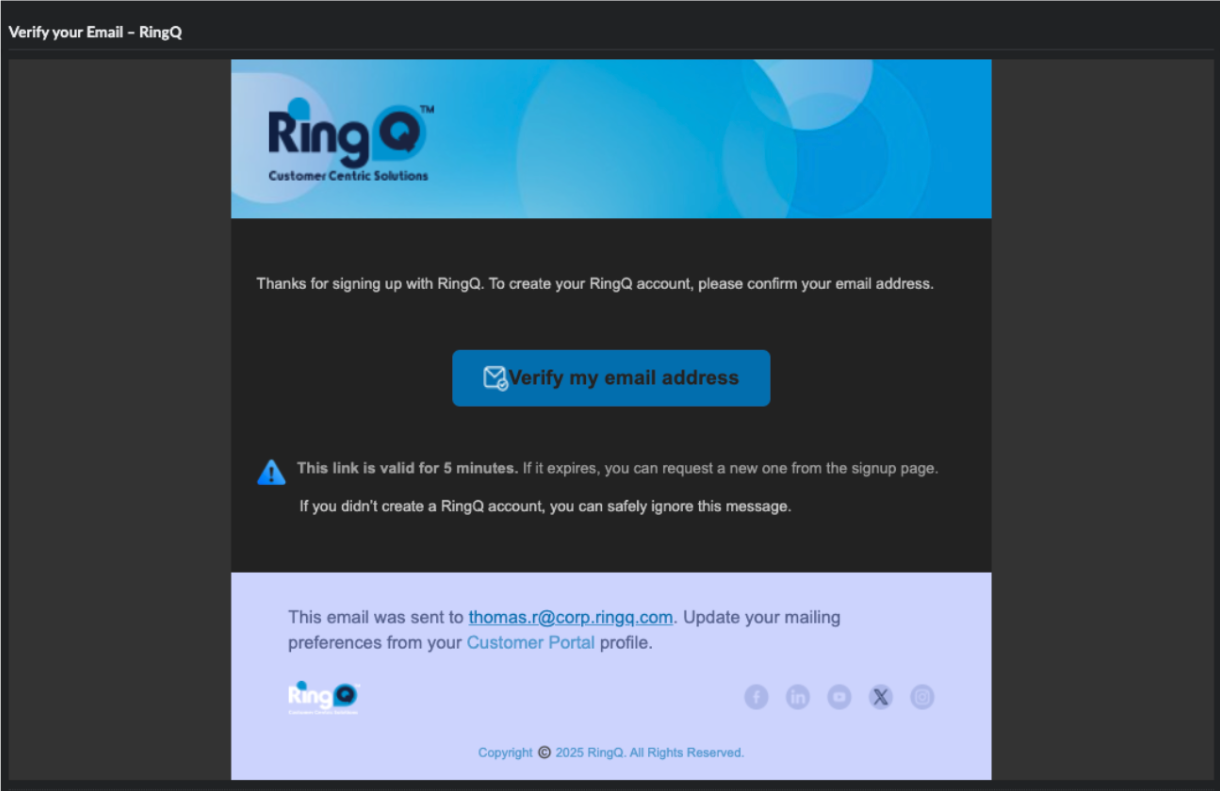
5. Check your inbox and locate an email from RingQ titles “Verify your RingQ Account”.Click the Verify My Email Address button inside the email.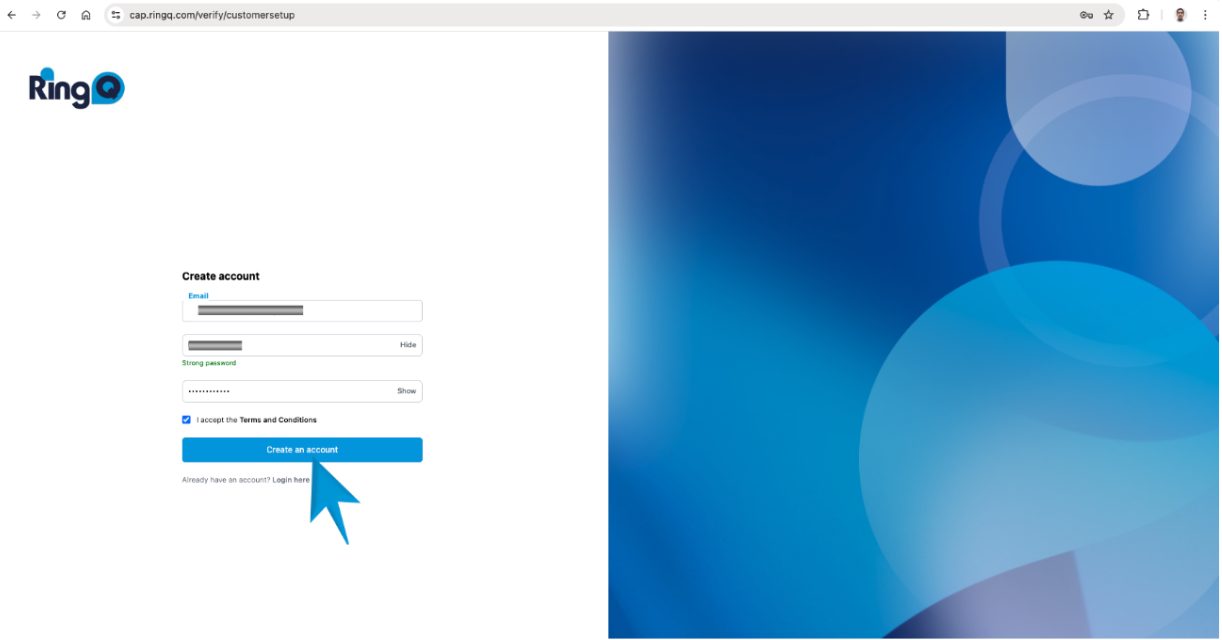
6. Once you click the verification link, you will be redirected to the Customer Access Portal – Create Account page.
7. Set a secure password following the password requirements.
8. Click Create Account to finalize.
Access your RingQ Portal Account
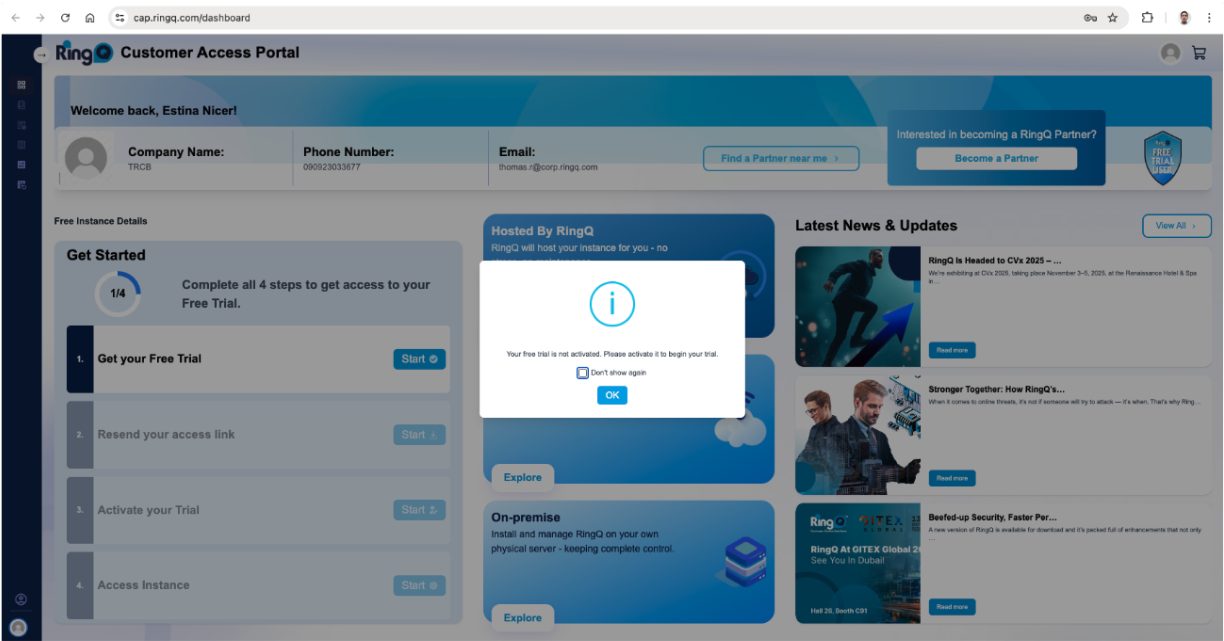
1. After creating your account, you’ll be redirected to the Customer Access Portal – Welcome Page, confirming your account setup.
2. Review your registered account details displayed on the page.
3. A confirmation message will appear indicating that your Free Trial activation is in progress.
4. Click OK to acknowledge the prompt.
5. Your Free Trial account will now be successfully activated and ready for use.
Enable Billing on Your Customer Access Portal Account
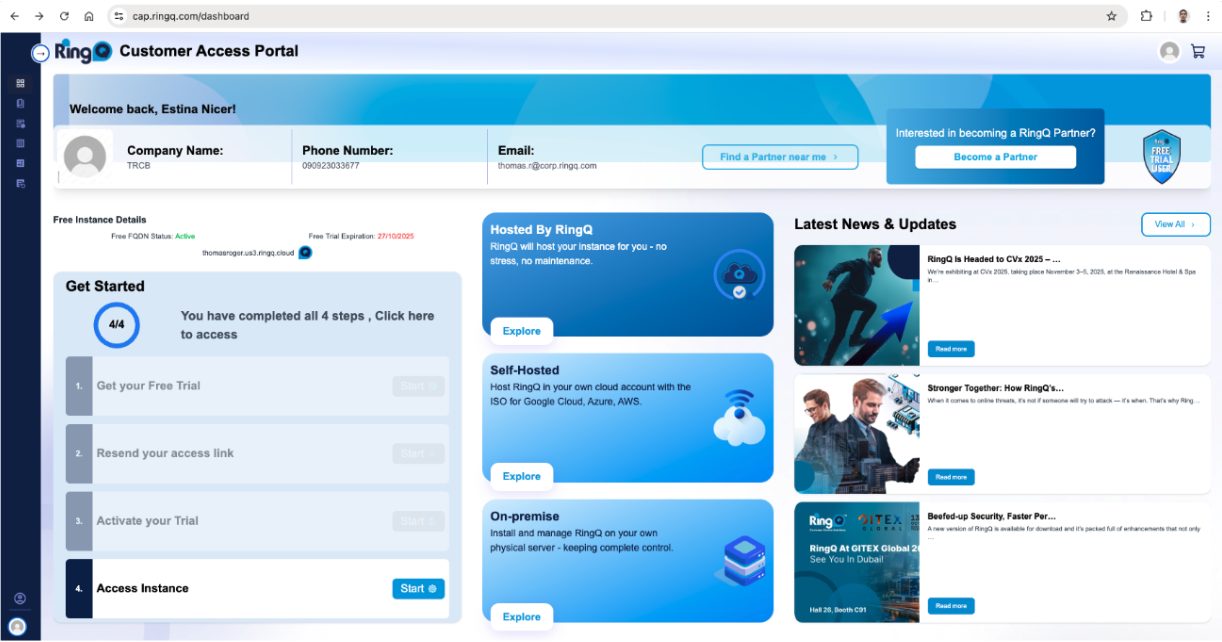
1. Click Start under the Get Started section on the left-hand side.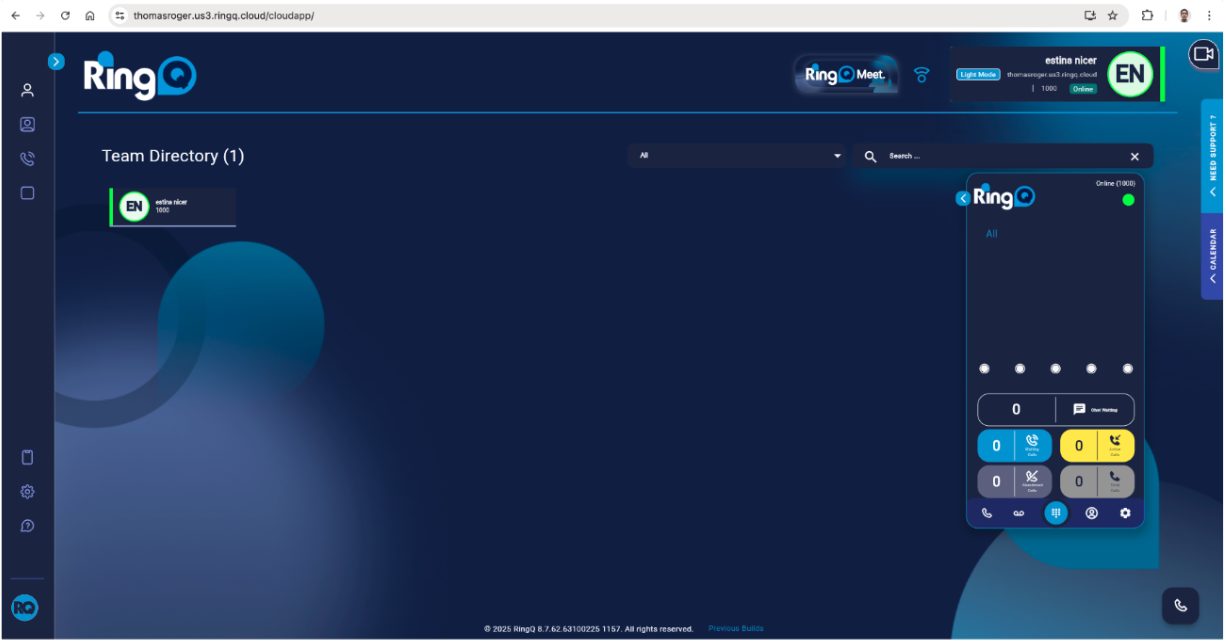
2. You will be redirected to the Free Trial Instance of the RingQ Web App, where your trial account will be automatically linked for activation and billing setup.
