
Introduction
Your personal RingQ Talk link enables anyone to contact you directly—by clicking on your unique link. Callers are instantly connected through their browser using WebRTC for secure, high-quality voice communication. This guide explains how to locate, share, and manage your RingQ Talk link.
Using your RingQ Talk Link
1. Login to your RingQ Web App and click on your avatar to open your profile page – located in the top right corner.
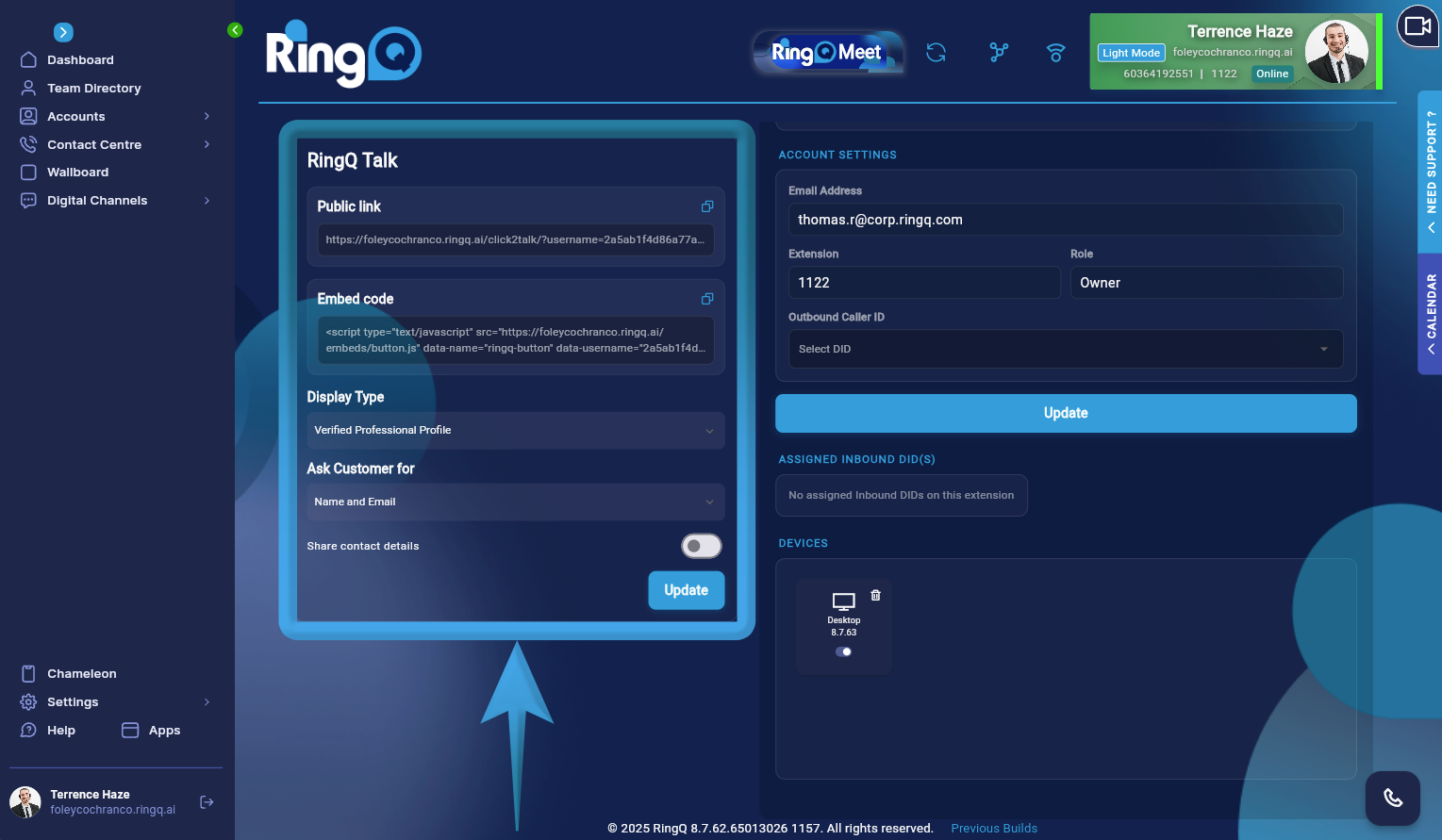 2. Scroll to the lower-left corner of the page to find the RingQ Talk section.
3. Next to the Public Link, click on the Copy icon to copy the link to your clipboard. You can add the link to your email signature or share with customers so they can call you by simply clicking on it.
2. Scroll to the lower-left corner of the page to find the RingQ Talk section.
3. Next to the Public Link, click on the Copy icon to copy the link to your clipboard. You can add the link to your email signature or share with customers so they can call you by simply clicking on it.
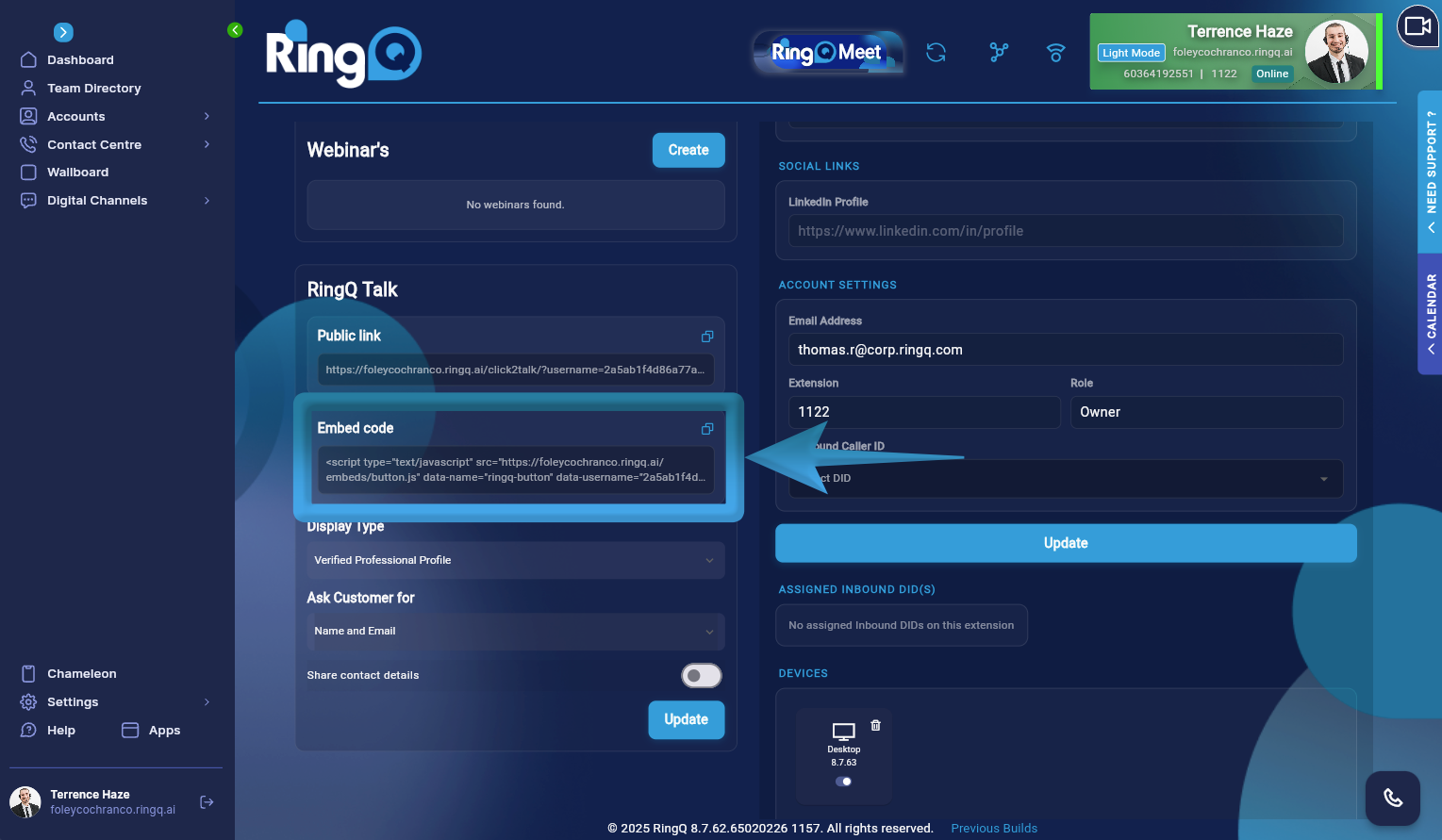 4. Embedded Code. Copy the Embed code and add it to your website or web app. Visitors can initiate a call without leaving the page, using your RingQ configuration (such as color, logo, and access token).
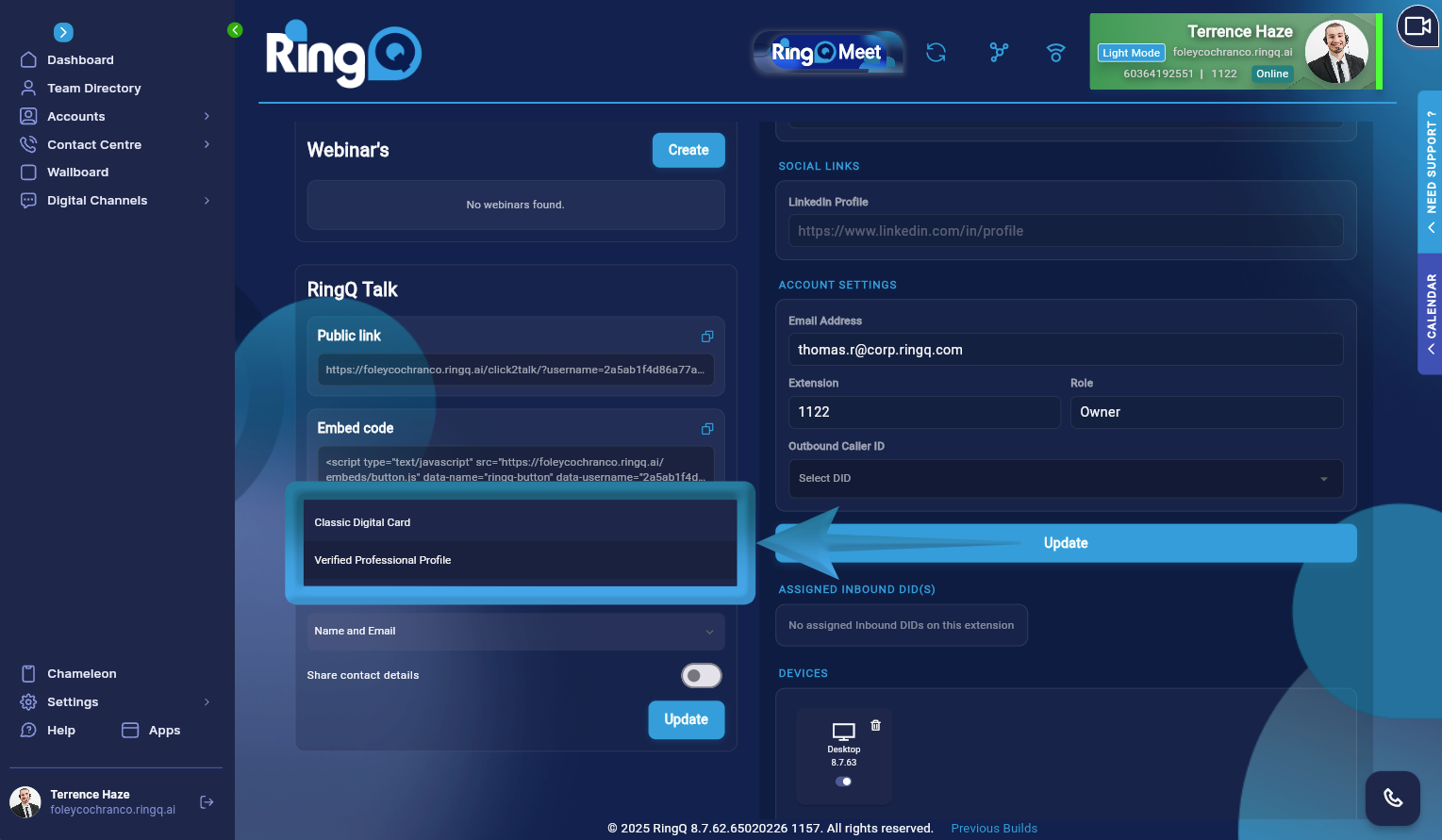 5. Display Type: Classic Digital Card or Verified Professional Profile.
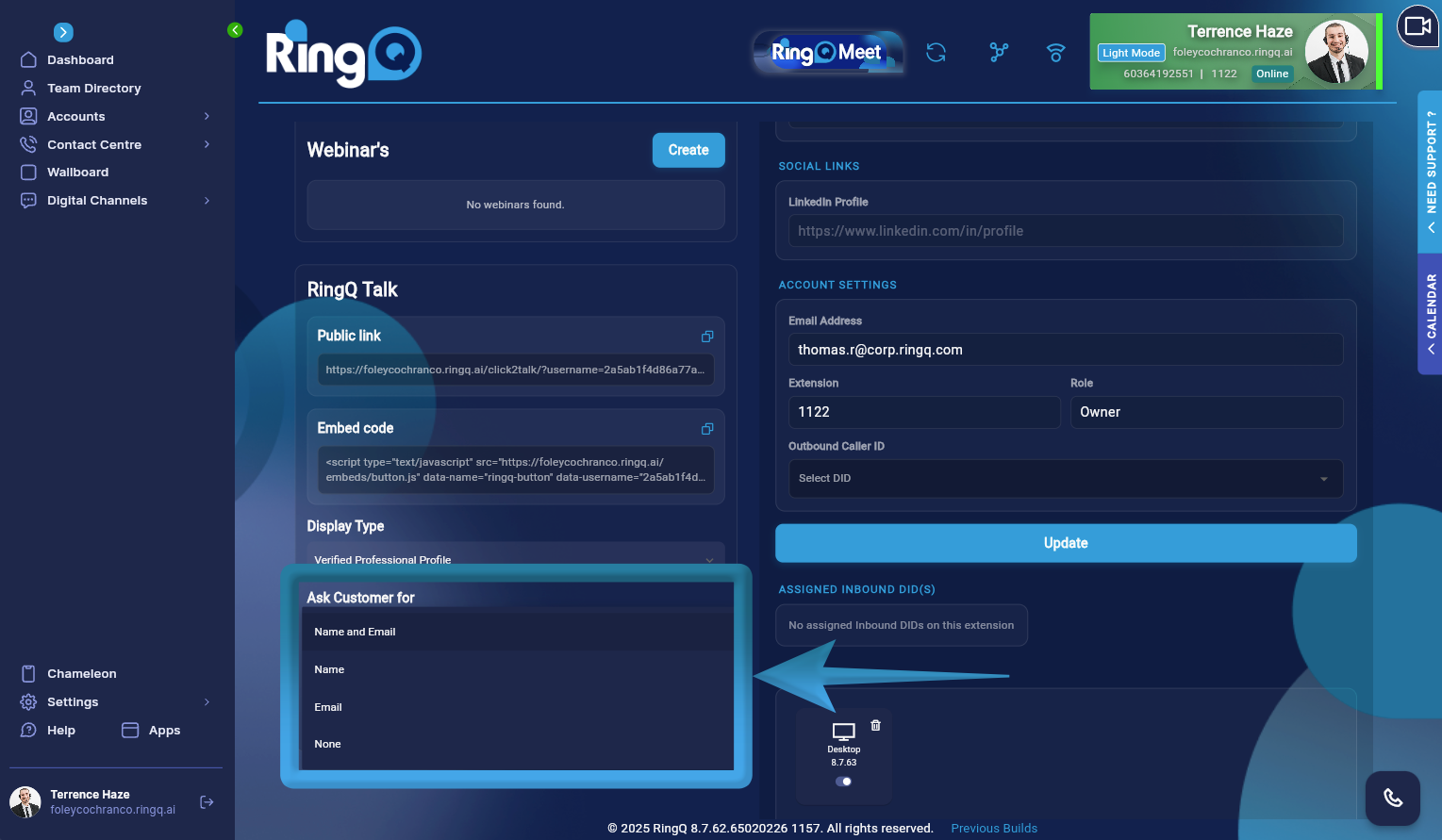 6. Choose the type of information you want to request from callers before they initiate a call by clicking on the dropdown menu under Ask customer for:
- Name and Email
- Name only
- Email only
- None
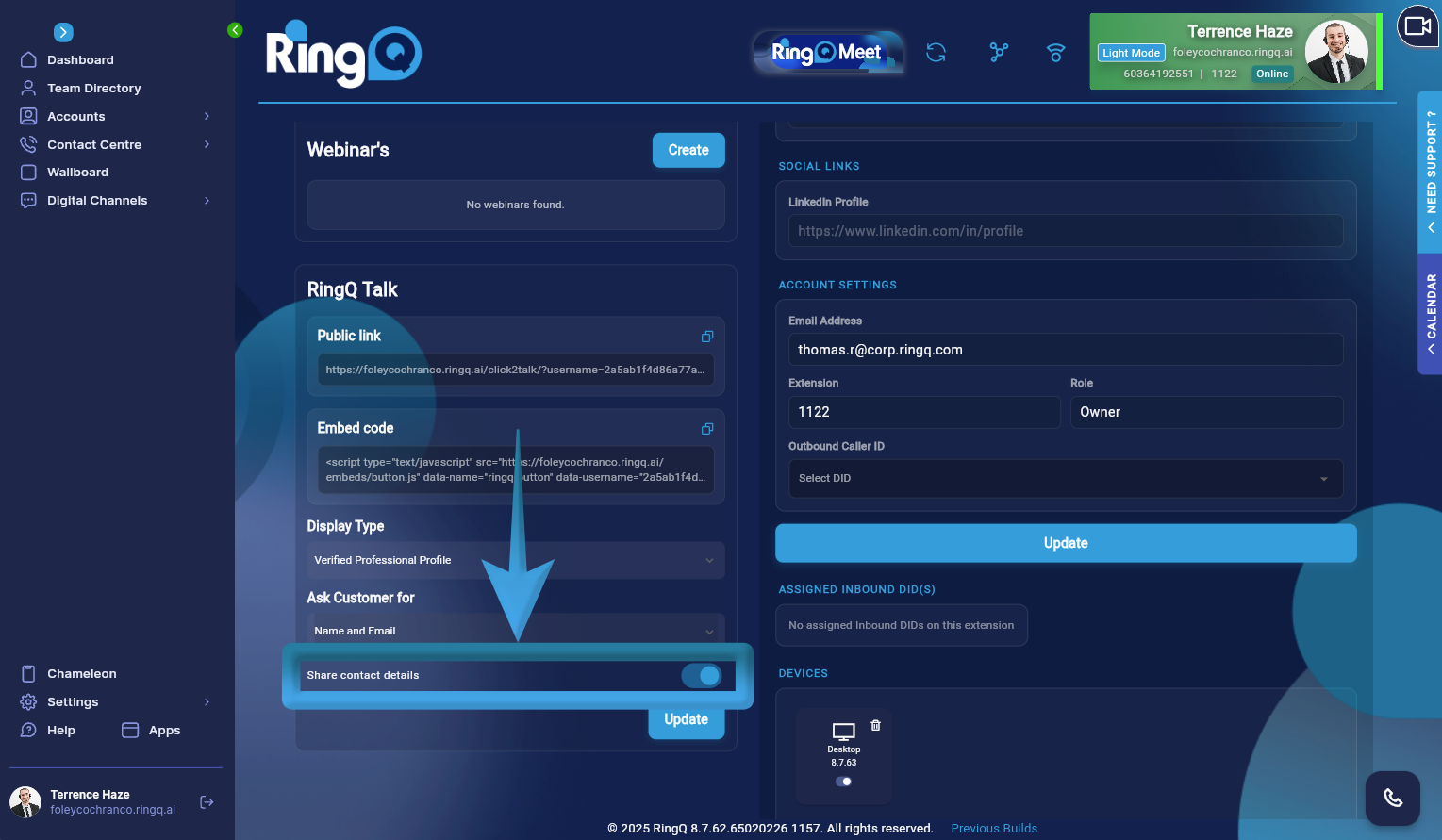 7. Enable/Disable Share contact details
8. Click the Update button to save configuration
7. Enable/Disable Share contact details
8. Click the Update button to save configuration
Sharing your RingQ Talk Link
Share your RingQ link with your customers by adding it to your website, email signature or social media. Here is an example RingQ Talk link: https://demo.us1.ringq.ai/click2talk/?username=b82********************&type=1 When a customer clicks on the link, they will initiate a call.
